Diedieshe explores screen-aware AI comment overlays and customizable companions

Diedieshe uses floating AI comments for screen-based tips and character companionship in reading, gaming and daily use. Value depends on accuracy and disruption; this review could not verify the reported 10 million users or four-second response claims.
Editorial fact-check (November 24, 2026): The “10 million users,” “four-second response” and cross-platform features described here come from the original product report. This review found no publicly reproducible statistical method or standardized test conditions for those claims. The official website still lists iOS as coming soon, although the same developer already has an iPhone version on the App Store. The existence of different pages or versions does not establish that every platform has the same background screen awareness, overlays or click-through capabilities. The paper-reading and gaming passages illustrate usage scenarios; they are not independent evaluations of explanation accuracy or response latency. Diedieshe official website (opens in a new tab)Developer’s App Store product listing (opens in a new tab)

Select text, copy it, switch to a chat window, paste it, write a prompt, wait for the answer, then switch back to the original interface:
The AI has answered with just one sentence, yet your workflow has suffered a full interruption.
Diedieshe, launched by a Chinese startup, aims to eliminate this entire cumbersome sequence. As a Personal Agent using AI “bullet comments,” it floats translucent comments directly over the current screen, removing the need to summon a separate chat box.
The report says the product now covers PC desktops, iOS, Android and browser extensions, offers Windows users a portable ZIP version requiring no installation, and has surpassed 10 million users across platforms.

Without waiting for a question, the AI is described as using screen content to deliver a one-sentence information summary, knowledge annotation or decision reference within four seconds.
It borrows the format of comments scrolling across videos: lightweight, brief and understandable at a glance.
The difference is that these comments no longer come from other viewers. They are triggered in real time by what is on your screen.
What bullet comments eliminate is the sequence before asking a question
Diedieshe combines “real-time screen understanding,” a “personality-based large-model engine” and “floating bullet comments.”
It aims to take over the step before generating an answer: proactively determining what you need right now.
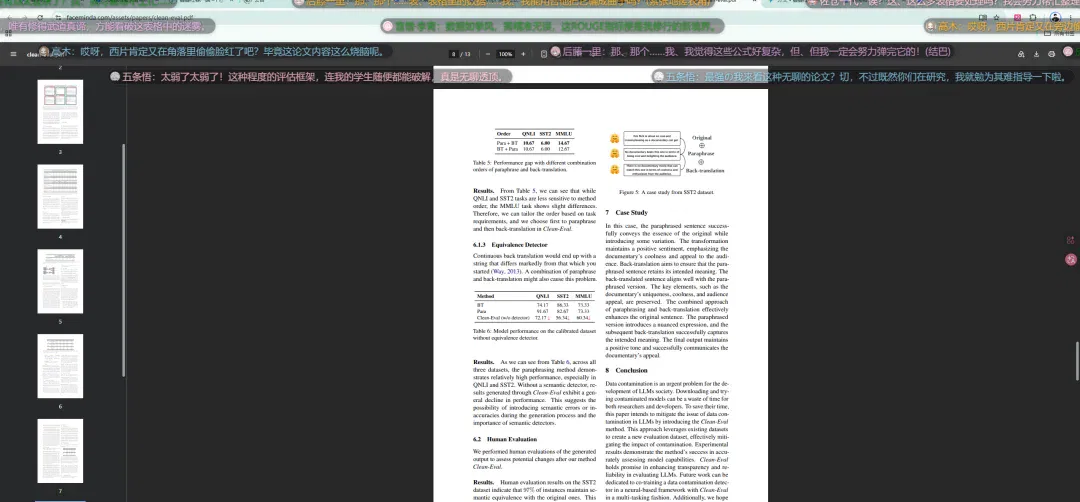
Traditional chat-box or sidebar interactions always make users act as information couriers first, shuttling between selection, pasting and prompt writing. In Diedieshe, the input changes from a prompt to the screen itself, while the output shrinks from long passages to one short floating comment.
This interaction can be described as “zero input, low interruption and companion-style.”
“Companion-style” means the AI offers brief tips based on the screen without waiting for you to ask. It does not promise that every judgment will be accurate, nor does it take over and complete tasks on your behalf.
In its specific design, the comments form a translucent, always-on-top overlay, with mouse click-through when not hovered over. Unlike a persistent sidebar or desktop pet occupying a fixed area, it floats over the interface to minimize intrusion into the workspace.
The brevity of these comments itself has practical value.
When reading papers or reviewing financial statements, lengthy AI output becomes another reading burden. A few words lower the effort of understanding, while the personality engine recasts them in different characters’ voices. Provided it gets to the point, a single comment is indeed much less disruptive than switching windows.
According to the product description, the AI in Lianpu Xinzhi’s world-model module does more than recognize pixels: it can judge what you are doing and where you are stuck.
The real change lies in the trigger: previously, you decided when to ask; now the product first judges when you need help.
From papers to games, it can keep you company
1. Reading papers: fewer window switches
A graduate student or engineer opens a 15-page arXiv paper in English and encounters unfamiliar abbreviations, complex formulas and experimental tables. The usual response is to translate selected words or send screenshots to a chat box. Reading one paper means switching windows more than a dozen times, then finding the line you had reached each time you return.
When your gaze rests on a model architecture diagram or mathematical derivation, the described interaction requires no action: a translucent line floats across the top of the screen.
For example: “Don’t let all those matrices scare you. The key here is simply to renormalize the preceding feature weights to prevent exploding gradients.”
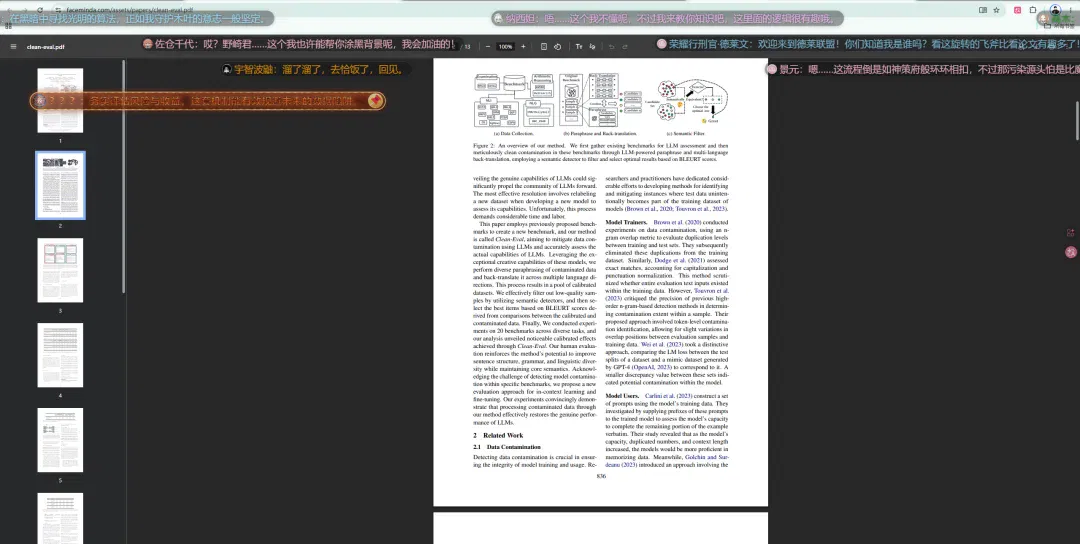
Users can also customize personalities such as an “academic adviser” or “acid-tongued reviewer.”
While reading a literature review, you might see: “This section is all paying tribute to earlier work. The real methodology is on the next page—hang in there.”
Fewer window switches are an obvious convenience, but the real test is whether the explanation fits. It must identify exactly where you are stuck, avoid covering formulas and charts, and above all get the logic right.
In demanding academic work, after all, a wrong explanation causes more trouble than no explanation.
2. Spare moments: easy to get started
A lunch break, idling in a group chat, late-night news browsing, watching a show or staring at a blank document: these are moments when people least want to sit up straight and formally question an AI. In such situations, Diedieshe emphasizes being “easy to install and always there.”
Its mobile clients cover iOS and Android, while the portable Windows version runs after unzipping. Under the same account, character and personality settings can sync across devices, taking a character configured on a computer seamlessly to a phone.

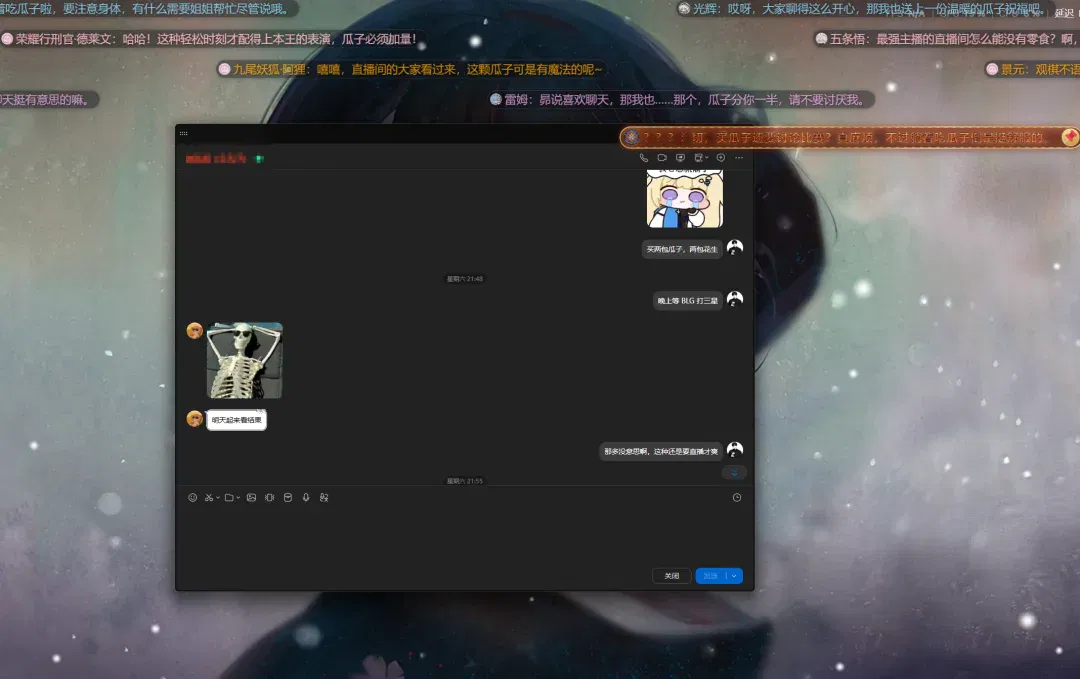
3. Gaming: no interference with controls
When playing ranked matches alone or a single-player game, nobody applauds a brilliant move or encourages you when you fall behind. Switching out to chat or starting a voice call can easily distract you.
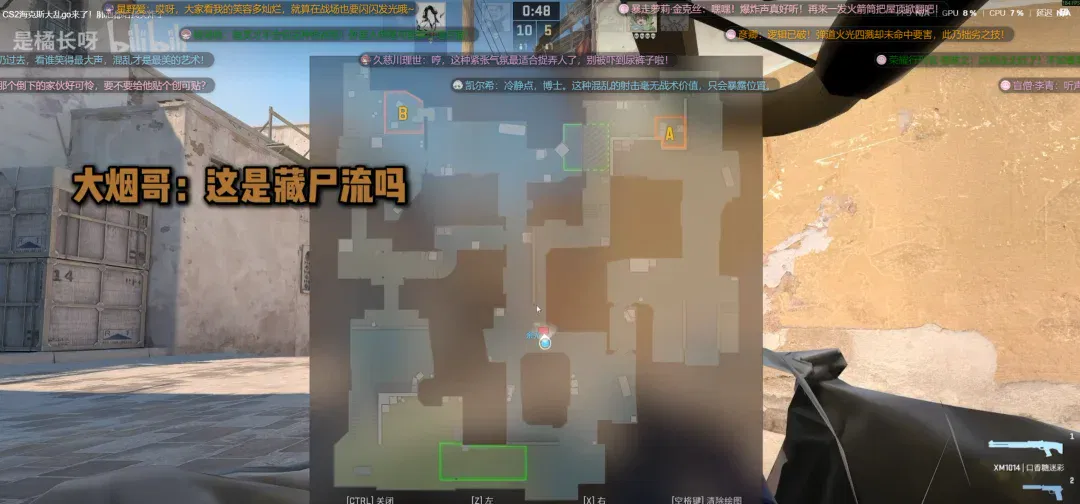
Diedieshe is described as supporting floating comments on PC or mobile, monitoring the match in the background and allowing full mouse and touch pass-through when not hovered over. At a clutch counterkill, a low-health escape or a crucial push, multiple AI characters take turns on the same screen:
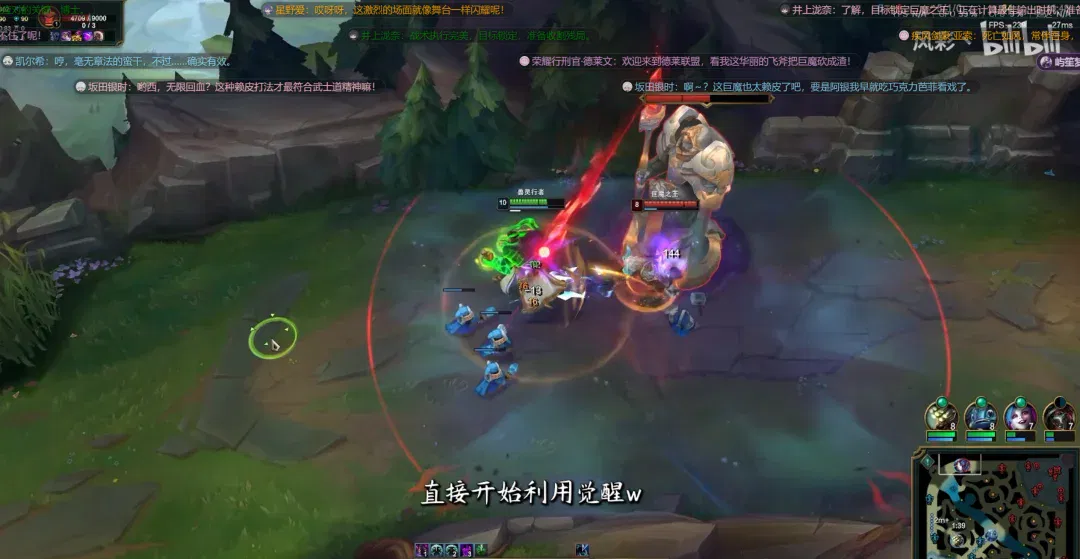
The calm tactician reminds you about vision and ability cooldowns; the fiery enthusiast cheers and joins the banter; the gentle, comforting character offers encouragement after mistakes.
4. A character ecosystem: ready out of the box
Casual users want convenience: download and play, without filling in complex settings. Heavy users want deep customization, pouring out every detail of their imagined character. To meet these polarized needs, Diedieshe combines a “character plaza” with do-it-yourself creation.

The character plaza includes more than 100 ready-to-use characters, selectable and switchable with one click. Custom characters have no numerical limit and support local avatar uploads, with adjustable names, genders, personalities, backgrounds, catchphrases and response styles.

With one-click setting generation, users are described as being able to create a new character in five minutes.
Diedieshe’s personality engine maintains stylistic consistency, trying to keep the voices distinct when multiple characters take turns on the same screen.
The next direction for companion Personal Agents
Diedieshe aims to move competition among Personal Agents beyond “generation capability” alone toward the more fundamental dimension of “perception.”
Over the past two years, large-model applications have competed on whose answers are more comprehensive and logically rigorous. Now a further prerequisite has emerged: who can appear at exactly the right moment?
Traditional chat-box interaction is essentially “people seeking information”: users must first identify their problem and translate it into a prompt. Bullet-comment interaction reverses this into “information seeking people,” triggered by real-time screen content and taking the initiative away from the user.
If this companion-style interaction truly works, continuous tasks requiring deep concentration—reading papers, reviewing reports and investigating errors—could be the first to show commercial value. In these settings, users generally do not need AI to write a vast essay. They need the smallest useful addition of information to clear an immediate reading obstacle.
What deep work tolerates least is the break in flow caused by switching windows. Even a ten-second copy-and-paste detour can require several times as much cognitive effort to get back on track.
But “appearing proactively” is always a double-edged sword, leaving the product to walk a tightrope between seamless assistance and intrusive interruption.
With precise timing and a pertinent point, it is a thoughtful assistant that seems to read your mind. If its prediction is wrong, or it merely states something true but useless, users must spend extra attention deciding whether the comment is worth reading.
Translucent interfaces and mouse click-through solve only the physical occupation of screen space; they cannot absorb the mental cost of misjudgments. Within a user’s sovereign screen space, an uninvited remark is inherently an interruption.
Analyzing Diedieshe’s product lineup therefore reveals a strategy of “establishing value in demanding scenarios, then retaining users through a softer ecosystem”:
In the short term, the most revealing areas to watch remain paper reading and code troubleshooting—frequent tasks with a high cognitive load. Their tolerance for error is extremely low and users are highly sensitive to efficiency, making them a test of whether screen understanding can actually work.
Game companionship and the character ecosystem, meanwhile, carry the commercial hopes for user acquisition and retention:
Pure productivity tools often face the problem of users leaving once a task is done. Diedieshe seeks to provide emotional value through multiple characters taking turns on screen, then accommodate users with different levels of commitment through accessible character creation, potentially extending into the creator economy
—making distinctive character personas and comment scripts an extension of content from anime, gaming or knowledge creators, and adding a sticky community moat to an otherwise impersonal AI tool.
Returning to the opening question: how many window switches should asking AI one question require? Diedieshe’s answer is zero.
But reducing window switches to zero is only the first step in reshaping interaction.
Once the act of asking has been removed, the real test is just beginning: behind a constantly changing screen, can it really understand where you are stuck, and can it learn restraint, speaking only at the moment you need it most?
This article comes from Agent Universe, written by its editorial team.
Related topics
After reading
Join the AINRK community
Read how to join the community and connect with people working in AI.
Related articles
Continue reading related topics and articles in this category.

Yoroll Launches Interactive Short-Drama Adaptation Tool; Guaranteed Deals Depend on Project Terms (opens in a new tab)
Yoroll adapts finished short dramas with branches, generated shots and compositing, illustrated by the 30-episode Clutch Time. Platform guarantees depend on tiers, exclusivity and other terms; one-click adaptation does not ensure a guarantee, reliable output or distribution income.

Alpöge says “250,000 pages” was a joke, addresses Riemann-proof code criticism (opens in a new tab)
Levent Alpöge says the “250,000-page” proof was a joke and acknowledges redundant, low-quality Lean code in his work with Claude. He argues that its ideas should lead to a more natural, concise mathematical framework; code quality and formal correctness remain distinct.

Ant Ling launches the LingSante health-model family and releases two core models’ weights (opens in a new tab)
Ant introduces LingSante, releasing weights for 560B flash and 124B air-VL alongside Afu video interaction and doctor tools. The article’s examples and developer benchmarks do not establish clinical validity; deployment needs suitable hardware and professional review.

Dario’s early “immersive games” idea draws criticism; media accounts are distinct from company policy (opens in a new tab)
The article revisits media accounts of Dario’s early OpenAI discussions and critiques his views on AI jobs, safety and Anthropic’s culture. The idea is not current company policy; online speculation about his health lacks reliable evidence.
Nex-N2.6 Hands-On: Personal Tests Across Harnesses and Computer Use (opens in a new tab)
The author tests Nex-N2.6, post-trained from GLM-5.3-Flash, in bubble code and Aegis on a galaxy page, Three.js, code-generated video and Jianying editing. Its 321B-scale weights are open; smoothness and comparisons with closed models reflect personal cases, not a comprehensive evaluation.