Atlas opens its web app and API; APPSO tries 3D scene generation and export
World Labs connects generation, set design, lighting and mesh export into a toolchain. APPSO describes sketch and Chongqing-style scenes, while noting that finished films or games still require further work.
Editorial correction (November 16, 2026): Generated scenes are not surveyed reconstructions of real locations. Use the service according to the regions actually supported, and check camera-position counts against the specific output.
Fei-Fei Li's world model, which previously went viral for "generating an entire 3D world from a single image," is finally open to everyone.
Today, World Labs, founded by "AI godmother" Fei-Fei Li, officially opens its world model Atlas, launching a web app and developer API at the same time. New users receive 10,000 credits upon registration.
Try it at: atlas.worldlabs.ai
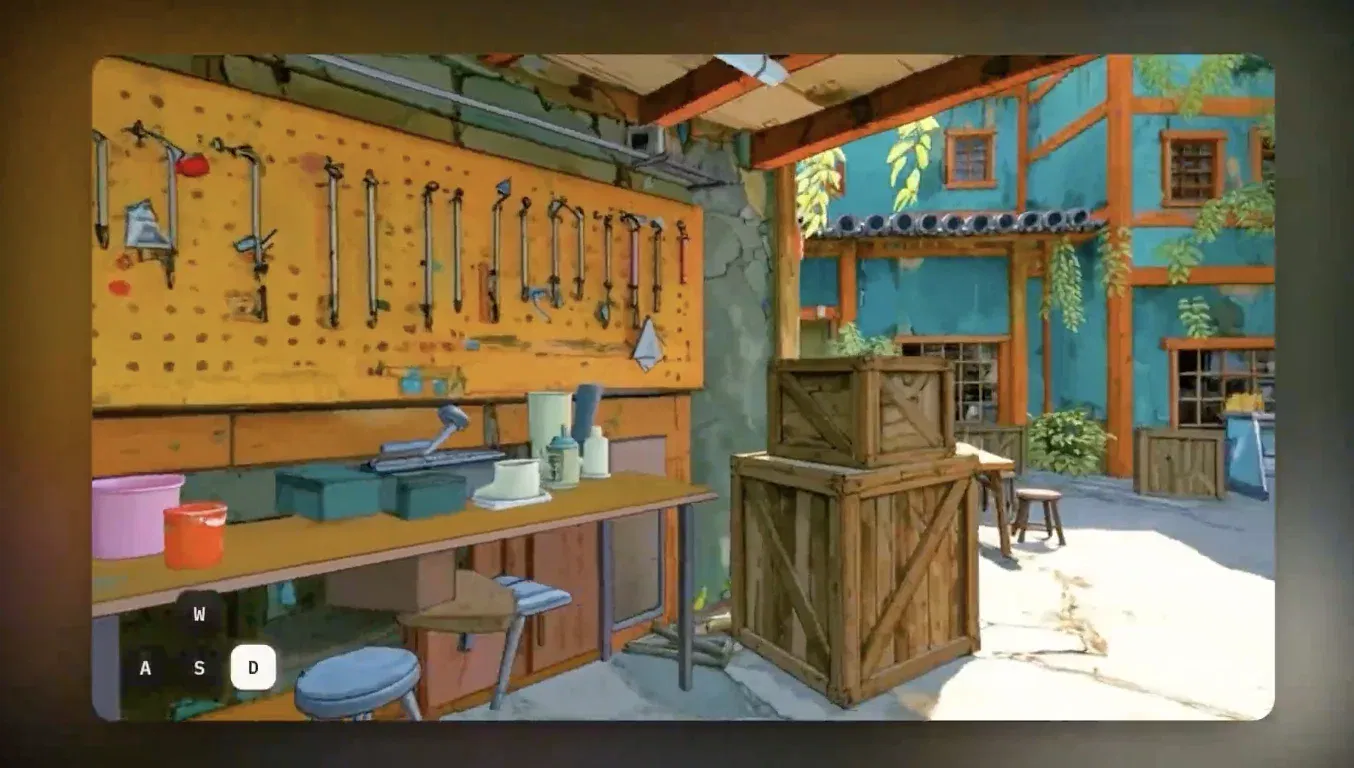
Now we can experience for ourselves a capability that previously appeared only in demonstration videos: sketch a few houses and a path, and AI can turn the drawing into a freely explorable 3D world. You can even adjust the scene layout, plan shots, generate video, and finally export to Blender or a game engine for further work.
The release also brings two new Web apps, Viewfinder and Chisel, which you can try directly on the Atlas website.
Fei-Fei Li reposted World Labs' announcement and could hardly hide her excitement, saying: "Atlas is now open to everyone!! I cannot wait to see what users can build with our latest world model! 🤩🌎"

a16z partner Martin Casado also gave the release exceptionally high praise. In his view, it is the biggest step in 3D generation/reconstruction since the rise of generative AI.

A complete world-model toolchain
Enter your actual location for the region of use and check the platform's supported regions. Selecting another region cannot substitute for checking your actual eligibility or availability.
After logging in, new users see four tools on the homepage: Viewfinger [as written in the source], Chisel, Relight, and Splat to mesh. These may sound like specialist terms, but together they provide the complete engineering workflow for generating a "world."
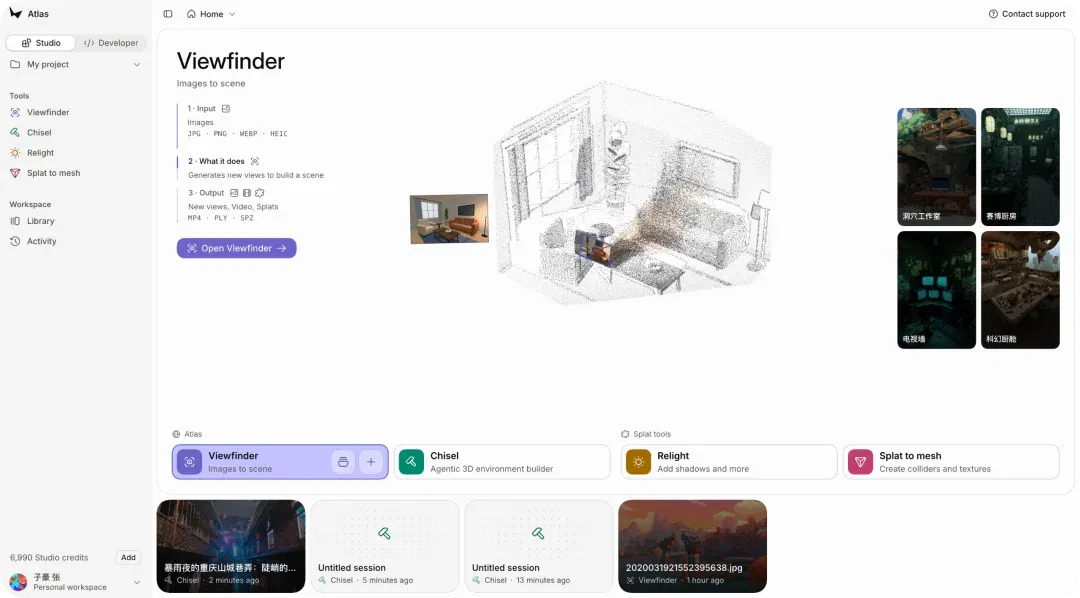
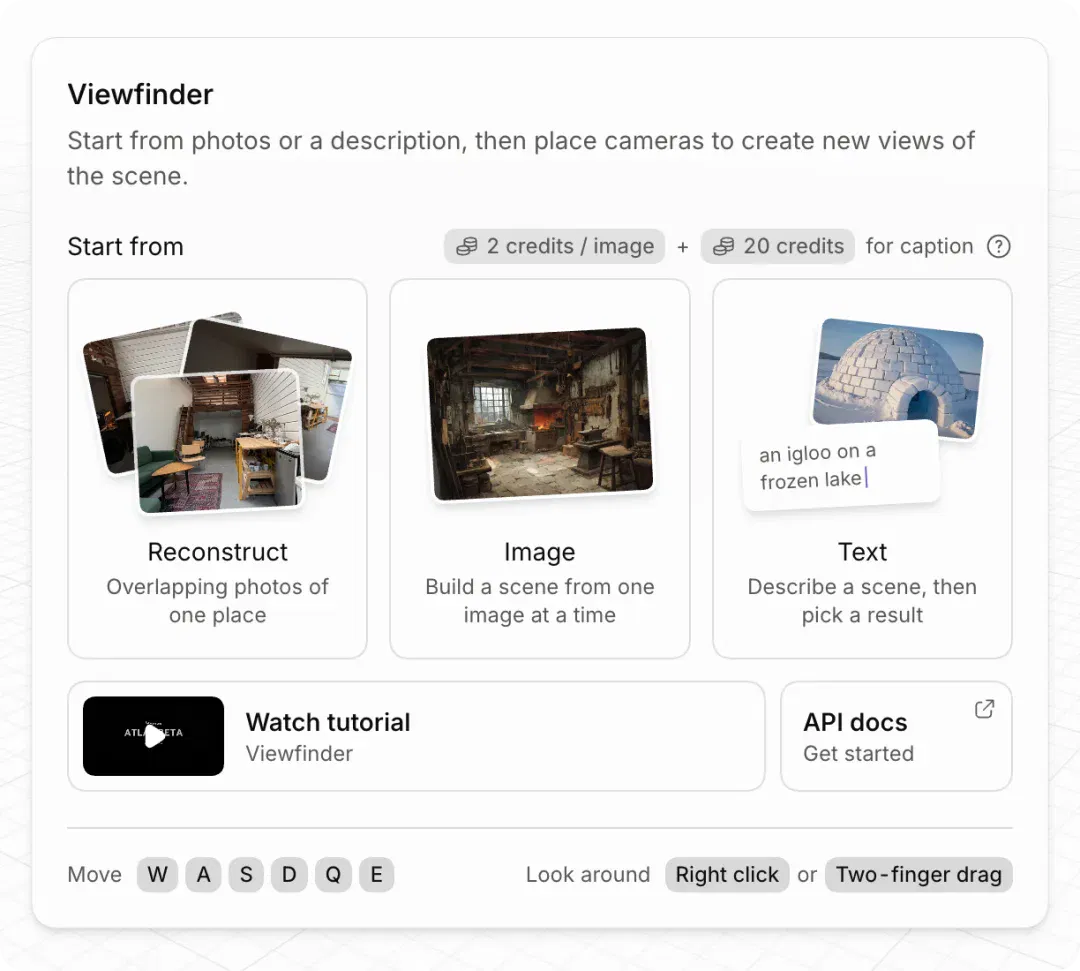
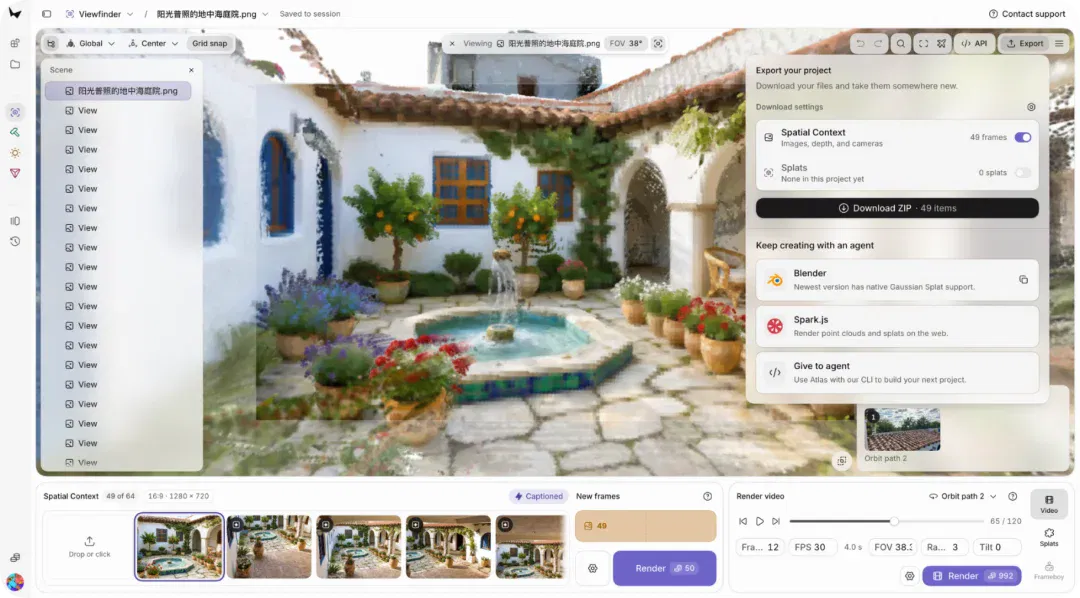
Viewfinder takes an image into a scene. Give it a photograph or a text-generated image, and it can build a scene in which we can explore new viewpoints, set camera paths, and render video. A view originally fixed inside an image can now be reframed.
For example, a living-room image can be the starting point for Viewfinder. We might want a view looking from the window toward the sofa, or a shot moving slowly through the room.
But if the photograph does not show the back of the sofa, the model needs to infer what it looks like; it must also fill in how much space exists outside the picture. Viewfinder expands from a single image, generating an extensible scene with a great deal of imagination.
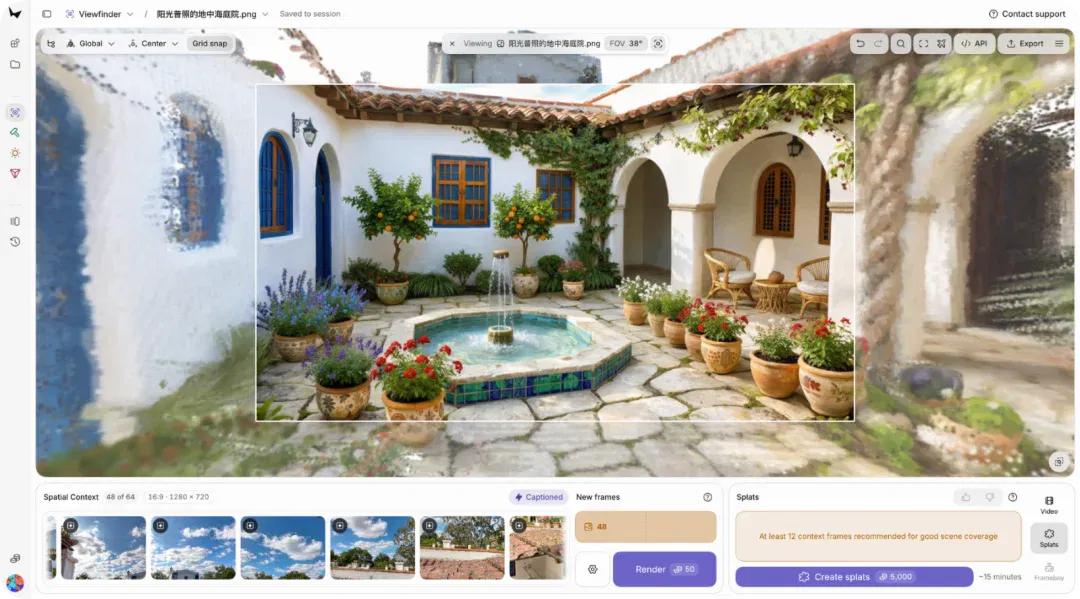
Reconstructing a place that actually exists requires more viewpoints. The company also says Viewfinder supports generating a scene from a single image, or using up to 64 inputs to reconstruct a real environment.
But creative work soon encounters the next problem: the generated room does look good, yet its layout does not suit the needs of the shoot.
Perhaps the sofa is too far from the window, the corridor is too narrow, or the desired camera position simply will not fit. This is where the second tool, Chisel, comes in. We can first use simple three-dimensional shapes to build the scene structure and establish object positions, then have the model generate visuals based on those structures.
We can think of it as simplified set design: first decide where the walls are and how the furniture is arranged, then consider materials, lighting, and overall style. In a demo, World Labs developers summed up this workflow as building the space first, then freely adjusting the visual style while keeping the walls in place.
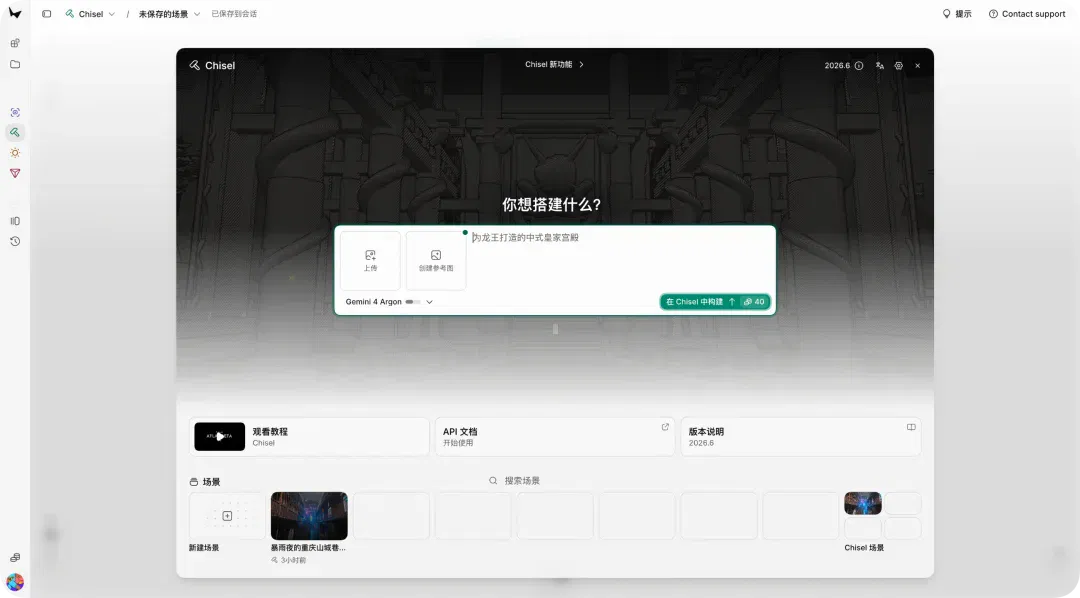
Overall, the four tools essentially provide all the capabilities needed for the world model.
Viewfinder: image → scene. Input JPG/PNG/WEBP/HEIC to generate new viewpoints (MP4) or Gaussian-splat point clouds (PLY/SPZ).
Chisel: an agent-driven 3D environment builder. It supports mixed inputs of images, documents, webpage URLs, and mesh models (GLB/glTF/OBJ/FBX). Use natural language to direct AI to build an untextured blockout, then have Atlas render images and splats.
Relight: relight splat scenes and add shadows.
Splat to mesh: convert splat point clouds into textured GLB meshes for direct use in game engines.
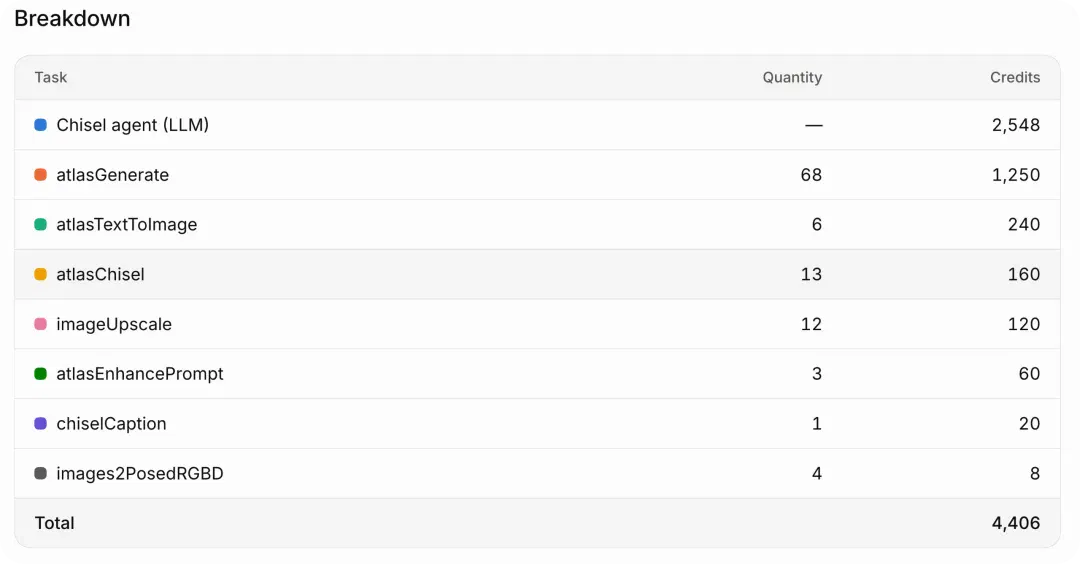
The platform currently uses credits: Viewfinder costs 50 credits to render a frame; the Chisel agent is billed by token (Gemini 4 Argon, 10,000 credits per 1M output tokens); rendering a whole Chisel set costs 160 credits; and generating a complete Splat costs 5,000 credits.
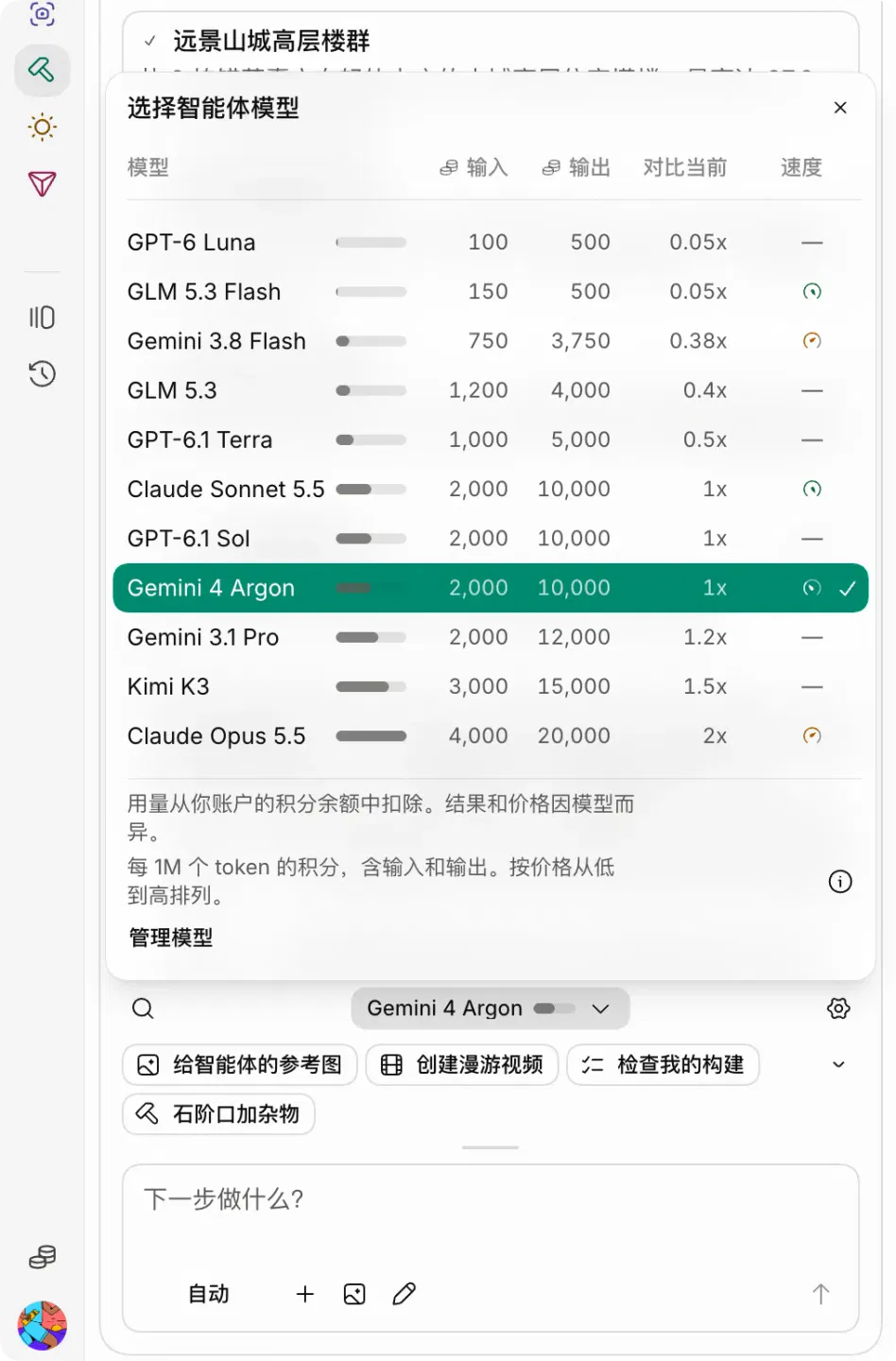
Each image we generate in Viewfinder uses 50 credits. The larger credit charges are for rendering and video generation. The 10,000 credits claimed under the free plan are still enough for a brief introduction to the different functions of this new Atlas model.
Trying Atlas: generating a Chongqing-style 3D scene
Among the official demonstrations, the one that probably broke out the most turns a casual doodle in a notebook into a 3D scene you can walk into.
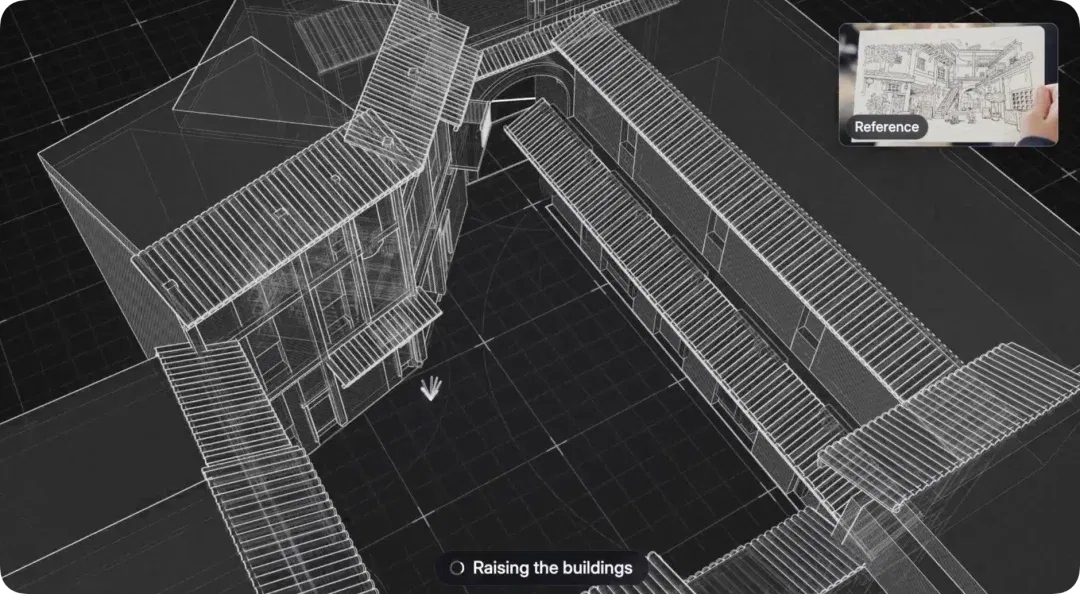
We also had AI generate a sketch: a notebook doodle with small houses, a large tree, a smiling sun, and a winding path. We then uploaded it to Chisel to initialize the whole scene.
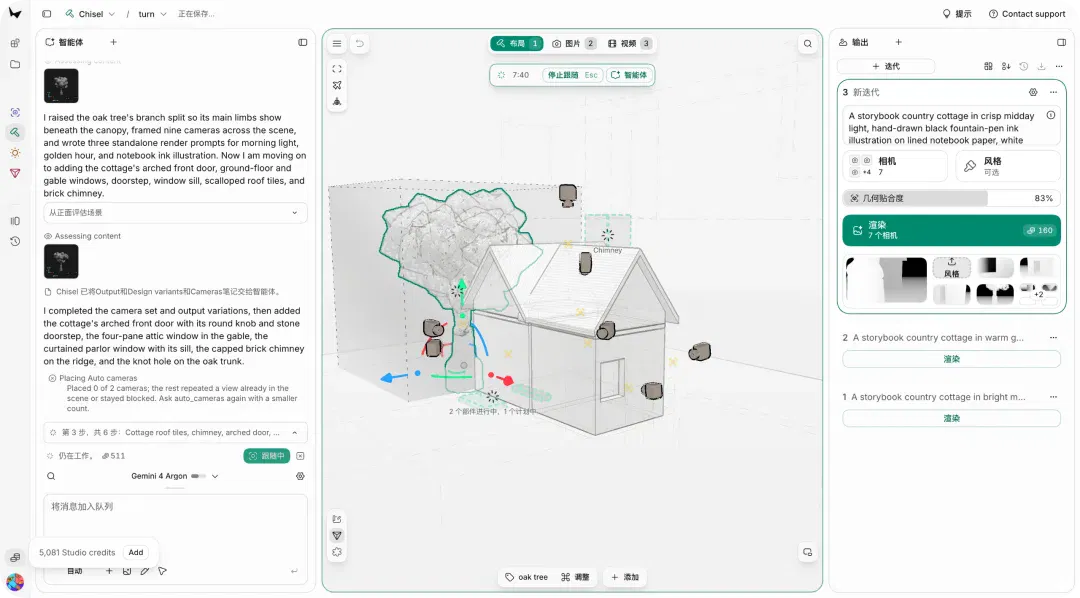
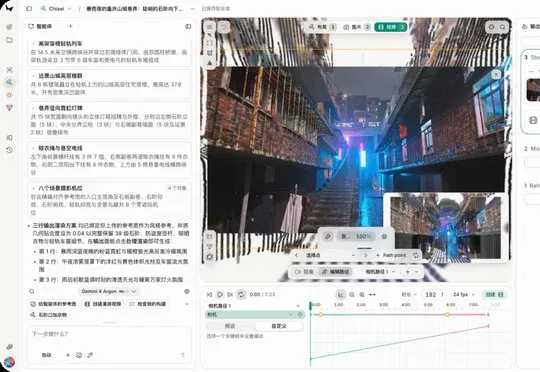
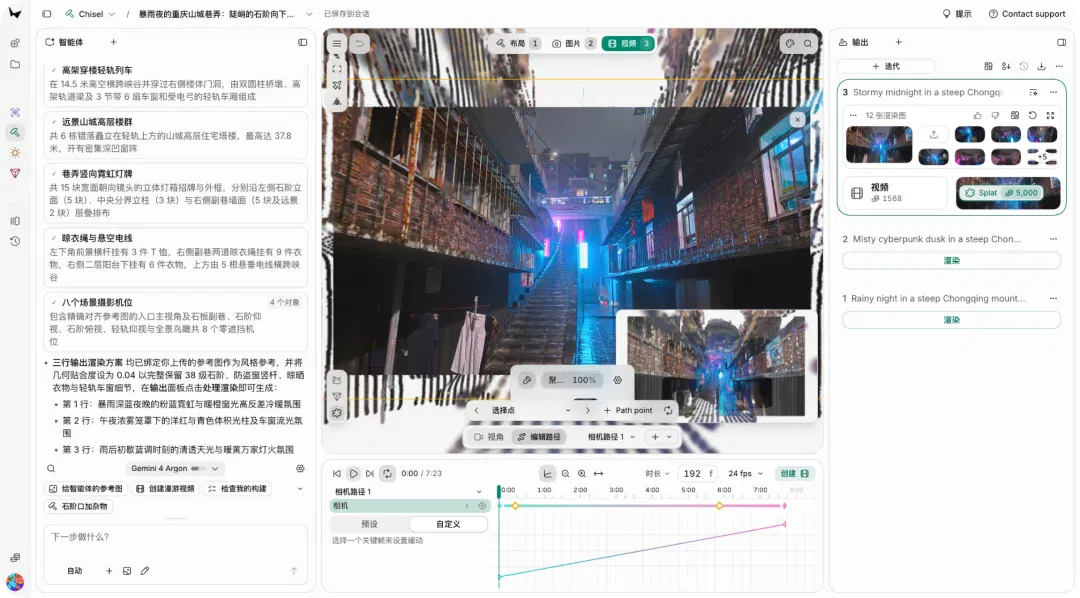
After clicking "Build in Chisel," the system first generates a reference image, then its built-in agent starts automatically building a 3D blockout. We can watch it break down building volumes, create doors and windows, add signs, and place cameras in real time. It also automatically checks and fixes geometric errors such as floating objects and intersections.
The agent chat box on the left lets us further adjust the 3D construction process. Once construction is complete, the agent delivers the scene, multiple unobstructed camera positions, and several rendering schemes, including different times of day, weather, and atmospheres.
Open the output panel on the right, choose a scheme, and click "Render" (about 160 credits) to generate finished images for all camera positions in one go.
For further work, you can give the agent additional instructions, such as "add a late-night snack stall." You can also click "Create Video" to generate a walkthrough video, or generate a complete Splat and explore it through 360° in the viewport.
Finally, adjust the lighting atmosphere with Relight, or convert it to GLB with Splat to mesh and export.
We also tried entering this prompt: "A hillside alley in Chongqing on a night of torrential rain: steep stone steps extend downward, flanked by layers of old residential buildings covered with neon signs and clotheslines. The wet stone pavement reflects powder-blue light, while a light-rail train passes through a building in the distance."
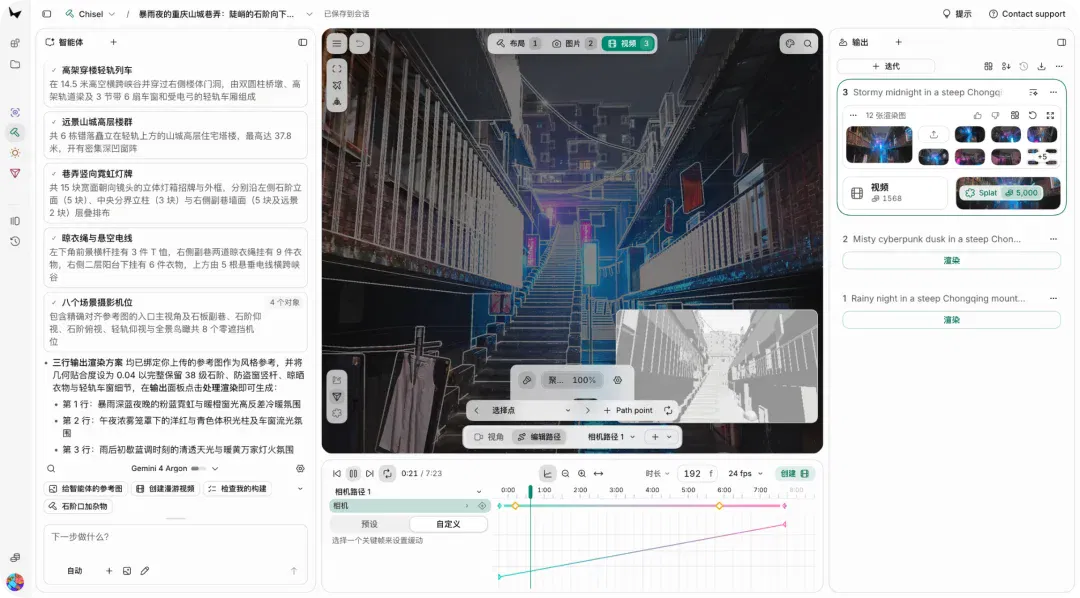
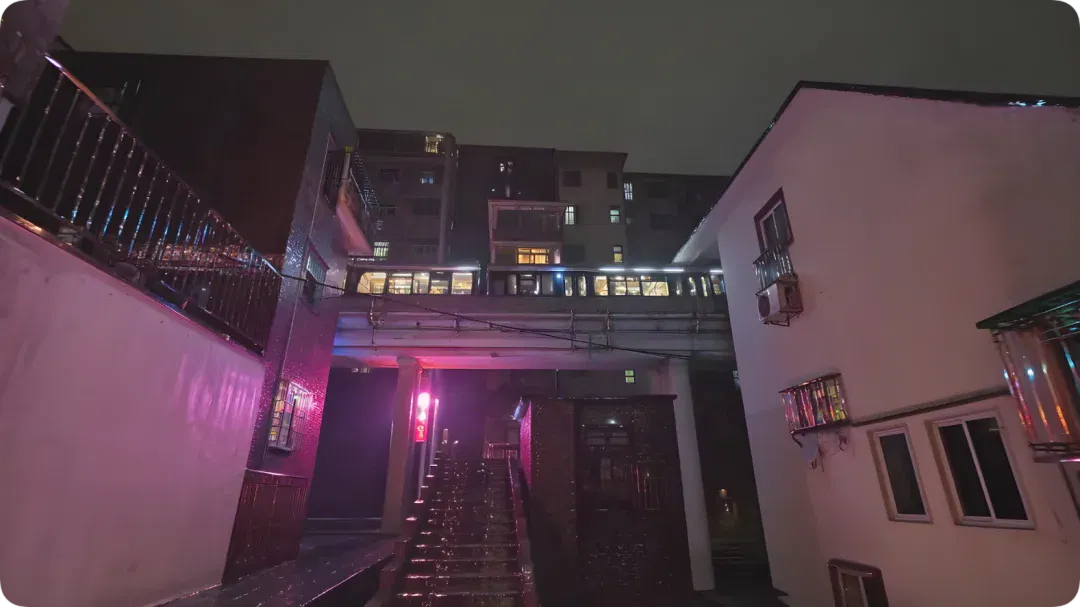
In about 1 minute, Atlas first generated a reference image containing elements such as stone steps, corridor-style apartment blocks, neon, clotheslines, reflections on wet roads, and a light-rail line passing through a building.
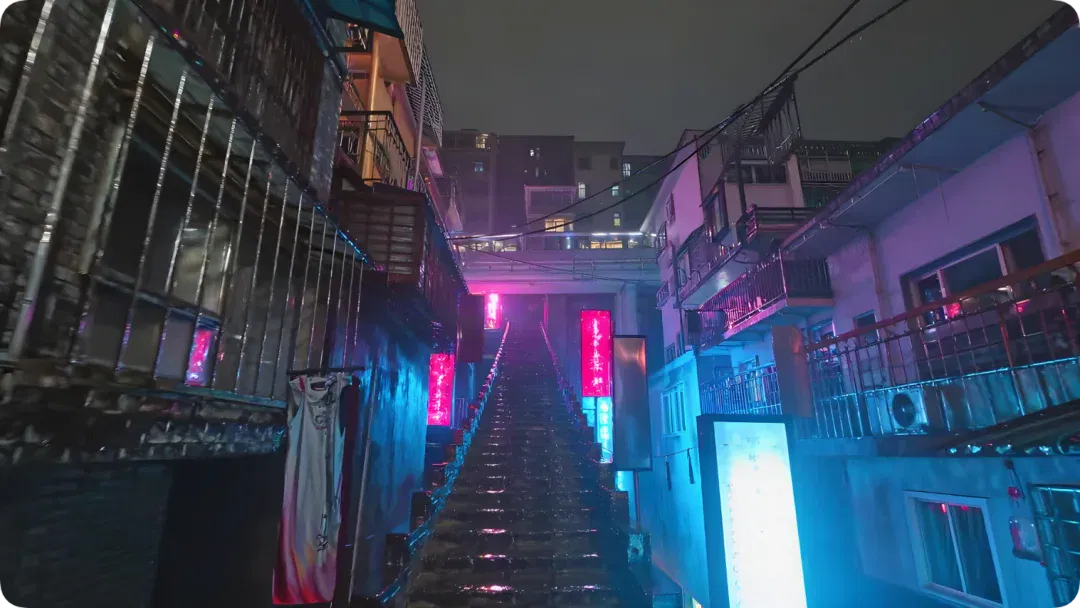
Chisel's built-in agent (Gemini 4 Argon) took over the subsequent construction, automatically making and executing a 6-step plan that took about 30 minutes in total.
The steps included breaking down building volumes → placing 9 camera positions → constructing the light rail passing through a building, plus the distant building clusters → adding balconies, security grilles, and corrugated rain awnings → placing 15 neon lightboxes and clotheslines → checking line-of-sight occlusion shot by shot.
The system continually checks geometric errors such as "floating objects," "intersections," and "camera occlusion," and fixes problems such as "a light-rail bridge pier floating 8.25 meters above the ground" itself on the spot. The agent's thinking process also shows how specialist the tool is. It says things like "reduce the eave heights of foreground and middle-ground buildings to reveal an open view of the light rail passing through the buildings."
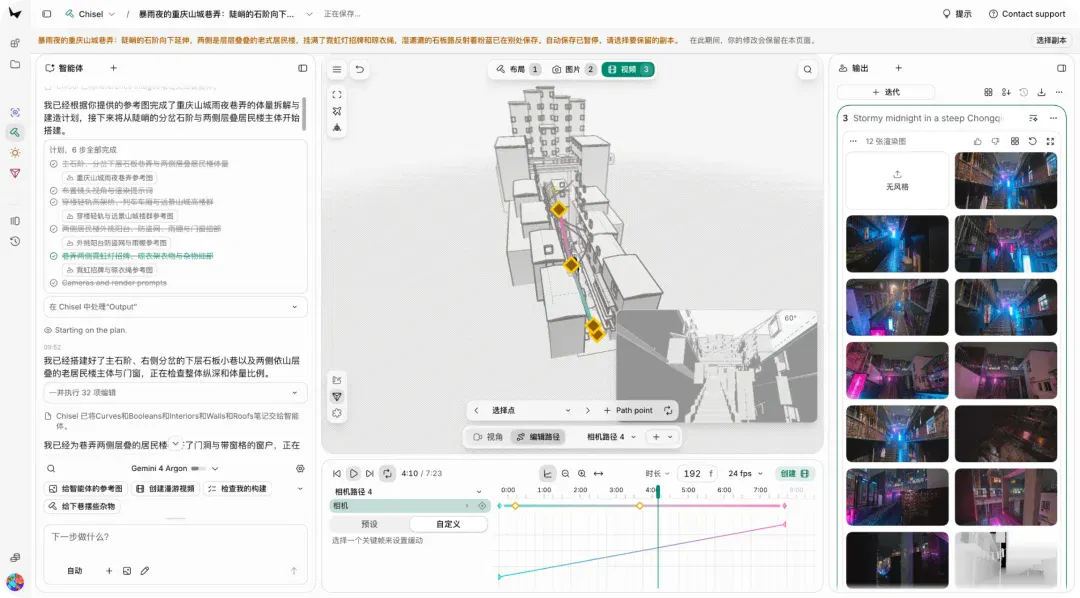
The final scene contains 38 stone steps, 5 stepped-back residential buildings on each side, 3 light-rail cars with pantographs, and 8 unobstructed camera positions.

The source lists different camera-position counts for the plan, available viewpoints, and rendered outputs, which cannot be compared directly on the same basis. Here we record only that this run generated images from multiple viewpoints; the actual output panel determines the count.
The quickest way to get started with Atlas is still to use Viewfinder. Click "Drop or click" to upload an image (JPG/PNG/WEBP/HEIC supported) and select Image mode to import it.
The uploaded image appears as a "picture frame" in the 3D viewport. Click the canvas to place it. We can then move the camera with the mouse:
Drag with the left button to orbit, drag with the middle button to pan, and use the scroll wheel to zoom.
Next, move the camera to a new position. Note that you must translate away from the original camera position, because depth estimation needs parallax; rotating in place will not render. Click Render (50 credits), and a new image from the current viewpoint is generated in about 1 minute;
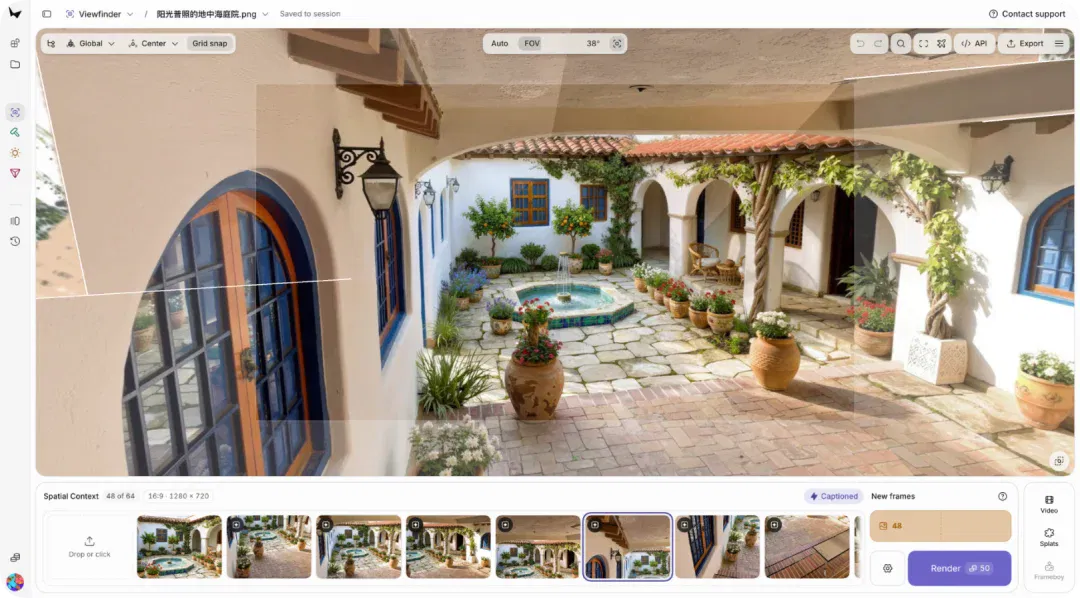
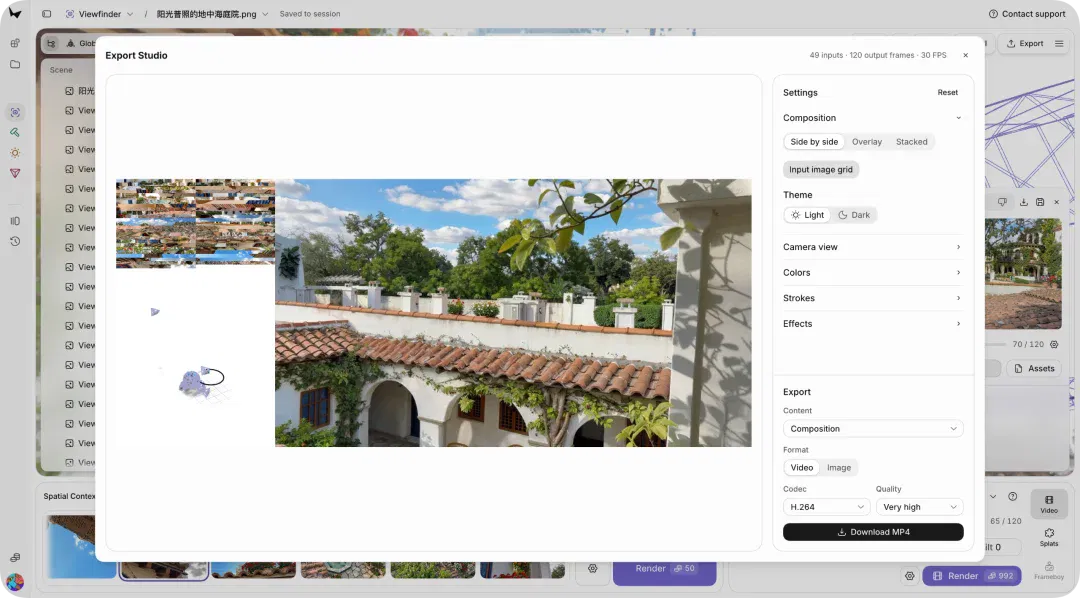
Then change to several more angles and repeat the rendering; new frames accumulate in the filmstrip at the bottom. Once there are enough frames, select Splats mode and click "Create splats" to generate a complete point cloud (about 15 minutes), or generate a video in Video mode.
Finally, Export in the upper-right corner also lets you export MP4 / PLY / SPZ files.
If you do not want to open the website, Atlas also provides a full developer API. The Chisel interface includes an "API Documentation" entry point, allowing world-generation capabilities to be integrated into your own product pipeline.
AI that can write code is beginning to build scenes too
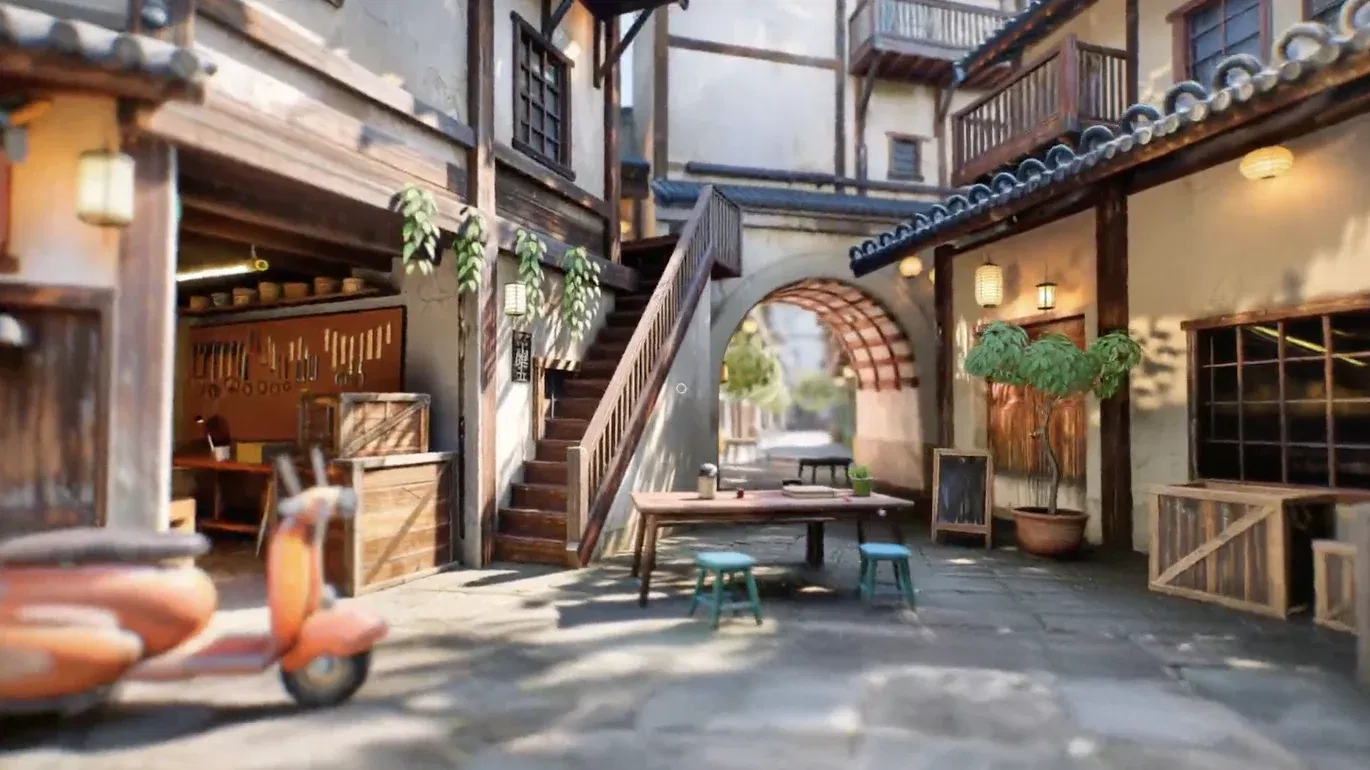
After Atlas opened, World Labs designer Ian Curtis put world models, coding models, and web-based 3D technology into the same demo. Combining the recently popular Fable 5.2 + three.js with Atlas, he built a 3D world for real-time first-person exploration.
This combination also connects to another question raised by the recent AI coding boom: once code becomes easier and easier to generate, who makes the scenes and visual assets?
For an interactive work, getting the program running completes only part of the job. The environments, materials, and images users ultimately see also have to be made.
Introducing the release, researcher Ben Mildenhall gave a more specific division of labor:
Use an Agent to build rough three-dimensional geometry, then control generation of the final visuals through Atlas's model interface. Chisel, along with the Codex and Claude Code integrations offered in this release, is designed around this direction.
In his view, creating detailed visuals procedurally entirely through code remains expensive, and the two technical approaches can complement each other.
Coding Agents build structures and connect operations, while world models generate visual content from spatial constraints. It is becoming possible to connect work that previously required switching back and forth between different tools.
Atlas is also trying to bring its generated results into existing production processes. The company provides a Blender integration and a tool for converting Gaussian splats into meshes, making it easier for users to continue working on games, interactive environments, and other projects.
Of course, exporting a scene still leaves plenty of work before a game or film is finished. Interaction rules, character behavior, and checks and adjustments to assets all need further attention.
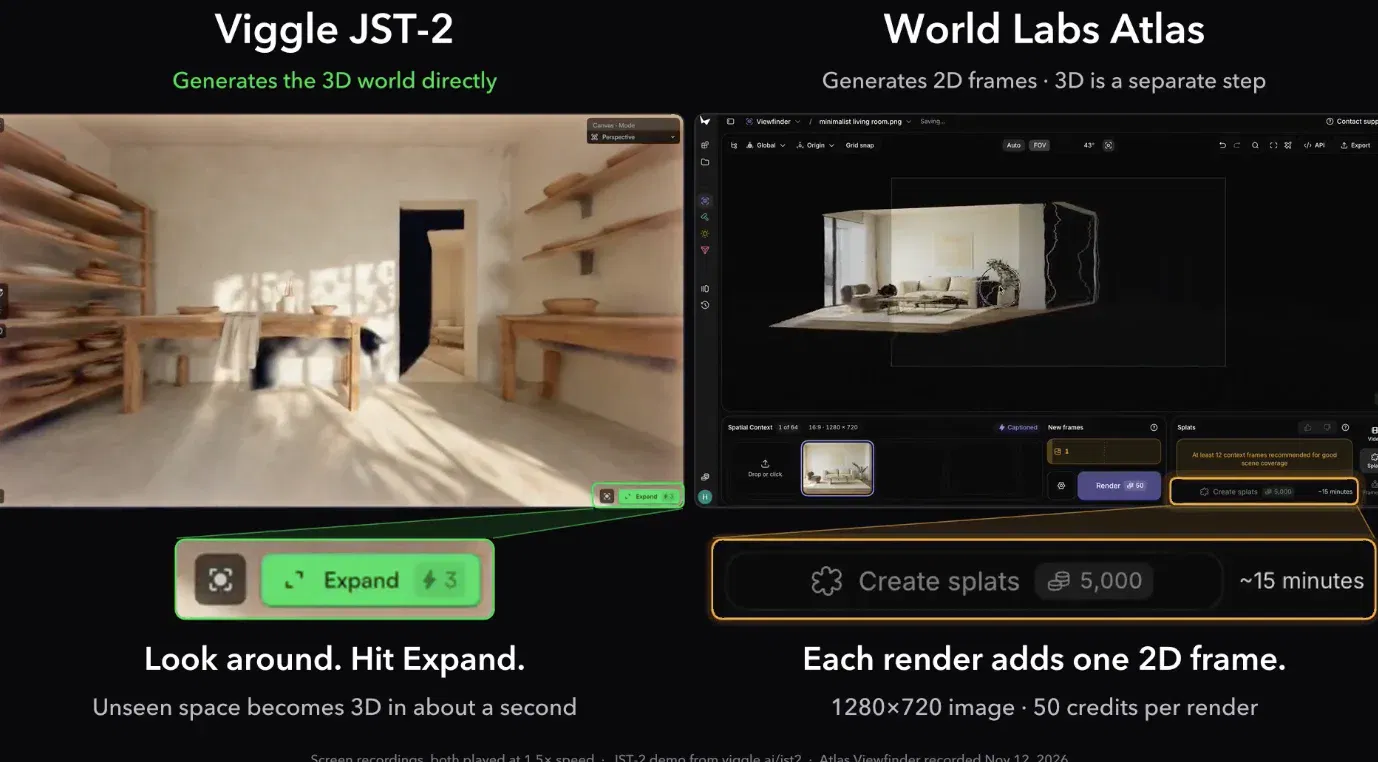
Competition among world models is just as intense as among general-purpose models. Viggle's Hang Chu posted a side-by-side comparison of JST-2 and Atlas, emphasizing that his company's approach directly generates 3D content and questioning the extra steps and time Atlas needs to reconstruct views as Gaussian splats.
The real significance of opening Atlas may lie less in the image quality of a single generation than in packaging a "world model" into a usable workflow. From a single image or sentence to 3D assets that can be storyboarded, rendered, explored, and brought into an engine, every stage has a clear tool and a clear price.
In the past, AI coding tools could help us write a game but struggled to independently complete its scenes and visual assets. Now, coding Agents can build structures and write interactions, while world models turn those structures into three-dimensional environments that can be explored, filmed, and worked on further.
For independent developers, this may mean no longer having to build every scene manually from scratch when making games and interactive works. For ordinary people, even without 3D modeling knowledge, there is finally an opportunity to turn an image in the mind into a world they can walk into.
As AI becomes increasingly capable of writing code, the next step is to have it build the worlds inside that code too.
This article comes from the WeChat official account "APPSO," by "APPSO."
Related topics
After reading
Join the AINRK community
Read how to join the community and connect with people working in AI.
Related articles
Continue reading related topics and articles in this category.

李飞飞百万撤离成功,拿到了「大结果」,然后呢? (opens in a new tab)
AMD以约82亿美元股票收购李飞飞创办的World Labs后,作者认为交易更看重人才与模型理解而非成熟产品,并批评世界模型标签滥用及AI圈压制对低质产品的批评。

Mei Tao proposes agentic world models linking planning and feedback (opens in a new tab)
AI Tech Review outlines Mei Tao's AWM concept, connecting language models, multimodal representations and embodied feedback. Team demos illustrate the idea; visual consistency does not establish physical accuracy or reliable real-world execution.

AMD announces World Labs acquisition closing; Fei-Fei Li becomes EVP and chief scientist (opens in a new tab)
AMD announced completion of its World Labs acquisition on November 16, with Fei-Fei Li reporting directly to Lisa Su. Regulatory filings place closing on November 13 and record approximately 14.98 million common shares issued to former shareholders.
英伟达公布 GR00T 2,展示人类示范向机器人迁移 (opens in a new tab)
GR00T 2 联合预测视频与动作。英伟达展示跨本体迁移和少样本适配测试,首批 10 万小时人类视频已开放,其余资源计划陆续发布。

Jeff Dean 与李飞飞讨论自动实验和递归自我改进的边界 (opens in a new tab)
对谈区分模型优化和改进研发流程,讨论计算与实验时间的约束。Jeff Dean 称 Discovery Loop 已运行约 20 个自动改进循环,提效倍数属于目标。