DeepSeek Harness update: Task timeline, code review page, and Git plugin sources
DeepSeek Harness reaches v0.2.3-alpha.2, adding an agent task timeline, a dedicated code review page, Git-based plugin sources, seven connector types, experimental Windows Computer Use, and optional on-demand loading of MCP tools.
DeepSeek's latest update has left people online stunned.
It is only a move from v0.2.2 to v0.2.3-alpha.1, yet the changelog is ridiculously long.
One devoted DeepSeek fan marveled:
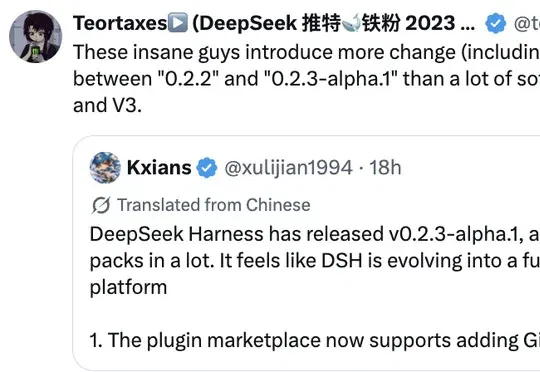
The changes these "maniacs" made between 0.2.2 and 0.2.3-alpha.1, including breaking changes, amount to more than many software products introduce when going from V2 to V3.
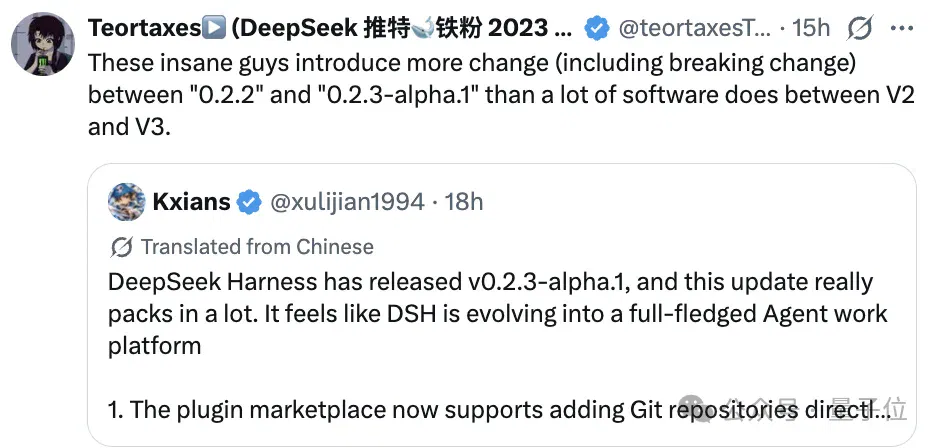
Take a look, and that is hardly much of an exaggeration. The version number barely moved, but the changelog really is long...
An agent task timeline, a dedicated code review page, and a session status area have all arrived at once.
Now, while an agent works, you can see how far a task has progressed and where it has become stuck through the task tree and progress reports.
Once the code is written, the agent no longer just tosses out "Task complete" and calls it a day. You can inspect the changes directly in Harness and review them together with the agent.
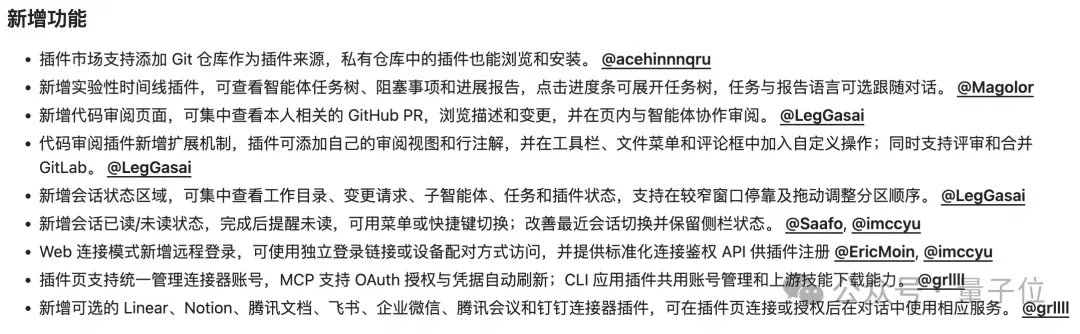
The plugin market has also been upgraded: Git repositories can serve directly as plugin sources, and you can browse and install plugins from private repositories too.
Seven connector types, including Feishu, WeCom, and DingTalk, have been added, and Computer Use has begun offering experimental Windows support.
All the signs suggest that DeepSeek Harness (DSH) is rapidly evolving from an agent tool into a complete agent work platform.
How far has the agent got? It is all in the progress bar
DeepSeek has added an experimental timeline plugin in this update.

Anyone who has used agents knows that, once a task becomes complex, what the agent is doing and where it is stuck often become a black box.
The timeline plugin can display tasks and their execution status hierarchically, and even record blockers separately.
If a stage cannot move forward, you can inspect the relevant information through the task tree and progress reports.

The new version also adds a session status area.
The working directory, code change requests, subagents, tasks, and plugin status can be displayed together.
The status area can dock at the side, and its sections can be reordered by dragging.

There is also an experimental Auto review permission mode.
Each time an agent calls a supported tool, the call can first be submitted to a model for review.

Also included is a dedicated Code Review page.
GitHub PRs involving the current user can be viewed together here.
You can browse the PR description, affected files, and specific code differences directly.
It is easy to compare which lines were deleted and which were added.
For changes you are unsure about, you can also collaborate with an agent on the review within the page.
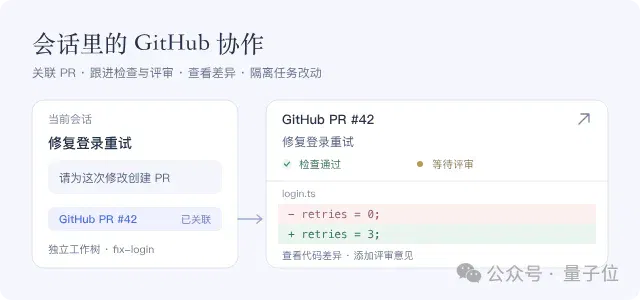
The page supports plugin extensions too. Developers can add their own review views, line annotations, and actions in the toolbar and comment box.
GitLab is supported as well, allowing merge requests to be reviewed and merged.
Git Worktree has also been improved for situations where multiple agents edit code at the same time.
You can now customize branch names and create worktrees from remote branches.
For example, an agent fixing login functionality and another modifying a payment interface can work in separate worktrees, reducing interference with each other.
Once the changes are complete, they can be checked through code review.
Well then, AI programmers now have to do more than hand in their work: code reviews are part of the routine too.
Install plugins directly from private Git repositories
The plugin market has not been standing still either.
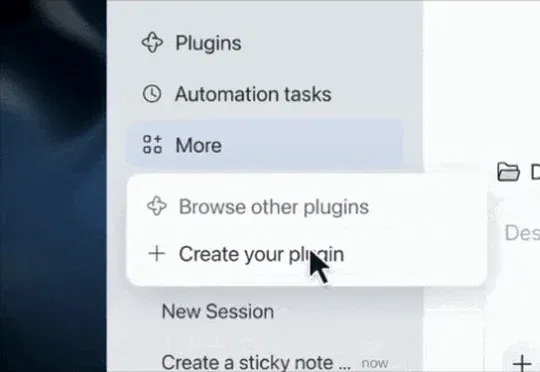
Git repositories can now be added directly as plugin sources, with both public and private repositories supported.
Suppose a company has developed its own set of agent plugins.
Some check internal coding standards, some access the company's knowledge base, and others handle automated testing.
These tools normally live in private Git repositories and are not intended for public release.
The repository can now be added directly to the plugin market, allowing team members to browse and install its plugins.
There is no need to put internal tools in a public repository merely to make installation convenient.

There are plenty of familiar names among the new connectors.
Linear, Notion, Tencent Docs, Feishu, WeCom, Tencent Meeting, and DingTalk make up the seven optional connector plugin types.
Project management, knowledge bases, collaborative documents, team communication, and online meetings: the main categories of everyday office tools are covered.
Once users connect or authorize an account on the Plugins page, they can call the relevant service's tools in a Harness conversation.
Connector accounts can also be managed centrally, and MCP now supports OAuth authorization and automatic credential refresh.
Of course, as more tools are connected, the model's context needs to be used carefully.
After all, every MCP tool has its own name, parameters, and description.
Load dozens of tools together, and merely telling the model which tools are available can consume quite a few tokens.
DSH has therefore added an optional on-demand loading mode for MCP tools.
The corresponding tool definition is loaded when the tool is needed, reducing the context consumed in model requests.
All right, even the tool manuals are being budgeted carefully now...
Windows computer interaction arrives
Further down the changelog, there is another batch of underlying changes.
First, Windows users can finally join in too.
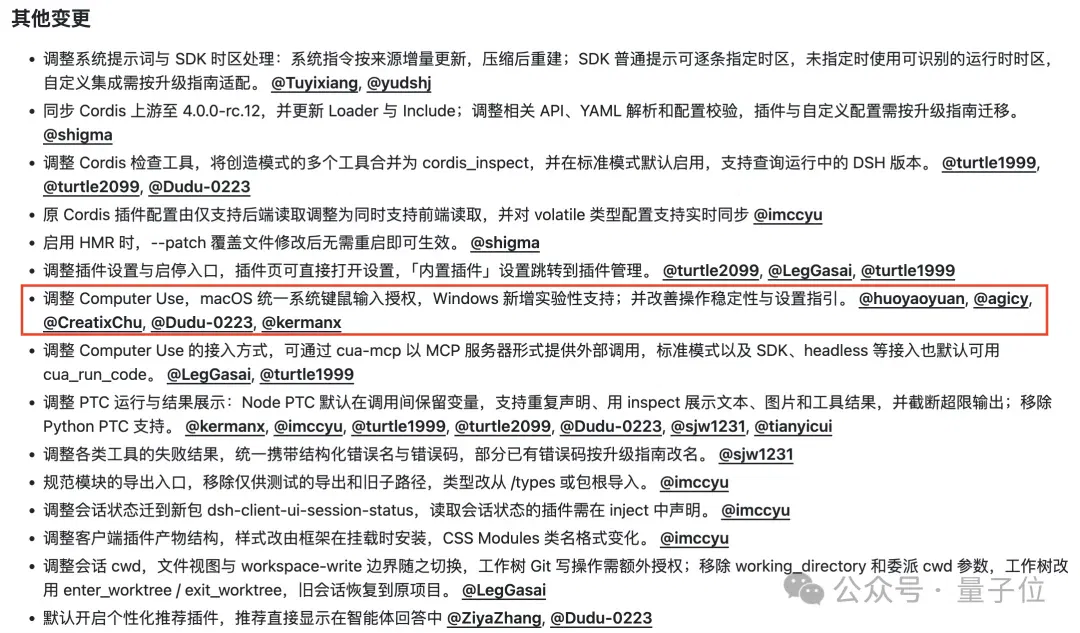
Computer Use has begun offering experimental support for Windows.
Agents can interact with computer interfaces through the mouse and keyboard, clicking buttons and entering text. Through cua-mcp, these computer-interaction capabilities can also be made available for other agent systems to call.
Mouse and keyboard input authorization on macOS has also been unified, while Web connection mode adds remote sign-in.
Meanwhile, the PTC that developers know has undergone changes.
Python PTC support has been removed outright, while Node PTC now retains variables across calls by default.
The underlying Cordis has also been upgraded to 4.0.0-rc.12, bringing a round of changes to plugin interfaces, working-directory parameters, and configuration methods.
Developers who have written custom plugins may need to update their own code as part of this upgrade.
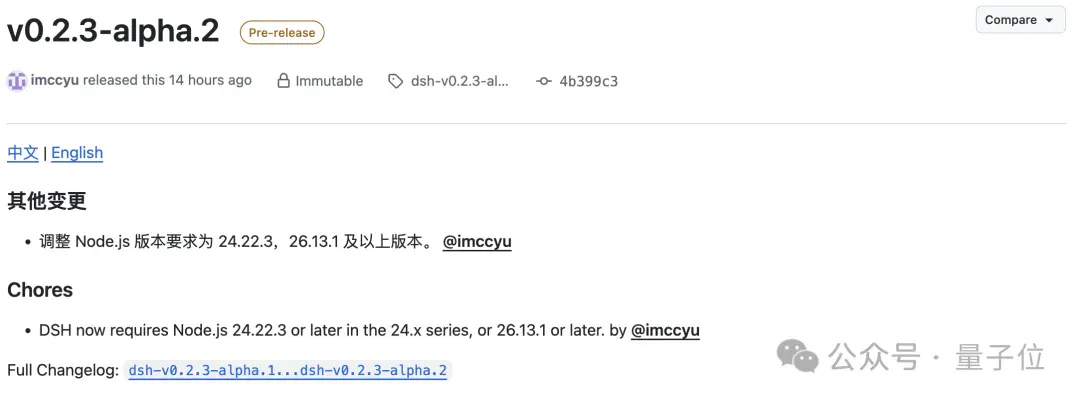
No sooner had v0.2.3-alpha.1 arrived than DSH followed it on the same day with v0.2.3-alpha.2, making further changes to its Node.js version requirements.
At this pace of iteration, there will probably be plenty more to look forward to soon.
Changelog: https://github.com/deepseek-ai/deepseek-harness/releases#release-dsh-v0.2.3-alpha.1
Reference: https://x.com/teortaxesTex/status/2124437582050386001
This article is from the WeChat public account "QbitAI," by "QbitAI".
Related topics
After reading
Join the AINRK community
Read how to join the community and connect with people working in AI.
Related articles
Continue reading related topics and articles in this category.

DeepSeek Harness 推出预发布更新,扩展代码审查与任务管理 (opens in a new tab)
v0.2.2-alpha.3预发布版本加入实验性变更请求与工作树入口,扩展宿主级任务管理、SDK和插件能力,并改善手机浏览器体验。报道时尚无对应桌面安装包;服务中断与软件更新同时发生,不证明存在因果关联或新模型将发布。
DeepSeek Harness 发布创造模式指南,公开7组插件示例提示词 (opens in a new tab)
DeepSeek Harness 公开创造模式的7组示例提示词,涵盖3D展示、Transformer可视化、视频剪辑、海报、论文阅读、界面主题与会话统计。官方提示,部分演示经过多轮修改,单条提示词未必能复现全部效果;生成插件仍需检查结果和安装权限。

DeepSeek Harness 入门:桌面端、工作区与插件模式 (opens in a new tab)
教程介绍模型接入、工作区权限、四种模式、第三方插件和用量管理。所列版本、收费和支持平台以写作时的说明为准。

DeepSeek's new round reportedly values it at RMB615.5 billion as equity holding vehicle changes (opens in a new tab)
Media reports put DeepSeek's new round at RMB100–105.5 billion and its valuation at RMB615.5 billion, alongside holding-vehicle changes. Registered capital differs from financing received; V5 training, procurement and IPO claims await company disclosure.

Former DeepSeek researcher Tony Zhang’s team open-sources personal agent Linger (opens in a new tab)
Simplex AI, founded by Tony Zhang, open-sourced Linger, combining local memory, desktop operation and PolyStrata inference. The team reports 45.5 tokens/s for a 125B MoE model on an RTX 3060 with 12 GB VRAM and 64 GB RAM, with performance dependent on task and configuration.