Chaitin open-sources Baizhi Office, a team AI workspace with shared MCP and private deployment
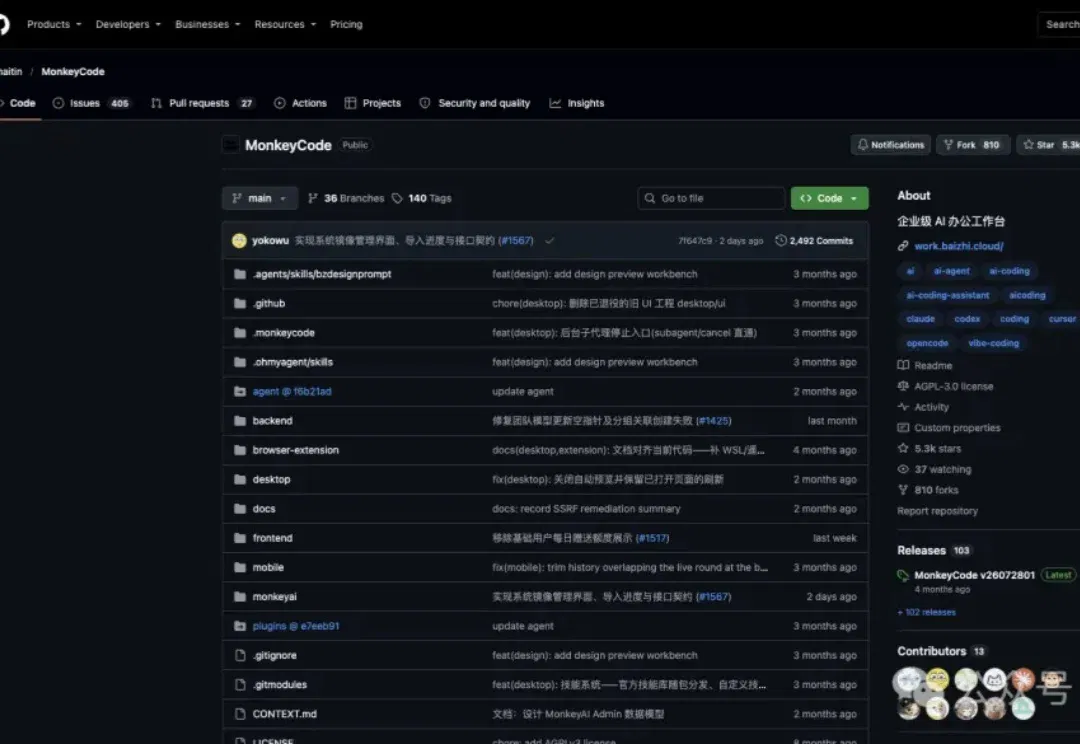
Baizhi Office centrally manages models, knowledge bases, skills and MCP connectors, with permissions, billing and usage records. Up to 10 seats are free; external services cost extra, and connecting outside models or tools can still send content off-network.
Editorial fact-check (November 24, 2026): The spaces between bash, -c and the quotation marks in the original installation code were lost in formatting. Do not copy and execute it directly; check the official deployment documentation. One CPU core and 1 GB of RAM are a starting point for a lightweight management-service deployment, not a guarantee that every model will run. Up to 10 free seats does not mean model APIs, tools and cloud computers are all free. Confirm operating-system compatibility against the client version; a dedicated Windows 7 version was not independently verified in this review. The original article already notes that connecting external models or tools still sends content to the corresponding services. Chaitin Baizhi Office official repository and deployment instructions (opens in a new tab)Official product documentation (opens in a new tab)
What teams using AI lack is an administration interface.
Over the past six months, more and more AI products have become capable of delivering finished work.
Claude and Codex are one category; Tencent, ByteDance and Alibaba have also built their own AI workspaces.
For individual use, they are certainly satisfying.
But as soon as you want the whole team to use them, all the problems surface.
Everyone buys separate model accounts, and API keys get passed around group chats.
One person configures a useful set of skills and MCP connections, but none of their colleagues can use it.
When the bill comes at the end of the month, nobody can explain who spent what.
And when company information is sent outside the organization, the boss is the first to worry.
These products all provide a convenient interface for members; what is missing is an administration system to manage it.
Chaitin’s open-source Baizhi Office fills precisely that gap.
You may have heard of Chaitin: it is the security company behind SafeLine WAF and PandaWiki.
Baizhi Office positions itself as an AI workspace for teams.
Members state a request in a sentence, AI delivers the result, and a complete administration interface comes built in.
The code is open source on GitHub and already has 5.3K Star.
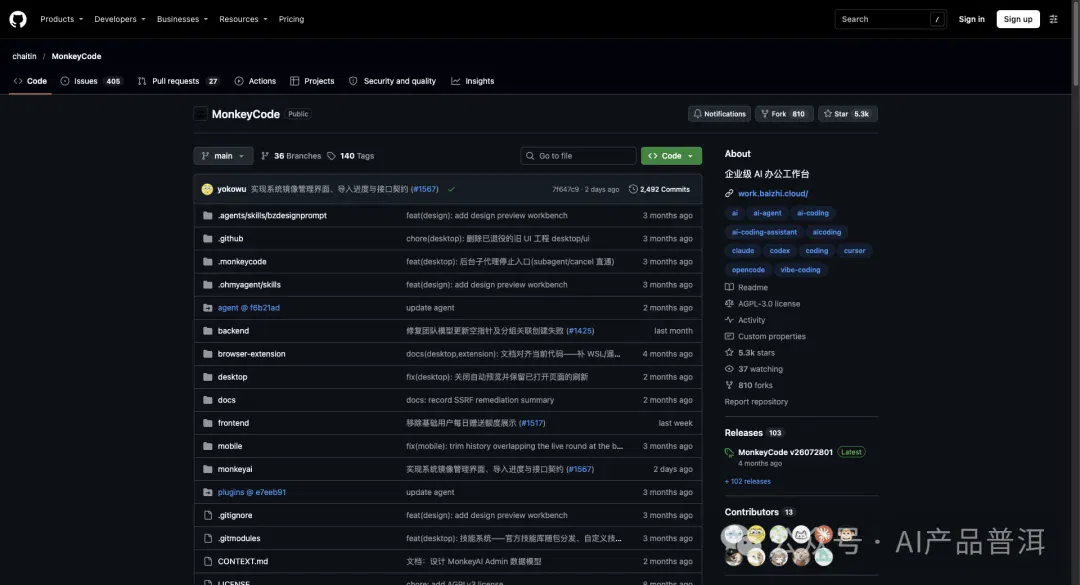
Baizhi Office’s GitHub repository
I went through its entire demo administration interface.
First, I will explain what the administration interface can actually manage, which is the focus of this article.
Then I will cover how to deploy it with one command on a server with one CPU core and 1 GB of RAM, and how teams of up to 10 people can use it for free.
I will cover the member side briefly.
Open the client, state a request and @-mention a few local files.
It breaks down the steps and reads the material itself; the final deliverables are files ready to use.
For office work, it can create slides, write documents and process spreadsheets; for programming, write code and fix bugs; and for design, produce posters and interactive mockups.
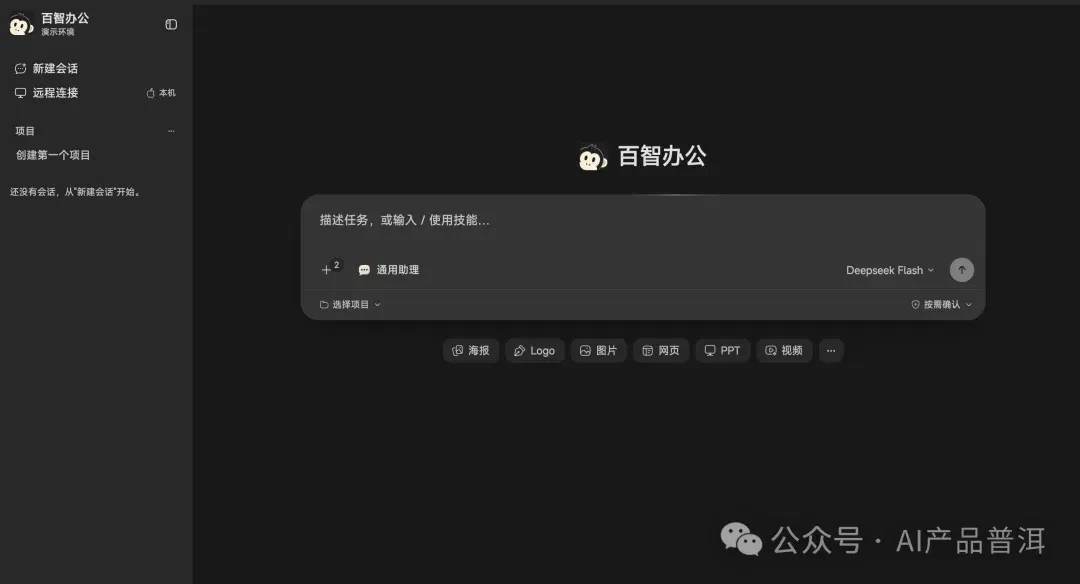
Baizhi Office client
One platform, three ways to work, without switching windows between several tools.
The Deepseek Flash model selected at the lower right was configured for the entire group by the administrator.
Members simply use it; which models it connects to and how usage is charged are set in the administration interface.
This administration system is where the real difference lies.
The left-hand menu contains a row of options. I will explain them through four concerns of administrators: managing shared resources, people, costs and risk.
First, sharing.
There are six types of resources a team can share: large language models, knowledge bases, skills, experts, connectors and rules.
The administrator configures them once, and everyone in the group can use them.
Members do not need to configure them themselves; typing a / in the input box brings up skills.
Skills, connectors and rules are configured in resource management
Each resource type has two levels. What the administrator configures are system resources, shared by the whole group.
Resources members add themselves are user resources, available only to them. The two do not interfere with one another.
An expert packages a set of skills into a role.
The demo administration interface includes a mobile-app development expert with 25 skills bundled in.
Of the six categories, what impressed me most was connectors, or MCP.
Most connectors in the demo are tools Chinese teams use every day, spanning accounting, forms, documents and financial data.
Previously, enabling operations colleagues to query form data with AI meant configuring an environment on each person’s computer.
Now the administrator connects it once, and whichever group is authorized can use it.
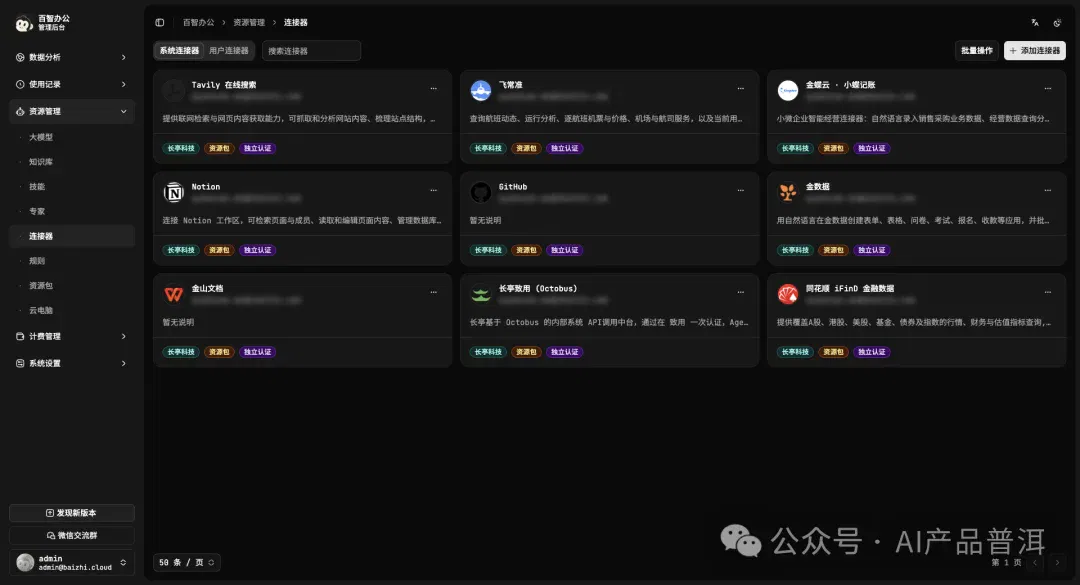
Connector list
Each connector can also have its own authentication method.
For a service purchased centrally by the company, use centralized authentication: the administrator enters the account once for the whole group.
For something like Notion, where everyone has their own workspace, use individual authentication: each person signs in separately, and permissions follow the individual.
For public services, simply select no authentication.
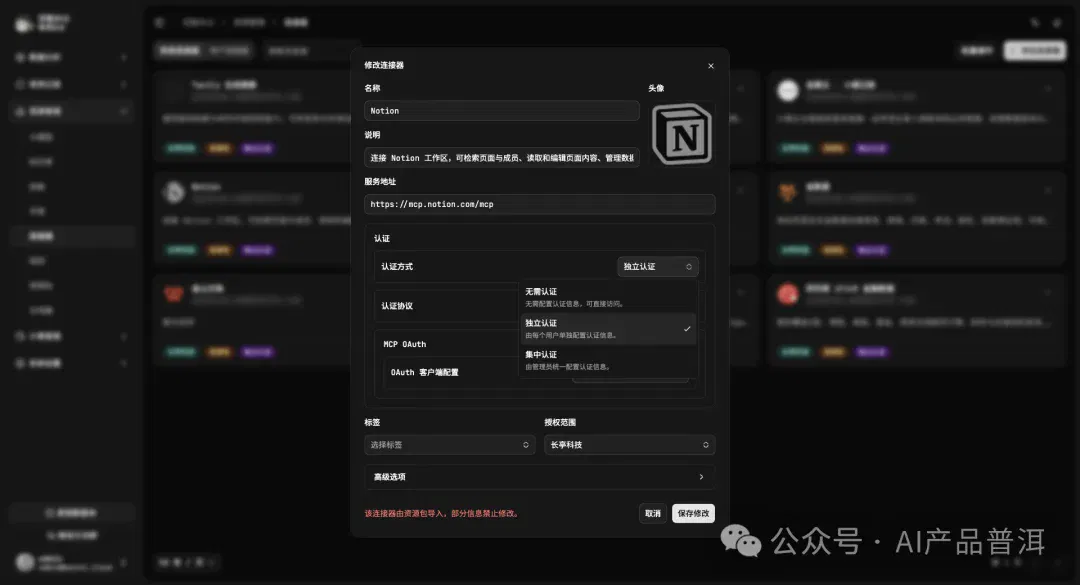
Three authentication methods for connectors
Rules can also be managed centrally. An administrator can set a rule to mandatory.
Write the team’s requirements as enabled rules, and everyone’s AI will work with those rules in place.
Next, people.
Members are managed in groups, which can also be nested.
Create teams under the company and product lines under each team, matching the organizational structure.
When a new colleague joins, add them to the appropriate group.
They immediately gain access to that group’s models, skills and connectors, without configuring each item again.
There are two role levels: administrators and regular members.
Each member can individually be disabled, have their password reset, or be made an administrator.
When someone leaves, simply disable them in the administration interface, rather than chasing down all their various AI accounts.
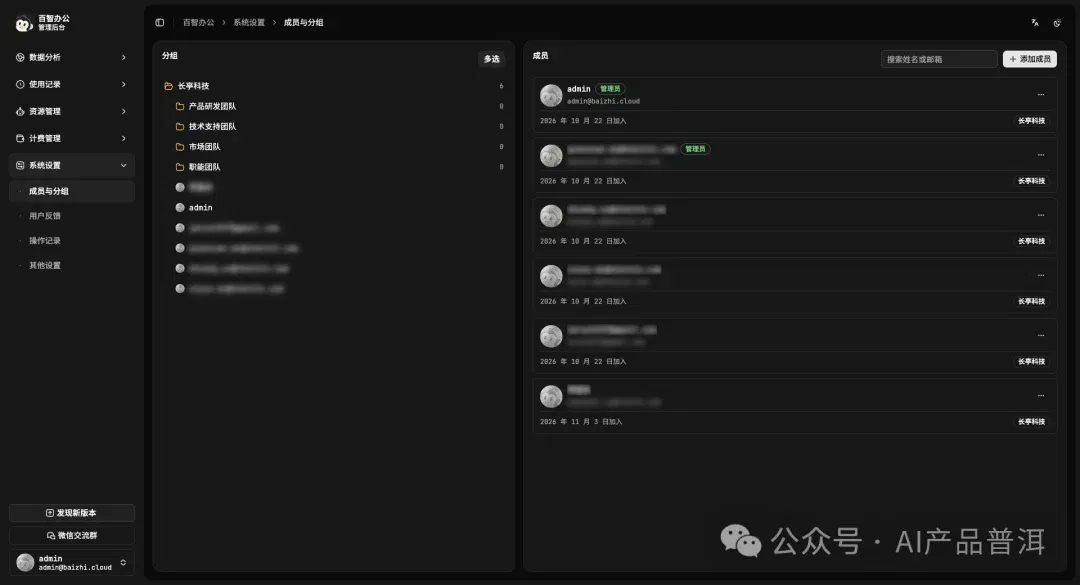
Members and groups
Then there is money, which the boss will certainly care about.
Baizhi Office accounts for usage with credits.
The administrator first sets prices: models are charged by tokens, tools by calls and cloud computers by hours.
Each model can also have its own multiplier, deducting proportionally more credits for expensive models and fewer for cheaper ones.
Allocate quotas to each group and each individual, such as 10,000 credits per week, automatically reset at the scheduled time.
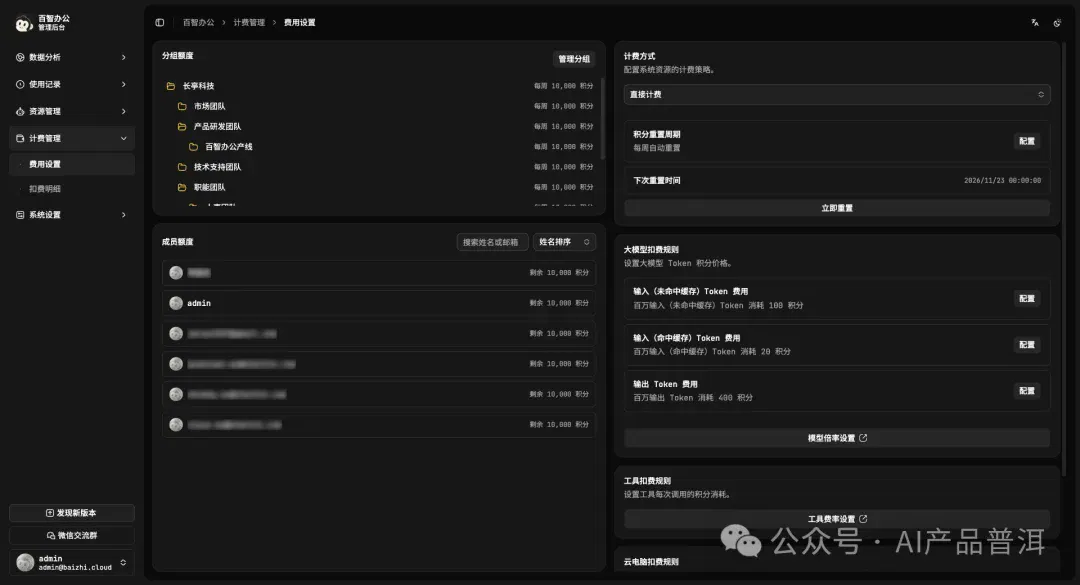
Cost settings: group quotas, member quotas and charging rules
Every charge is entered in the credit transaction ledger, tied to a specific person and model.
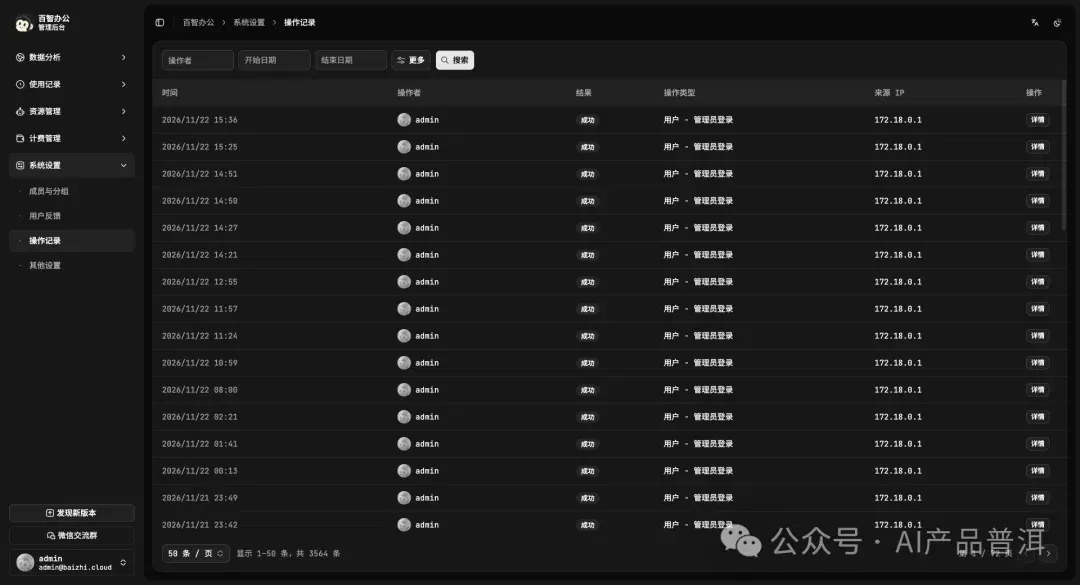
Credit transactions in the charge details
The analytics page also shows call counts, token usage, cache hit rates and model success rates.
Who the team’s heaviest AI users are and which model costs the most become clear with a quick check.
Another page is called AI Activity. It lists who used each skill and connector, how many times, and the success rate.
Whether anyone actually uses all those configured resources, and which connectors keep failing, can be seen here so you know what to remove.
Finally, risk.
Chaitin is a security company to begin with, and offers a substantial set of features here.
Resources are authorized by group, so a finance connector can be made available only to the finance group and unavailable to others.
The administration interface logs all key operations.
If a problem occurs, you can trace who acted, when and from which machine.
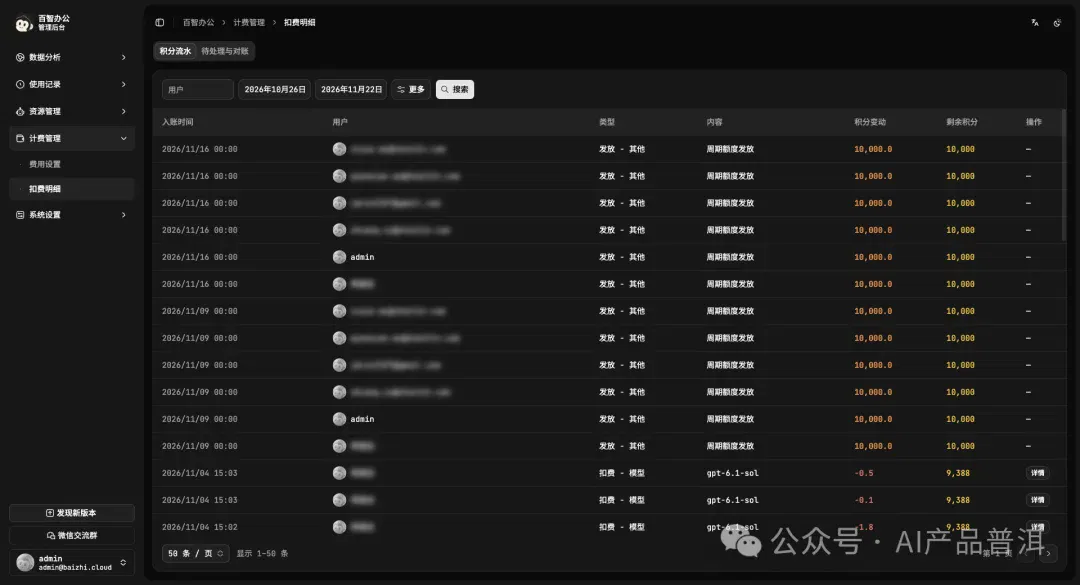
Operation log
Usage records also contain conversation and message histories.
Administrators can look up what work members have asked AI to perform.
For companies that need compliance checks, this is crucial.
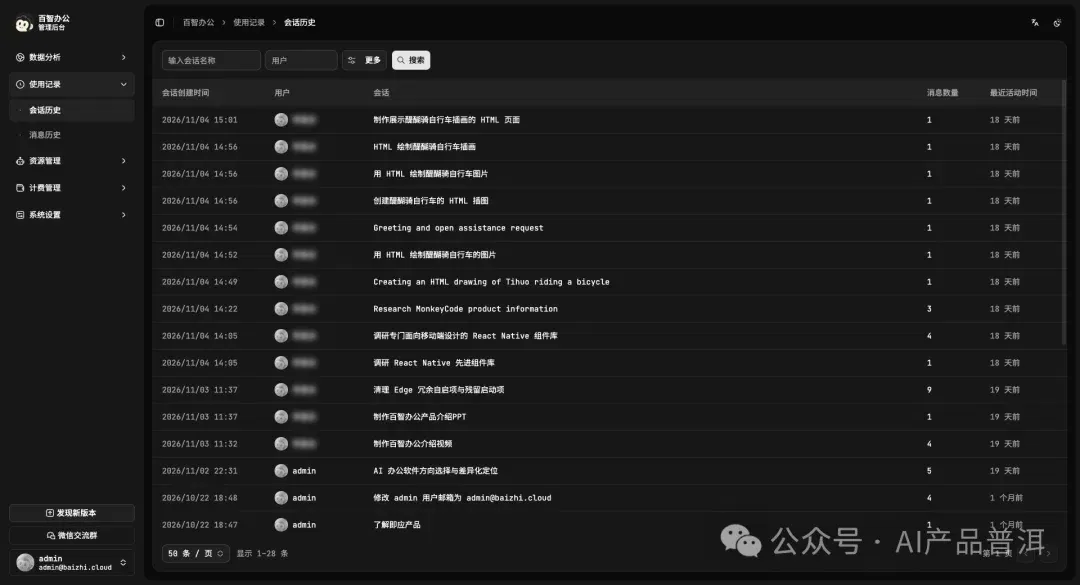
Conversation history
Put these four areas together, and it comes down to one sentence.
Members submit requests in their interface; administrators manage sharing, costs and risk.
Having covered administration, here is the biggest difference from the major technology companies’ workspaces: the code is open source and can be deployed privately.
With the major companies’ workspaces, materials generally have to be uploaded to their clouds.
Baizhi Office can be installed on your own server, keeping your team’s messages, documents and projects in your own hands.
Open-source code also means you can modify it for your business and integrate existing company systems.
Deployment takes one command, run directly on a Linux server:
bash-c"$(curl -kfsSL https://release.monkeycode-ai.com/public/monkeyai-install.sh)"
The configuration requirements are very low: one CPU core and 1 GB of RAM are enough to run it, so a spare lightweight cloud server will do.
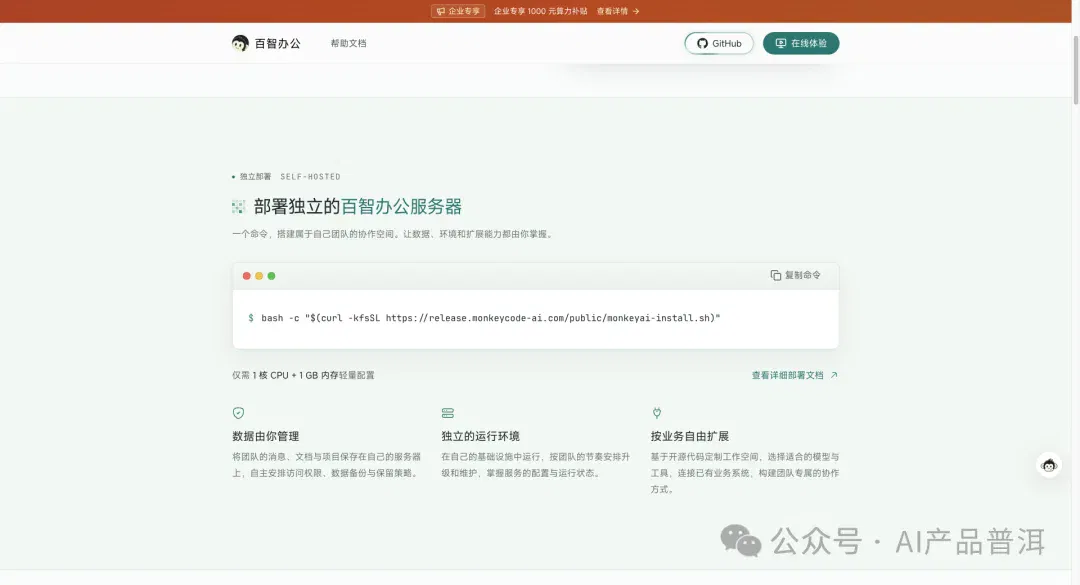
The official website’s one-command deployment command
One caveat is worth flagging in advance.
Private deployment does not mean data never leaves your network.
If the administration interface connects to external models or tools, conversation content is still sent to the corresponding service providers.
The official website’s FAQ explicitly says so.
To keep data inside your network, replace the model with one deployed on the company’s own internal network.
One client detail surprised me: there is a dedicated Windows 7-compatible version. Compatibility with Chinese operating systems needs to be checked for each distribution and client version.
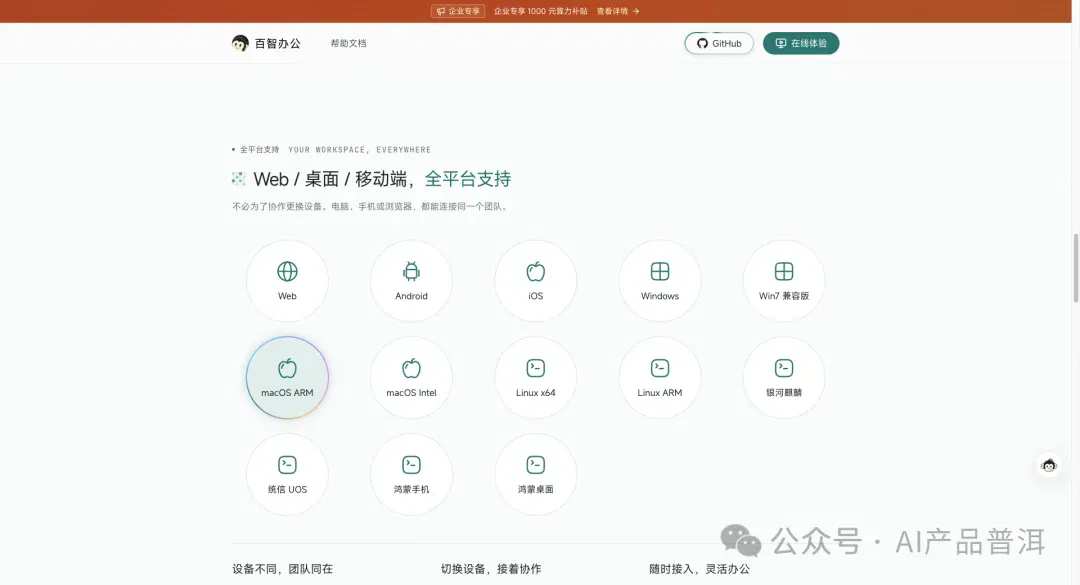
Clients across platforms
Many computers at factories and design institutes still run Windows 7, and most new AI tools do not cater to them.
Bringing these older machines into the fold shows that the product is aimed at the real working environments of teams in China.
If you want to try it, the next step depends on your situation.
If you only want a look, you do not need to deploy anything.
Click “Online Demo” at the top right of the official website; the demo administration URL and trial account are provided, so you can explore it in a browser.
The official website is work.baizhi.cloud
For a small team ready to use it, it is free for up to 10 people, with a maximum of 10 seats.
That covers studios, startup teams, or a small pilot group within a larger company.
Businesses planning a full deployment can apply for a RMB1,000 computing subsidy.
Applications are at baizhi.cloud/consult
Benefits are subject to the official website and may change at any time.
Deployment documentation is at work.docs.baizhi.cloud
The source code is at github.com/chaitin/MonkeyCode
For an individual, using AI depends on self-discipline; for a team, it takes an administration interface.
This article comes from AI Product Pu’er, written by AI Product Pu’er.
Related topics
After reading
Join the AINRK community
Read how to join the community and connect with people working in AI.
Related articles
Continue reading related topics and articles in this category.
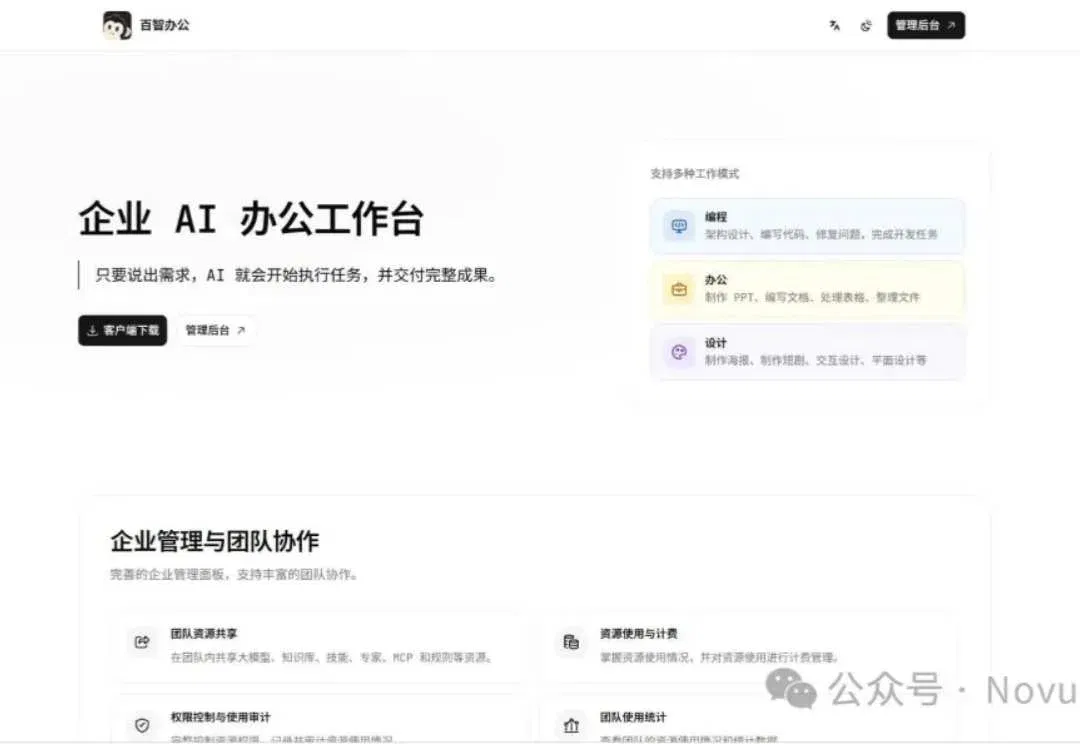
Trying Baizhi Office: shared configuration for models, knowledge bases and team usage quotas (opens in a new tab)
The author explores resource distribution, permissions, billing and task review from managers’ and employees’ perspectives, then tests document and web-page generation with a mock product brief.

Claude最大规模MCP升级,月下载狂飙破4亿!(附原文地址) (opens in a new tab)
就在刚刚,Anthropic放出了一个震撼业界的超级大招——MCP迎来了自发布以来最大规模的史诗级更新:MCP 2026-07-28。从此,核心架构化身「无状态」,扩展功能也晋升了,企业级安全刚上了一个台阶。
MCP已死,CLI当立!Perplexity首先放弃使用MCP,全网赞成 (opens in a new tab)
而现在,MCP 似乎正在走向消亡。昨天,Perplexity 的联合创始人和 CTO Denis Yarats 在其公司内部表示,他们正在放弃 MCP,转而使用 API 和 CLI。讽刺的是,这似乎是近期 MCP 声量最高的事件,引发了网友们的讨论。
2025,MCP、Agent、AI Coding (opens in a new tab)
这是我从 腾讯裸辞 成为自由职业以后,写的第三篇年终总结。 前两年的年终总结,以罗列产品为主。 2023,我做过的 AI 项目 2024,我追过的 AI 风口 过去两年,我基本上把能做的 AI 产品都

不到百万级,看不见 MCP 的真实问题:创始人亲述这疯狂的一年 (opens in a new tab)
在这场一年狂飙的亲历者之一——MCP 联合创作者、核心维护者 David Soria Parrra 看来,最戏剧性的分水岭发生在四月前后:当 Sam Altman、Satya Nadella、Sundar Pichai 先后公开表态,Microsoft、Google、OpenAI 都将采用 MCP,“大客户”突然从 Cursor、VS Code 扩散到整个行业。