RTX Spark mini desktops showcase local AI and shared compute with up to 128 GB unified memory
The report covers NVIDIA RTX Spark’s N1X platform, local-model and robot demonstrations, and multi-device use of mini desktops. Running-cost estimates depend on model, workload, power and electricity rates; 128 GB is unified memory shared by CPU and GPU.
Editorial verification (November 21, 2026): The maximum 128 GB is unified physical memory shared by CPU and GPU, not VRAM the GPU can unconditionally use exclusively. Cost comparisons estimate electricity under specified models and workloads and exclude hardware acquisition and other total costs. Cloud routing and multi-device PAIR also depend on software, models, networking and available resources. Official NVIDIA RTX Spark specifications (opens in a new tab)NVIDIA unified-memory regions and usage limits (opens in a new tab)NVIDIA platform announcement and CPU partnership explanation (opens in a new tab)NVIDIA PAIR request routing and memory boundaries (opens in a new tab)
“Hello, everyone!”
On screen, a “headless horseman” version of a Unitree robot waves and interacts with the audience.
Its head has been replaced by a laptop whose screen displays a cute anime-style girl.
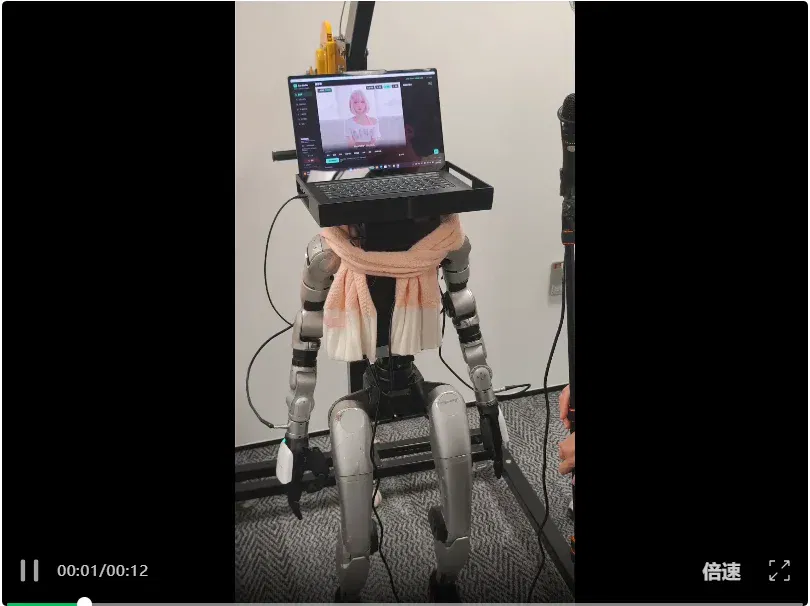
The robot is the work of Bilibili creator Texiao Xiaoge, who previously designed the digital girl Tu Lingling.
At an NVIDIA RTX Spark presentation, he brought Tu Lingling into the physical world.
Using a body supplied by Unitree, Tu Lingling can converse with the audience by voice, blow kisses, hug and even imitate Ultraman.
The training behind it used the very laptop perched on its neck.
Though that laptop looks thin and light, it contains the NVIDIA RTX Spark superchip previously shown at this year’s Bilibili World.
It integrates a CPU and GPU connected by a high-speed interconnect, with up to 128 GB of unified memory. The vendor demonstrated laptops running a 120B model and large Unreal Engine 5 scenes. The 128 GB is shared physical capacity for CPU and GPU, not a separate 128 GB of VRAM, and does not mean every configuration can run the same models or scenes.
At this presentation, RTX Spark was put to even more uses.
A laptop powering robot training
The physicist Archimedes said: Give me a suitable fulcrum, and I can move the Earth.
An RTX Spark laptop cannot move the entire Earth, but it can power the full robot-training process.
Besides Tu Lingling, the event featured a little “duck” robot called microduck, from a popular open-source GitHub project.
First, NVIDIA’s engineers used Hermes to call a locally deployed Qwen 3.8 model and fetch the microduck project directly.
Throughout the demonstration, there was no need to work through the project’s principles or environment setup manually. Local Qwen automatically set up the simulation environment and controlled the little duck to perform various actions in simulation.
It even placed two robots in the simulation to compete at football.
Enthusiasts had their own impressive work: at a neighboring booth, a creator had 3D-printed a body for microduck.
The little duck had stepped out of the screen.
Naturally, the tool used was an RTX Spark laptop.
The duck walked lightly across the floor and, even after tumbling over, could get straight back up.
The creator used the same approach to make a humanoid body as well.
Another laptop ran both Qwen and GR00T models at once, connected to an SO-101 robotic arm to start working.
The demonstrator did not need to write code: everyday conversation with the agent was enough to make the arm move.
The locally deployed Qwen 3.6-35B-A3B served as the “brain,” with everything from reasoning and planning to each execution step performed locally.
After receiving an instruction to grasp a test tube, the agent first carried out a safety check using an external camera and the follower arm’s wrist camera, checking that nothing obstructed the arm’s surroundings.
Once the check passed, it woke the GR00T model also running locally in the background, enabling the follower arm to identify the position precisely and grasp the tube steadily.
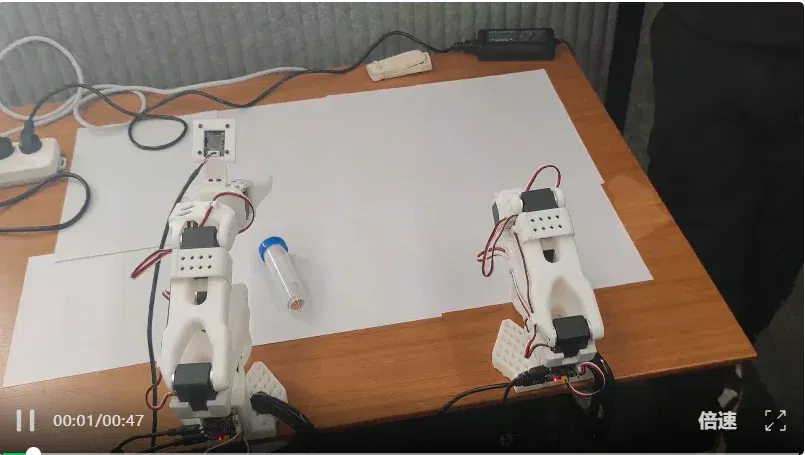
As someone with a background in biology, chemistry, environmental science and materials, the sight took me back to my student days. I had to admire how deftly it moved.
Local models naturally enable more than robots.
Everyday work tools were included too: previously popular OpenClaw and Hermes both received upgrades.
OpenClaw adds MXC permission isolation to guard against unintended operations. Hermes connects to Switchyard intelligent routing, keeping routine tasks local and switching to the cloud for harder problems.
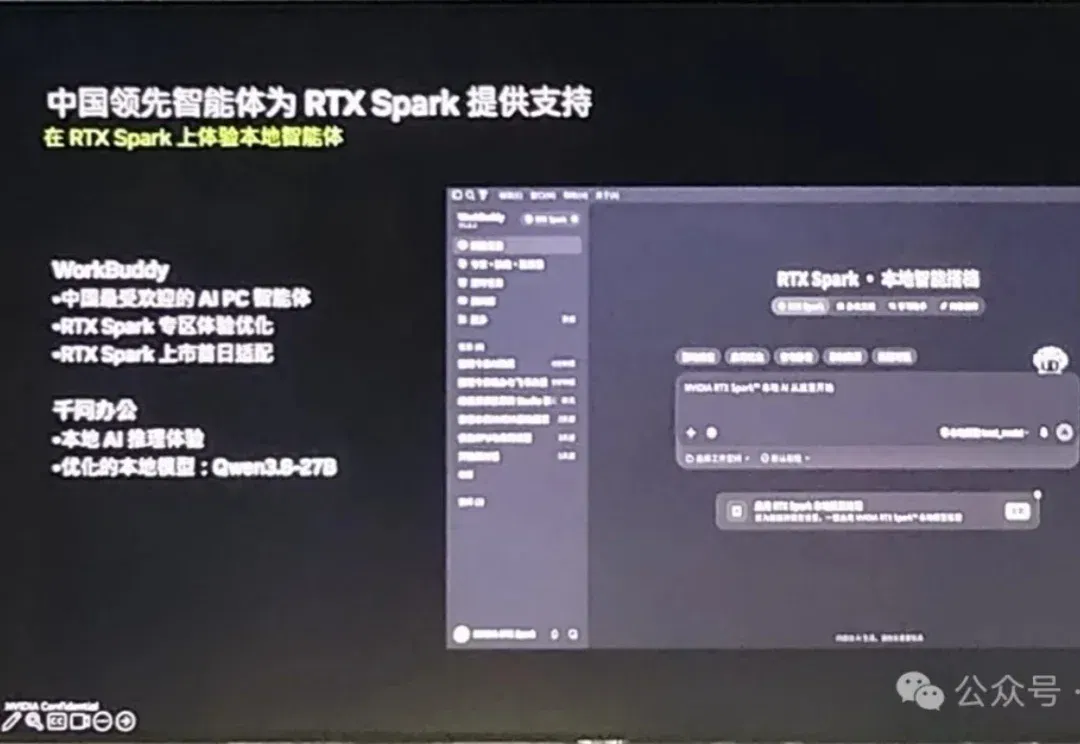
NVIDIA also addressed the Chinese market. Familiar tools such as WorkBuddy and Qwen Office now support deploying local models through RTX Spark.
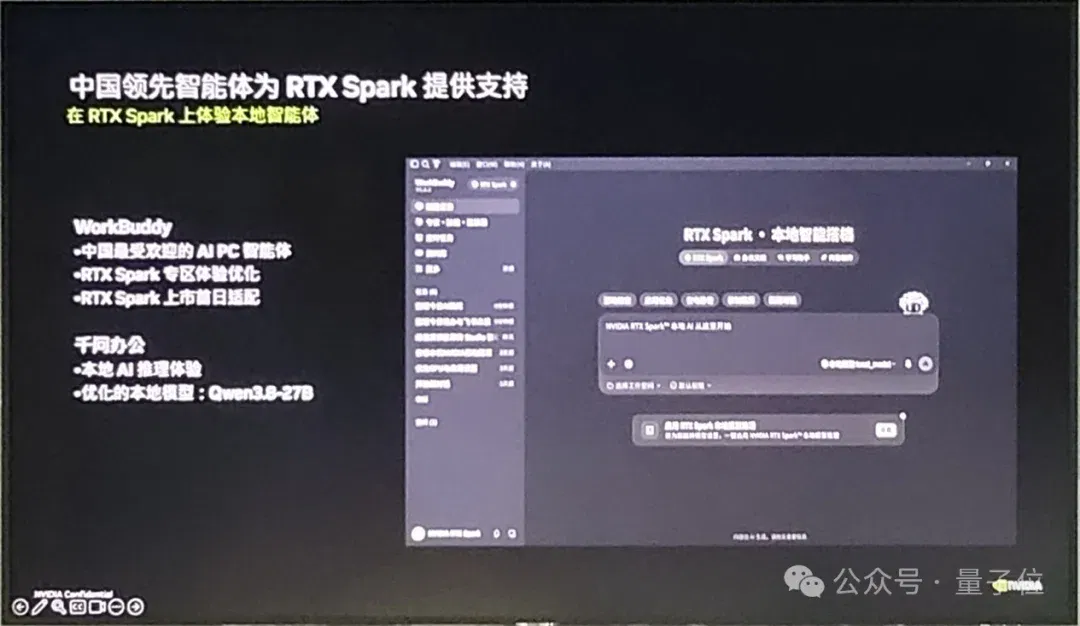
Tasks such as organizing folders, summarizing spreadsheets and writing documents can use local models under the relevant permissions and deployment conditions, reducing cloud-token spending and file-upload needs. But tools such as Hermes may still route to the cloud, while plugins or external tools may also send data. Whether data leaves the device depends on the actual settings and flows; local model deployment alone does not justify an absolute privacy guarantee.
Up to 128 GB unified memory: estimating local-inference electricity versus cloud API charges
Let us briefly review the N1X superchip inside RTX Spark.
N1X uses a custom NVIDIA Grace CPU developed with MediaTek, with up to 20 cores, and a Blackwell RTX GPU with up to 6,144 cores. They connect via 600 GB/s NVLink-C2C, with up to 128 GB unified memory. The vendor specifies peak FP4 AI compute of up to one petaflop. Again, the 128 GB is physical memory shared by CPU and GPU, not an additional separate 128 GB of VRAM.
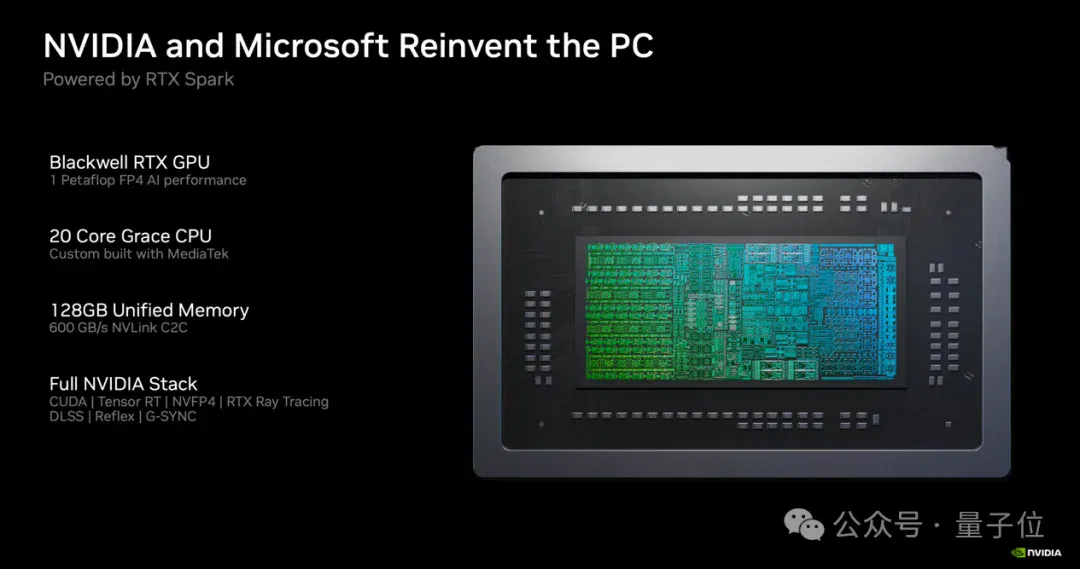
Shared memory can reduce CPU–GPU data copying. The vendor says the platform can run models up to 120B parameters and support contexts up to one million tokens, but usable scale depends on model format, quantization, inference engine and runtime overhead. Windows divides physical memory into GPU-reserved, shared-system and CPU-only regions. The GPU cannot use the CPU-only region, so all 128 GB cannot be treated as unconditionally GPU-allocatable, nor can every configuration be guaranteed to support the largest model and longest context simultaneously.
NVIDIA calculated at the event how much token spending RTX Spark could save.
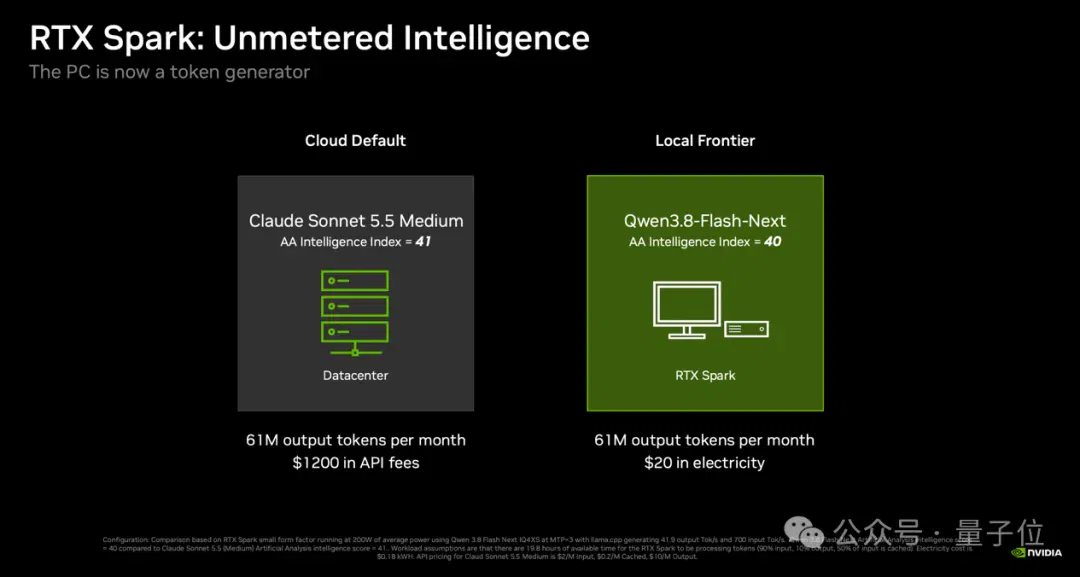
On RTX Spark, running Qwen3.8-Flash-Next through llama.cpp at an average power consumption of 200 W produces 41.9 output tokens per second, with input processing at 700 tokens per second.
The presentation cited an Artificial Analysis ranking with an intelligence index of 40 for that local model and 41 for cloud-based Claude Sonnet 5.5 Medium. Similarity on this particular aggregate index does not make the models equivalent across every task, reliability, tool use or service condition.
Sonnet is Anthropic’s mainstream sweet-spot model and is sufficient for ordinary office needs.
Whether the local model meets similar office needs must still be judged against actual tasks, quality requirements and response speed. Close leaderboard scores alone cannot establish equivalence across the board.
For a specified heavy background-agent workload producing 61 million tokens per month, the vendor estimated cloud API charges of about $1,200 per month versus about $20 in monthly electricity for local RTX Spark operation. This compares API spending with operating electricity for particular models and usage, excluding the hardware’s starting price of $4,399 and other costs. It is not total cost of ownership, nor a guarantee that different models always complete tasks at equivalent quality.
The roughly $20 electricity estimate assumes a US rate of $0.18 per kWh (about RMB 1.2), average power of 200 W and approximately 19.8 hours of daily load. Actual month length, electricity rates and power consumption affect the result.
If local residential electricity costs less than about half that assumed rate, electricity for the same workload falls accordingly. The original report estimated RMB 60–70 per month at Chinese electricity rates. That remains an approximation under specified rates and usage, not a universal bill for all locations.
NVIDIA is also accelerating model support.
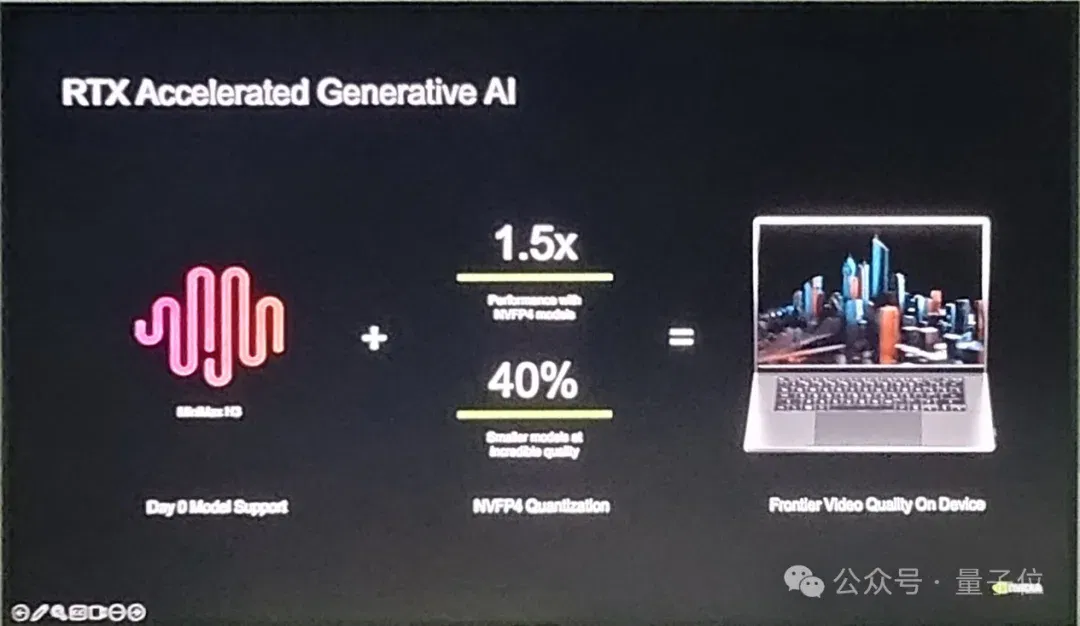
NVIDIA has provided day-zero launch support for popular open-source models, including Qwen, Zhipu GLM, DeepSeek and MiniMax, familiar to Chinese developers, plus image models such as FLUX. They can be launched directly in Ollama, llama.cpp, LM Studio and ComfyUI.
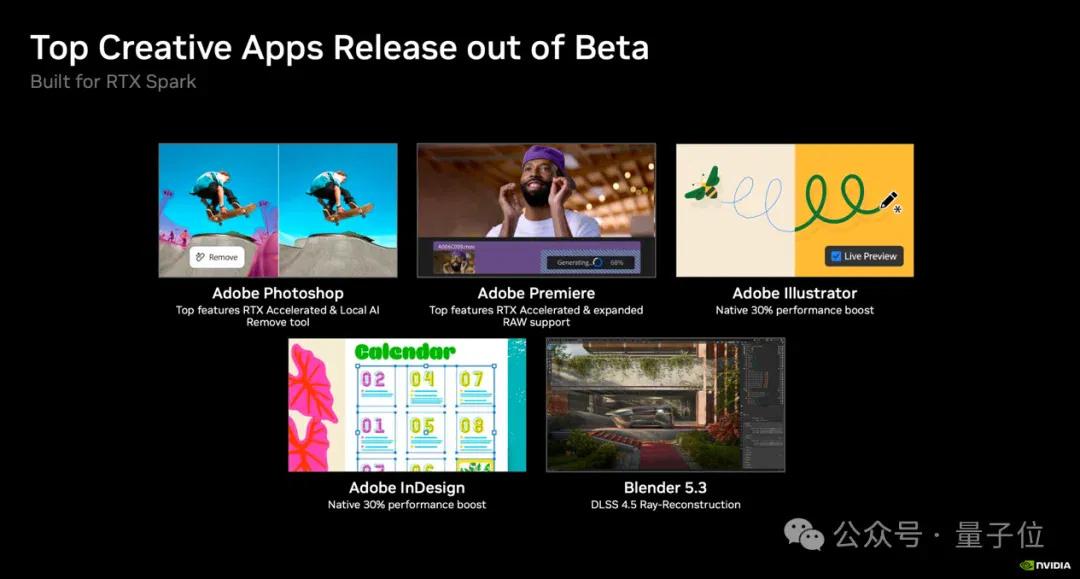
Beyond AI, traditional GPU-intensive tasks such as 3D creation have also advanced.
However, the maximum 128 GB remains total shared memory. 3D scenes and AI tasks are also constrained by system usage, GPU-accessible regions and actual application requirements.
Blender 5.3 now uses DLSS 4.5 ray reconstruction. Adobe’s Photoshop, Premiere, Illustrator and InDesign have all left beta with native acceleration in their official releases.
NVIDIA has not forgotten gamers either.
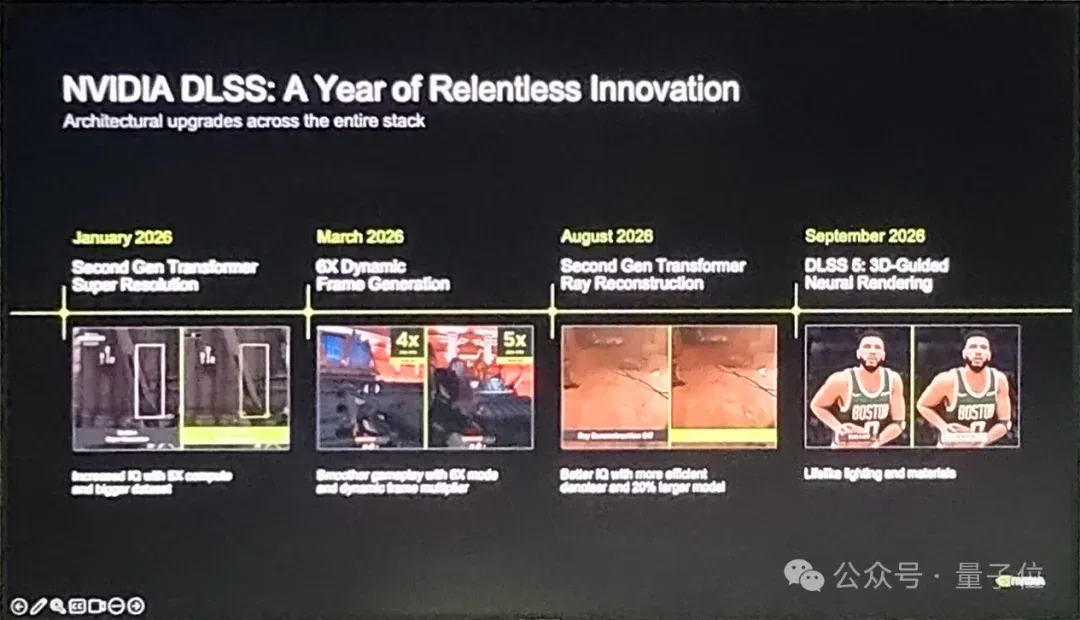
For instance, its “Popeye”—DLSS 5—has made further deployment progress.
When DLSS 5 launched in March, it attracted considerable criticism: players said it looked too much like an AI filter and frequently changed characters’ faces. The YouTube demo reached an 84% dislike rate, while its performance overhead was so high that even two RTX 5090s could barely run it.
In October, however, NVIDIA released a major revision, shrinking parameters by 24% to 118 million, cutting 4K VRAM use by 20% and making inference ten times faster than the original March version. A single RTX 50-series card can now run it smoothly.
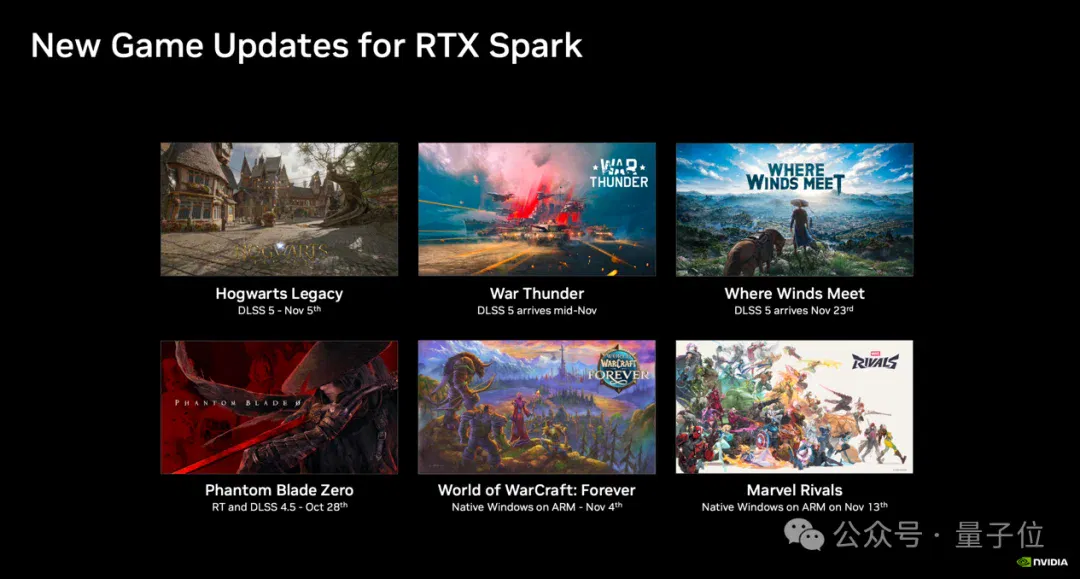
Hogwarts Legacy, updated with DLSS 5 support on November 5, also shows more restrained visual changes than the heavy-handed early demonstrations.
Next, War Thunder in mid-November and the Chinese wuxia game Where Winds Meet on November 23 are due to receive DLSS 5 support in succession.
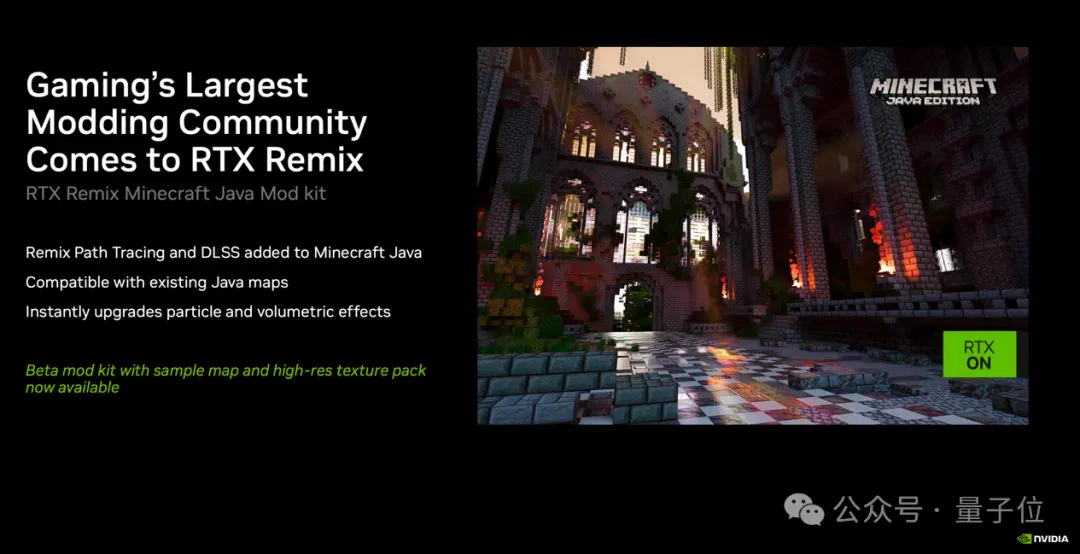
Minecraft Java Edition players also have a new RTX Remix ray-tracing mod toolkit.
Blocky pixels with official path tracing: veteran players have another toy to tinker with.
Another point is that running agents and playing games are compatible needs.
Some users like agents working in the background while they game in the foreground. For them, the new NVIDIA App adds a GPU-resource priority slider.
Switching to “foreground priority” keeps the game at 75 fps while the background agent still generates 11 tokens per second. Switching to “background priority” raises the agent to 20 tokens per second while the foreground game retains 60 fps.
One More Thing
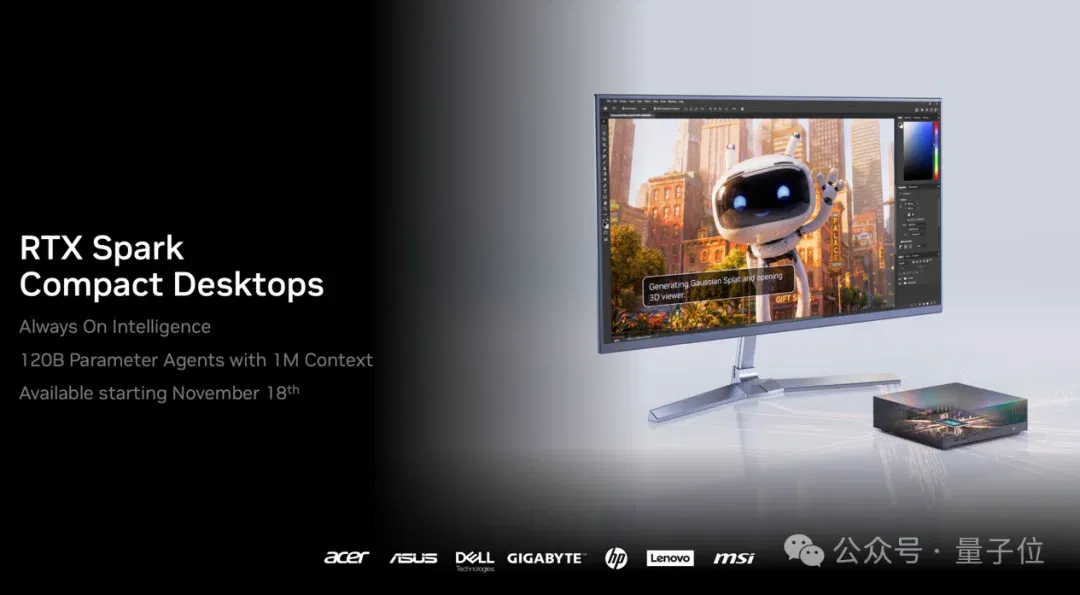
If you do not carry a computer out for work every day and instead want a machine plugged in and working around the clock, NVIDIA also introduced new RTX Spark Compact Desktops.
Prices start at $4,399, with Acer, ASUS, Dell, Gigabyte, HP, Lenovo and MSI launching their own models.
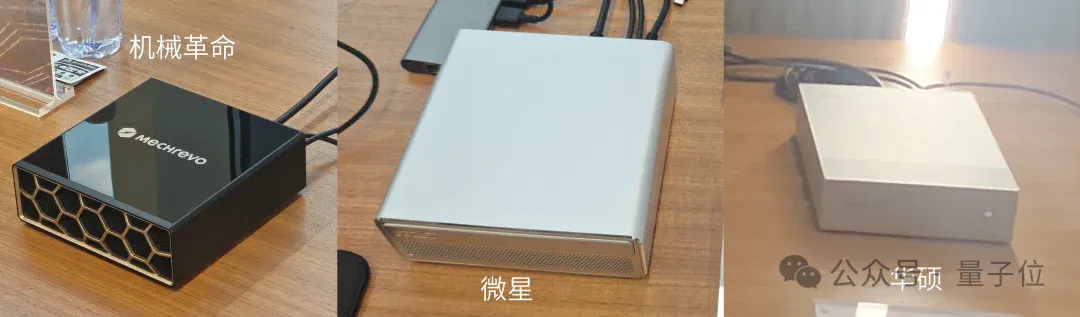
I saw three physical machines at the event, from Mechrevo, MSI and ASUS. Their designs differed, but all were essentially compact square boxes.
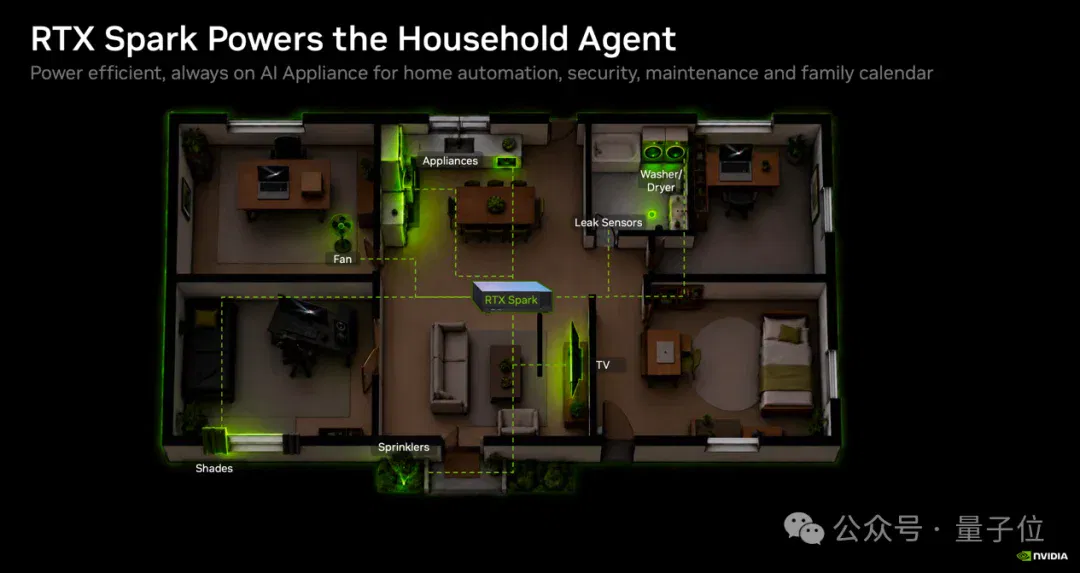
Compact Desktops use N1X configurations with up to a 6,144-core GPU, 20-core CPU and 128 GB unified memory, targeting round-the-clock “Always On Intelligence.” Actual memory capacity depends on the model, and the same CPU/GPU sharing and system-memory partition limits apply.
With NVIDIA PAIR, compatible Macs, gaming PCs and thin-and-light laptops can route independent AI inference requests to machines on a trusted local network with the required model, engine and available resources, such as a Compact Desktop. PAIR does not pool machines’ memory into a larger VRAM space or split a single model or request across machines. It therefore cannot be generalized as taking over every AI task that any household device cannot run.
Viewed this way, a Compact Desktop is like placing a private AI mini-computer in a corner of the desk for the whole family to share.
This article originally appeared in QbitAI, written by Keleixi.
Related topics
After reading
Join the AINRK community
Read how to join the community and connect with people working in AI.
Related articles
Continue reading related topics and articles in this category.
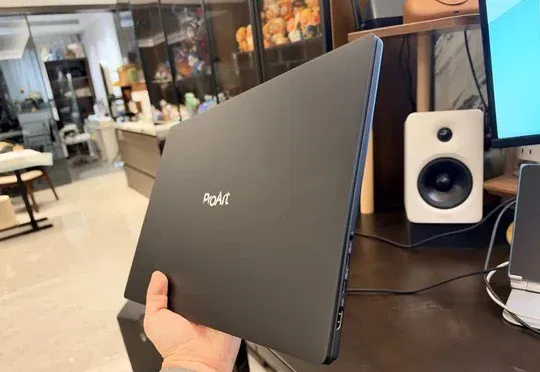
这台卖37999的RTX Spark电脑,让我实现了Token自由。 (opens in a new tab)
英伟达RTX Spark全球开售,128GB版本开售数分钟即售罄;作者使用售价37999元的华硕ProArt创16本地运行Qwen3.8-27B等模型,实现免API费用的多种AI任务并获得“Token自由”体验。
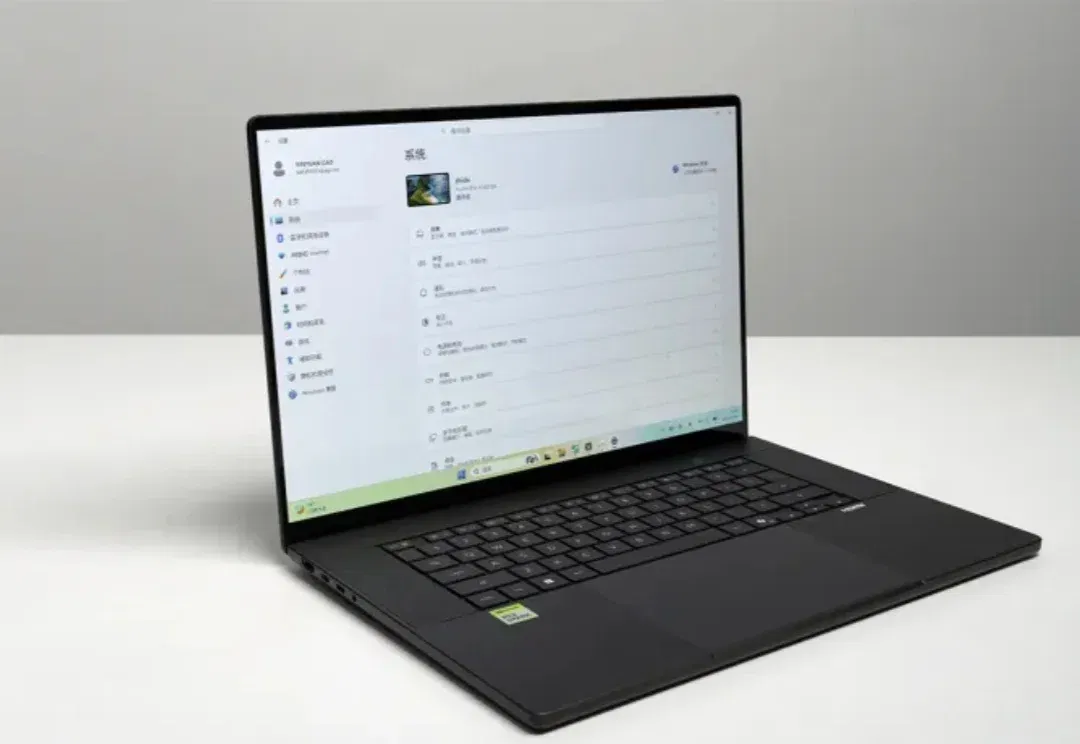
英伟达RTX Spark真机上手!黄仁勋的AI PC杀招终于来了 (opens in a new tab)
3万块的RTX Spark电脑,能干哪些事?
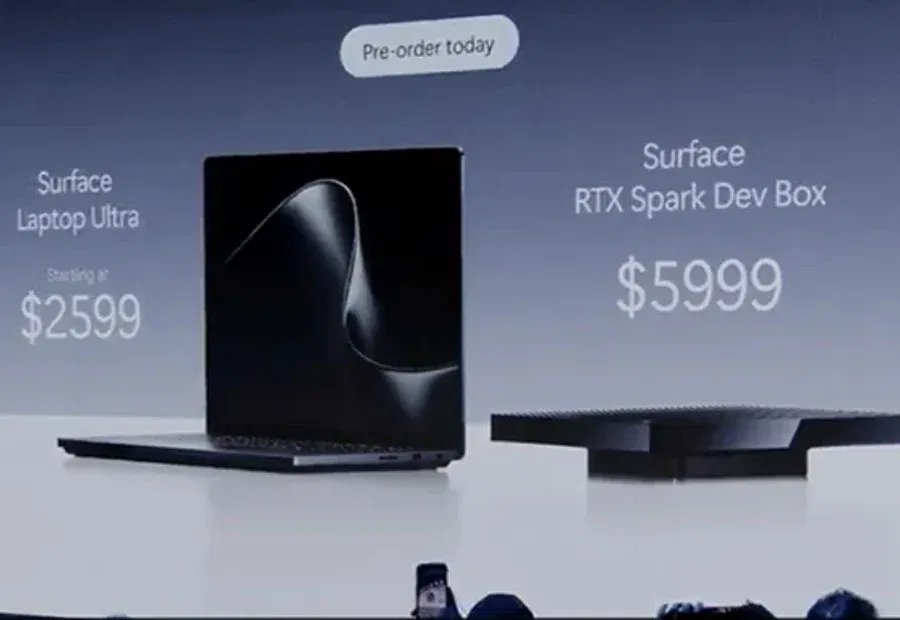
首款RTX Spark电脑,开卖!可跑1200亿参数大模型 (opens in a new tab)
最高20核CPU、6144核GPU、128GB统一内存、1PFLOPS本地AI算力。
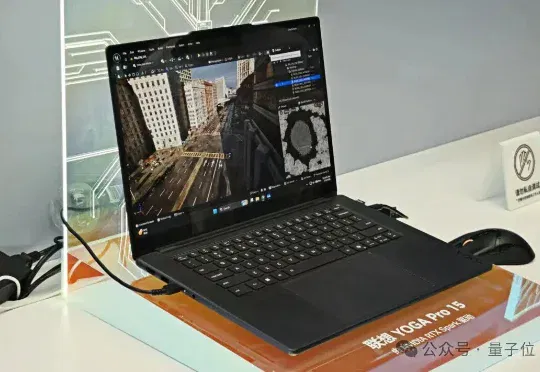
老黄RTX Spark真机现身Bilibili World!CPU和GPU直接焊在一起,笔记本跑120B大模型 (opens in a new tab)
就在这届Bilibili World上,英伟达首次面向大众玩家展示了搭载RTX Spark超级芯片的笔记本电脑。这款芯片专为个人智能体打造,不仅搭载了Blackwell RTX GPU,连CPU也是出自英伟达的Grace CPU。
英伟达版「MacBook Pro」曝光:老黄自研了CPU! (opens in a new tab)
英伟达版Macbook Pro,真的要来了。