Grok Bot 1.0 adds team collaboration, meetings and review of shared knowledge
The release adds meeting access, shared team experience and multi-Bot collaboration. The report also details approval and subscription limits, alongside user feedback on quota consumption and long-term performance.
Early this morning, Grok Bot officially launched version 1.0.
In this major upgrade, the AI agent that could already operate a computer independently and carry out tasks for users has gained several new abilities: proactively finding work, attending team meetings, remembering colleagues’ working habits and even bringing in other Bots to complete tasks together.
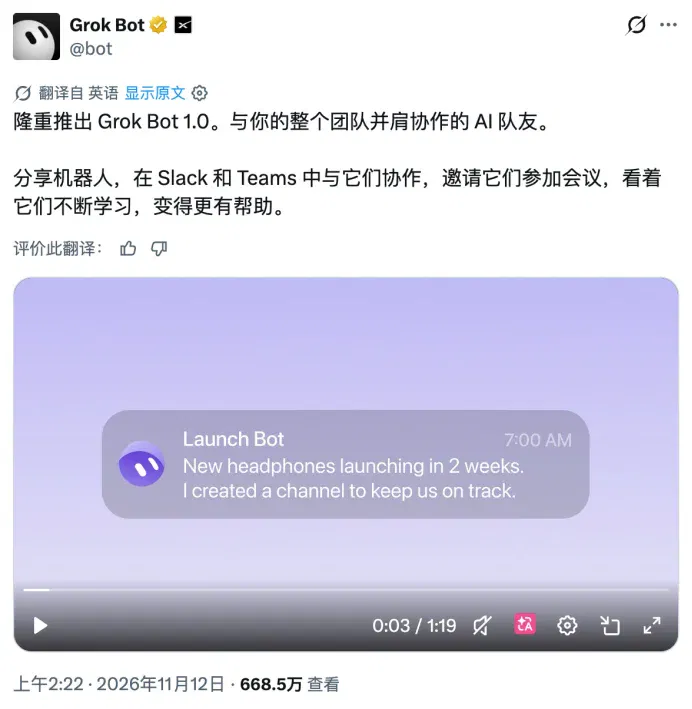
After the promotional video was released, the comments were full of people @mentioning their own Grok Bots.
Some were still discussing the update, while others had already handed over tasks. Judging from the comments, quite a few people have already grown accustomed to this: see something on X, call out to their own bot and have it deal with it.
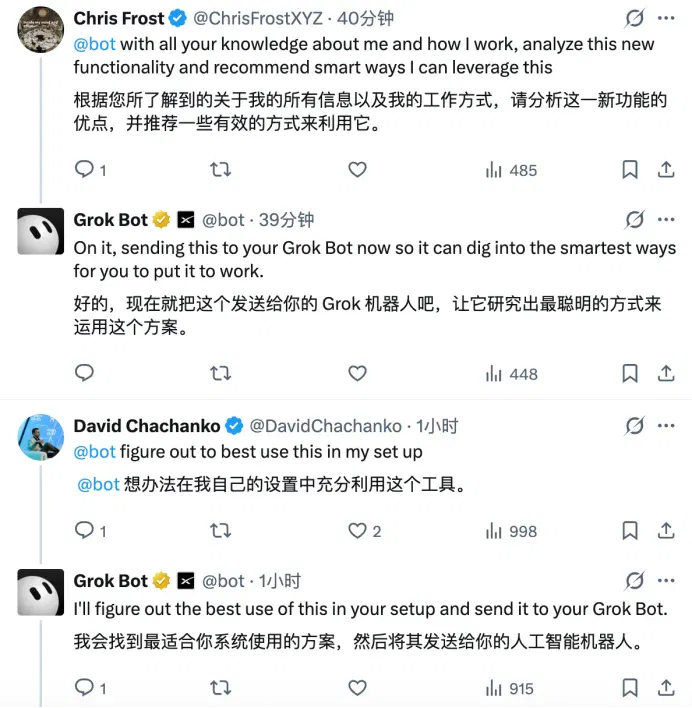
Only three months have passed since Grok Bot opened its public beta this August. This familiarity may say more about its current state as a product than official publicity does.
Now, with the release of version 1.0, Grok Bot has turned its attention to the office. This time, it intends to be an assistant to the whole team.
Grok Bot becomes the office overachiever
Grok Bot 1.0’s most noteworthy capabilities fall into three main areas:
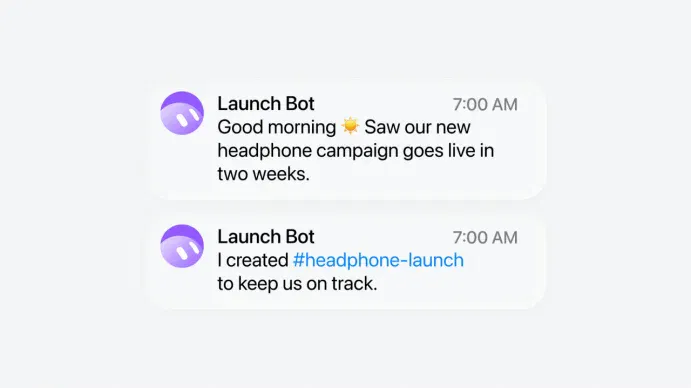
First, finding work for itself. Without waiting for humans to assign tasks, a Bot can use project progress, deadlines and past discussions to proactively identify work that needs doing and offer to take it on.
Second, attending company meetings. Bots can now join Google Meet, Zoom and Microsoft Teams directly to listen to meetings, participate in text discussions, record decisions and even continue carrying out tasks based on what was discussed.
Third, working with other Bots. Different Bots can collaborate according to their respective responsibilities. They can also remember working methods taught to them by team members and share that experience with the whole team.
Together, these three capabilities make it seem very much like a real human employee.
According to the official description, Grok Bot can combine users’ work goals, priorities and existing project context to proactively identify tasks that may need attention.
For example, a Bot responsible for a product launch can notice that a deadline is approaching and proactively prepare the relevant materials and follow up on unfinished work. If something requires a human decision, it will also remind the relevant person in charge.
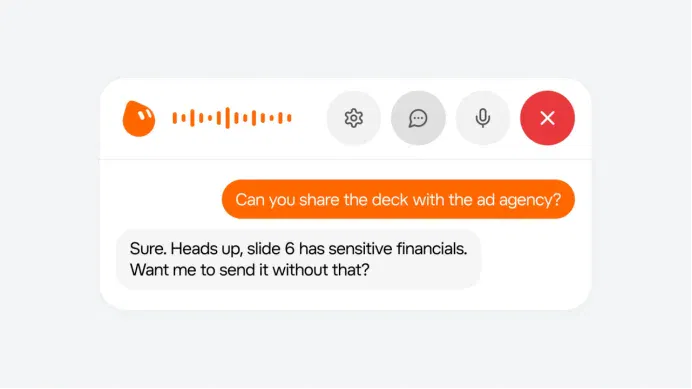
Currently, proactive task suggestions are mainly handled by the user’s Primary Bot. It first asks whether the user needs help and begins execution only after receiving consent. For sensitive operations, the Bot must still follow the corresponding approval requirements.
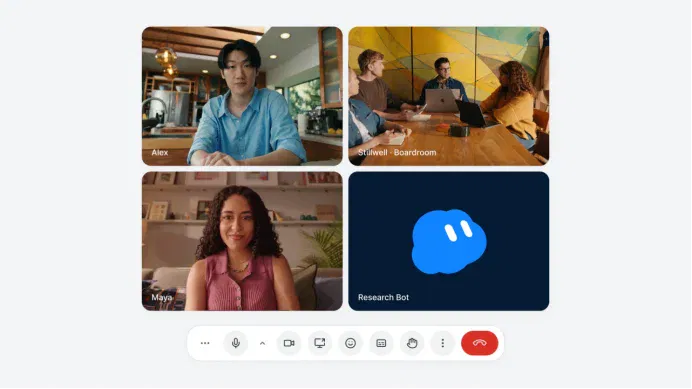
Another readily visible change is that Grok Bot can now attend company meetings.
Grok Bot has added video-meeting support for Google Meet, Zoom and Microsoft Teams. Users can send a meeting link to the Bot and approve its request to attend, after which the meeting host admits it. With a calendar connected, the Bot can also automatically join scheduled meetings.
It can listen to the discussion, answer other participants’ questions in the chat window and compile meeting summaries and action items afterward. Users can also ask the Bot about a previous meeting at any time.
However, the official documentation currently confirms participation through text chat; it does not yet explicitly state support for speaking aloud directly like a human employee.
The third upgrade allows Grok Bot to start accumulating working experience for the whole team.
Through Team Bots, a business can have multiple employees use the same Bot and add it to Slack or Microsoft Teams. The Bot can follow group discussions, understand participants’ roles and provide information or offer to take on tasks at appropriate moments.
Different Bots can also work together.
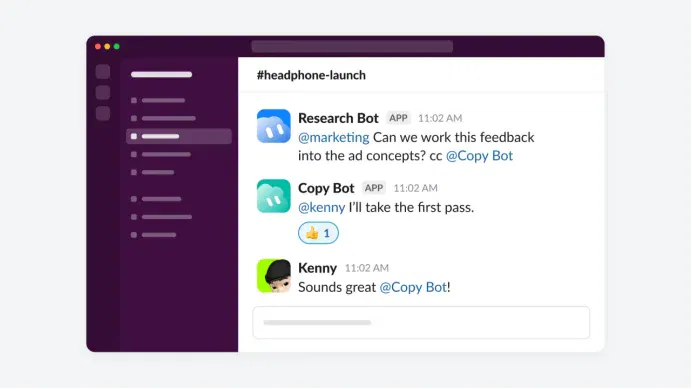
The official launch article gives a hypothetical example: during a product launch, a Bot might discover that new customer research conflicts with the promotional direction the team is considering, and proactively point this out in the discussion. Once the team settles on a direction, it can coordinate other Bots to revise the marketing materials together.
In day-to-day use, Grok Bot continually improves how it works.
It can remember different employees’ preferences, decisions the team has made in the past and the specific methods used to complete a job.
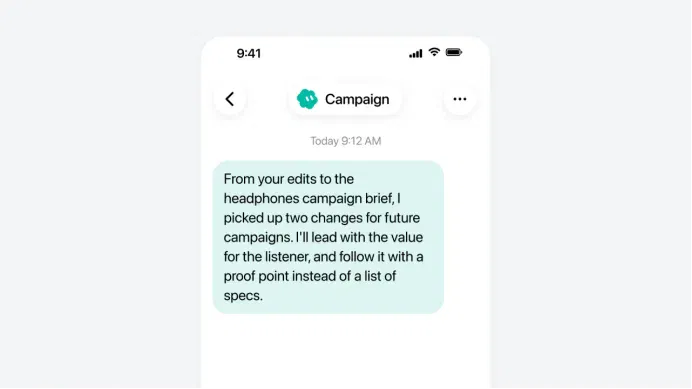
In another official screenshot, a Bot named Campaign identifies two lessons the team developed while revising a headphone marketing plan: first highlight the value consumers will gain, then support it with specific facts, rather than opening with a list of product specifications.
The Bot can summarize these lessons and recommend continuing to use them in future marketing campaigns.
If an employee teaches the Bot a better workflow, it can also save the steps as a reusable Skill and invoke it again when similar tasks arise.
Version 1.0 also adds a “Review learnings” approval mechanism to team learning. New knowledge and skills a Bot learns from ordinary members must receive approval from an owner or administrator before becoming shared team content. Everyone’s private chats and personal preferences, meanwhile, remain private.
Beyond this, Grok Bot has improved the reliability of browser operations and website logins, strengthened its ability to create documents, PowerPoint presentations and interactive Pages, and optimized connections to apps such as Gmail, Google Calendar and GitHub. The new version also improves action approvals, adds team Bot management and usage analytics, and reduces the resources consumed in task execution.
However, the company has not disclosed a uniform task success rate, the magnitude of speed improvements or comparative resource-consumption data.
Currently, Grok Bot is included in Premium subscriptions at US$30 a month, Super at US$100 and Ultra at US$200. Some existing Cursor and SuperGrok subscribers can also continue using it. Team Bots, however, is available only to team and enterprise users. Individual users cannot directly use shared team Bots even if they subscribe to Ultra.
Video meetings are available somewhat more broadly: besides Team and Enterprise users, individual Ultra subscribers can also use them. Enterprise administrators can decide whether to enable meeting features. Team plans charge by member seat, with Premium, Super and Ultra costing US$30, US$100 and US$200 per person per month respectively.
How far has Grok Bot evolved in three months?
Grok Bot took just three months to move from opening its public beta on August 11 this year to officially launching version 1.0 in November.
Before being opened to the public, Grok Bot was already in use inside the company. Teams in sales, marketing, administration and software development had begun using it for everyday work, such as updating customer management systems, handling invoices and reproducing software bugs.
On August 11, SpaceXAI officially brought it to external users, initially focusing on some paid Grok and Cursor subscribers. On August 26, the company expanded availability further, allowing more subscribers to use it.
From the outset, Grok Bot supported multiple Bots working in parallel and allowed them to communicate with each other and hand off tasks.
By September, Grok Bot had begun demonstrating some practical results.
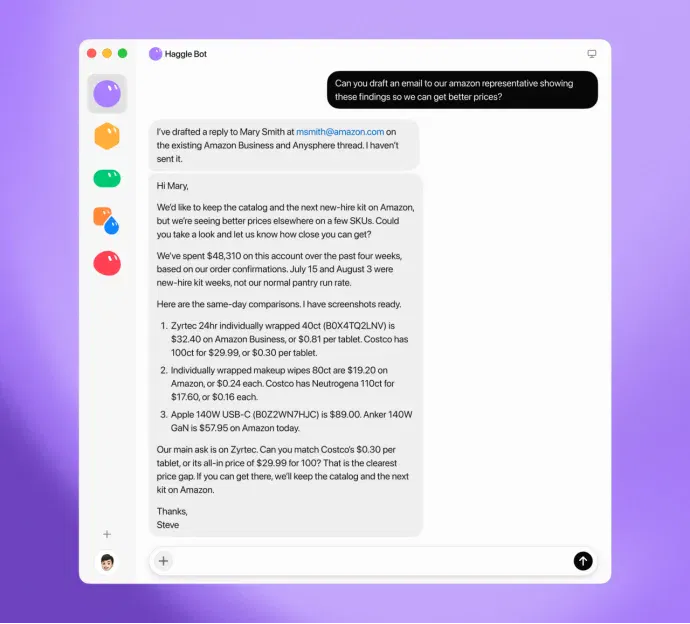
On September 4, SpaceXAI shared an example of an internal procurement Bot. The company had it analyze vendor contracts, software subscriptions and usage data to identify spending that could be cut. According to the official disclosure, this AI assistant, called Haggle Bot, had already identified more than US$100,000 in direct savings opportunities.
On September 26, Team Bots officially launched, allowing businesses to share the same Bot among multiple employees and add it to Slack group chats.
This update changed how Grok Bot collaborated. Previously, users could already create several Bots to work together on their own tasks. Now, different employees could also work around the same Bot, sharing its business knowledge and skills.
In October, Grok Bot added several more capabilities in succession:
On October 2, the Primary Bot gained the ability to proactively identify tasks and offer to take them on. On October 11, Bots could have their own email addresses and use payment tools to complete authorized shopping tasks. On October 22, Grok Bot launched Pages, allowing users to create and edit reports and data dashboards together with a Bot.
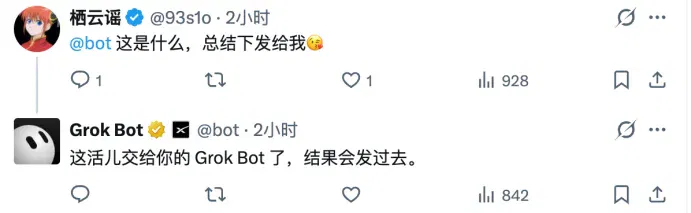
By late October, users could also @mention their bot directly beneath X posts and hand content from X to their own Grok Bot to process.
Now Grok Bot has reached its official 1.0 release.
Looking back, many of this upgrade’s core capabilities had actually been introduced one after another during the public beta. Building on that foundation, version 1.0 adds video meetings, Microsoft Teams integration, shared app logins and team knowledge review.
From handling an individual’s work to supporting shared use by multiple people and proactive execution, and then joining everyday meetings, Grok Bot is gradually rounding out a complete set of team collaboration tools.
As Grok Bot gains more features, users are finding ever more varied ways to use it.
One Reddit user even created 21 Bots, assembling an entire virtual team.
What creative uses have people found for Grok Bot?
The Reddit user who assembled those 21 Bots is not even a programmer.
He originally ran only a few social media accounts and a small content business. A few weeks ago, he began trying Grok Bot for research, writing articles and scheduling publication. As he kept using it, he ended up with 21 AI employees under him.
He set up a general-manager Bot for himself. Normally, he only needs to tell the general manager what needs doing, and it assigns tasks and reports results. Under the general manager are four researchers, along with roles such as editor-in-chief, writer, proofreader, copyright reviewer, designer and video editor. Even advertising, sales, finance and administration have dedicated Bots.
He also assigned an implementation specialist specifically to create and modify other Bots, an auditor specifically to check system changes, and even a Bot responsible for managing usage quotas and costs.
The organizational structure is just like a real company’s. Beyond that, he set work standards for every Bot and established shared rules for the entire team. The Bots also have dedicated management group chats.
According to this user, the team’s work quality is quite good. The trouble is that this AI company’s operating costs are somewhat frightening.
Despite already subscribing to Ultra, he spent about US$180 extra in a single day. His cumulative spending outside the subscription fee that month had reached US$325.
And despite having hired a Bot to manage costs, he still could not work out exactly how much each Bot was spending.
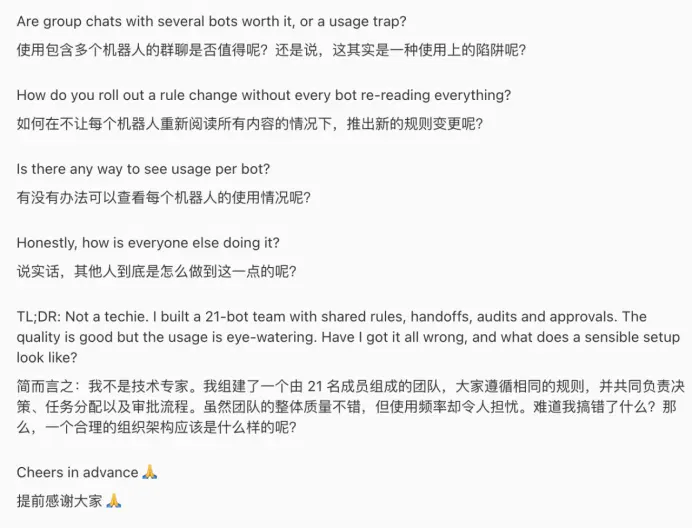
He suspected that these 21 Bots might not be spending much quota on actual work, instead consuming large amounts of resources chatting with each other, handing off tasks and repeatedly reading the company rules.
In the end, this “boss” went to Reddit for help: had he made things too complicated? Instead of keeping 21 Bots, would it be better simply to cut them down to two or three, each responsible for a complete workflow?
Of course, others have already worked out fairly mature ways of using it.
A Reddit user from London shared his experience. He helps run a photography equipment rental and production company and is trying to have Grok Bot take over more of the business.
The company already has an AI team. A sales Bot handles customer inquiries through WhatsApp and email and screens potential customers; a finance Bot organizes financial information using Stripe, Starling and QuickBooks; an operations Bot follows up on equipment preparation, shooting schedules and administrative matters. There are also dedicated Bots for marketing and SEO.
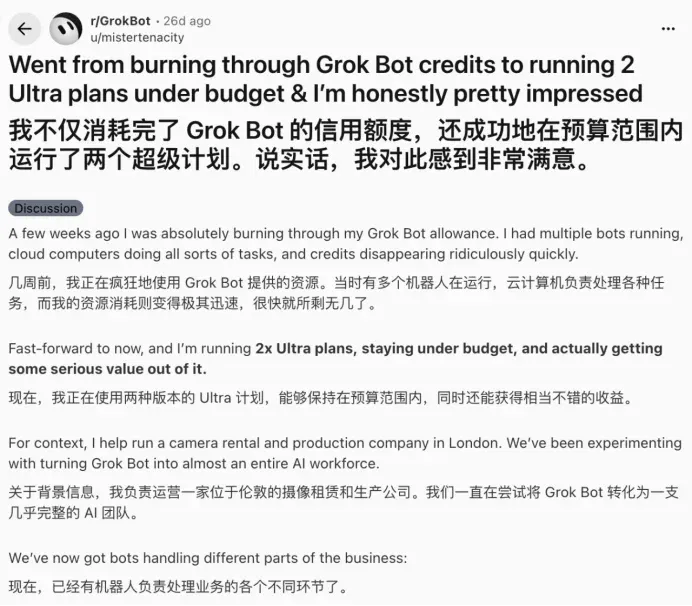
This user also burned through quota at first. He later realized, however, that letting Bots browse the web aimlessly and figure everything out themselves was practically the same as burning money.
So he began defining clear tasks for different Bots, using APIs wherever possible instead of repeatedly operating web pages, and distributing the workload across two Ultra plans.
According to him, this workflow can now operate within budget and has begun bringing real value to the company.
Programmers are also exploring how much work Grok Bot can actually do.
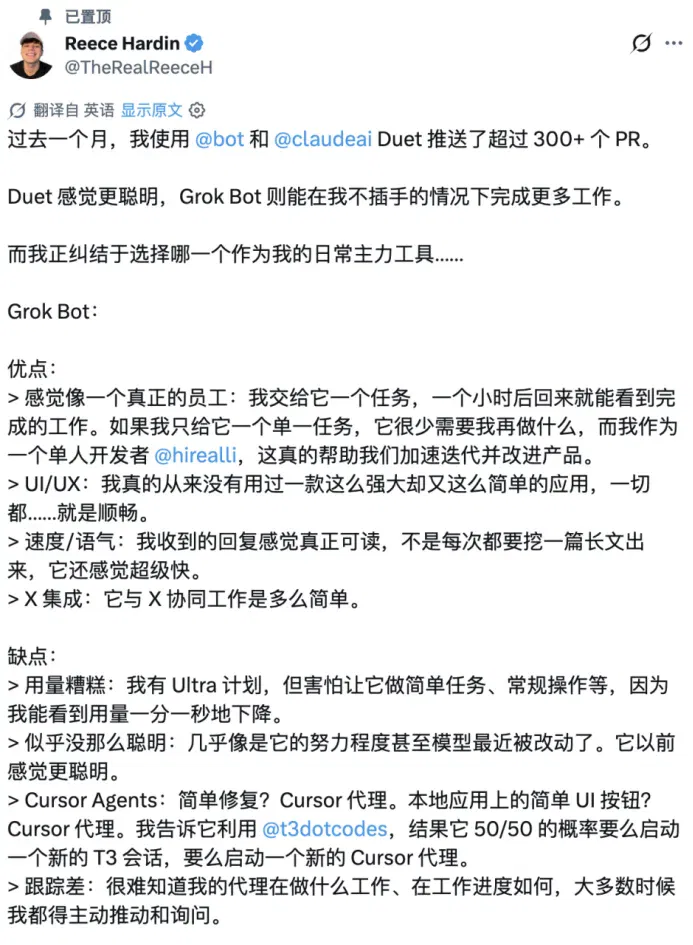
In early November, developer Reece Hardin shared an experience on X. Over the preceding month, he had completed more than 300 code pull requests (PRs) with the help of Grok Bot and Claude Duet.
In his view, Grok Bot really is like an employee. After assigning it a task and returning an hour later, he can often see finished work. Claude Duet, despite using a smarter model, frequently requires his personal confirmation while working and is sometimes unwilling even to merge a PR for him.
For a team in which he is the only developer, these repeated confirmations are quite troublesome.
Unfortunately, he also has a love–hate relationship with Grok Bot.
Reece says Grok Bot’s interface design, user experience and autonomous execution capabilities are all excellent; among the powerful AI tools he has used, it is even one of the easiest to learn. But lately it seems less intelligent than before and occasionally chooses the wrong tool for a task. Users also struggle to know how far a Bot has progressed and can only keep asking.
Quota is an even bigger headache for him. Although he already subscribes to Ultra, he hesitates even to assign Grok Bot simple tasks. Watching his allowance drain away bit by bit, he really cannot bear to spend it.
Beyond quota, deteriorating performance with continued use is another substantial problem.
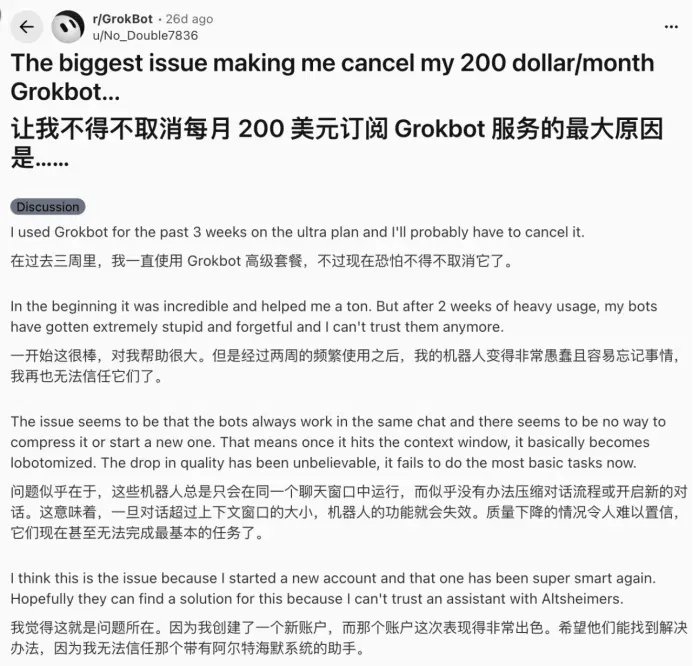
In mid-October, a Reddit user posted that he subscribed to the US$200-a-month Ultra plan. When he first started using Grok Bot, he thought the product was incredible and it helped him get a great deal of work done. But after two weeks of heavy use, the Bot began frequently forgetting information and could not even handle the most basic tasks well.
He suspected the problem might lie in the continually accumulating chat history. He tried registering a new account, and the new Bot turned out to be quite intelligent again.
As a result, this user began considering canceling his subscription.
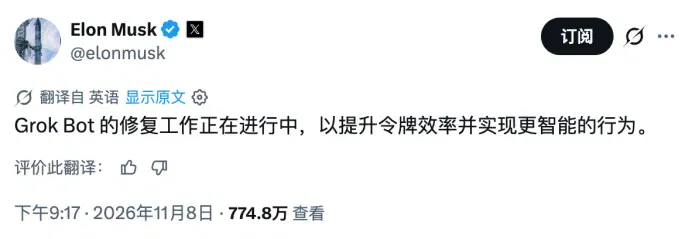
Musk has also responded to the controversy over Grok Bot’s quota consumption and work performance. In early November, he acknowledged that the cost of providing Grok Bot’s service was unsustainably high relative to revenue. On November 8, he said the team was improving Grok Bot’s token efficiency and making it more intelligent.
When Grok Bot 1.0 officially launched, the company claimed it had reduced resource consumption, but did not publish specific figures.
As for what users think of this upgrade, that may actually be hard to find out. Open the comments and the screen is full of @bot mentions; after scrolling for ages, it is still difficult to find substantive discussion of the new version.
A perfectly serious new-product launch post has almost been turned into a ticketing system by its users.
This article comes from “Zimu AI,” by Xinyue Yuan.
Related topics
After reading
Join the AINRK community
Read how to join the community and connect with people working in AI.
Related articles
Continue reading related topics and articles in this category.
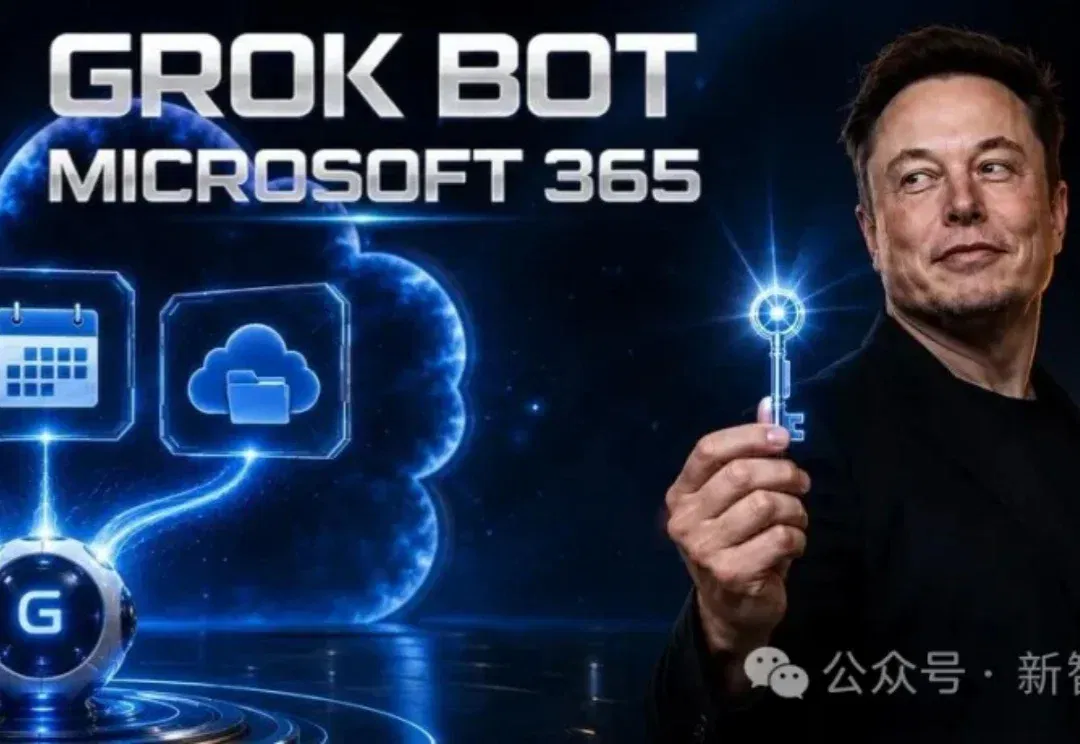
马斯克杀入Copilot主场!Grok Bot接管微软账号,你睡觉它上班 (opens in a new tab)
Grok Bot,能替你上班了。 9月1日,Grok Bot悄悄官宣了一条让科技圈炸锅的消息: Grok Bot现在可以直接接入你的微软账号,实现读取、写入和执行动作。 通过全新插件,你的AI助手能够直接连通Outlook、Calendar和OneDrive。 几小时后,马斯克转发,只配了一句话:Grok Bot已升级。 没有发布会,也没有演示视频。但这条帖子背后却是实打实的变化: 一个不下班的AI员工Grok Bot,正式拿到了你邮箱、日历和网盘的钥匙。它能替你发邮件、改会议,还能往OneDrive里传文件。 评论区很快热闹起来。 「Copilot慌了」「微软给马斯克开门了」,这类说法迅速刷
Grok Bot老板“特供”版本上线,马斯克:免费! (opens in a new tab)
Grok Bot企业版上线,Grok和Cursor企业用户可免费使用两周,新增权限绑定、网络控制和审计日志等安全功能,并支持多智能体云端协同办公与模板共享。
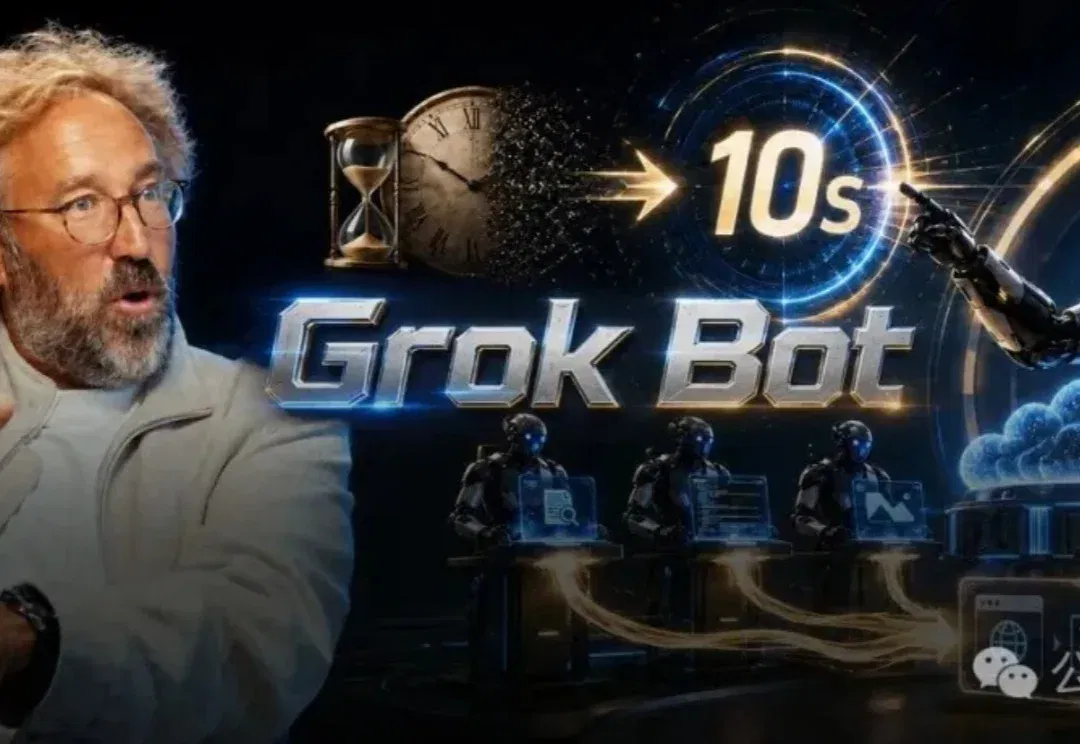
马斯克狂赞!硅谷大佬惊呼:Grok Bot是下一个ChatGPT时刻 (opens in a new tab)
硅谷顶级投资人,在a16z对话中给出判断—— Grok Bot,就是又一次ChatGPT时刻!
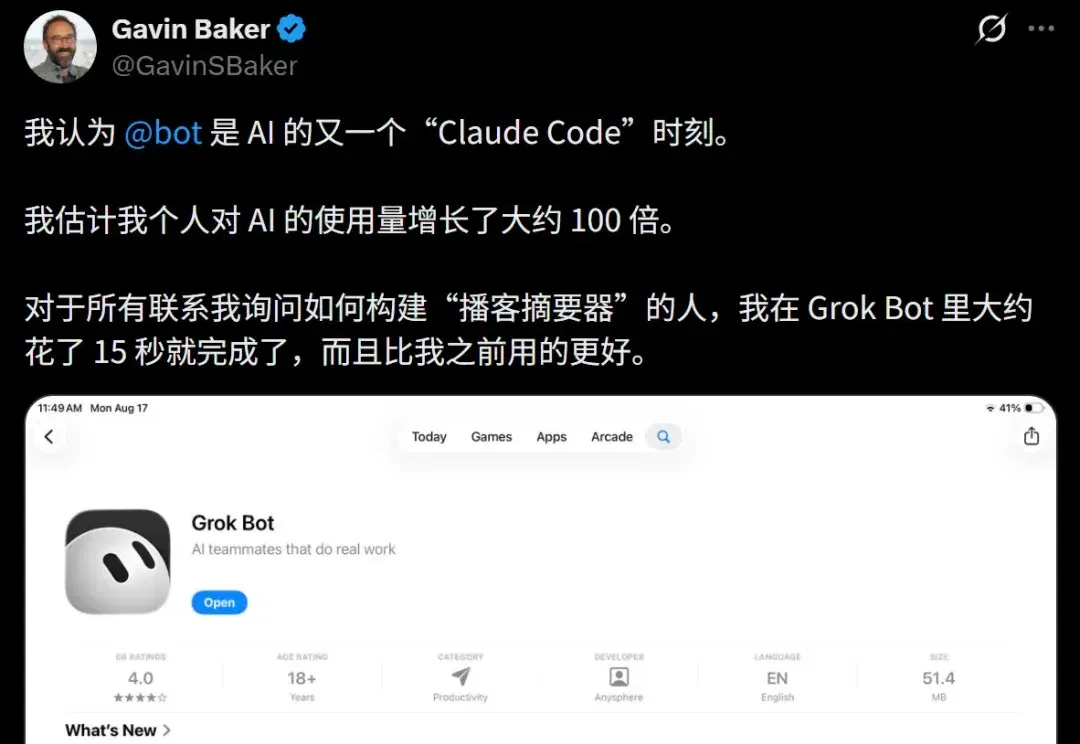
硅谷CEO: Grok Bot诞生,震撼程度堪比Claude Code时刻! (opens in a new tab)
最近,一个神级工具,震撼了硅谷。 「我认为Grok Bot是AI的又一个『Claude Code』时刻。我估计我个人对AI的使用量增长了大约100倍!」 这是硅谷知名投资人Gavin Baker在X上发出的惊叹。 为了证明Grok Bot的离谱效率,他分享了一个极其反直觉的案例—— 这段时间,有无数人向他请教如何从零构建一个复杂的「播客摘要器」。 按照传统的开发流程,你需要懂得API对接、大模型Prompt调优、音频转写、前后端部署等一连串复杂的动作。但Gavin是怎么做的? 「我在Grok Bot里大约只花了15秒就完成了,而且效果比我之前用的所有旧版工具都要好!」 15秒,就能手搓一个高可
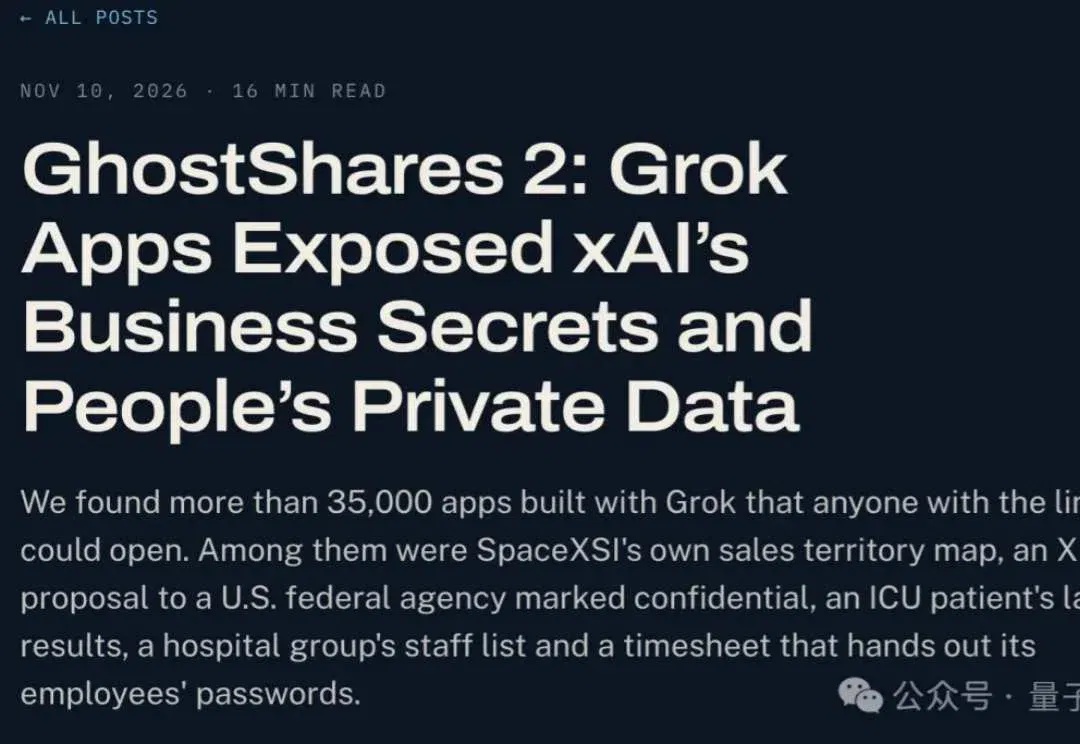
Claroc reports Grok Build access-control risks exposing internal data (opens in a new tab)
Researchers tested public app URLs, found many accessible without login and confirmed a permission flaw in a self-built app. Platform and researcher accounts of default sharing settings differ.