My Workflow Update: Magpie for Models, Cindy for Multiple Computers, T3 Code for Development
The author revisits a workflow: Magpie brings together 7 channels and 23 models, Cindy links computers through group chats and remote desktop, and T3 Code handles development. Grok Bot and Alma are set aside; Orca stays. This does not mean every service works offline or all data stays local.
In my October 19 article, My Cross-Device Workflow (UU Remote / Orca / Magpie / Grok Bot) (opens in a new tab), I was using four tools to support three devices: UU Remote for screen access, Orca for parallel work, Magpie for models and keys, and Grok Bot for research in the cloud.
Just a month later, that combination has reshuffled itself.
I no longer use Grok Bot, have put Alma on hold, and lately even open NetEase UU Remote, once my most-used tool, less and less. The tools that have really stayed in my daily core setup are Magpie, now configured smoothly again; Cindy, connecting several computers; and T3 Code, specifically for development work.
Consider this My Workflow 2: a look at the configuration, screenshots, and real tradeoffs after this round of changes.
Magpie: the foundation of the whole workflow, starting with my configuration
As tools have come and gone, the one that has never moved from its place, and that I rely on increasingly, is Magpie, the open-source local model gateway from @yetone.
Whether I run Claude Code, Codex, or T3 Code on top, underneath I rely on Magpie to translate and standardize interfaces and bring API keys and existing subscriptions together in one place. That saves me from changing environment variables whenever I switch tools.
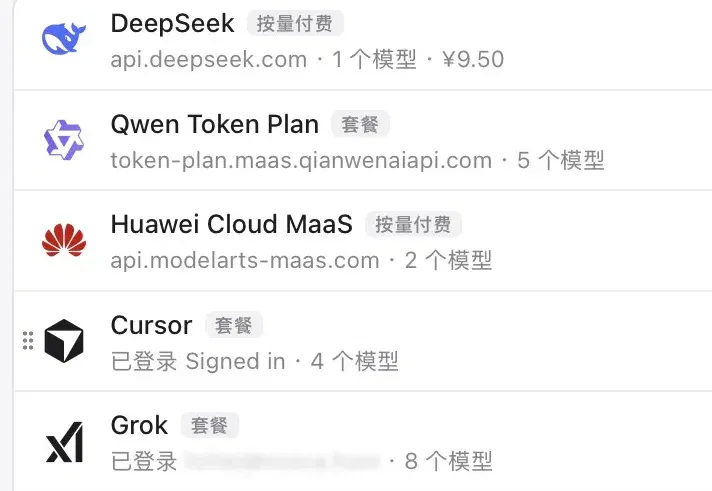
These are the 7 main channels currently configured in Magpie on my machine, bringing together 23 models. My approach combines existing subscriptions as the mainstay, with pay-as-you-go as a fallback:
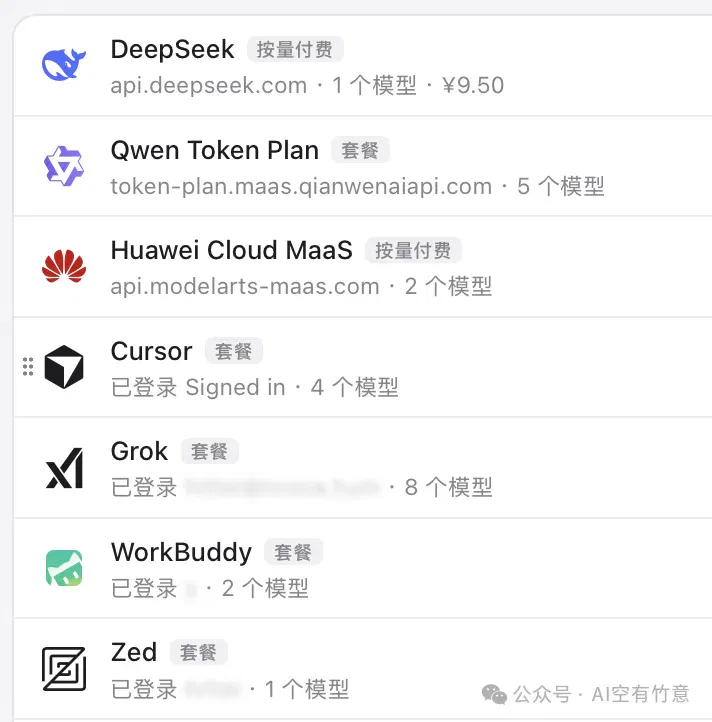
Provider configuration in my local Magpie instance, with account information redacted: 5 subscription channels plus 2 pay-as-you-go channels, totaling 23 models.
- Subscription channels make up the bulk. I have connected Cursor (4 models), Grok (8), Qwen Token Plan (5), WorkBuddy (2), and Zed (1), using subscriptions I had already bought or accounts I had already signed into, and directly reusing their existing allowances.
- Two pay-as-you-go providers serve as fallbacks: DeepSeek's official API (1 model) and Huawei Cloud MaaS (2 models). They charge for actual consumption, so I do not waste money on monthly subscriptions.
With that foundation fixed in place, switching the agent client on top is easy. Models and allowances are managed in Magpie, so changing workbenches has almost no migration cost.
Bringing several computers into a Cindy group chat, directly replacing Grok Bot
Last time, I used Grok Bot because it ran on a cloud computer, letting me assign research and scheduled tasks from my phone whenever I wanted.
But after getting comfortable with Cindy recently, I found that putting the buddies from several of my computers into the same group chat can fully reproduce what I was using Grok Bot for. The tasks run on my own computers, and the files in the example here move between devices I own. But this does not mean that all model computation or conversation data avoids the cloud; that still depends on the services and configurations selected.
For example, I created a four-member group on my phone. Besides me and the main Cindy, the other two members are computer buddies running different operating systems: one Ubuntu, one Windows. To see how busy each machine is, I just say in the group, 'Report your current loads.'
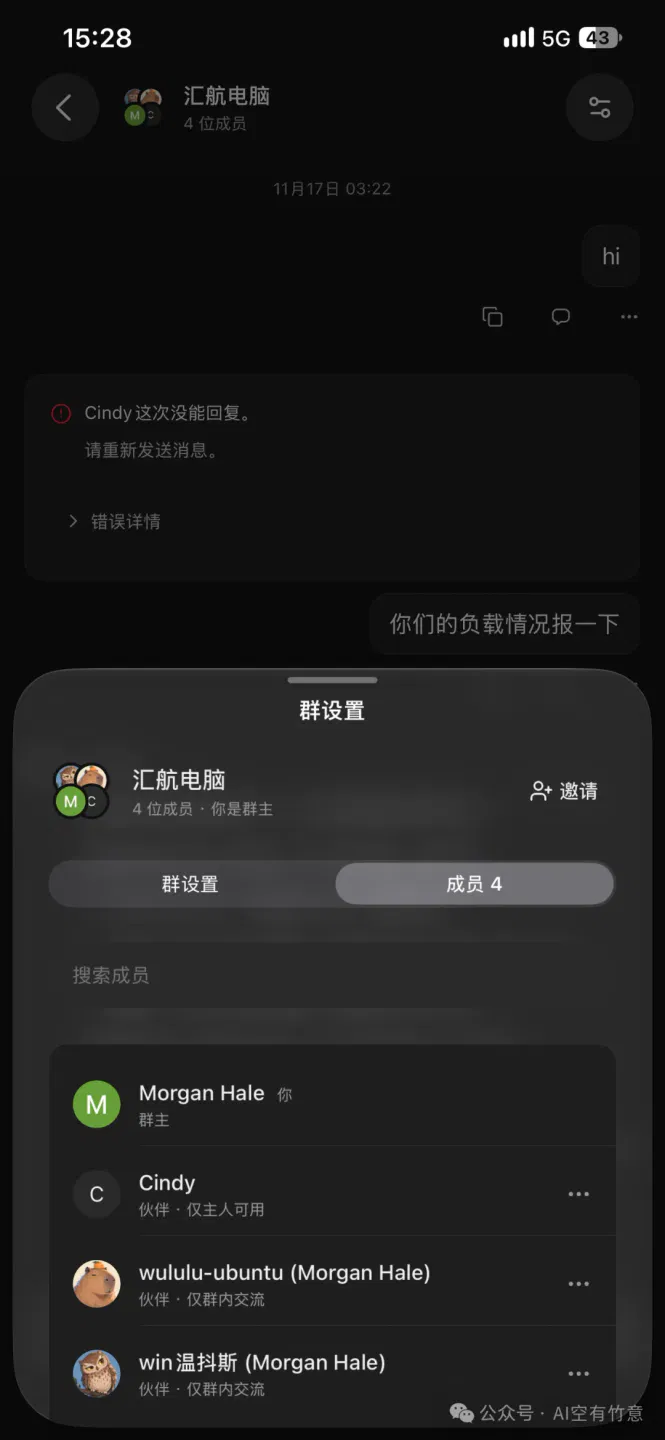
Cindy's group member view: the buddies from my Ubuntu and Windows computers are brought into one group.
What really feels great is passing files between my own computers. A few days ago, I needed to verify a Wine image in Docker. I specified the route in the phone group: the Ubuntu buddy should first export the image and deliver it to the Windows buddy's Downloads folder. Once Windows received it, it should send it to the target machine over SSH, replace the old image, and see whether it worked properly.
The Ubuntu buddy then reported progress in the group: the image, scottyhardy/docker-wine:stable-11.0, had been exported locally and was 4.94GB; it still needed to be pulled over to Windows. Once this way of assigning work from my phone and passing files between my own machines was running smoothly, I stopped using Grok Bot.
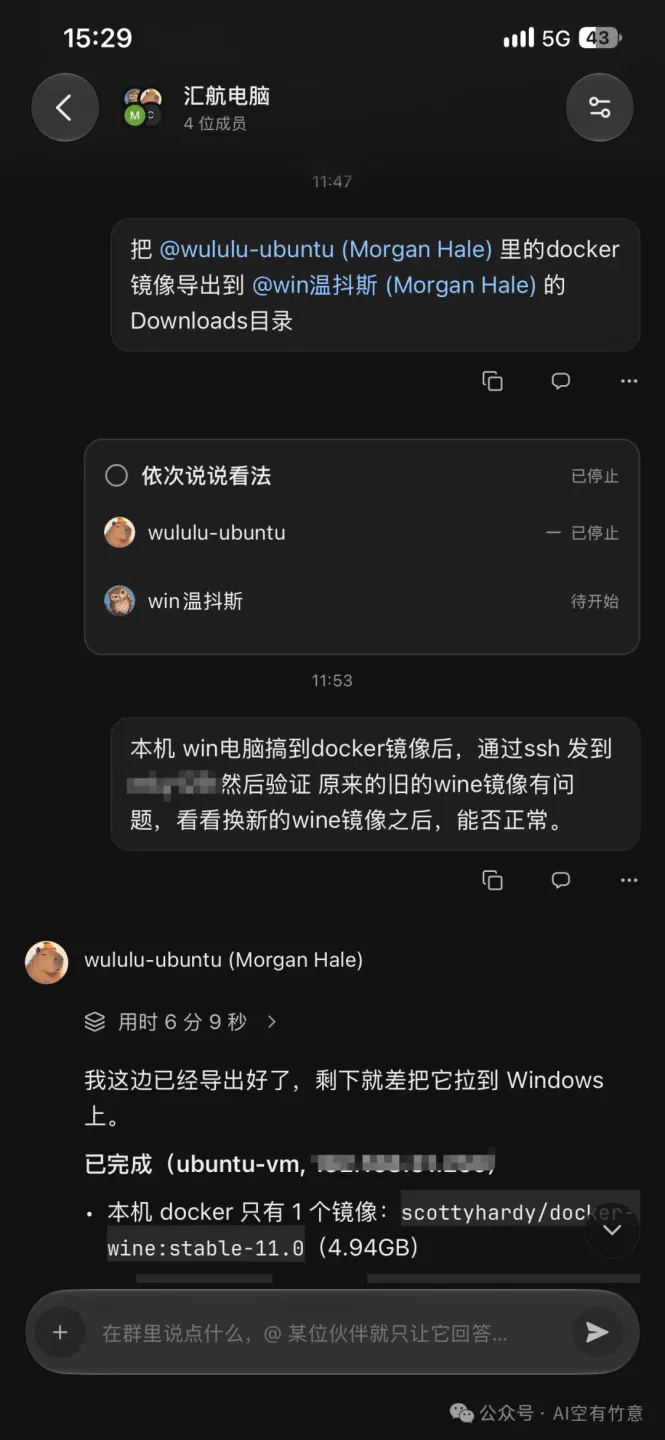
Specifying the transfer route in the phone group: export on Ubuntu, deliver to Windows Downloads, then send to the target machine via SSH.
Taking over through remote desktop: less UU Remote, and Ubuntu now works too
Another knock-on effect of keeping Cindy is that I have been opening NetEase UU Remote much less often recently.
That is not because UU Remote is bad: high-frame-rate operation and remote power-on are still reliable. It is just that, often, when I see a buddy getting stuck in Cindy or need to click something on a remote machine, I can open Cindy's built-in remote desktop and take over directly, without switching out to another remote-control client.
More crucially, Cindy now supports remote desktop access to Ubuntu.
When writing about Omarchy and Linux desktops before, I complained that NetEase UU Remote still lacked a Linux client. An Ubuntu version is due to enter closed testing soon, but the timing is undecided. With Cindy installed on my Ubuntu machine, it can take jobs as a buddy in the group during normal use, and I can control it remotely whenever I need to see the desktop. That fills a gap I had been stuck with.
Alma on iOS feels increasingly abstract; back to T3 Code for development
Finally, there is the choice of main development interface.
I tried Alma for a while, but its iOS version has lately been evolving in increasingly abstract ways. Its interactions often do not match my expectations, and using it always feels one step removed. I have put it on hold for now. (Alma is good; I just have not got used to it yet. 😅)
For serious coding and purely development tasks, I have now made T3 Code my main tool.
Compared with all-purpose workbenches, T3 Code is much more restrained for development work. It covers desktop, web, and native mobile, with a very clean interface and no unnecessary distractions. When checking project progress on my phone, the top bar offers just the three entries I use most: terminal, Git branches, and file tree. Each executed command is neatly collapsed. If the model goes off track or needs a reminder, such as waiting for a slow background image to load before taking a screenshot, I can send a Steer message mid-run to correct it. Below that, I can open Side chats to jot down ideas as they occur.
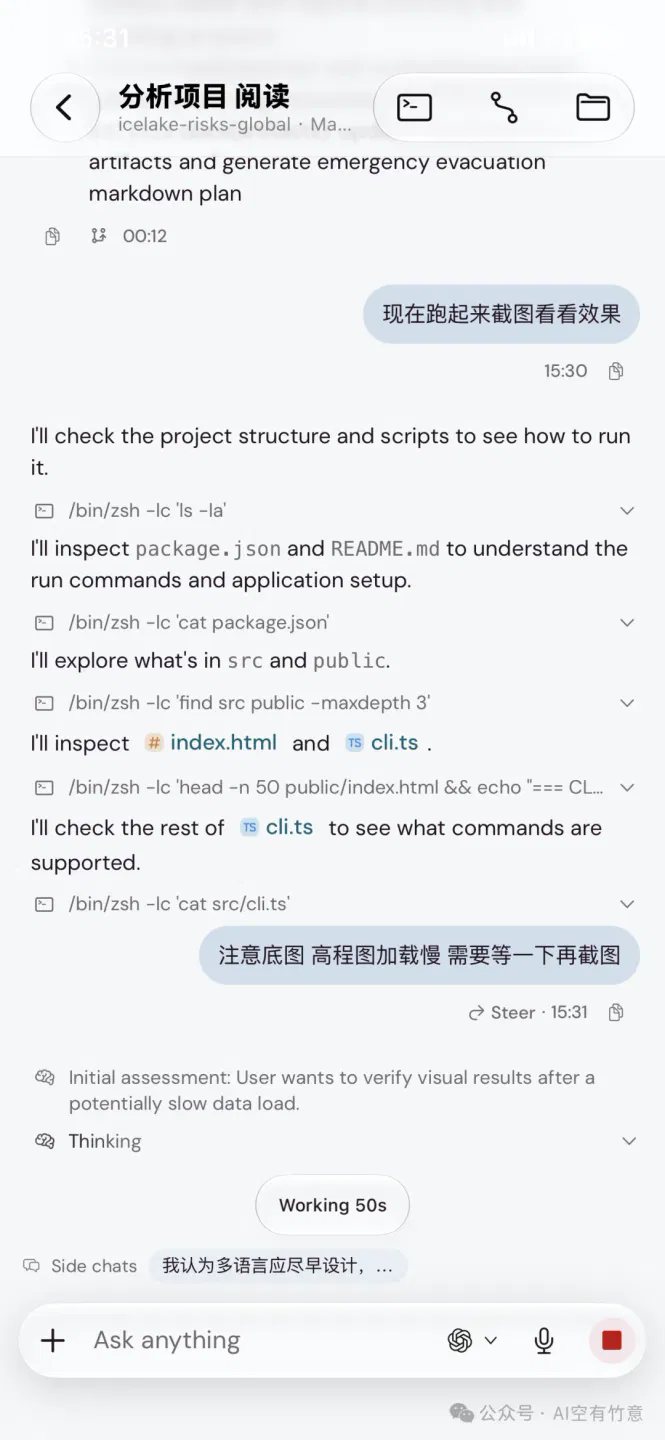
T3 Code's mobile interface: clean and uncluttered, with Steer messages to intervene and correct direction during a run.
Another detail I find particularly comfortable is its recovery of long-running tasks and context handoff.
Even when a project spans several days and I switch between multiple models along the way, from Cursor, Grok, and DeepSeek through to Gemini and GLM, T3 Code can clearly carry forward the context and HANDOFF.md in the same session. It can automatically resume the previous round's progress after a restart, making extended coding work much less demanding to supervise.
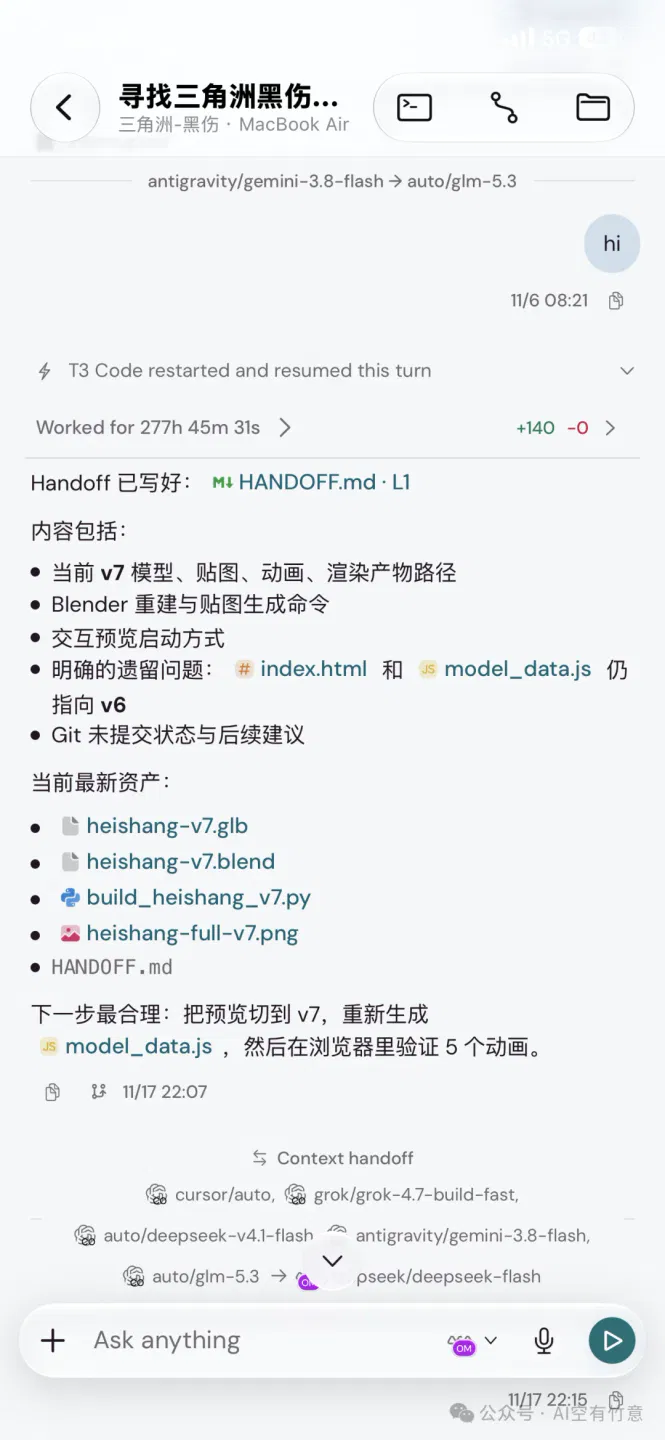
Seamlessly switching between multiple models in the same session and automatically organizing a HANDOFF.md handover checklist.
About Orca, and my biggest recent change: watch less, think more, and wait for the results
Readers of the previous article may wonder why I have not mentioned Orca, which I praised so enthusiastically before.
In fact, Orca is still my favorite tool. Its interaction logic fits my development instincts as a programmer best. I really have been opening it less lately, but not because it has fallen behind. Rather, I know it so well already that I wanted to give other tools a thorough try. After exploring them, I found each has its own conveniences.
After this round of switching, though, I unexpectedly fell into a new rhythm: I now spend less time looking at the screen and more time thinking.
When using Orca before, I tended to watch the interface as the agent typed commands and edited files step by step, like a supervisor standing beside it. Now that I assign work across multiple computers, my focus has shifted earlier in the process. I first think through the requirements and write down clearly what needs doing. Once that seems ready, I hand it off to whichever tool suits the job and simply wait to harvest the results.
During the few minutes, or even ten-plus minutes, of waiting, I am completely freed up. I can switch to other business or keep thinking about the next problem, instead of being tethered to my seat by a window running a task as I used to be.
The new division of work
After this round of adjustments, the division of work among my tools is clearer than it was a month ago.
Magpie holds down the lowest layer of model routing and allowance aggregation. Cindy handles cross-machine collaboration and routine checks through a group chat of buddies on several online computers and its built-in remote desktop, including Ubuntu. T3 Code provides the clean interface for development work, while Orca remains in the toolbox on standby. Grok Bot and Alma are off the main list for now; I will revisit them when something changes.
One last teaser: Orca has just released Orca Bots, beginning to turn agents into persistent teammates with their own identities that can receive email and Slack triggers. After testing it for a few days, I will devote the next article to Orca Bots and see whether it can draw me back to using Orca as a main tool.
This article is from AI Kong You Zhu Yi, by Qingliangshan Kongzhu.
Related topics
After reading
Join the AINRK community
Read how to join the community and connect with people working in AI.
Related articles
Continue reading related topics and articles in this category.
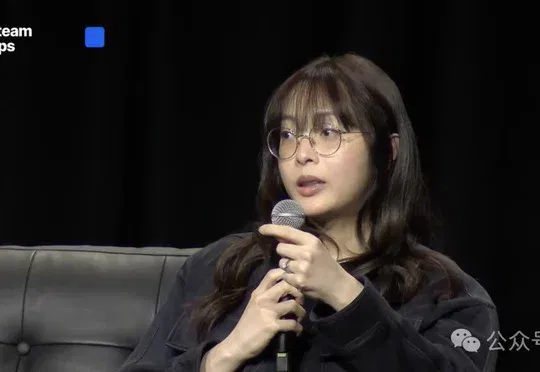
一觉醒来20个PR自己合进了主干!SpaceXAI工程师:我基本不看代码了 (opens in a new tab)
SpaceXAI工程师Lauren Tan用pstack并行运行20多个GrokBot智能体,单月交付1000多个PR,核心是用control glass等技能让智能体自验证,并以Dune架构禁用useEffect与注释、强制进程隔离等硬约束取代人工盯代码,使智能体可自主完成写码、测试与主干合并。
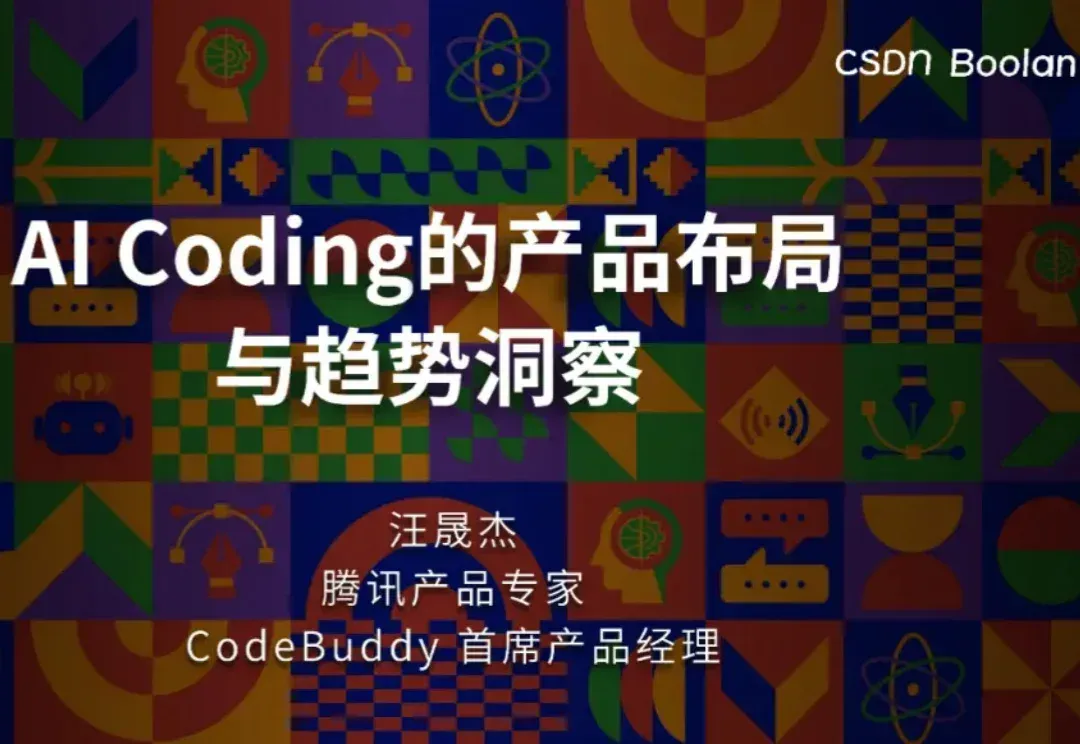
AI Coding 产品的顶层思考与方法论:从范式革命到规约编程 (opens in a new tab)
作为腾讯 CodeBuddy 的第一位产品经理和现任 T12 级技术产品专家,我想分享近期对于 AI Coding 产品的深度思考和趋势洞察。本次分享不仅限于 AI Coding 本身,更希望提供一套通用的方法论——当你拿到任何 AI 产品命题时,应该如何系统性地思考和推进。
我的 AI 员工会后空翻 (opens in a new tab)
在 《我招了 6 个 AI 员工一起干活》 一文中,我介绍了如何招聘 6 个 AI 员工,并让他们在同一个工作间一起干活。招聘 AI 员工,我最希望他们帮我干的就是编程相关的活。在给他们具体的任务之前,先评估一下他们的能力。
我的 AI 原生开发流程:一个真实案例的完整复盘 (opens in a new tab)
很多人对 AI 开发的理解停留在"让 AI 帮我写代码"。
500万人在线围观,Claude Code创建者的13条独家实战秘籍爆火 (opens in a new tab)
2026 新年第三天,Claude Code 创建者、负责人 Boris Cherny 开展「线上教学」,亲自示范他自己使用这个 AI 编程工具的工作流。