SenseTime open-sources 8B SenseNova U1.6, improving image aesthetics and text self-correction
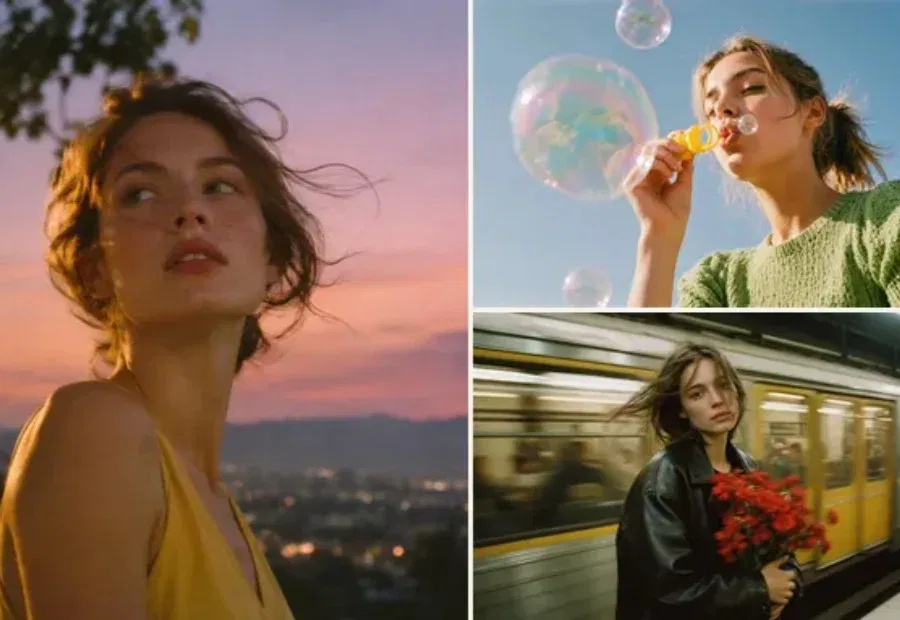
SenseNova U1.6 supports photography, illustration and poster generation with native text self-correction. Zhidx tests varied creative tasks. In SenseTime's evaluation, API version U1.6 Lite rises from 86.04 to 92.28 on UltraTextBench with self-correction enabled; version and test conditions matter.
Editorial fact-check (2026-11-26): Evaluation scope: The sample-image impressions in this article come from creative tasks selected by the journalists. Aesthetic, UltraTextBench and other metrics are presented under SenseTime's disclosed evaluation methodology; this platform has not independently rerun them. Leaderboard results for open-source SenseNova U1.6, API version U1.6 Lite and flagship U1 Pro should be understood separately. Dynamic leaderboard positions refer only to the reporting date. Self-correction can improve text errors, but does not mean every output can dispense with human checking. Official SenseNova-U repository: U1.6 release and evaluation notes; (opens in a new tab)Comfy-Org SenseNova-U1 model page. (opens in a new tab)
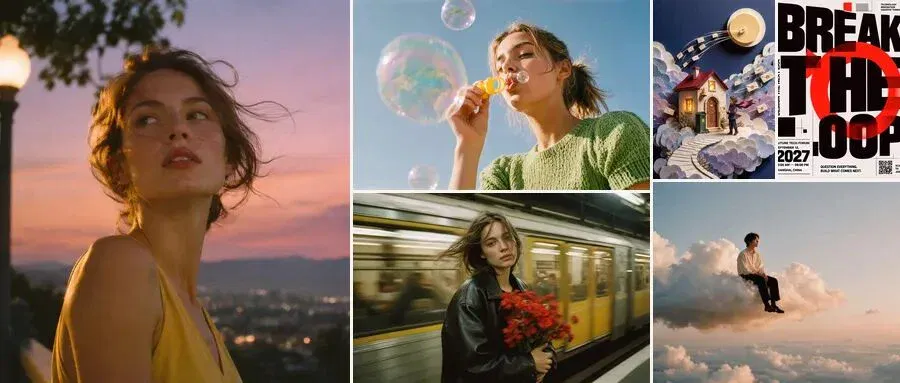
We tested cinematic portraits, and they have something going for them.
Getting AI to generate a beautiful photograph is no longer particularly difficult. But high resolution and filters alone may not be enough to capture the atmosphere of a film.
Take La La Land. The film, which won both the Academy Award and BAFTA for Best Cinematography, can be considered a textbook in cinematic color and composition. To capture its leads dancing together on a Los Angeles hillside, the crew specifically shot during the brief period around sunset on two consecutive evenings, ultimately producing the nearly six-minute long take seen in the film.
Cinematographer Linus Sandgren also used greenish overhead fill light and post-production color grading to give dusk a richer magenta hue. The female lead's yellow dress and the distant Los Angeles cityscape were integrated into the carefully designed composition.
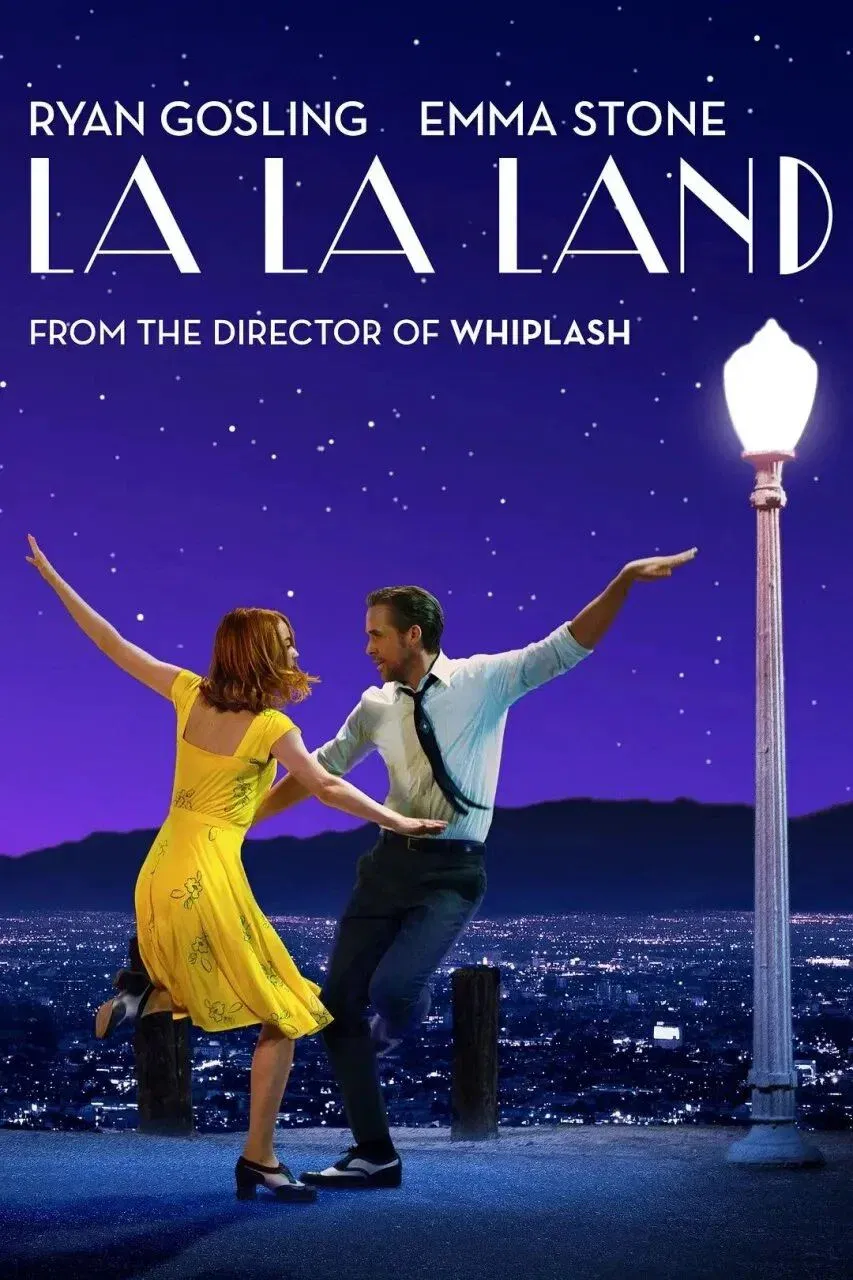
▲ La La Land poster
What looks like effortless romance actually conceals considerable photographic ingenuity.
What might AI capture if we handed it the camera? We tried using AI to recreate this classic scene.
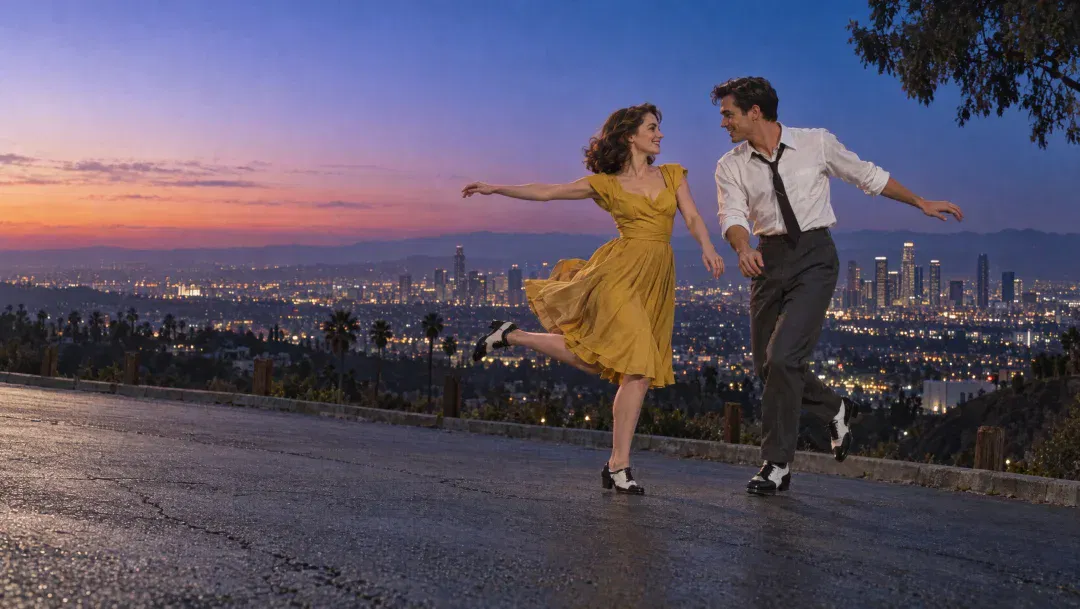
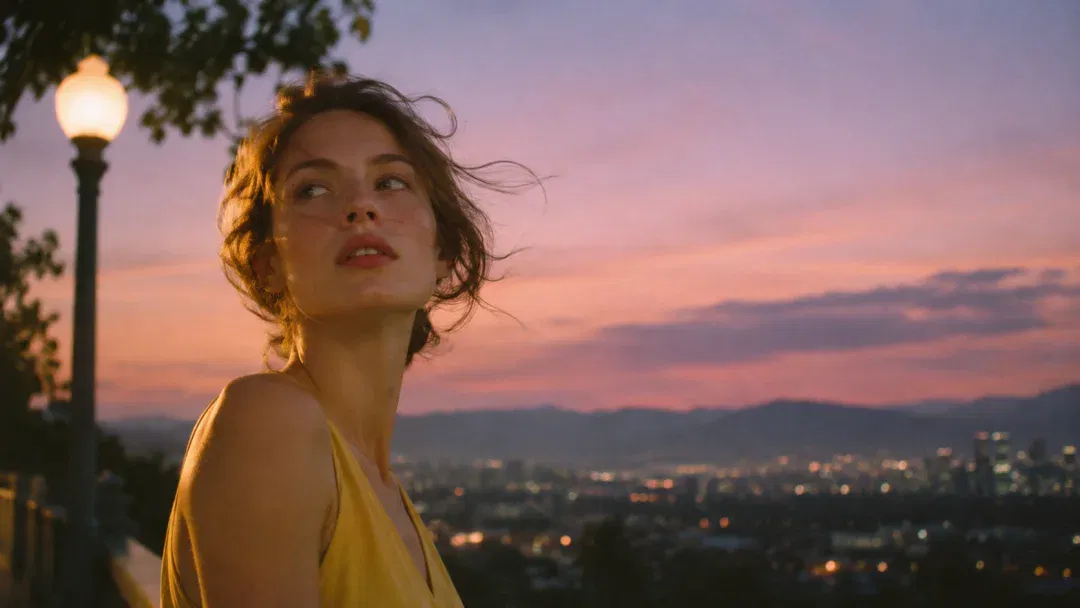
▲ A film still in the style of La La Land
From the pink-purple sunset and the complementary colors of the yellow dress and blue-violet sky to the full-body composition of the dancing pair, the AI attempted to reproduce not only the film's setting but also the scene's photographic language.
The AI behind this image is SenseNova U1.6, SenseTime's newly released, open-source unified multimodal model.
For this upgrade, SenseTime focused on image aesthetics and native self-correction.
In SenseTime's internal user evaluation, SenseNova U1.6 Lite's overall aesthetic score improved by approximately 10% over the previous generation. Meanwhile, SenseTime introduced native image self-correction to its U-series 8B open-source models for the first time, enabling the model to check and correct text errors on its own after generating an image.
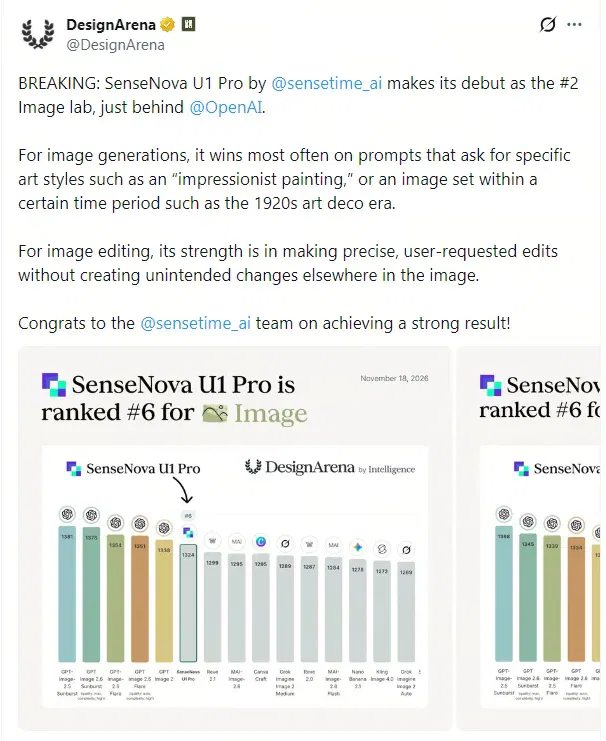
It is also worth mentioning that, according to information SenseTime had published by the reporting date, its flagship SenseNova U1 Pro ranked first among Chinese models on both Design Arena leaderboards; this is not a ranking for open-source U1.6.
SenseNova U1.6's weights are now officially open-source. Its API service version, SenseNova U1.6 Lite, has also been integrated into products and platforms including SenseTime Xiaohuanxiong, Seko, Kapi Camera, SenseNova Token Plan and SenseNova Studio. SenseNova U1.6 is also available in ComfyUI, allowing creators to incorporate image generation and self-correction into existing creative workflows.
Comfy:
https://huggingface.co/Comfy-Org/SenseNova-U1
GitHub repository:
https://github.com/OpenSenseNova/SenseNova-U1
Try SenseTime Xiaohuanxiong online:
https://xiaohuanxiong.com/work/home
SenseNova Token Plan:
https://platform.sensenova.cn/docs
Starting from professional film cinematography, Zhidx tested atmospheric portraits, motion snapshots, creative camera shots, artistic illustrations, typographic posters and dense infographics. We wanted to see how well the new model understands aesthetics and whether it can balance beauty and accuracy in complex visual creation.
01.
Letting AI act as a professional photographer
Light, color and motion blur all require care
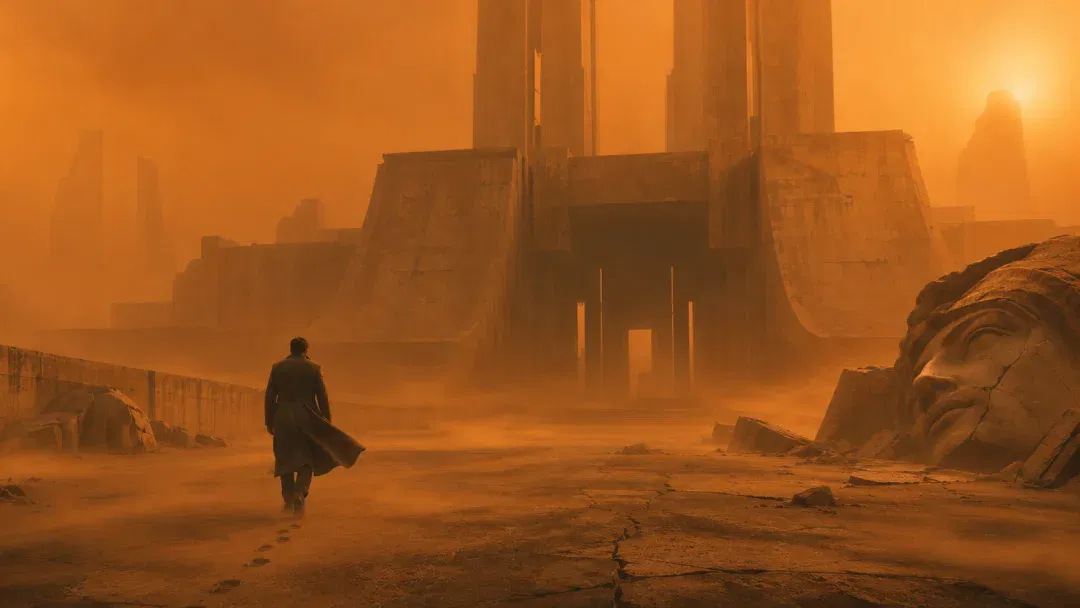
In stark contrast to La La Land's romantic colors, another Academy Award winner for Best Cinematography, Blade Runner 2049, makes extensive use of monochromatic palettes, geometric compositions and imposing architectural spaces to create the desolation of its science-fiction world.
Inspired by its iconic orange dust-storm scenes, we asked SenseNova U1.6 to create an original science-fiction film still.
▲ A film still in the style of Blade Runner 2049
The difficulty with this type of image is that orange dust cannot simply be a filter over the entire picture. It must also shape the space, giving near and distant buildings different degrees of clarity and layers of light and shade. The contrast in scale between the person and the giant buildings further intensifies the sense of loneliness.
Switching from a romantic musical to post-apocalyptic science fiction tests the model's understanding of different cinematographic styles.
Next, we brought the camera closer and focused on the atmosphere of portraits.
Rather than the usual heavily retouched AI portraits, we wanted photographs with signs of a real shoot: windswept hair, skin tones that are not perfectly even in natural light, skin texture without smoothing, and slightly grainy film colors.
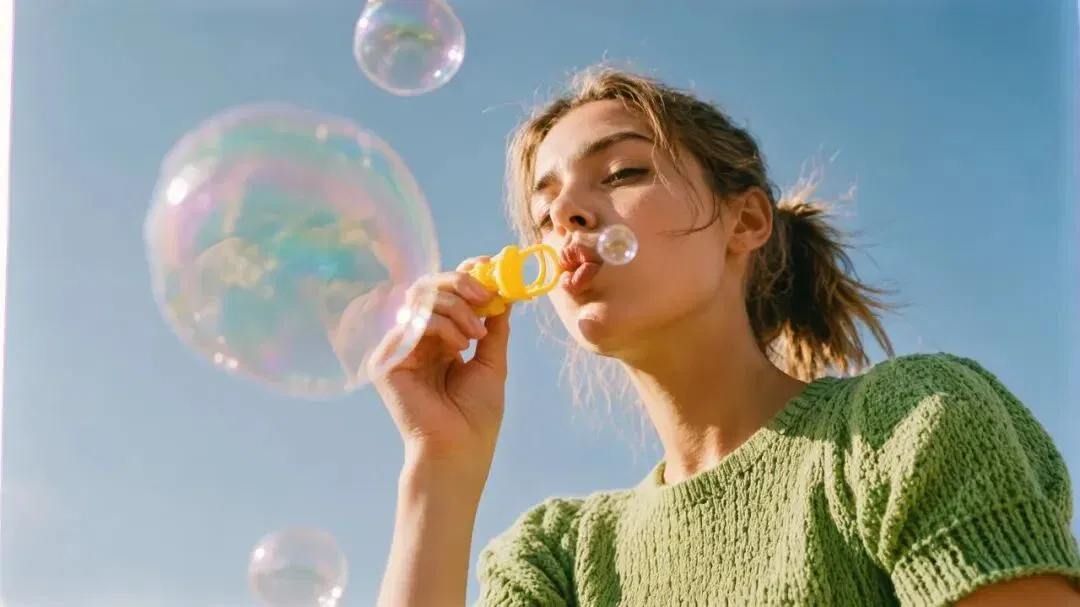
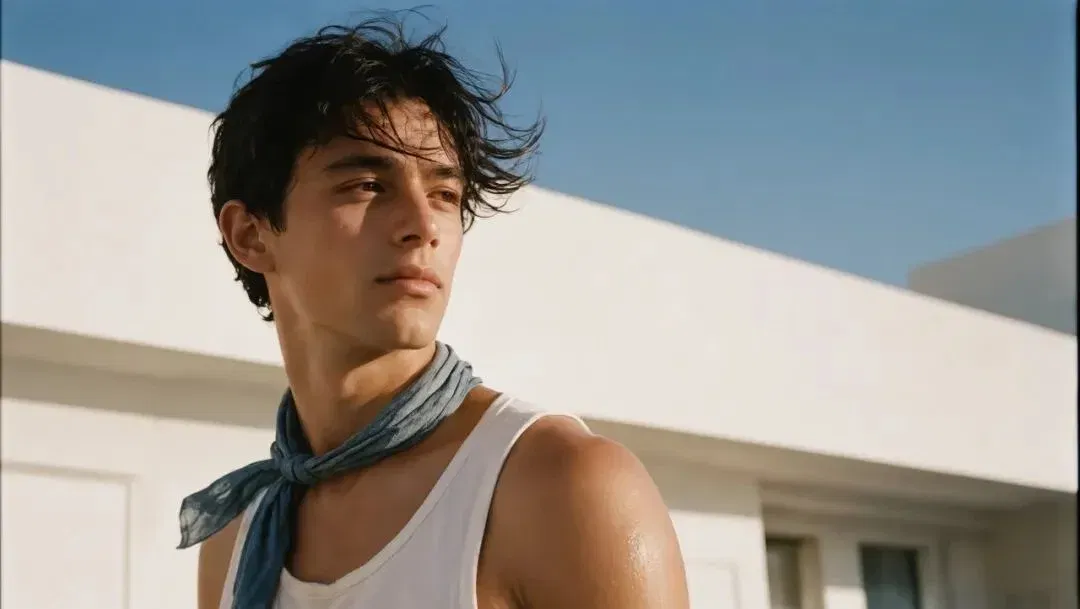
In this set of portraits, SenseNova U1.6 did a good job of rendering people under different lighting conditions.
For example, the summer seaside portrait emphasizes contrast under hard sunlight, with blue sky, white walls and natural skin tones forming a fresh color relationship. The bubble-blowing portrait adds interest through the iridescence of transparent bubbles, foreground occlusion and a low-angle view.
The cinematic facial close-up focuses more on the interplay between expression, skin tone and ambient light. As the camera moves closer, the person's expression and subtle light and shade become the main sources of the image's emotion.
In these portraits, the film look is not just grain and retro colors. It also includes gentle highlight transitions, natural shadow detail and relatively restrained skin treatment.
Besides cinematic portraits emphasizing natural light, we also tried direct-flash photography and Y2K fashion photography. The former gives a more immediate, candid visual texture; the latter recreates turn-of-the-millennium fashion with a strong sense of atmosphere.
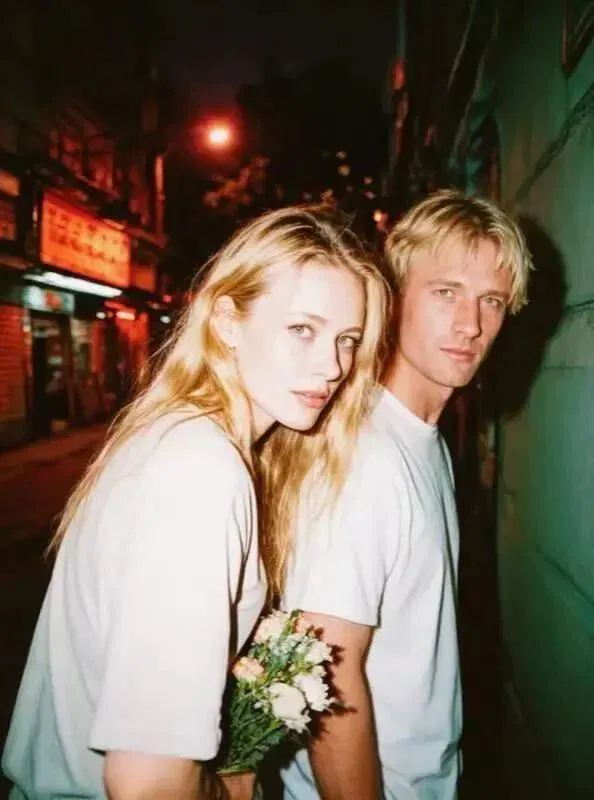
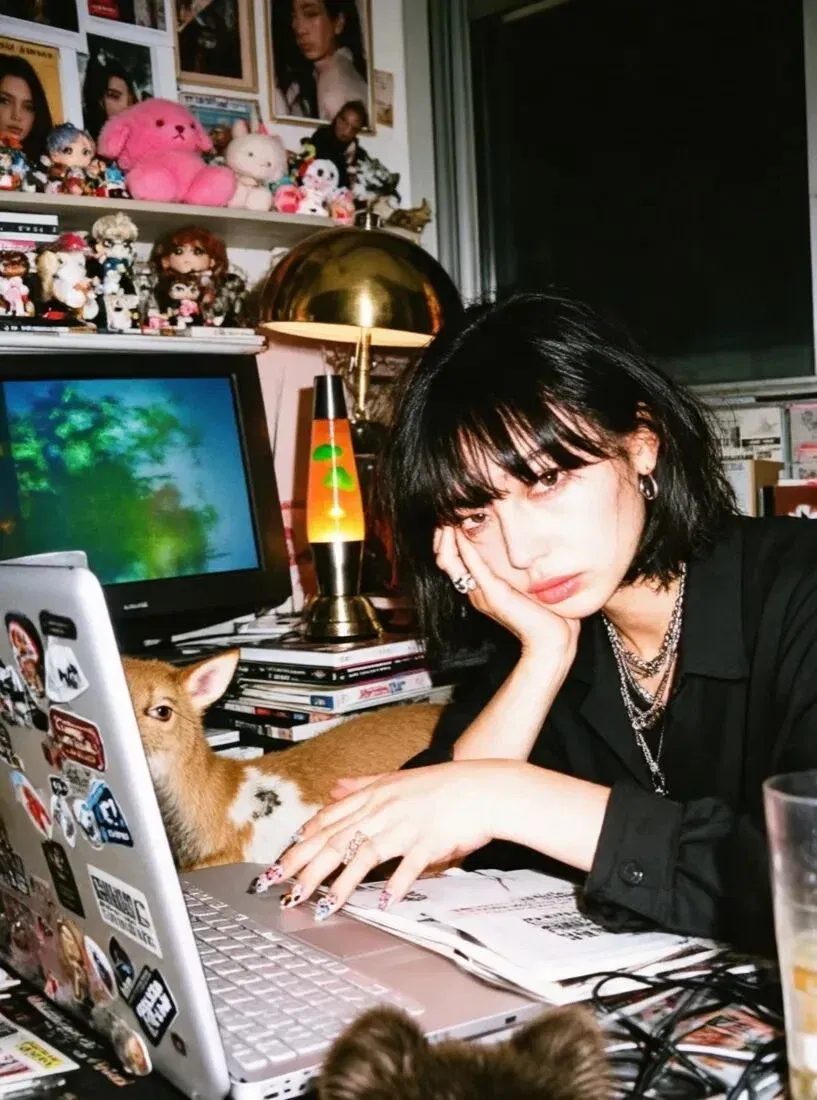
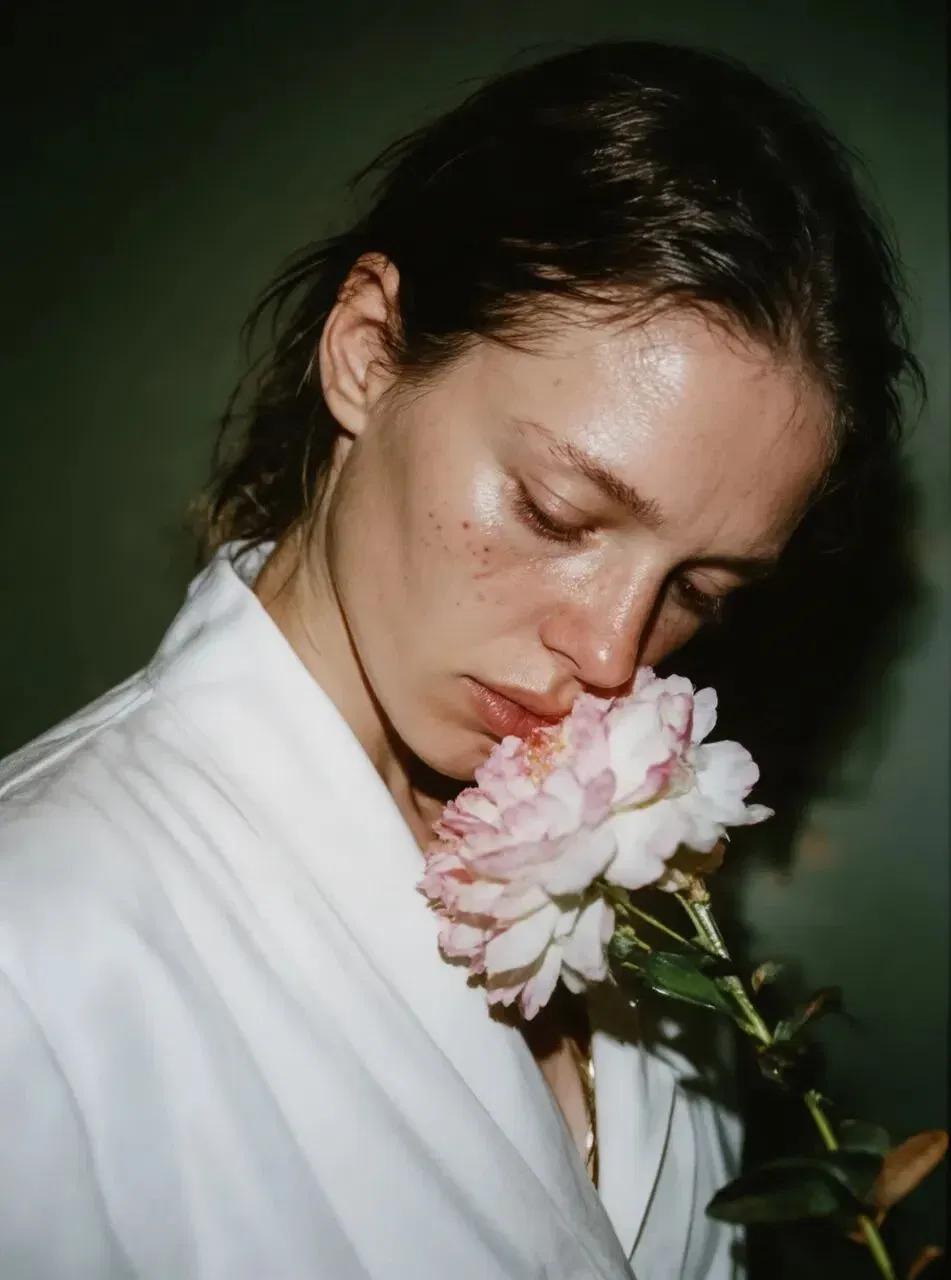
According to SenseTime, SenseNova U1.6 can currently use prompts to invoke dozens of film textures and different camera styles, spanning looks such as retro film, cinematography and fashion photography.
Beyond static portraits, we also asked AI to imitate photographers taking slow-shutter snapshots in different settings.
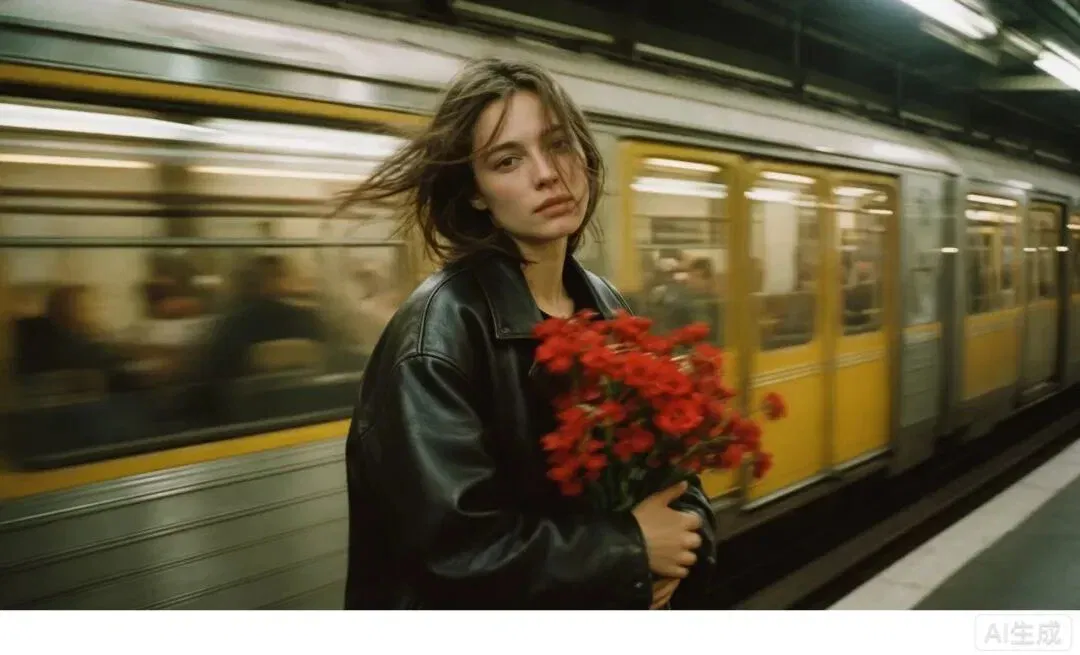
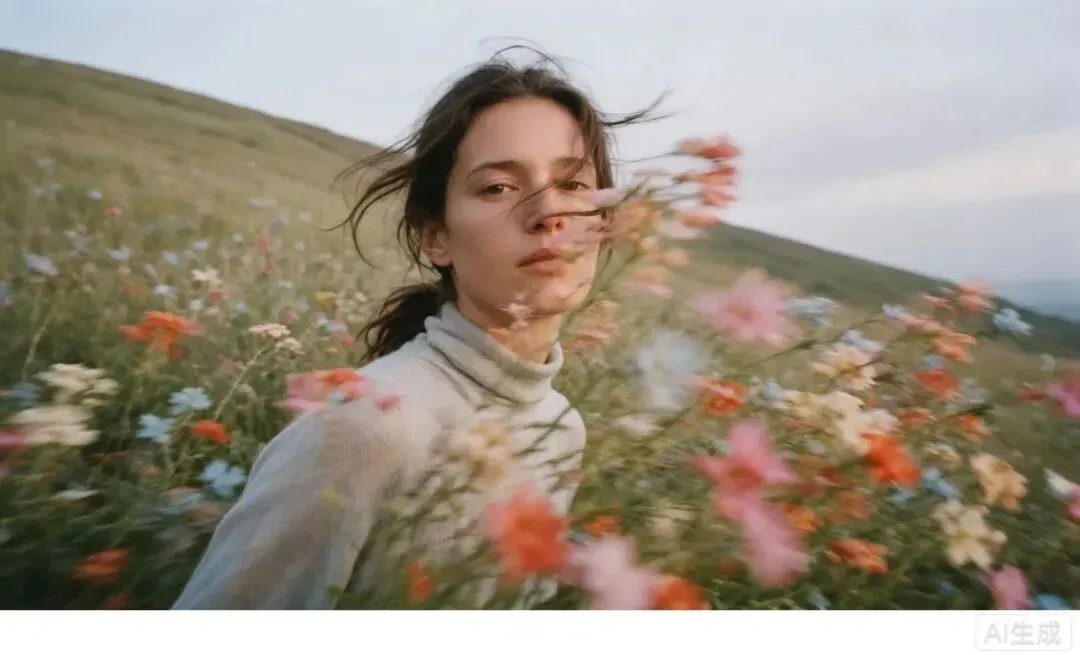
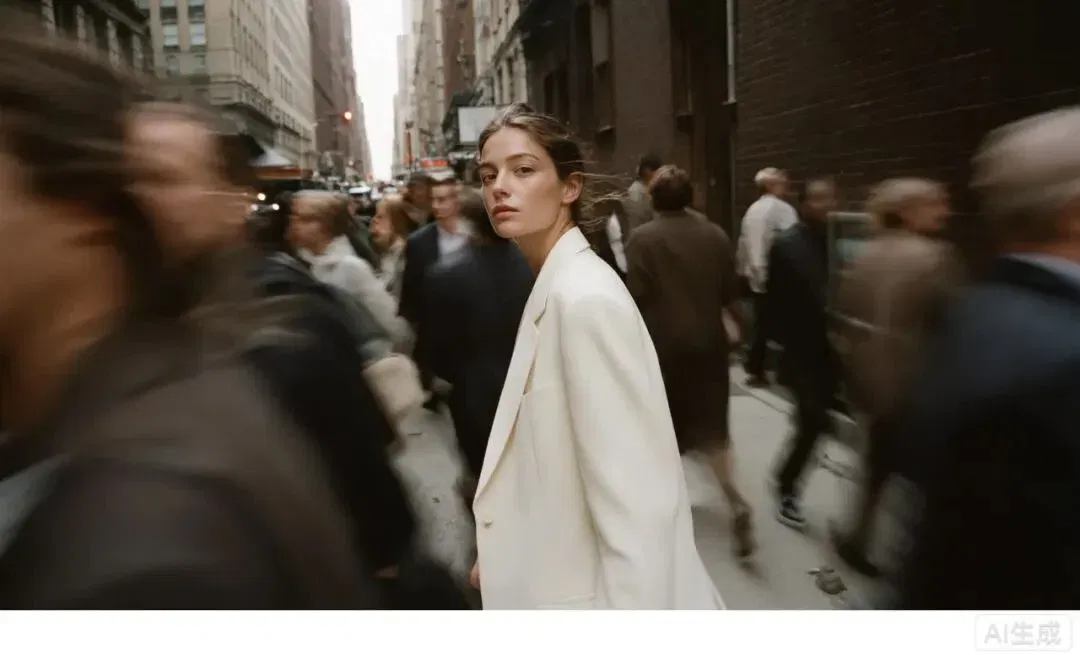
These photographs share one feature: the main person remains relatively sharp while the surrounding environment shows varying degrees of motion blur.
A train speeding through a subway station, pedestrians hurrying along a New York street, and stems swaying in a wildflower field create horizontal, intersecting and diagonal movement respectively.
This photographic effect is more than simply blurring the background. It requires directional motion trails based on objects' direction and speed of movement and their distance from the camera.
In particular, the flower-field portrait places motion blur in the foreground, using flower stems to partly obscure the person's face and create the feeling of a casually captured moment.
The contrasts between movement and stillness, sharpness and blur give an otherwise static AI image more of a sense of time.
02.
Underwater, low angles and ultra-wide views
What other creative shots can AI produce?
If the previous tests examined AI's understanding of traditional photographic aesthetics, we were ready to try some bolder camera work next.
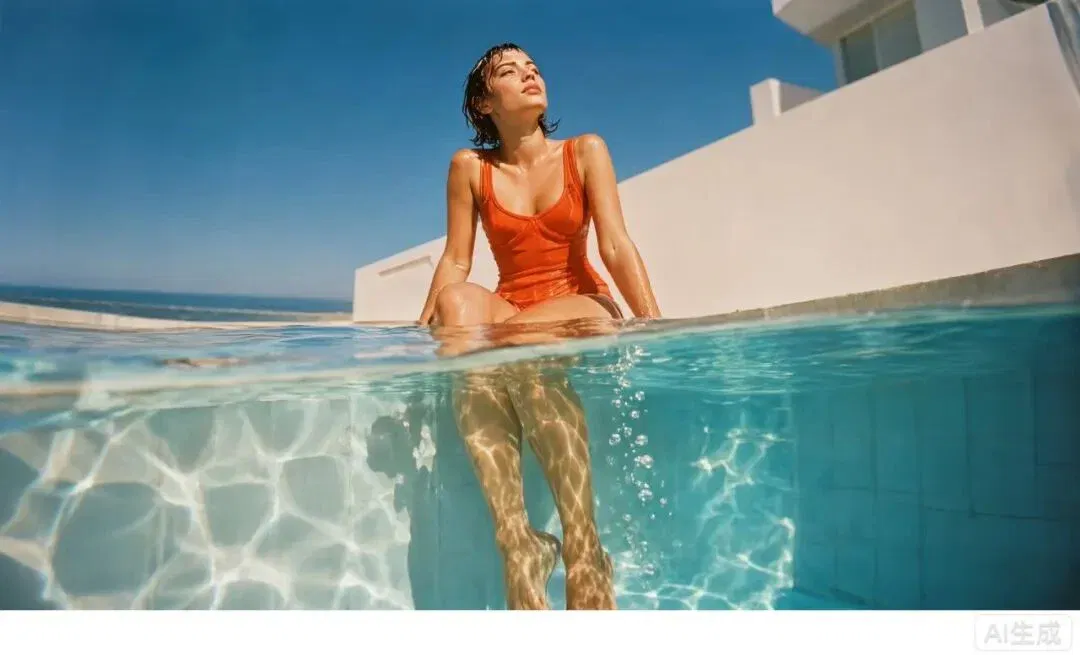
For example, place the camera half underwater and half above the surface to capture a summer portrait combining both views, or photograph someone's profile and the city's reflection through a tram window covered in raindrops.
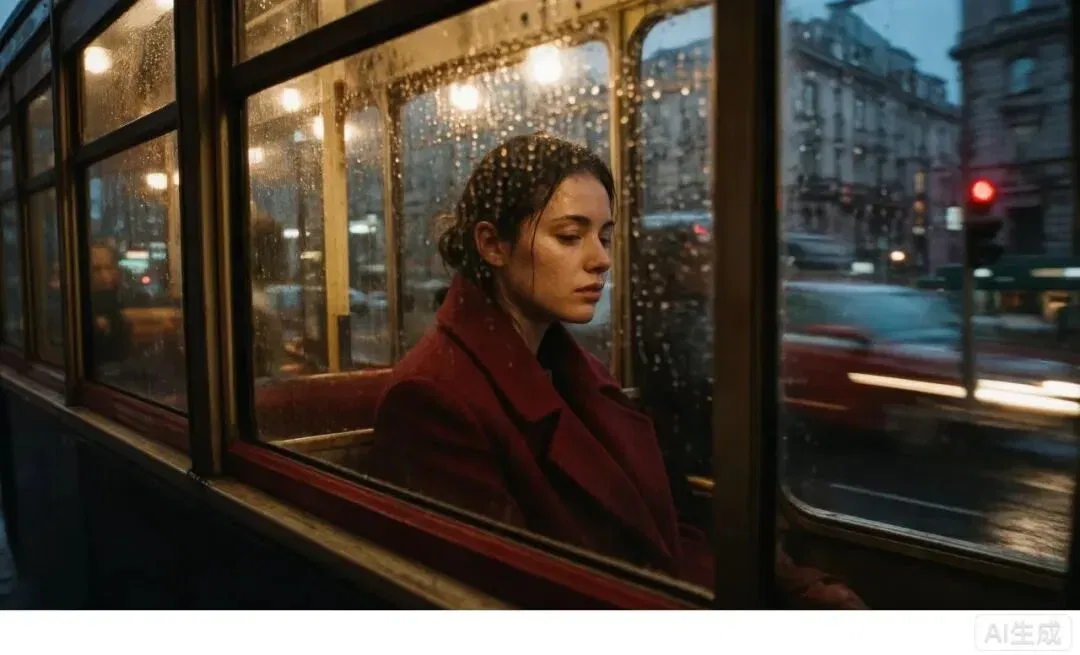
We also tried a more playful fisheye shot. An extremely close camera position combined with slightly warm yellow direct-flash lighting gives it the retro feel of a casual snapshot from an early digital camera.
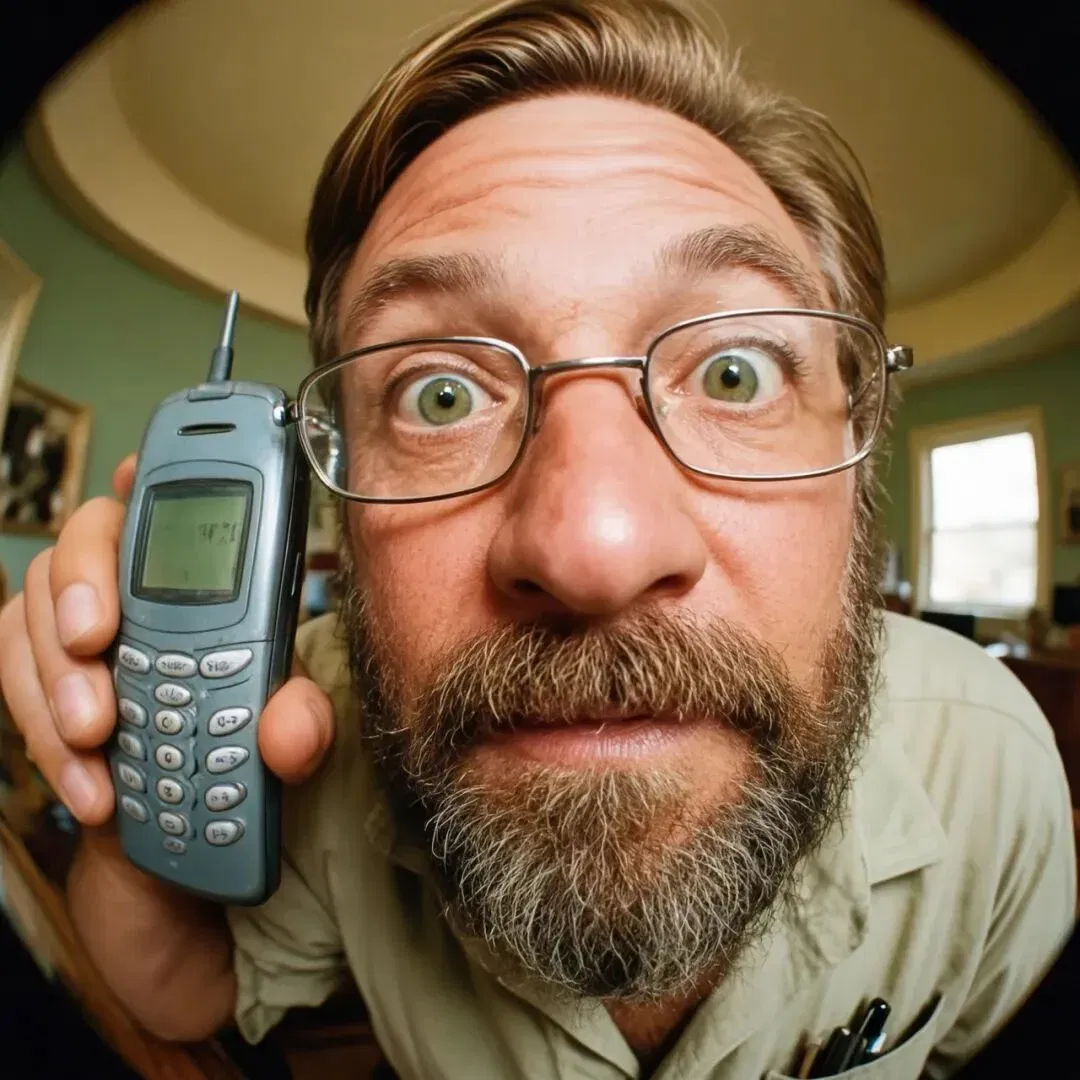
These types of shots all involve fairly complex optical effects.
Underwater photography must handle the boundary at the water's surface, refraction through water and differences in color above and below it simultaneously. Shooting through a vehicle window requires coordinating raindrops on the glass, the person inside and the city's reflection outside, so multiple spatial layers coexist in one picture. Fisheye photography uses exaggerated wide-angle distortion to enlarge the person's nose and glasses while naturally curving background lines, creating a playful visual effect.
The camera effects themselves become part of the composition, freeing AI portraits from the familiar combination of a frontal shot and a blurred background.
We also tried other viewpoints, such as a straight-down view of a spiral staircase and low-angle photography close to the ground, using architectural geometry, wide-angle perspective and differences in scale between people and their surroundings to strengthen the visual tension.
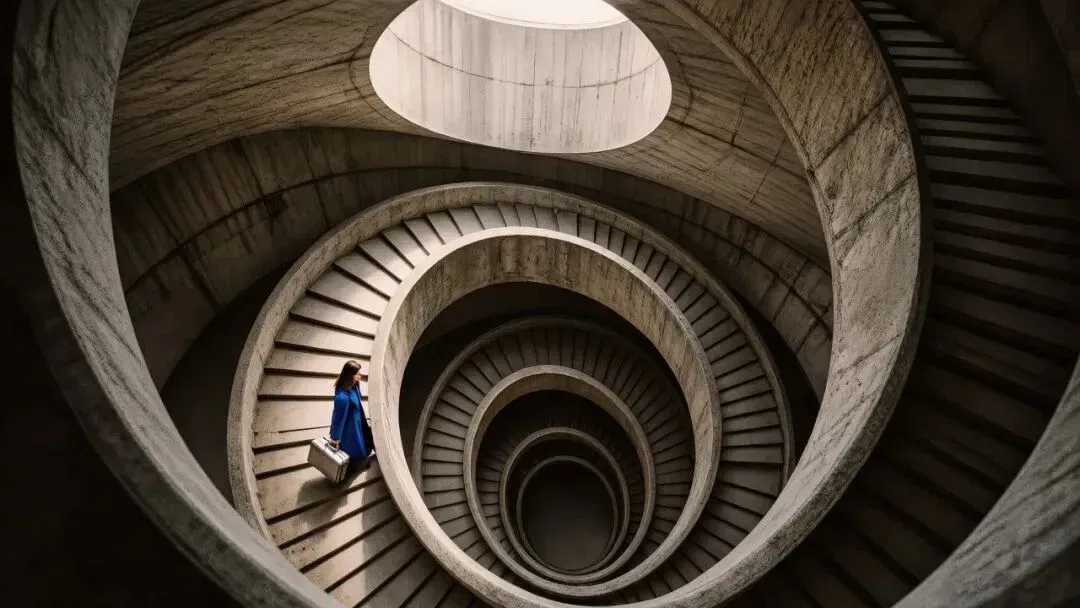
Since there is no need to set up an actual camera, we can also ask AI to capture scenes that would be difficult to photograph in reality.
A person sitting on clouds and gazing into the distance, a girl leaning against a giant peach, and a vintage car hovering over a desert highway...
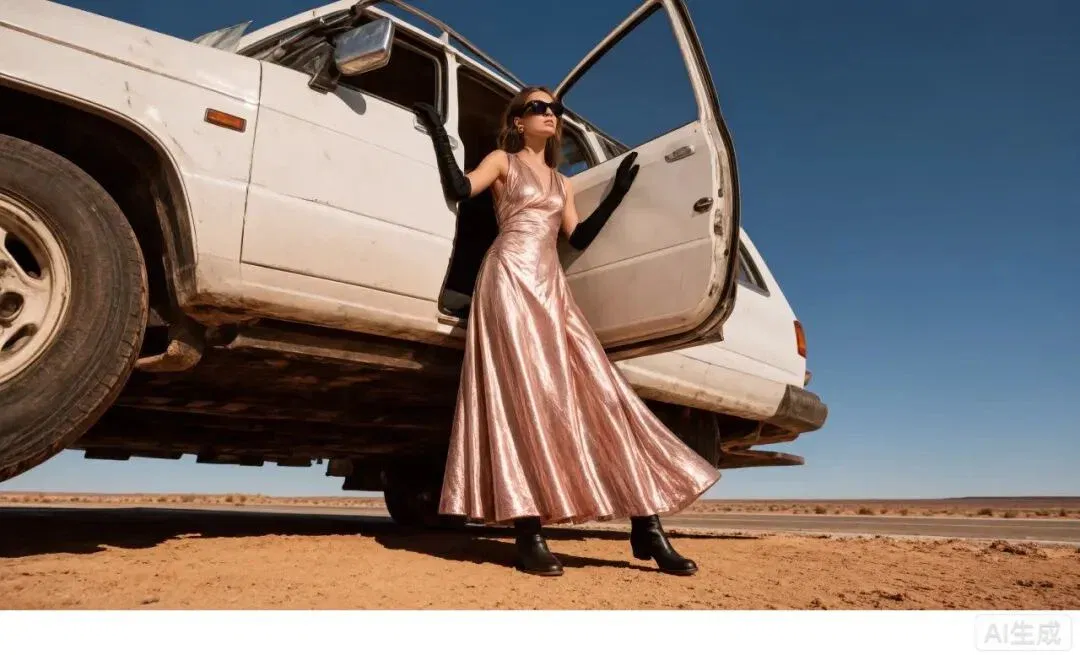
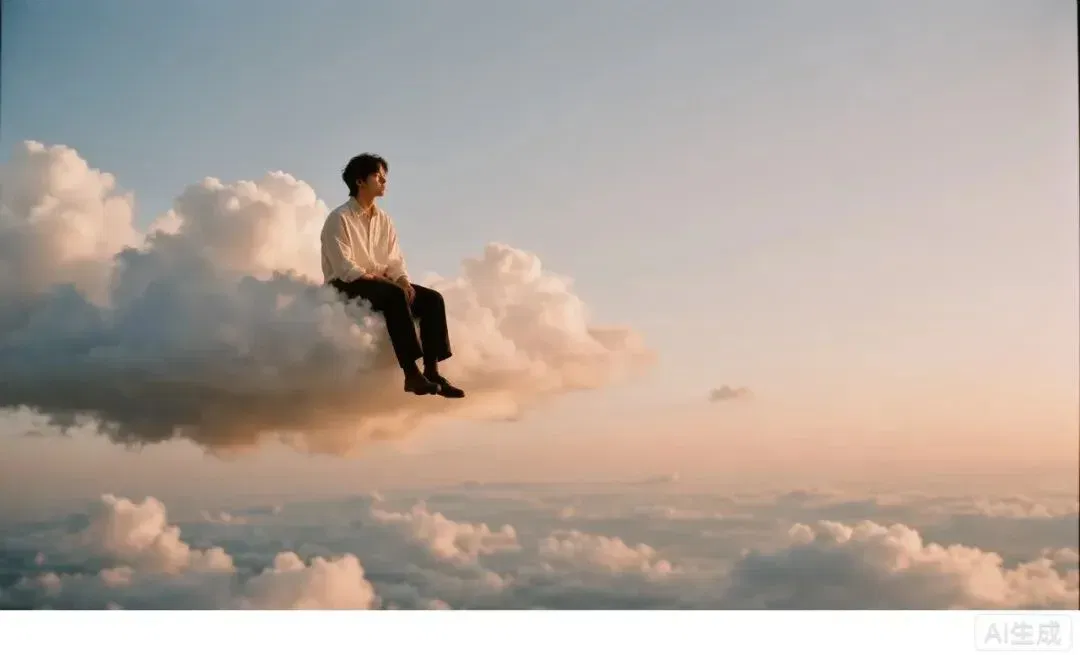
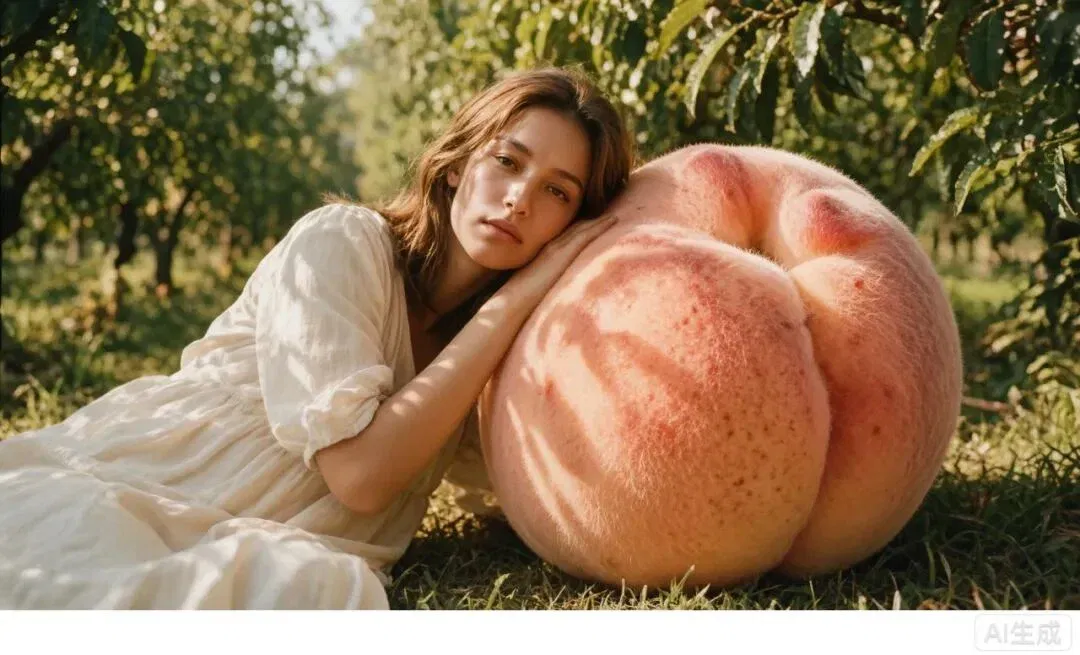
These surreal photographs share a creative approach: retain the look and texture of real photography even in scenes that defy real-world logic.
People may sit on clouds and cars may float above the ground, but the direction of light, material textures and spatial perspective of people and objects still need to be as consistent as possible.
Combining real photographic language with unconventional imagination offers more possibilities for visual work such as fashion shoots and brand advertising.
Moving from photography to illustration, we used the same original fairy-tale theme, The Midnight Cloud Post Office, to try different artistic styles including watercolor, vintage screen printing and three-dimensional paper sculpture.
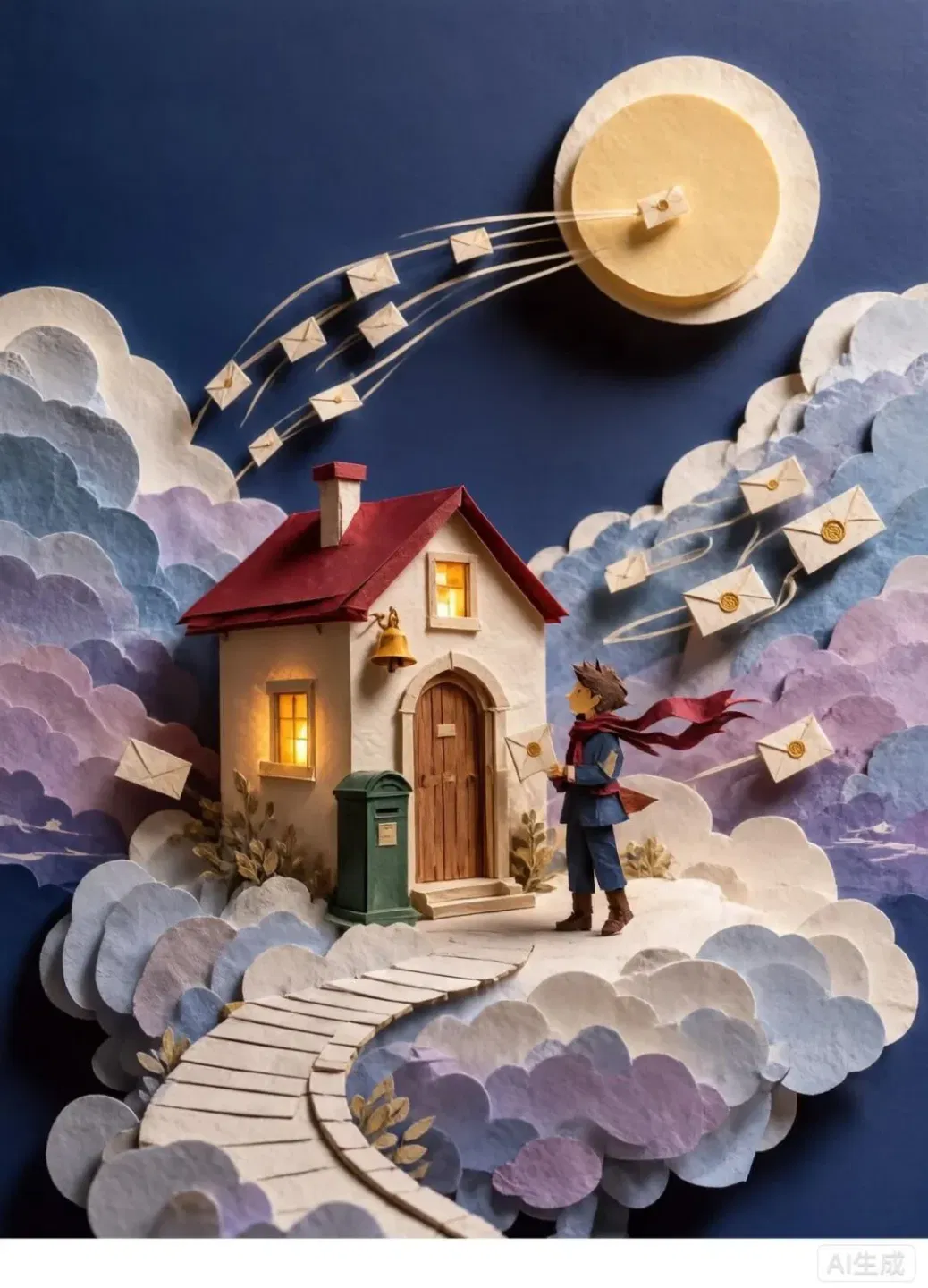
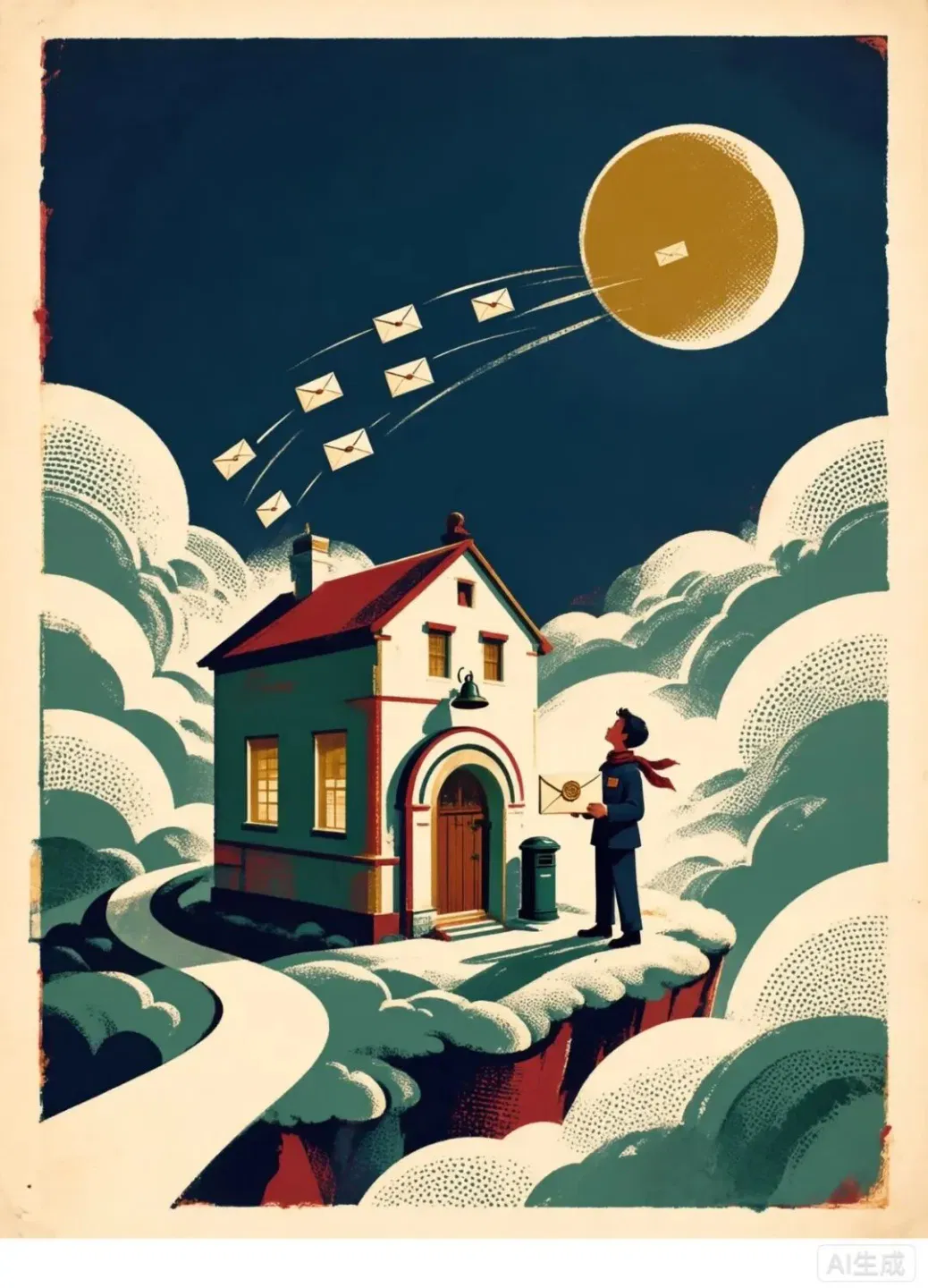
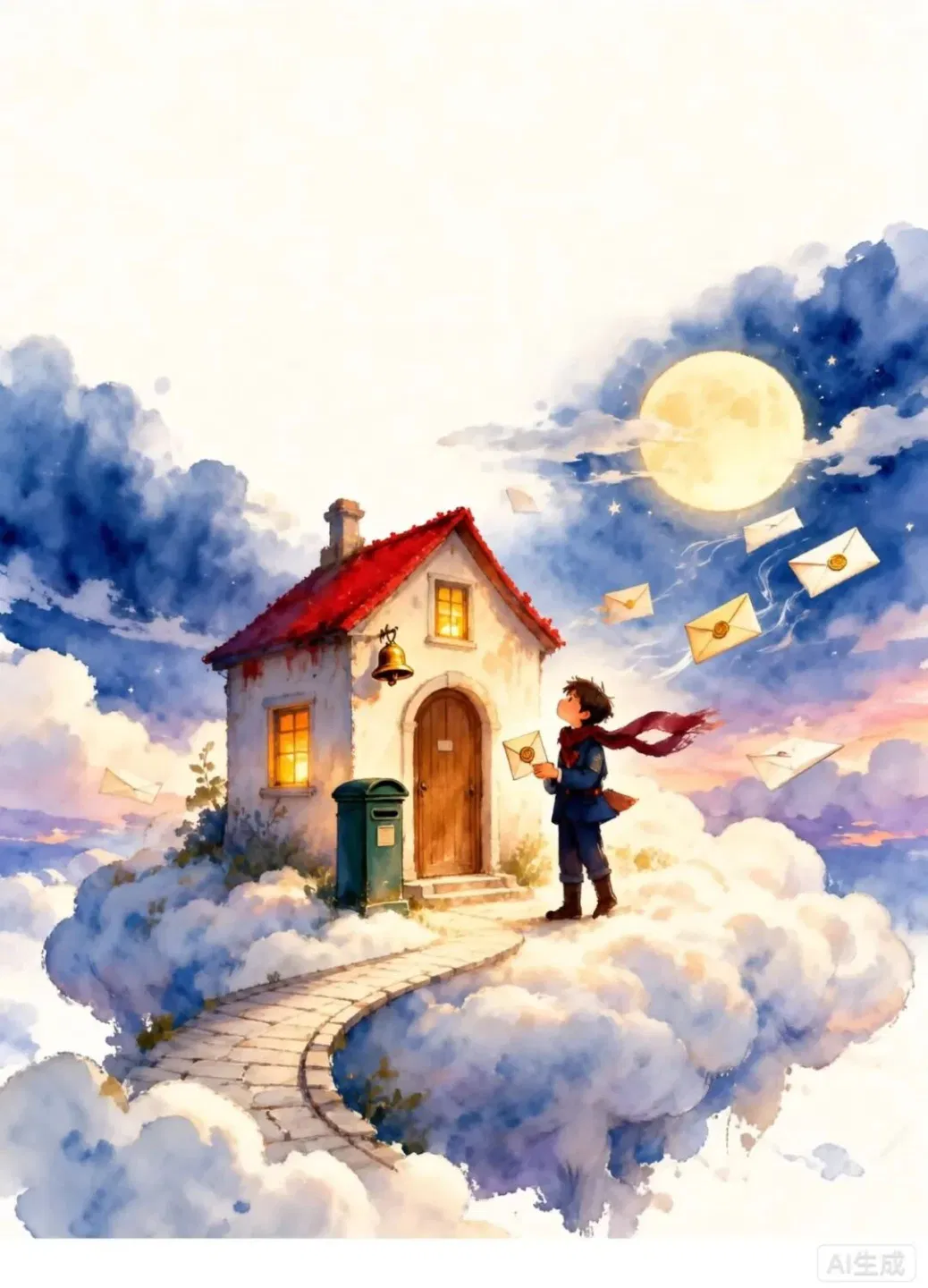
The same cloud-top post office, young postman and letters flying toward the moon produce entirely different visual effects in different artistic media.
Watercolor emphasizes pigment bleeding, paper texture and loose brushwork. Vintage prints reconstruct the image through a limited palette, geometric blocks of color and grainy printed textures. Three-dimensional paper sculpture places greater emphasis on the thickness of paper, cut edges and layered shadows.
The model's imitation of different artistic media goes beyond changing palettes and filters: it also changes brushwork, materials and even the approach to composition.
SenseNova U1.6 also demonstrates a rich range of artistic expression across more illustration subjects.
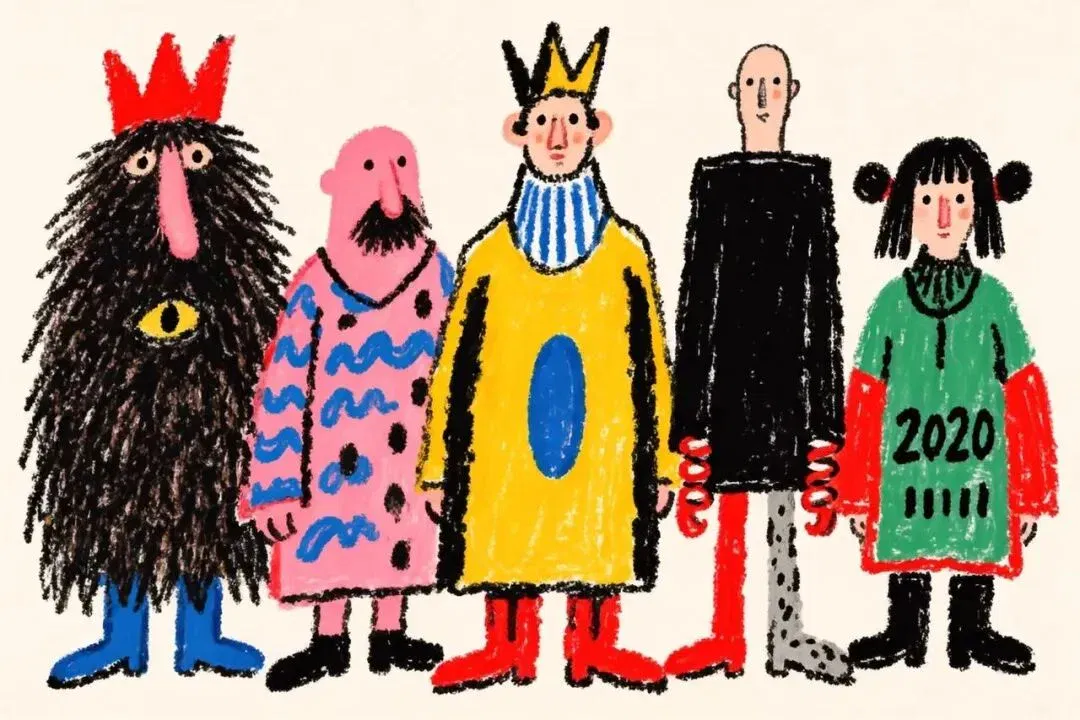
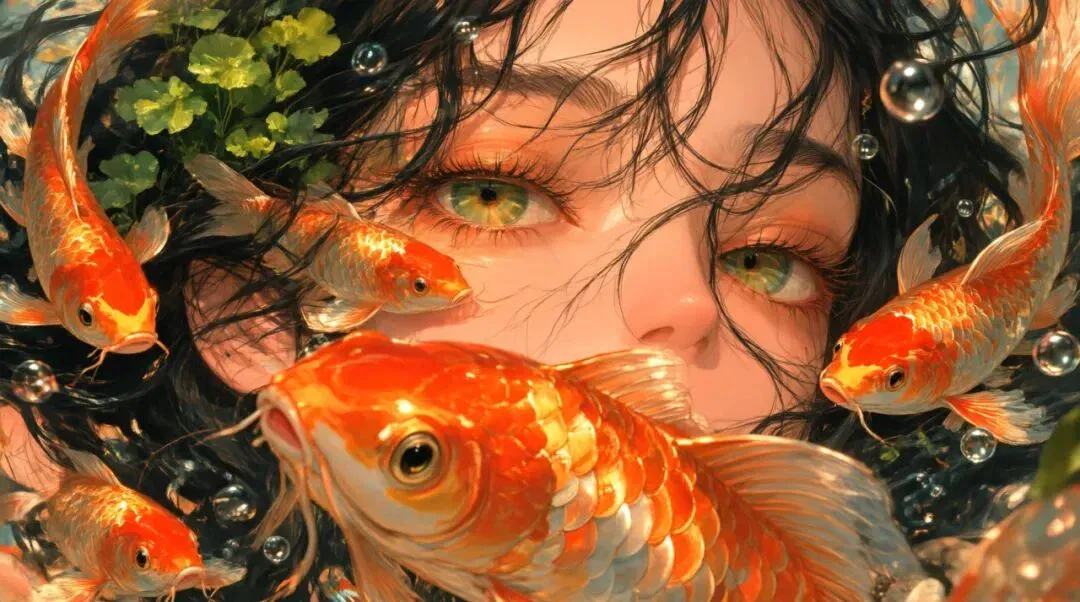
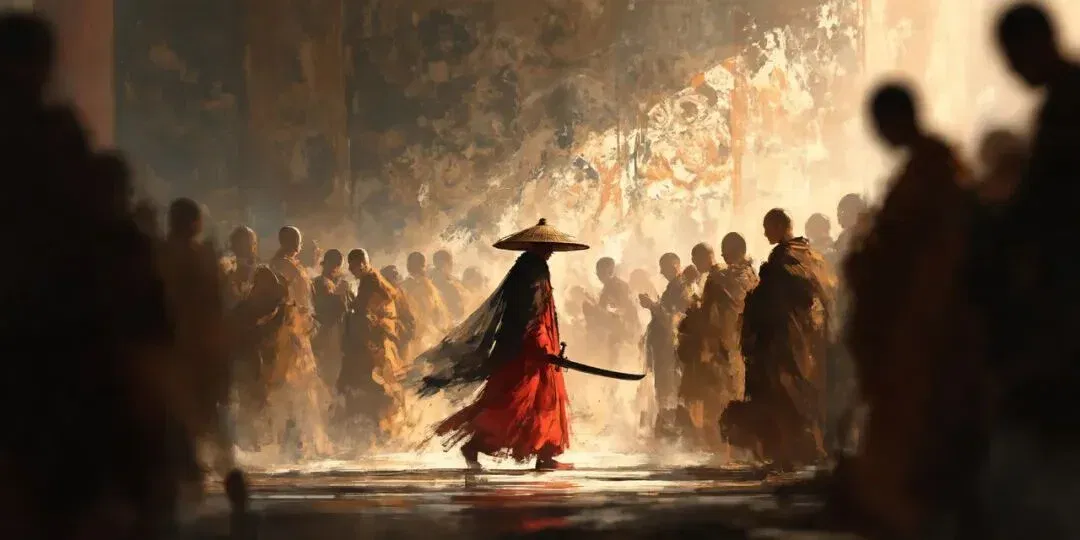
Among them, the irregular lines and slightly naive strokes in the crayon drawing have a distinctly handmade feel.
03.
Making text part of the design
We tried three-dimensional typography and densely packed posters
For AI image models, posters present a demanding test of overall capability.
On one hand, the model must handle fonts, colors, negative space and information hierarchy like a graphic designer. On the other, event dates, English spelling and Chinese character strokes must all be correct.
We first asked SenseNova U1.6 to try several English-language technology-event posters with an avant-garde graphic-design style.
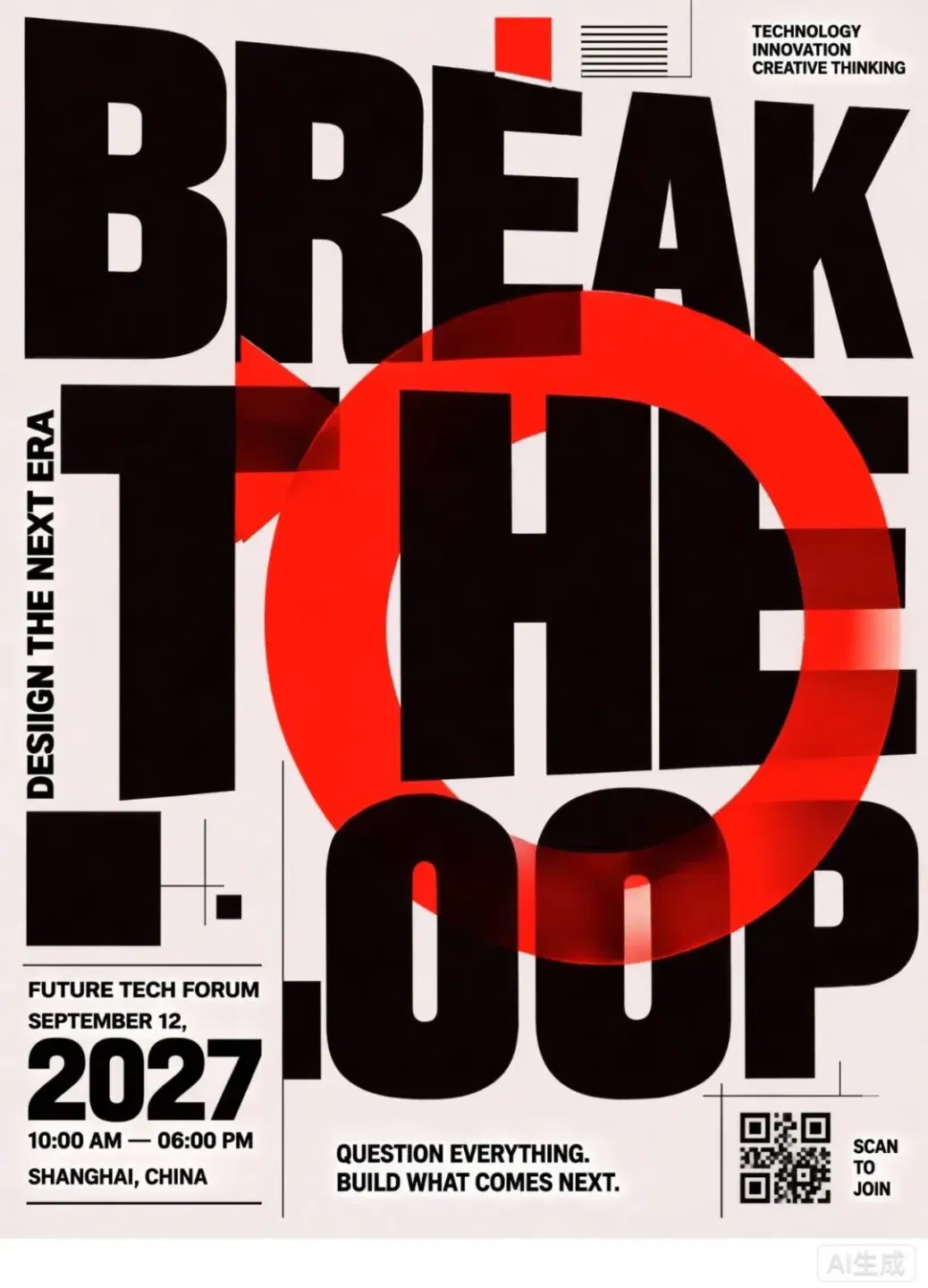

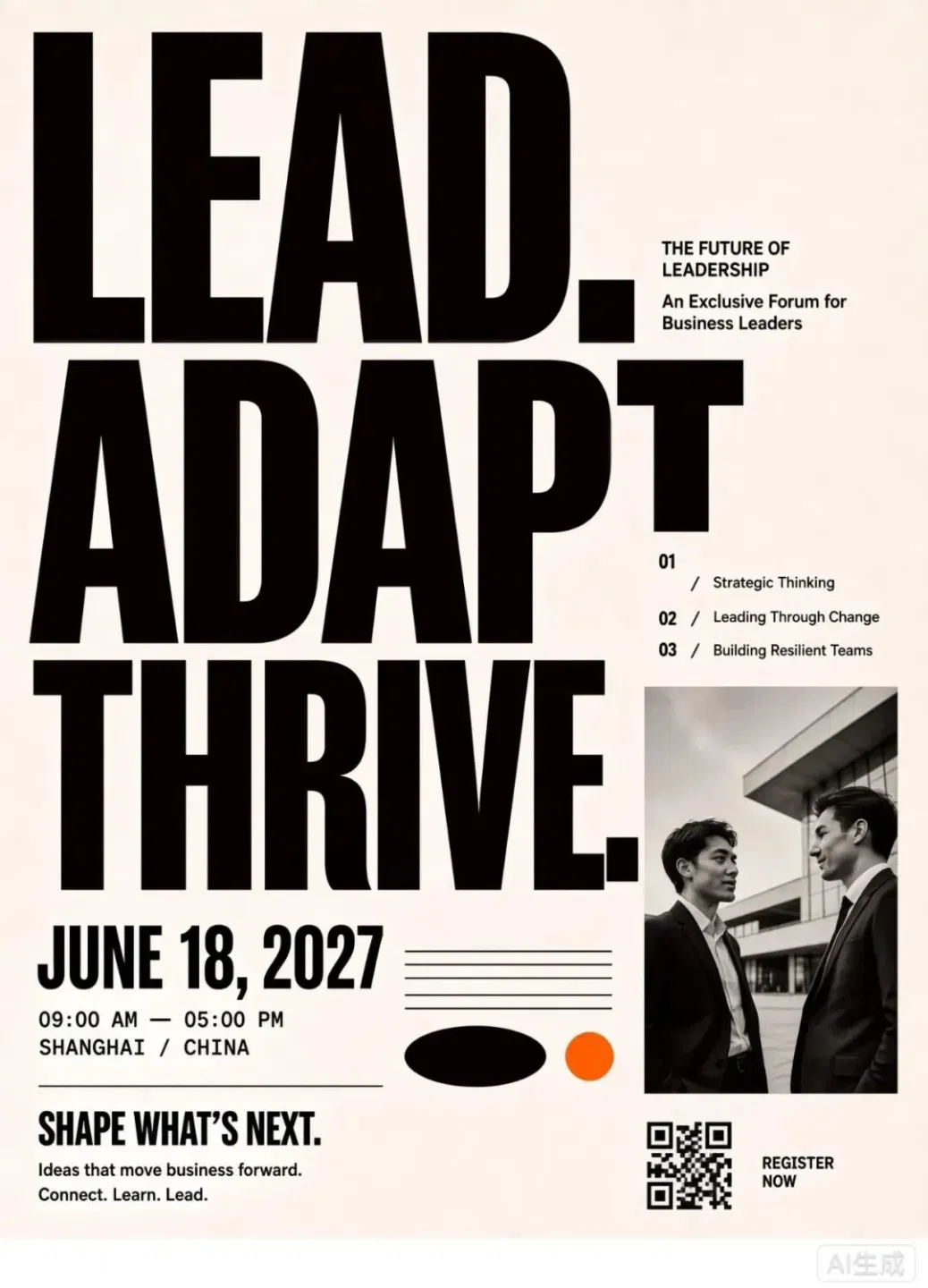
Unlike common commercial poster templates, these posters use oversized English headlines as their main visual element, combined with high-contrast colors, geometric shapes and embedded photographs.
Text does more than convey information: it also divides the image's space and contributes to the composition. The strong contrast between oversized headlines and small event details gives the posters a more distinctive visual identity.
We then made the typography more difficult, taking text from a two-dimensional plane into three-dimensional space.
For example, we designed a poster for a fictional art exhibition titled The Shape of Wind, turning the four Chinese characters of its title into silvery-white silk sculptures fluttering in the wind.
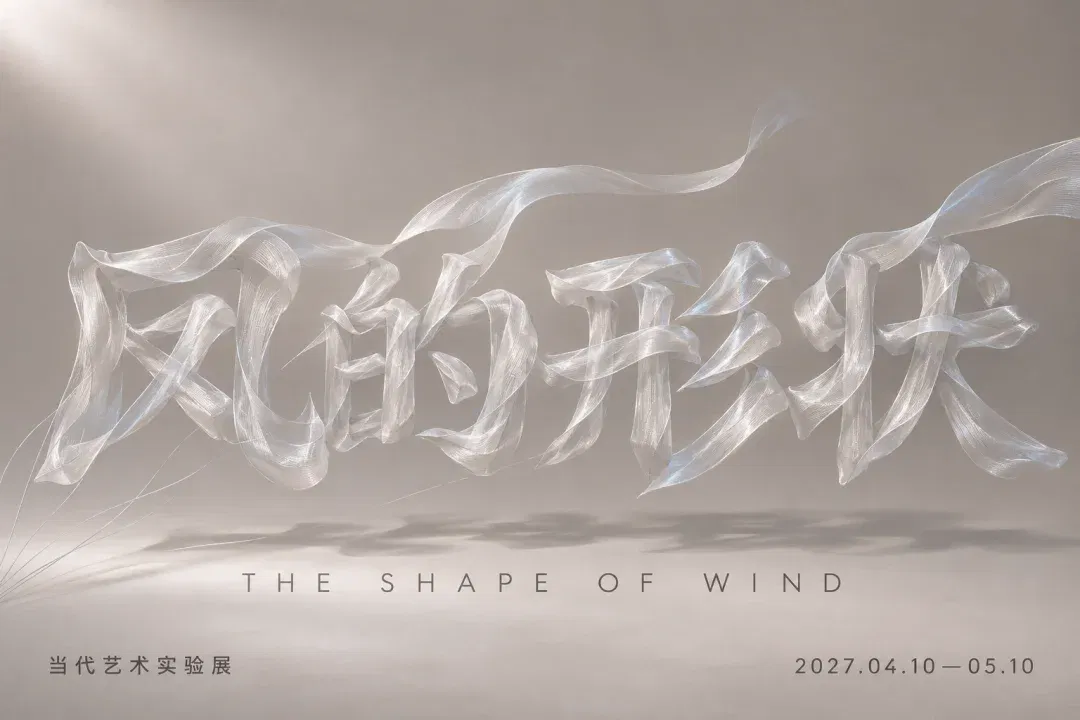
The challenge with this kind of artistic lettering is that the model must preserve the basic stroke structures of Chinese characters while giving the text materials, volume, lighting and spatial relationships comparable to real objects.
Text can be stretched, folded, deformed or even become an art installation within the image, but it must not lose its readability as a result.
Compared with simply overlaying a layer of text on an image, integrating typography with the main subject better demonstrates an image model's aesthetic creativity.
SenseNova U1.6 specifically strengthens complex text expression, including perspective text and artistic lettering, improving text accuracy while preserving as much typographic expressiveness as possible.
But can the model maintain that design quality as the amount of text in the image increases?
We also created dense infographics, including A Beginner's Guide to Cinematography and an analysis of cinematic aesthetics, turning the professional concepts of composition, lighting and color introduced at the start into visual content.
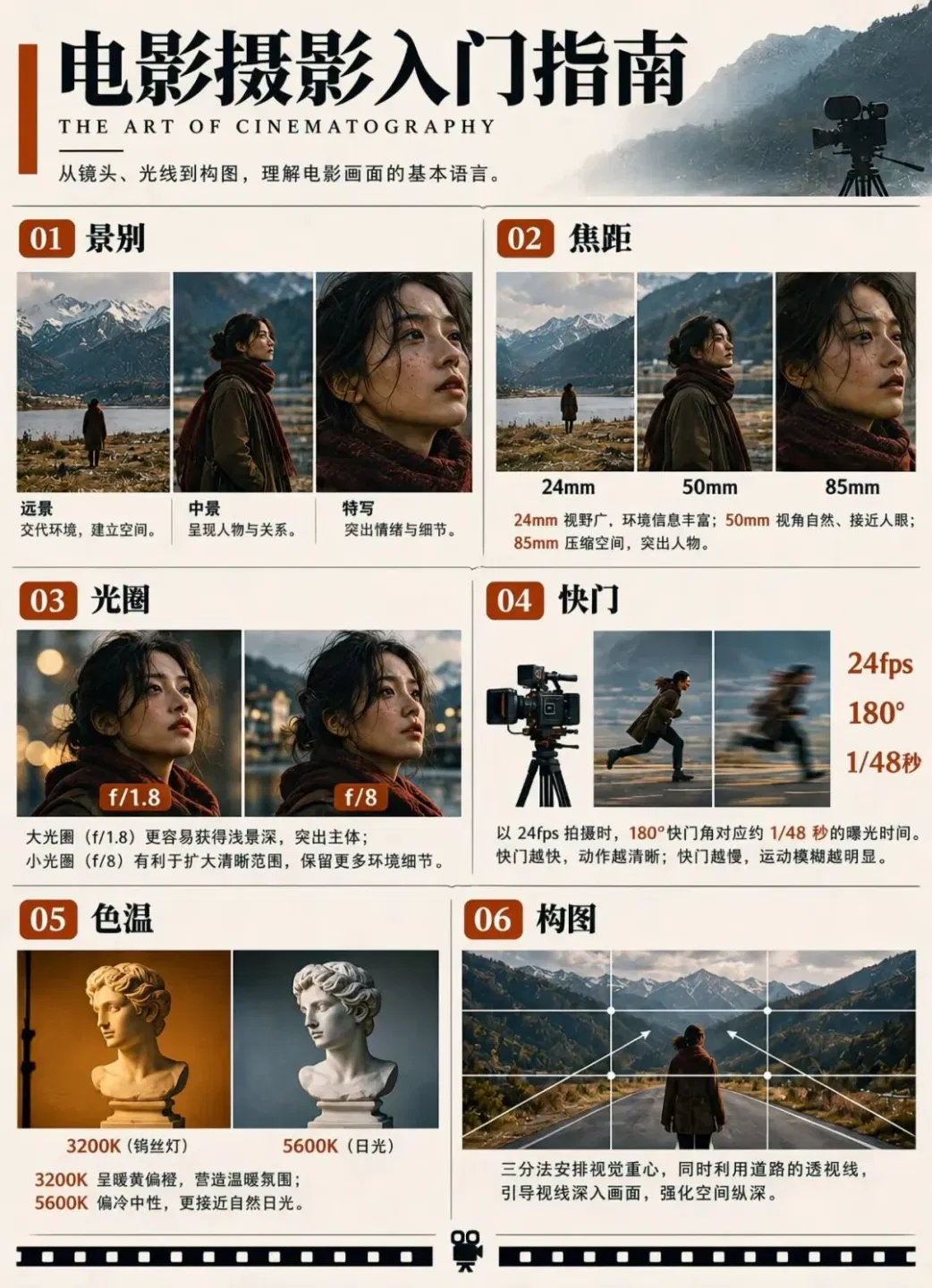
▲ A Beginner's Guide to Cinematography
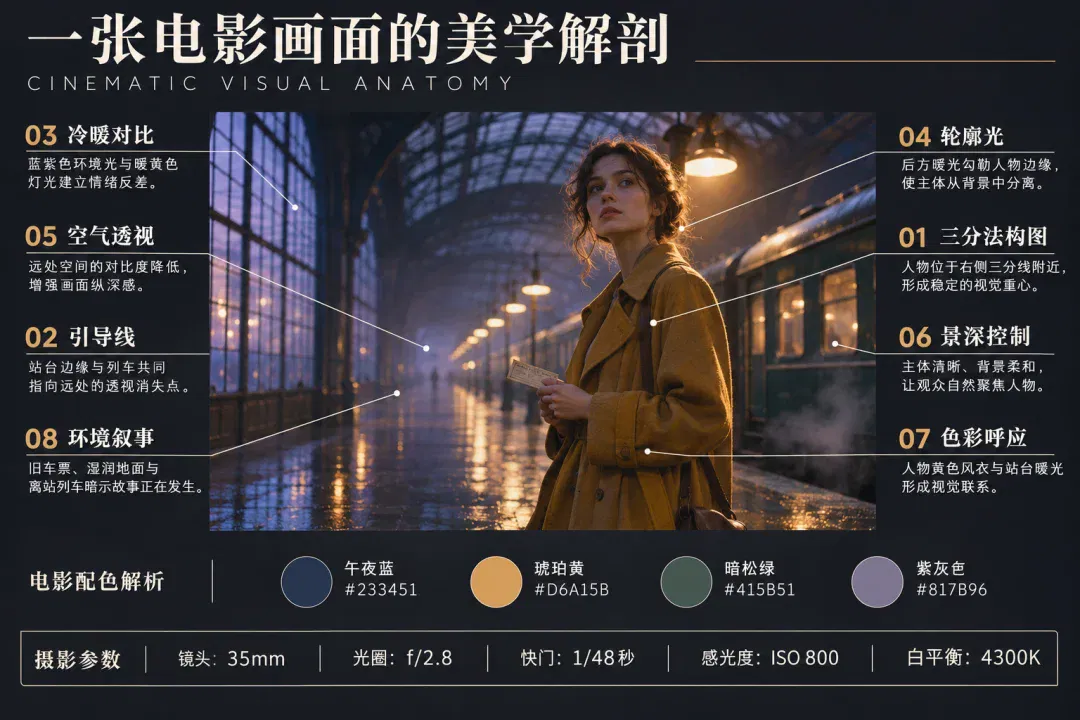
▲ An analysis of cinematic aesthetics
Compared with creative posters, these infographics contain more text and information, requiring the model to organize different visual elements—headings, diagrams and explanatory text—at the same time.
While maintaining a clear information hierarchy, the model must also make fonts and colors echo the cinematography theme, rather than letting dense content pile up into an instruction sheet with little sense of design.
However beautiful an infographic is, a few typos or garbled characters can still mean it needs reworking.
This brings us to another key capability in SenseNova U1.6's upgrade—checking and correcting its own work.
04.
AI starts marking its own homework
After drawing a poster, it can also check for typos
Previously, making posters with AI often involved repeated revision: generate the image, inspect it manually, point out the typos, then ask the model to revise it again.
Sometimes, after finally getting the text right, the composition and colors you had liked would change.
SenseNova U1.6 attempts to internalize the generate–check–revise process within the model itself.
With self-correction enabled, the model first generates an initial image, then checks it against the original prompt for issues such as blurred text, typos, garbled characters, English spelling mistakes and disordered numbering. Finally, it uses the first draft to generate a revised version.
While making a film-card asset, some small text appeared blurred and garbled. Through self-correction, however, the model repaired the text and made the entire asset directly usable.
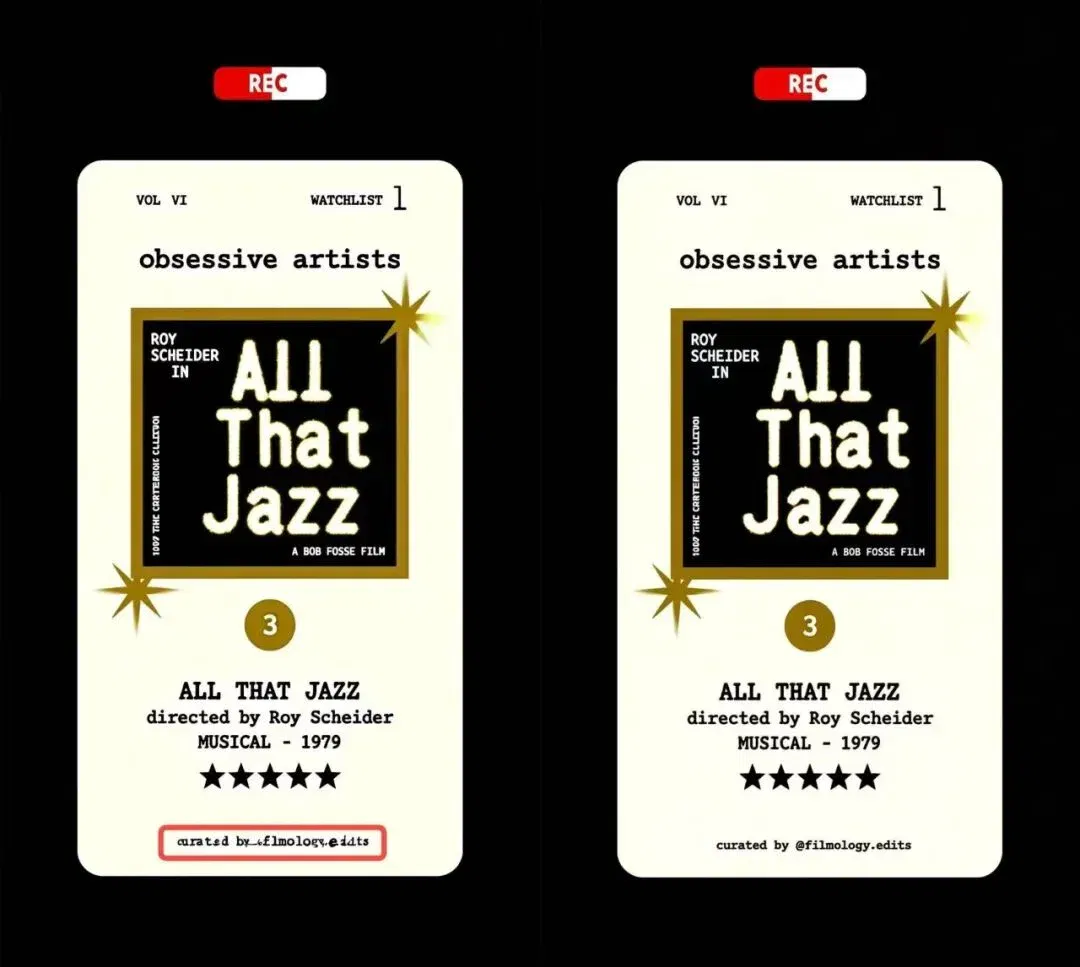
▲ Self-correction comparison
The editing instructions output by the model not only identify which text is problematic, but also provide its image coordinates and the specific replacement content.
This means users no longer have to identify each typo, describe where it is and manually enter revision requests. The model itself takes on part of the proofreading work.
But how much improvement does this capability actually bring?
On the dense-infographic benchmark UltraTextBench, SenseNova U1.6 Lite's score rose from 86.04 with single-pass generation to 92.28 with self-correction enabled, a relative improvement of approximately 7%.
With self-correction, SenseNova U1.6 Lite scored above models including MiniMax H3-Image and Qwen-Image-3.0. It still trails GPT-Image-2's 99.42, but considering that this open-source model has only 8B parameters, the result is quite striking.
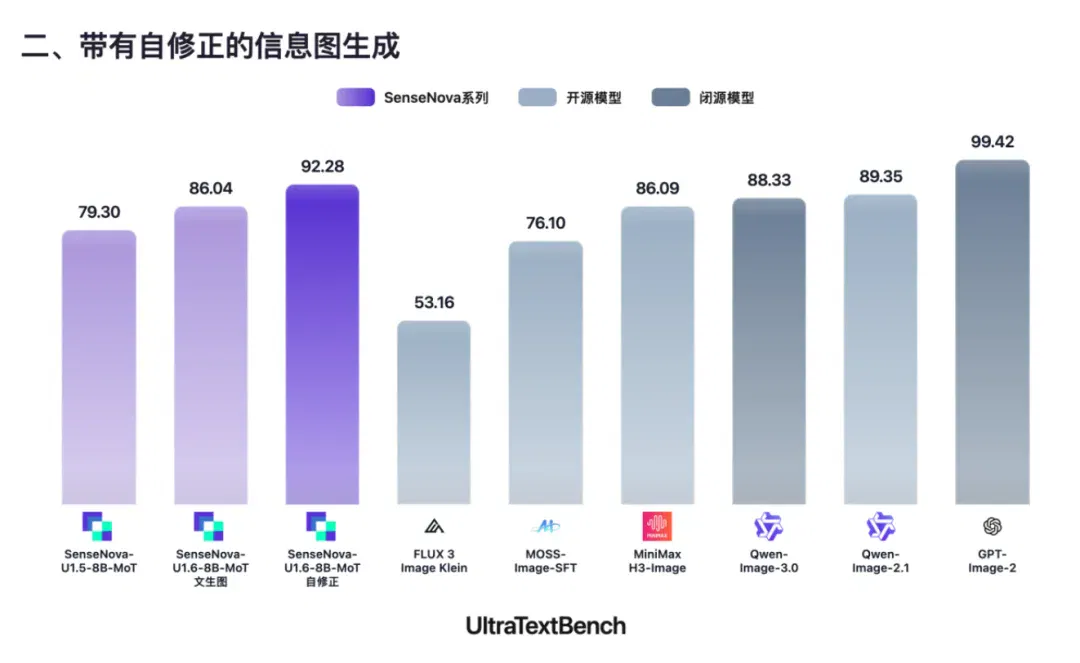
▲ UltraTextBench evaluation results
Notably, although SenseTime trained self-correction mainly for infographics, the company reports observing some generalization of this capability to certain non-infographic settings as well.
05.
How can an 8B model balance aesthetics and accuracy?
SenseTime trains multiple types of aesthetic experts
What makes a picture look good across different creative settings, such as portraits, illustrations and posters?
Photography emphasizes realism, lighting and the look of the camera. Illustration focuses more on brushwork, style and creativity. Commercial posters also need to balance accurate text with layout design.
SenseTime's approach is to train different aesthetic models for different kinds of image content, turning varied aesthetic requirements into feedback for model training.
In text generation in particular, emphasizing text accuracy alone can push a model toward conventional, easily recognized fonts, simplifying more complex visual expression such as artistic lettering and perspective text.
To address this, SenseNova U1.6 introduces an infographic aesthetic model focused on text and layout, preserving complex type design, spatial perspective and attractive page composition while strengthening text accuracy.
During post-training, SenseNova U1.6 retains the previous generation's multi-expert, multi-reward reinforcement learning paradigm, introducing more experts for different types of content and capabilities, with multiple rewards configured for each expert.
Finally, SenseTime brings the capabilities of the different experts together in one unified model through Multi-Expert On-Policy Distillation, or MOPD.
Looking at the evaluation results, in SenseTime's internal aesthetic user evaluation, SenseNova U1.6 Lite scored 70.80, approximately 10% above the previous generation's 64.10, exceeding other evaluated models including MOSS-Image-SFT, MiniMax H3-Image and Qwen-Image-2512.
On the commercial image-generation benchmark BizGenEval, SenseNova U1.6 Lite scored 64.93, an improvement over the previous generation's 60.77.
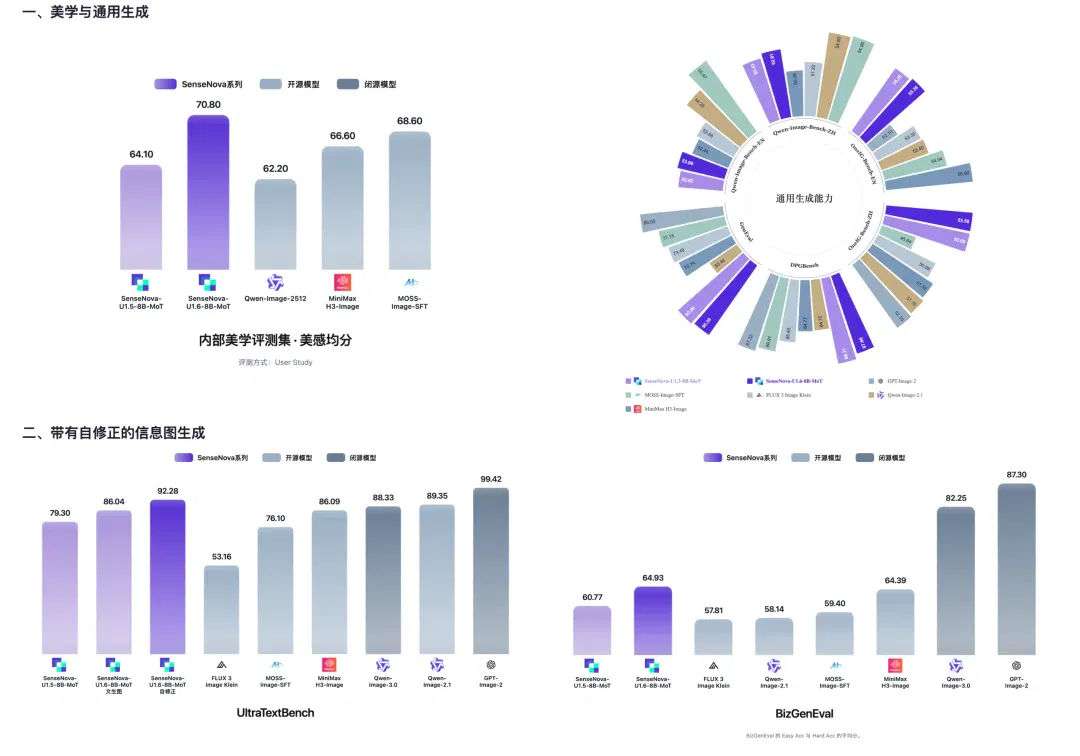
▲ SenseNova U1.6 aesthetic and image-generation evaluation results
06.
Conclusion: AI image generation
starts competing on aesthetics and deliverability
In these tests, SenseNova U1.6 showed an understanding of photographic language—lighting, film texture and motion blur—in portrait photography. In artistic lettering and illustration, it also demonstrated control over different visual styles and materials.
The introduction of native self-correction also lets image models begin taking on proofreading work that users previously had to perform manually.
For creators frequently producing posters, infographics and film or video assets, AI must do more than create an atmospheric blockbuster-style image: it must also spot and correct an inconspicuous typo.
AI image models are further narrowing the distance between generating a beautiful image and delivering an image that can actually be used.
This article comes from Zhidx and was written by Jiang Yu.
Related topics
After reading
Join the AINRK community
Read how to join the community and connect with people working in AI.
Related articles
Continue reading related topics and articles in this category.

讲真,我没看出这图是AI做的,更没想到是国产AI做的 (opens in a new tab)
家人们,你们看下面这两张图,能分得出哪张是AI,哪张是真实的吗?
ChatGPT Images 2.6 实测:制作 GIF、参考图换装和局部编辑 (opens in a new tab)
机器之心展示了用参考图生成循环 GIF 和编辑局部的案例,并比较 Flare 与 Sunburst 的定位。文中同时记录了动图接缝跳变,以及单次 API 测试的耗时和成本。
图像生成模型调优新思路:让解码器“提前适应”生成器的潜变量 (opens in a new tab)
让图像生成模型先把图片压缩到潜空间,再由生成器在潜空间中作画,已成为常见路线。为了挑选图像编码器和解码器,研究者往往先看“重建”——把原图编码后再解码,所得图片是否逼真。
拿下开源生图第一,千问Qwen-Image-2.1把生图卷出新高度 (opens in a new tab)
AI 写代码的能力经常能让开发者「双手离开键盘」,但对于设计师而言,AI 生成的图片距离能交稿总是差了好几步。
开源Editable-Design,让AI生图终于能改字、拖图层 (opens in a new tab)
开源项目 Editable Design 结合视觉模型、HTML 代码与持续工作的 Agent,将 AI 生图重构为可编辑的设计文件,使文字可直接修改、图层可独立拖动,仓库展示了 14 组覆盖营销海报、信息设计等 6 类视觉任务的案例。