ZoneClip offers free local game-highlight detection, subtitles and vertical reframing
Co-founded by a former TikTok LIVE Studio engineering lead, ZoneClip offers local gaming highlights, subtitles and vertical reframing. Free local use requires models and suitable hardware; optional cloud analysis and automatic scheduling have paid allowances.
Automatic clipping of gaming highlights.
The most exhilarating part of gaming is often a highlight that lasts just a few seconds.
But after finally pulling off a brilliant play and deciding to turn it into a short video, you open the recording—only to find that the file is three hours long.
Even after you finally locate the moment, you still have to cut out the excess footage and rearrange the subtitles and shots. It takes ages before the clip is ready to post. So many recordings end up simply sitting on a hard drive.
Recently, I came across an AI editing tool called ZoneClip. It is designed specifically to handle this problem. Give it a gameplay recording, and it picks out potentially exciting moments and arranges them into a format suited to short-video platforms.
The core features—finding highlights, cutting clips, adding subtitles and exporting videos—can all be used locally on your computer for free.
Many games already have features that automatically save exciting moments: Honor of Kings' “King's Moments” and the Chinese release of VALORANT's “Valorant Moments,” for example, have long helped players capture kills and impressive plays.
If you only occasionally score a pentakill and want to send the video to friends, the existing features are already sufficient.
But on closer inspection, ZoneClip targets a more specific audience.

One group consists of streamers and creators with hours of gameplay recordings who need to keep producing short videos.
And not every game comes with automatic highlight generation like Honor of Kings or VALORANT.
For example, after finally defeating a boss in ELDEN RING, or sharing plenty of funny moments while playing It Takes Two with friends, you still have to search through recordings yourself to find the clips you want to edit into short videos and post.
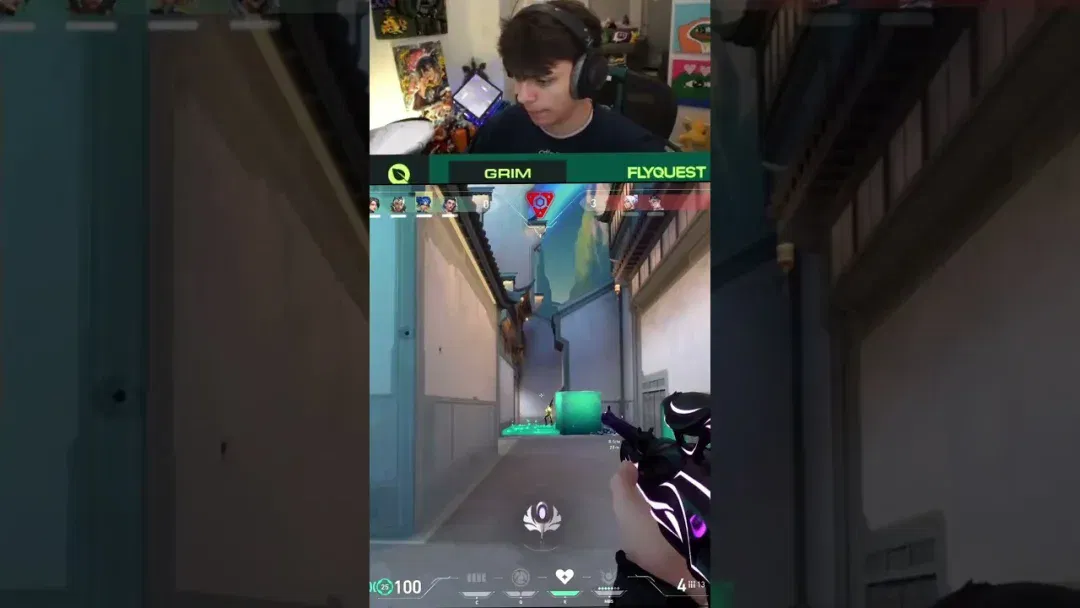
ZoneClip offers another option: import an existing gameplay recording or add a supported YouTube or Twitch stream-replay link, and let AI go through the footage first.
The central feature here is automatically finding gaming highlights.
When editing a video yourself, you usually start by recalling which match had a great play, or identifying a point in time at which you could take a screenshot.
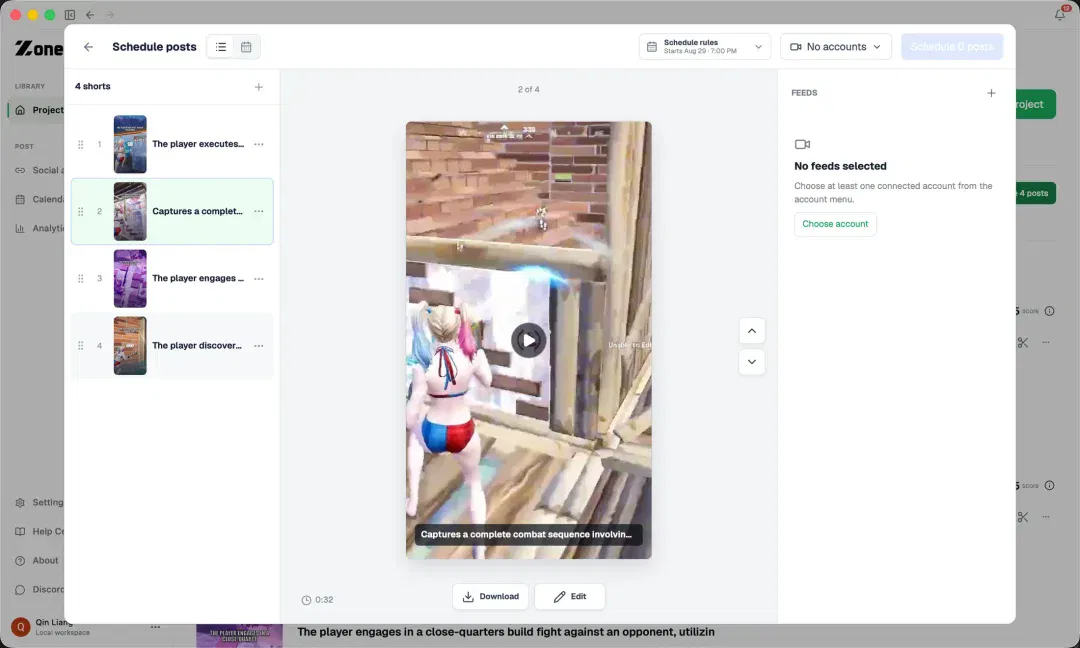
ZoneClip first scans the recording, using changes in sound and visuals, in-game events and speech information to select moments that might be worth keeping.
It then looks more closely at what happened around those moments, trying to preserve the lead-up to the event and what followed.
AI's main role is to understand events in the recording and help users decide which parts are worth keeping.
Once the analysis is complete, the software lists candidate highlights. Each includes its start and end points in the original video, a title, a summary and the reason it was selected, along with a relative score.
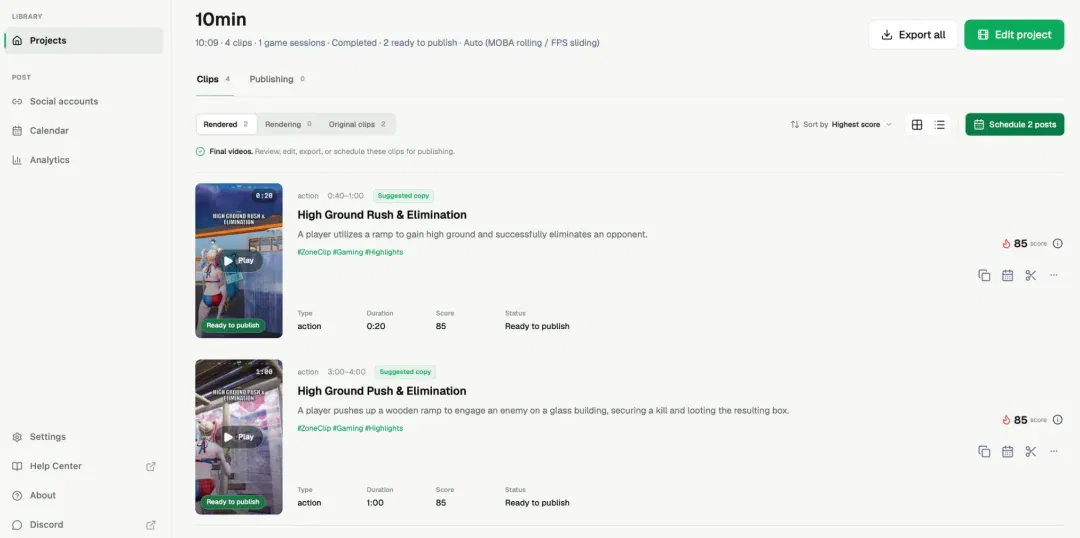
Users can browse these results first and choose which clips to edit further, without watching an entire stream again just to find one impressive play.
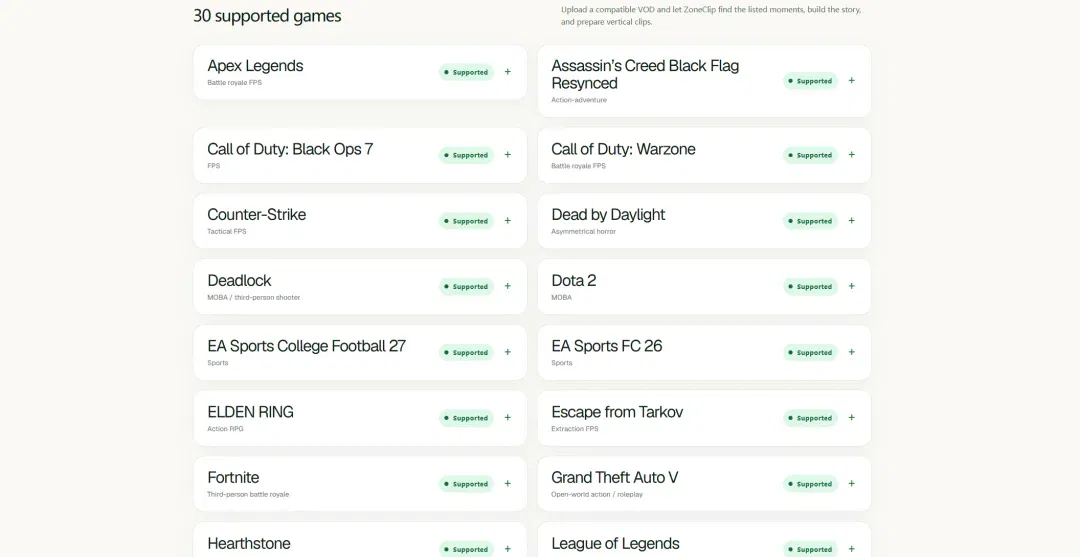
ZoneClip is currently optimized primarily for gameplay recordings. Its supported catalog covers around 30 games, including League of Legends, VALORANT, Counter-Strike, Fortnite and Apex Legends.
Different games provide different recognition cues. Kill notifications, changes in who is winning or losing, and on-screen status information can all help it find highlights.
Users can also try importing ordinary vlogs, everyday footage and talking-head videos for basic editing, although specialized highlight detection at this stage still focuses on games.
Finding a clip is only the first step. One ZoneClip feature particularly suited to gaming streamers is rearranging a stream's visuals into a vertical video that looks good on a phone.
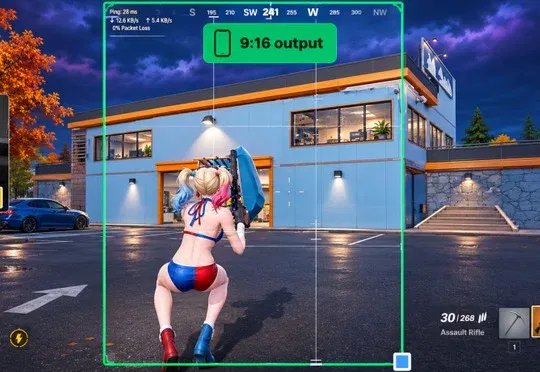
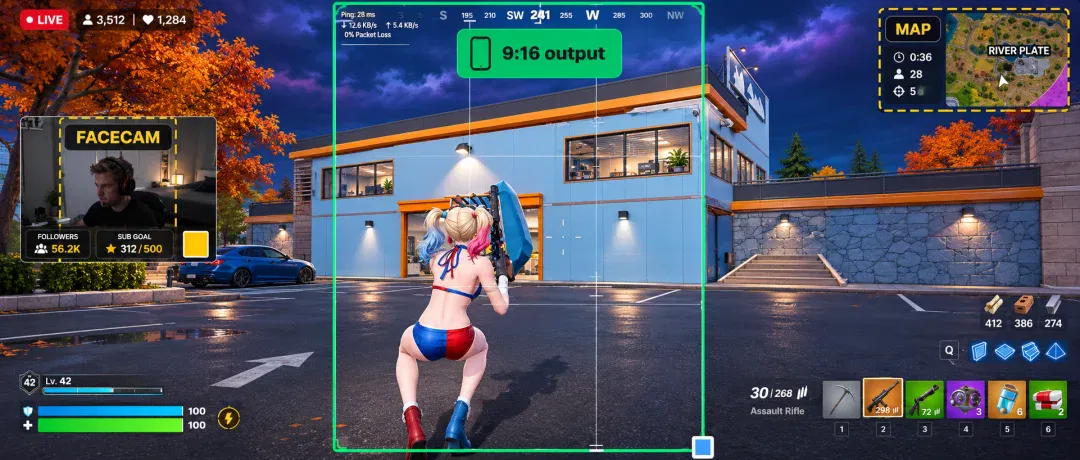
In a landscape stream recording, the main gameplay view might fill the screen, the streamer's face might be tucked into the bottom-left corner, and the minimap might sit elsewhere. Cropping directly to 9:16 can easily cut out enemies, the streamer's expressions or crucial game information.
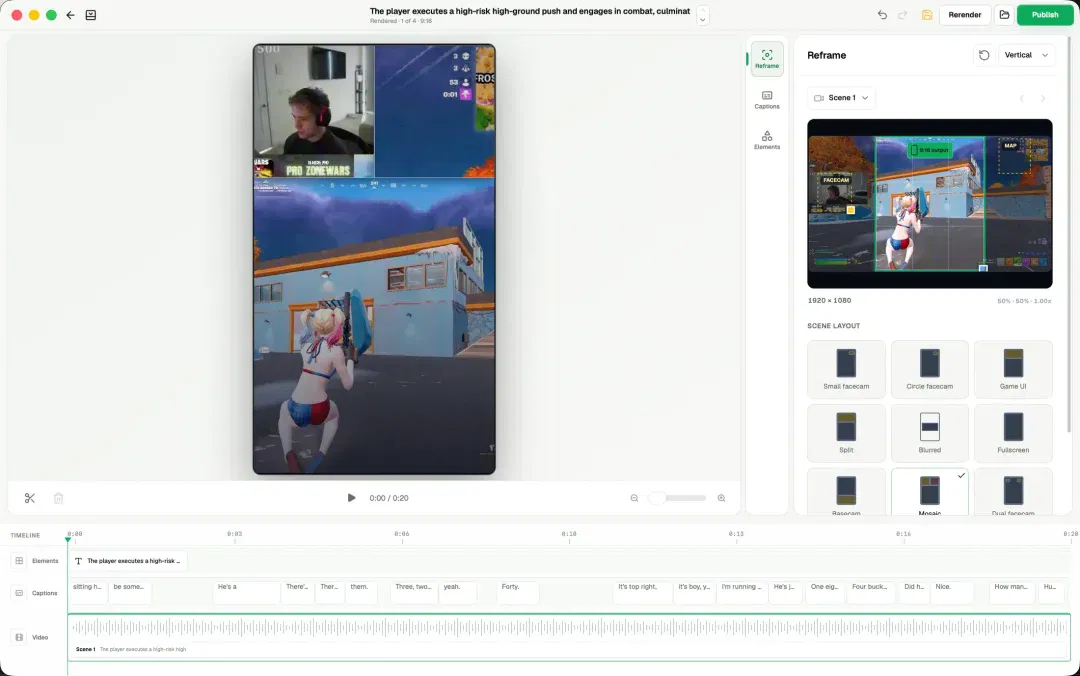
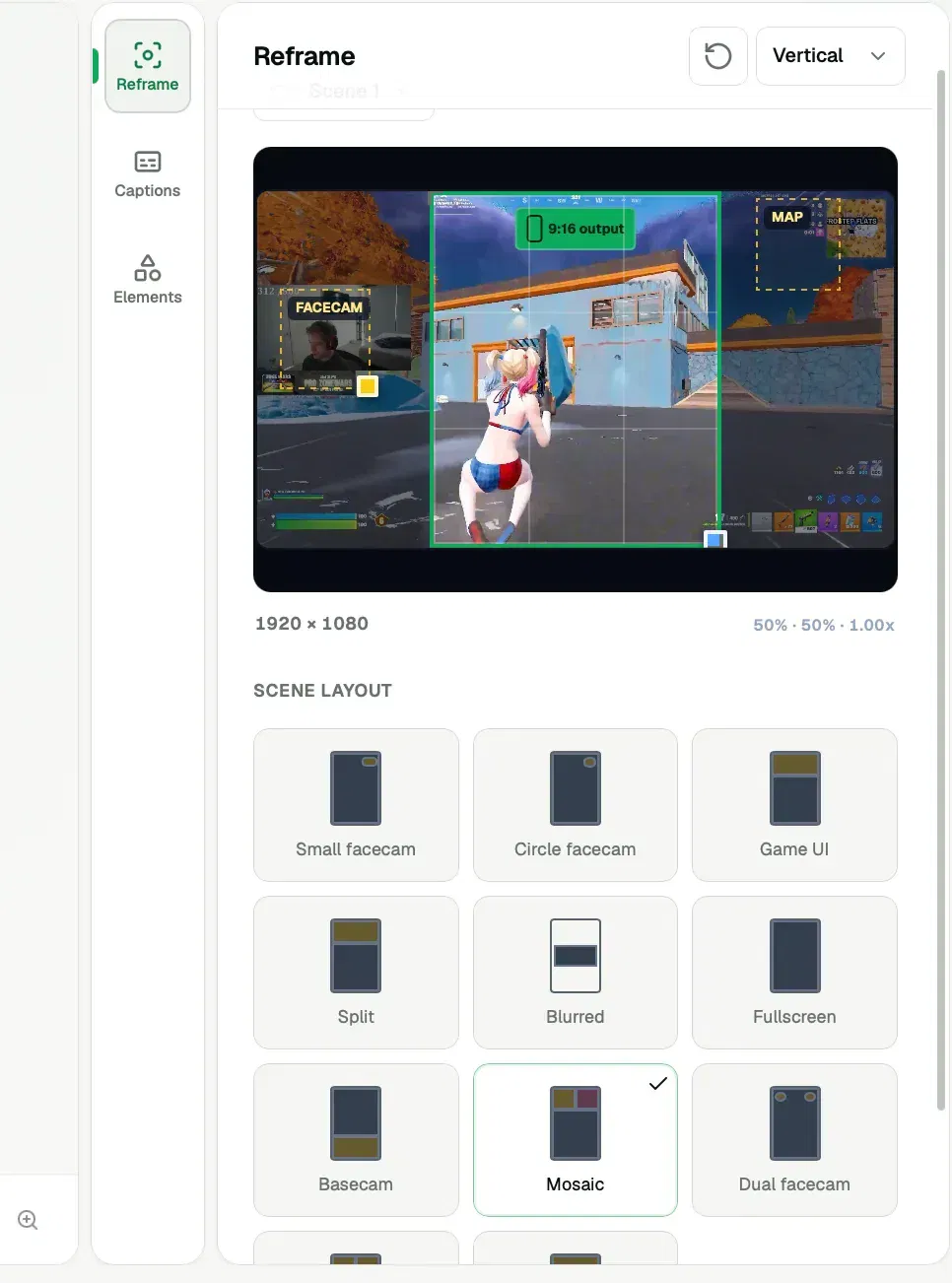
ZoneClip's Reframe feature lets users adjust the gameplay view, face camera and minimap regions separately and recombine them within a single vertical frame.
The software provides layouts such as full screen, split screen, blurred background and a small streamer window. Users can also adjust each region's size and position.
Subtitles are handled in the same editor. AI can recognize speech in the video, generate subtitles with timing information and apply animated styles such as word-by-word highlighting.
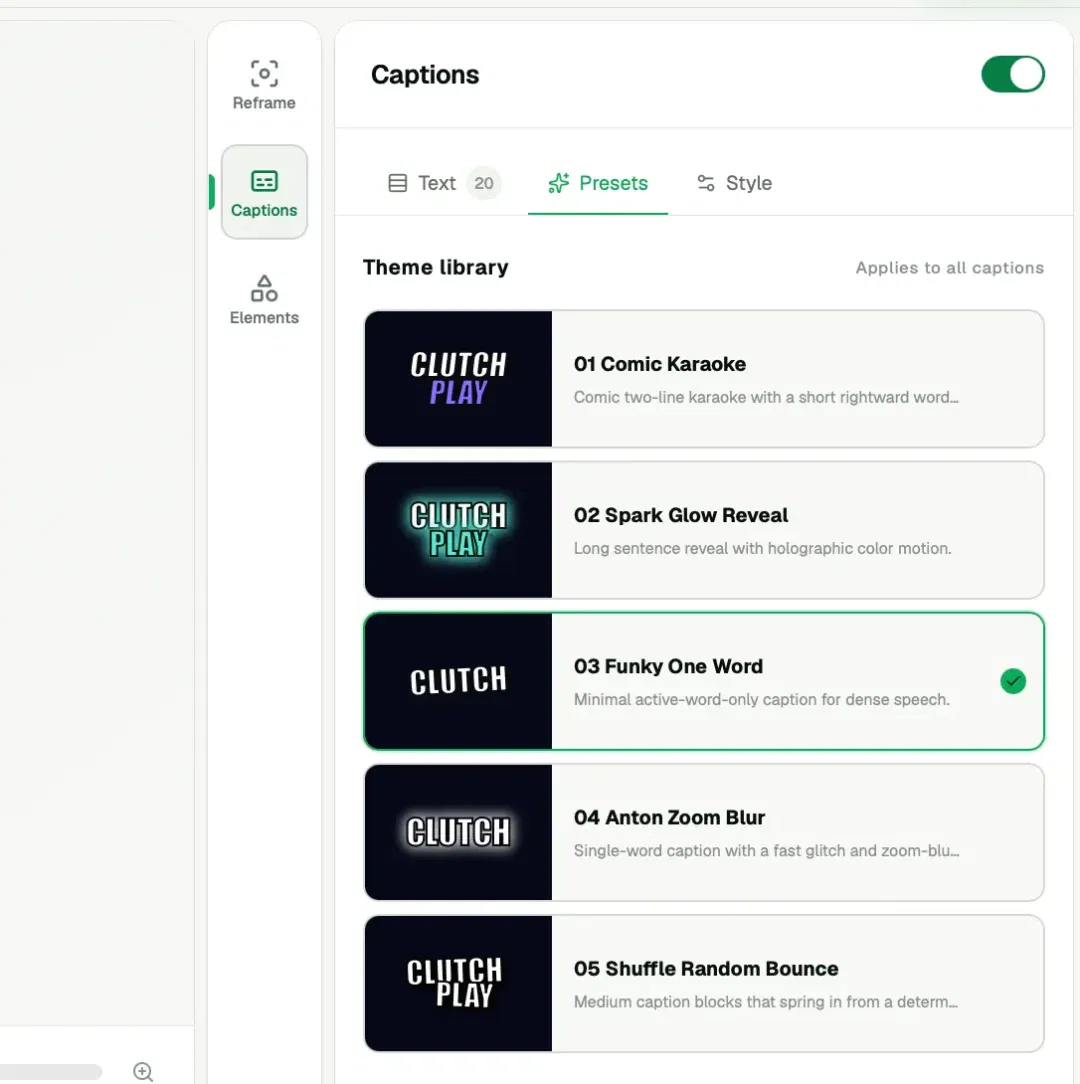
Incorrect text can be edited; subtitles that obscure the gameplay can be moved. Users can also keep adjusting the composition to add an opening title, a logo or other image elements.
There is also a multitrack timeline at the bottom for trimming clips, splitting the footage and changing when elements appear.
If you already have familiar editing software, you do not have to finish all the presentation work in ZoneClip. It can export the original highlights found by AI directly as MP4 files, individually or in batches, so you can continue working on them in Jianying or Premiere.
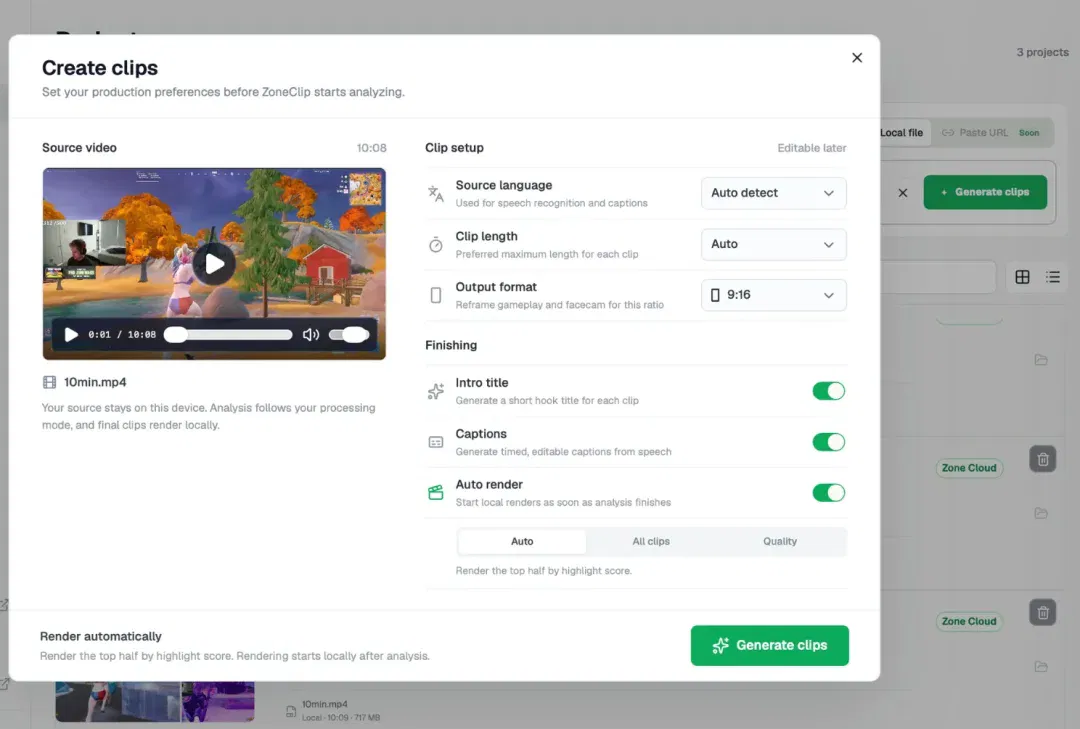
To publish directly, users can also render locally, connect supported social accounts and schedule videos in advance. The software additionally offers a feature that automatically adds videos to a publishing calendar according to score and timing rules.
As for free use, after selecting Local mode, users first need to set up local AI models through the software. The computer then performs video analysis and speech recognition.
Once the models are installed, local recordings can be processed offline. Subsequent subtitle editing, rendering and watermark-free export do not require a subscription either.
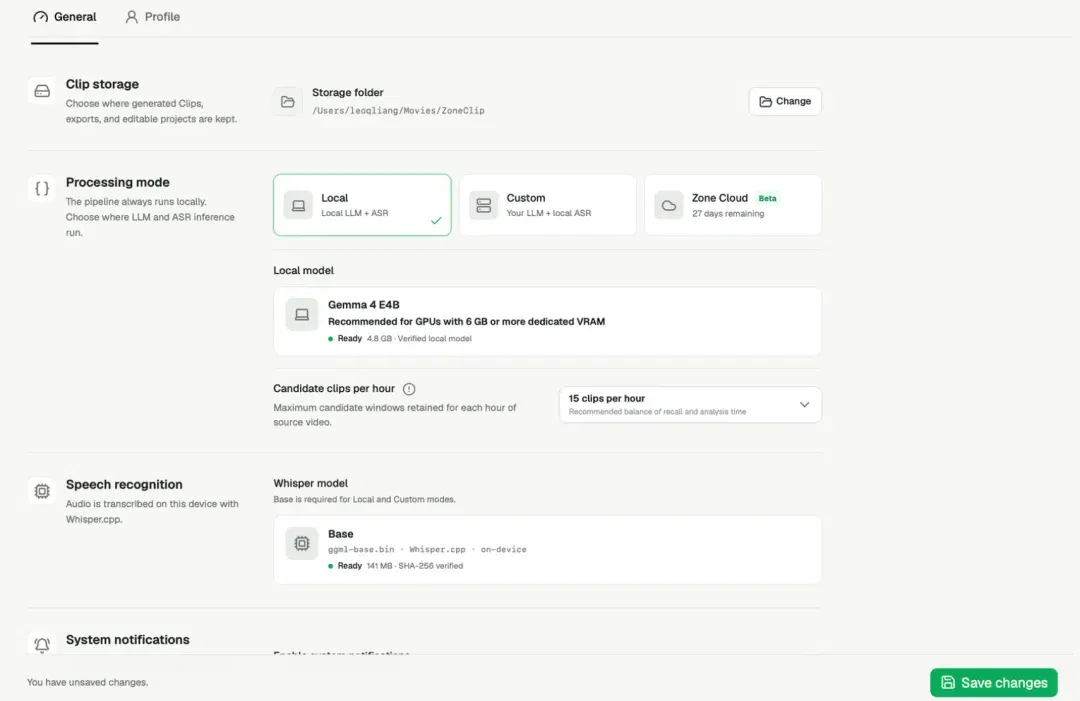
Of course, local AI has hardware requirements, and the models must be downloaded before first use. If the computer's specifications are insufficient, users can choose Zone Cloud for cloud-based analysis, while editing and final rendering still take place locally.
New accounts receive a one-time grant of cloud-analysis allowance and can subscribe afterward as needed. Ordinary manually scheduled publishing remains free; automatically scheduling multiple videos according to rules uses a separate allowance.
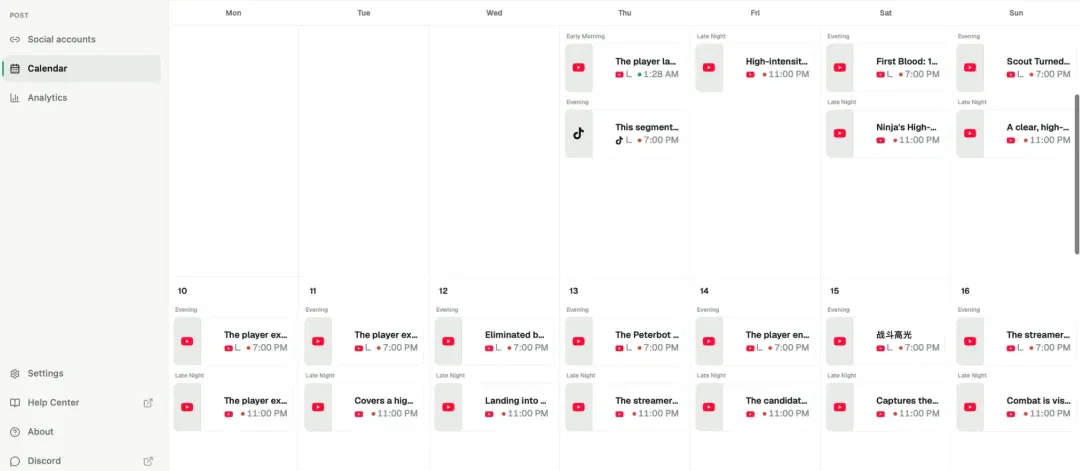
There are already plenty of AI editing tools on the market. ZoneClip has chosen free local operation and developed numerous features specifically for gameplay recordings. Its founder, Qin Liang, has also spent years working on video and live-streaming technology.
From 2014 to 2022, he worked in content technology engineering at Tencent. He then joined TikTok as engineering lead for TikTok LIVE Studio, working on desktop live-streaming software.

TikTok LIVE Studio, which he previously helped develop, mainly helps streamers broadcast from their computers. His new ZoneClip continues to focus on gaming streamers and video creators, helping them handle the recordings left after a stream ends.
He has also co-founded Everzone, with ZoneClip as one of its products.
Besides AI video editing, Everzone has developed another local AI tool called ZoneVoice, primarily for transcribing recordings and organizing notes.
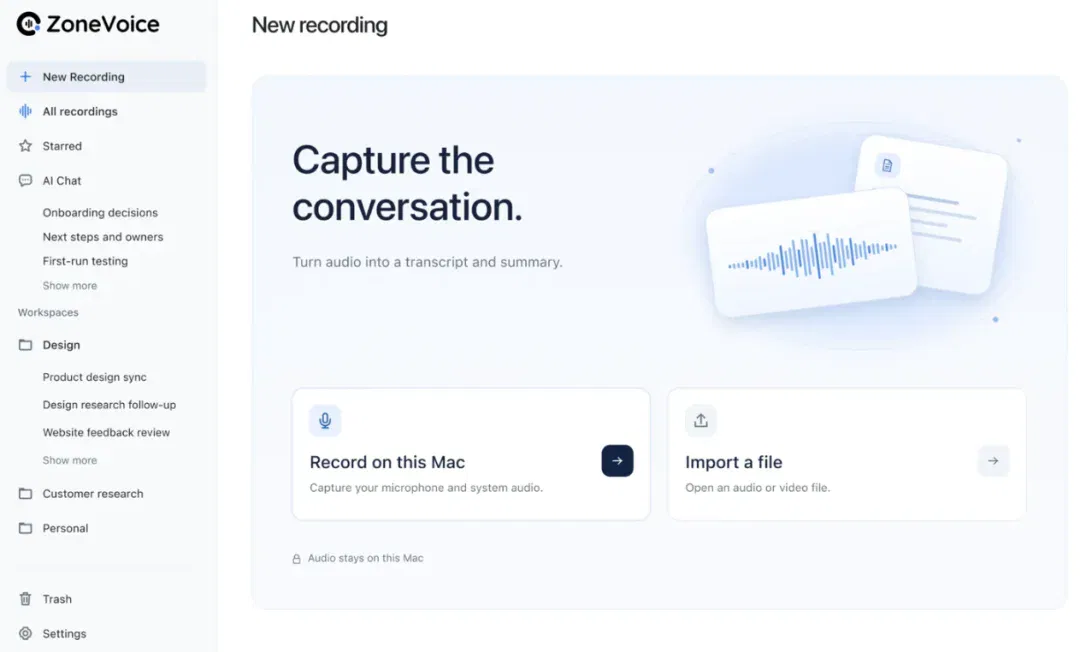
Users can import meetings, interviews or everyday recordings and have AI turn them into timestamped text locally, then extract summaries, to-do items and mind maps.
When multiple people speak in a recording, it can also distinguish between speakers, making it easier to return to the relevant point in time and check what was originally said.
It also offers the ability to organize information across recordings, trying to gradually turn scattered meeting notes into searchable material.
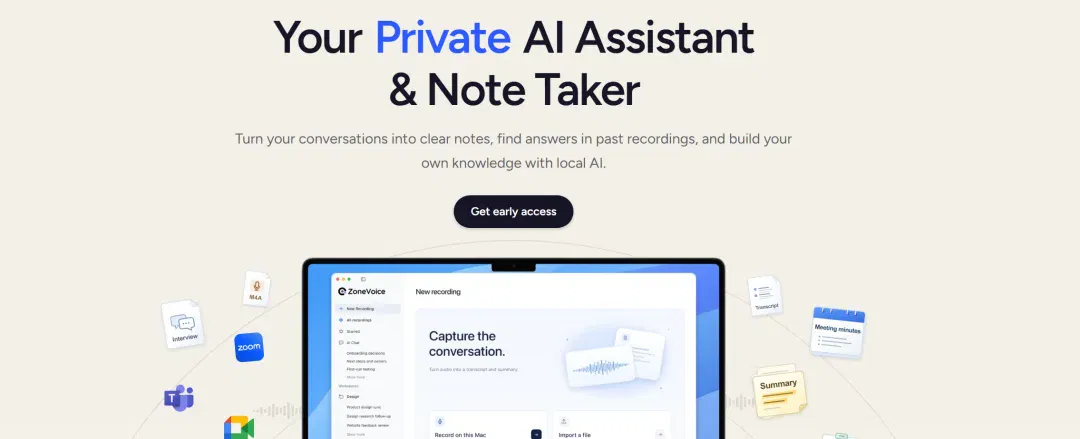
ZoneVoice and ZoneClip serve somewhat different audiences: ZoneClip helps gaming creators organize video, while ZoneVoice helps people who attend meetings or conduct interviews organize recordings.
The two nevertheless have one clear thing in common: users have already accumulated a great deal of material, and AI helps search through it, select useful parts and organize them into content that can be used further.
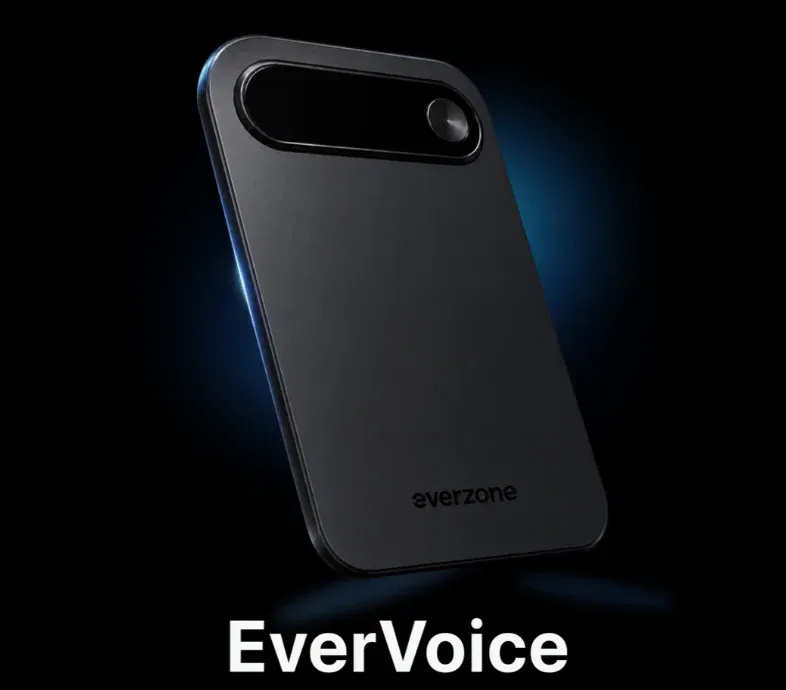
Everzone has also previewed a recording-card device called EverVoice, which it plans to pair with ZoneVoice in the future.
There have also been plenty of new developments in gaming video creation.
Some game developers have begun encouraging players both to stream and to make short videos, even offering dedicated cash prizes for video submissions.
Short-video platforms in China are also increasing support for streamers who post videos. Strong short clips can help streamers reach new viewers, then attract them to their live streams.
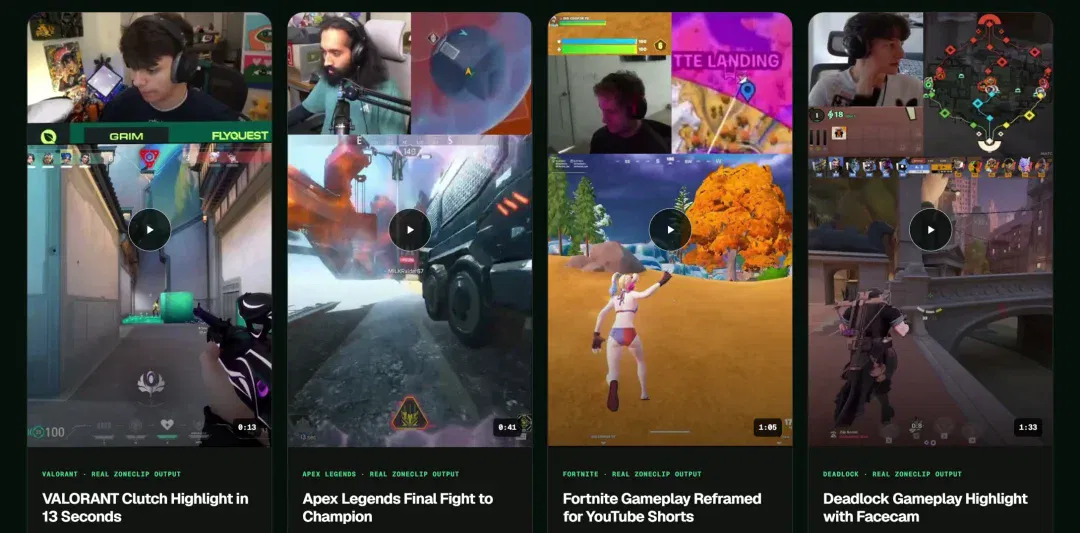
For streamers, impressive plays and funny interactions that have already happened can keep bringing in new viewers once edited into clips.
Meanwhile, automatic editing is gradually becoming a common feature on live-streaming platforms. Some are even experimenting with using chat activity to find highlights, aiming to let creators locate the moments that drew the strongest audience reactions directly in replays.
That said, beyond recognizing what happens in a game, if AI could better understand interactions between streamers and viewers—even why a joke is funny—the resulting short videos might be more interesting.
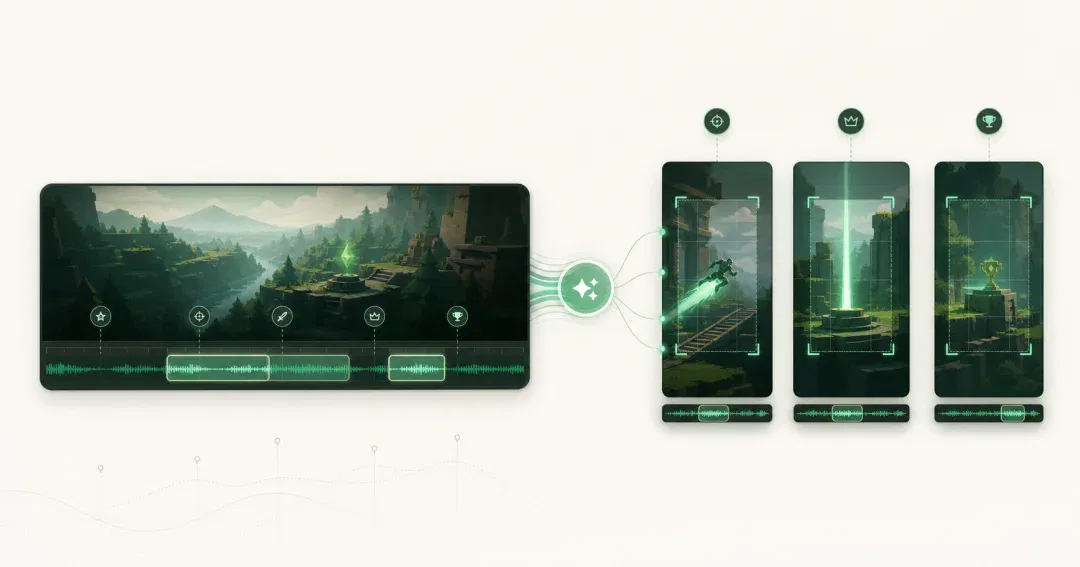
After all, many people enjoy watching a particular streamer not only for their gameplay, but also for their conversations with teammates or reactions to unexpected situations.
And these interesting moments are precisely what games' built-in highlight systems can easily miss.
This article is from the WeChat account “Xiagu AI,” by “Xiagu AI.”
Related topics
After reading
Join the AINRK community
Read how to join the community and connect with people working in AI.
Related articles
Continue reading related topics and articles in this category.

AniShort 推出本地 AI 影视工作台,接入 Codex 等智能体 (opens in a new tab)
AniShort推出原生本地架构的AI影视工作台,接入Codex等智能体,支持自动质检、自定义模型API、Skill复用及本地专业软件协同。
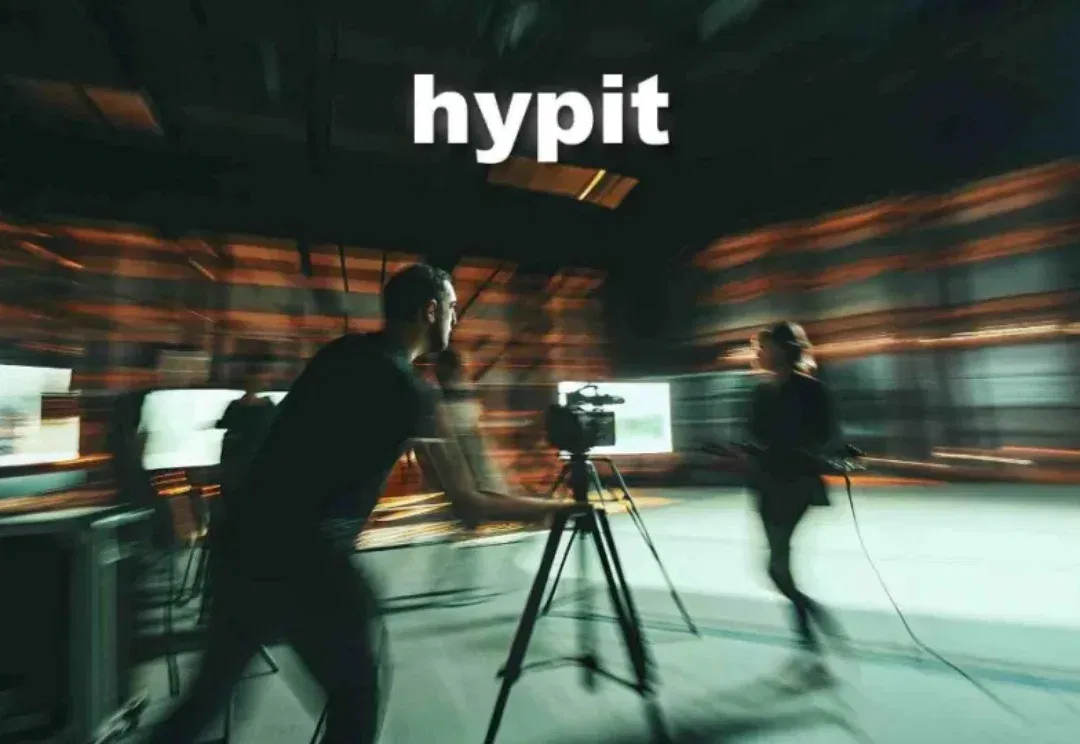
对话 Hypit 创始人:用 SVML 为 Agent 搭建可复用的视频制作系统 (opens in a new tab)
Hypit 创始团队介绍视频编程语言 SVML:把口播、素材、动效与时间关系写入同一工程,由依赖图驱动执行,并通过语义时间线、组件复用和局部重算减少反复制作。访谈也谈及开源社区、产品增长及团队分工,增长与商业数据为团队自述。

Demo|离开字节剪映,获千万美元融资,他用vibe coding的方式帮你做视频 (opens in a new tab)
视频Agent赛道又来新玩家,但这次有点不一样。

剪映 AI 改写创作边界:让工具更懂你,也让作品更像你自己 (opens in a new tab)
剪映的 AI 边界,正不断延展。 在刚刚结束的 2026 剪映 AI 新创作发布会上,剪映发布了全新 AI 能力,让专业创作者和普通用户的创作效率和创作体验,都有了一次明显提升。 一方面是 PC 专业版的升级。这方面的关键词是“提效”。剪映 Hub 是这方面最亮眼的更新。这是个一站式的 AI 创作平台。通过将 AI 创作与多轨道剪辑连接起来,剪映 Hub 让脚本、素材与创作上下文在同一个项目中延续,大大减少了跨工具切换带来的断点与重复操作。 剪映助手 Agent 则进一步介入到专业创作流程,承担起素材整理、粗剪、包装等高频而繁琐的工作。Agent 可根据创作目标规划任务,串联模型、工具和 Sk
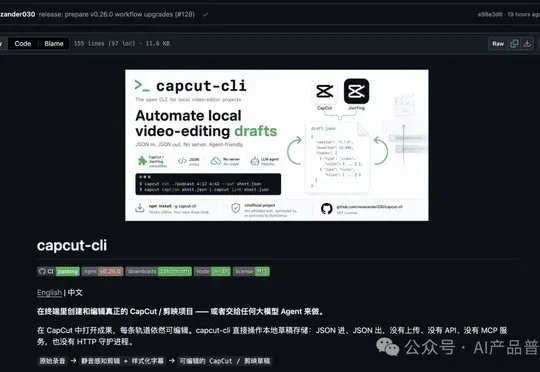
我让 Qoder 剪了条口播,打开剪映还能接着改 (opens in a new tab)
作者用 Qoder 搭配 Qwen3.8-Flash 模型调用开源工具 capcut-cli,在剪映 5.9 中自动完成口播视频的字幕识别、贴字和音效添加,生成可继续手动修改的分轨草稿。