openJiuwen presents a Harnessless approach for reusing AgentOS execution tools
openJiuwen uses app-development and swarm demos to show how built-in harness capabilities support sessions, tools and app management. Applications still define business rules and permissions; remote deployment and some capabilities remain planned or exploratory.
When developing a new application, could you use agents directly, allowing them to read business state, call tools and even complete tasks together with other agents?
In HyperAgent Architecture Explained (opens in a new tab), openJiuwen discussed how agents can acquire new capabilities through extension mechanisms. Today, it extends that idea to application development, introducing the Harnessless development approach on openJiuwen AgentOS. Developers can directly reuse the platform's existing agent capabilities and connect them to their own software, bringing agents into real business workflows.
App marketplaces are familiar gateways to software. Discovering applications, downloading and using them, and managing them centrally—this is how we have grown accustomed to adding capabilities to our phones and computers.
Today, the AI experience in much software feels like a chat window stitched onto an old workflow. The assistant offers suggestions, but users still have to carry the answers back to the business interface and perform the subsequent actions themselves. Conversation adds a step without removing any of the original work.
openJiuwen is taking an early step into agent-native applications, letting agents participate directly in software's business workflows. Users state a goal; agents read the application's business state, call tools and advance the task; results return directly to the original interface. More complex work can be divided among multiple agents.
For such applications, connecting a model is only the starting point. To bring agents into business workflows, developers must also handle context, tool permissions, task execution and multi-agent collaboration. Together, these mechanisms constitute an agent's Harness. If each application must rebuild them, developing a business feature can turn into building an entire agent infrastructure.
openJiuwen wants to take on this part of the work.
Harnessless:
Develop agent-native applications using existing agent capabilities directly
The term Harnessless, as used here, means application developers need not implement a Harness themselves; instead, they directly use the built-in Harness already provided by openJiuwen.
Developers can focus on the problem the application should solve, how its interface works and how its business rules are organized, then connect single-agent or swarm capabilities as needed. openJiuwen handles the general mechanisms required to run agents; the application defines specific business rules, available permissions and result handling for its particular scenario.
Science explanations, character interactions and team collaboration can all reuse the same Harness. Applications can design interactions around their own business needs, pass the relevant state to agents, and connect execution results back into the existing workflow.
Starting with an agent-native application: Once Upon a Time in Huangsha Town
Using WorkSwarm's coding capabilities, openJiuwen experimented with developing a 3D application for exploring a Western town: Once Upon a Time in Huangsha Town.
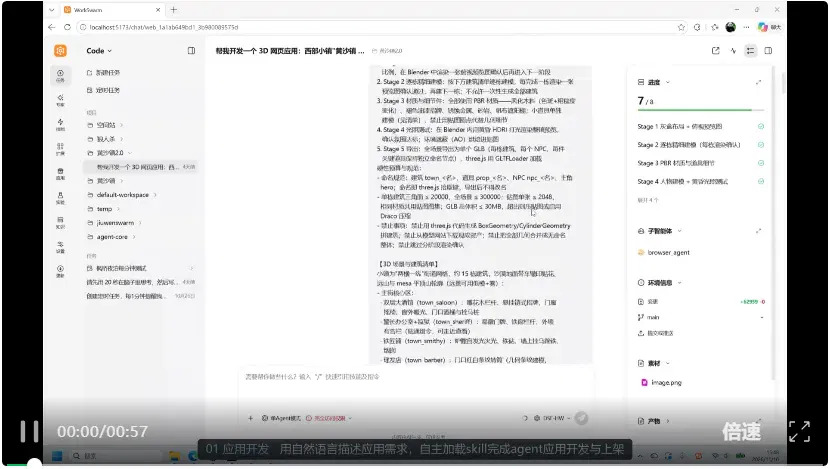
Video 1: Once Upon a Time in Huangsha Town, an experimental application developed by openJiuwen using WorkSwarm.
Agents participated in developing this experimental application, from describing requirements and building scenes to adjusting interactions. We continued revising it based on how it ran, gradually arriving at the application shown in the video.
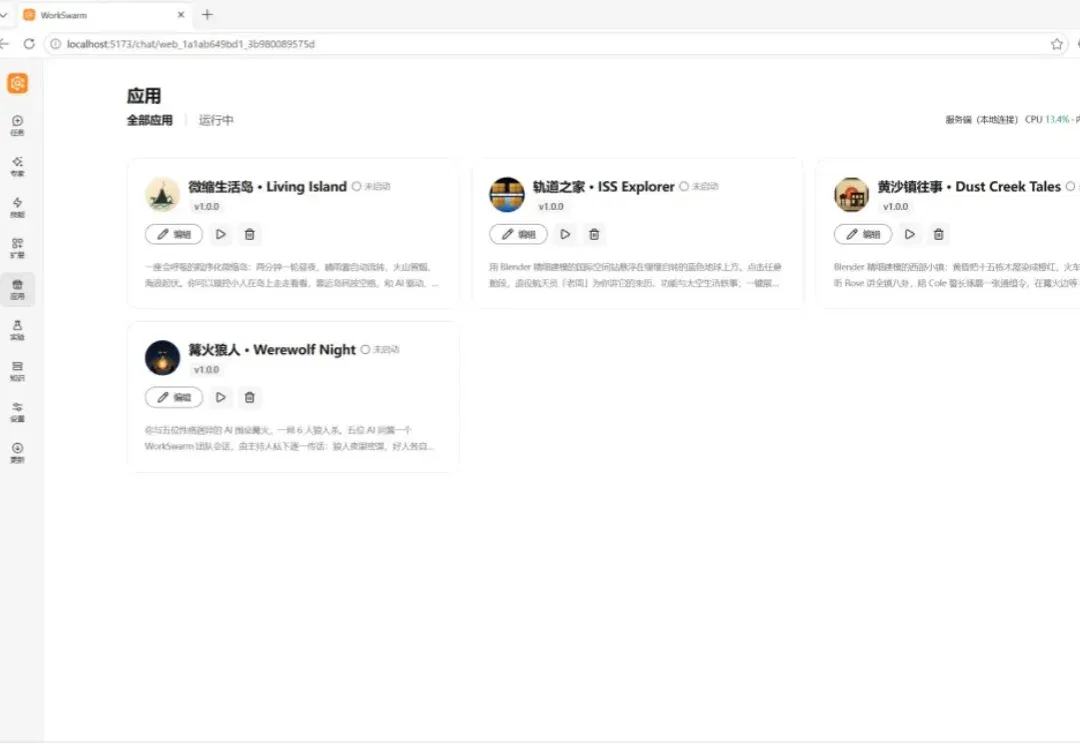
After the user confirms that it should be listed, the application is registered in the local application-management interface, generating a card with its name, description and launch entry point. Users can edit application information directly, switch to other applications, or use the card to start or stop the application and inspect its status.
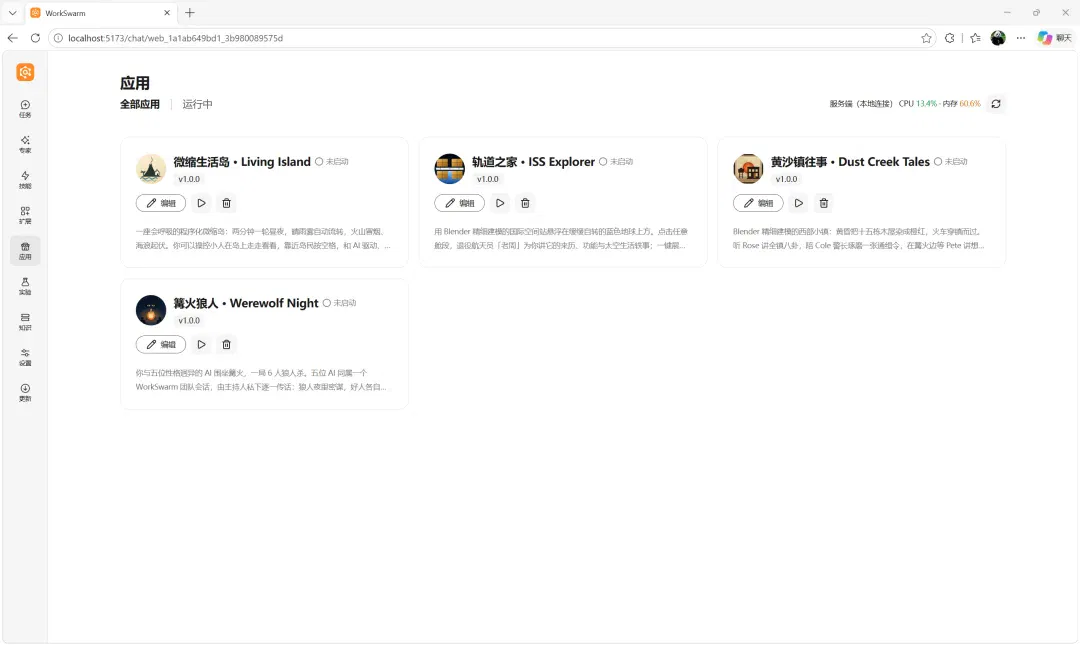
Figure 1: The application-management interface after the experimental application is registered, with application cards and management entry points.
Once Upon a Time in Huangsha Town has gone from a development task to an application that can be launched and iterated on repeatedly. Figure 2 shows how this path extends to application runtime and agent execution.
Technical details of openJiuwen agent-native application development
Through Gateway, openJiuwen AgentOS provides a unified entry point for application management and agent calls, handling authentication, routing and event delivery. AppMarket handles application registration, starting and stopping instances, and status monitoring. Applications provide start/stop capabilities and report their operating status according to the integration contract.
An Agent Harness is built into openJiuwen AgentOS. The single-agent path reuses session context, models and tool-calling capabilities; the multi-agent path additionally provides task division, scheduling, message coordination and result aggregation. Applications retain their own interfaces, rules and business state, calling the execution capabilities they need through Gateway.
In the future, openJiuwen AgentOS will provide compute affinity, RSI, trace attribution, multimodality, full duplex, design patterns, SwarmFlow and other features, packaged in a unified form for users developing custom applications.
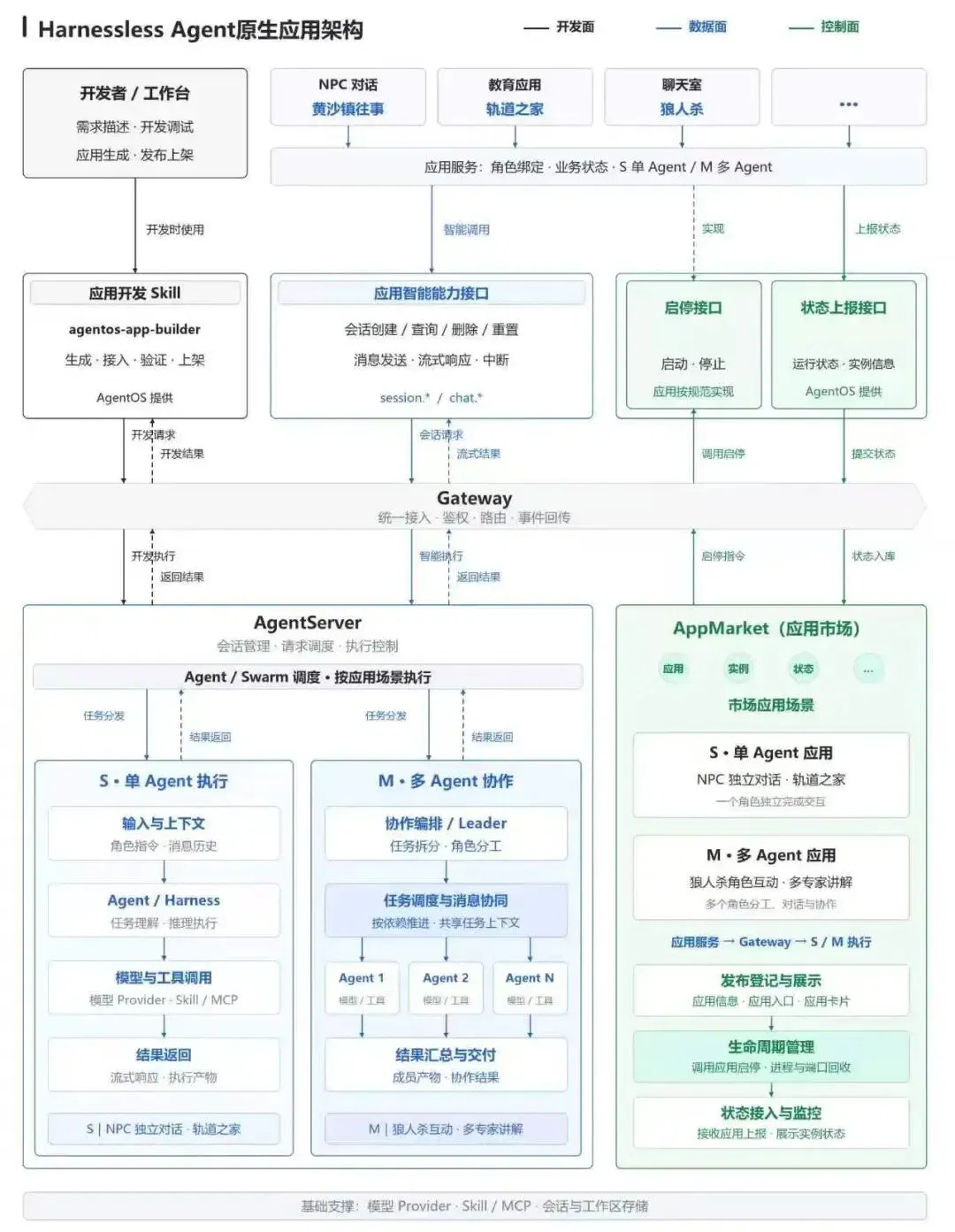
Figure 2: openJiuwen AgentOS application architecture, covering application development, agent execution and application management.
By establishing an agent-native application development approach, openJiuwen standardizes how these applications call agent capabilities. Building on this, openJiuwen AgentOS also plans to support remote distributed deployment, making it easier to deploy applications to remote servers after local development and validation, and meeting enterprise needs for multinode deployment and unified operations.
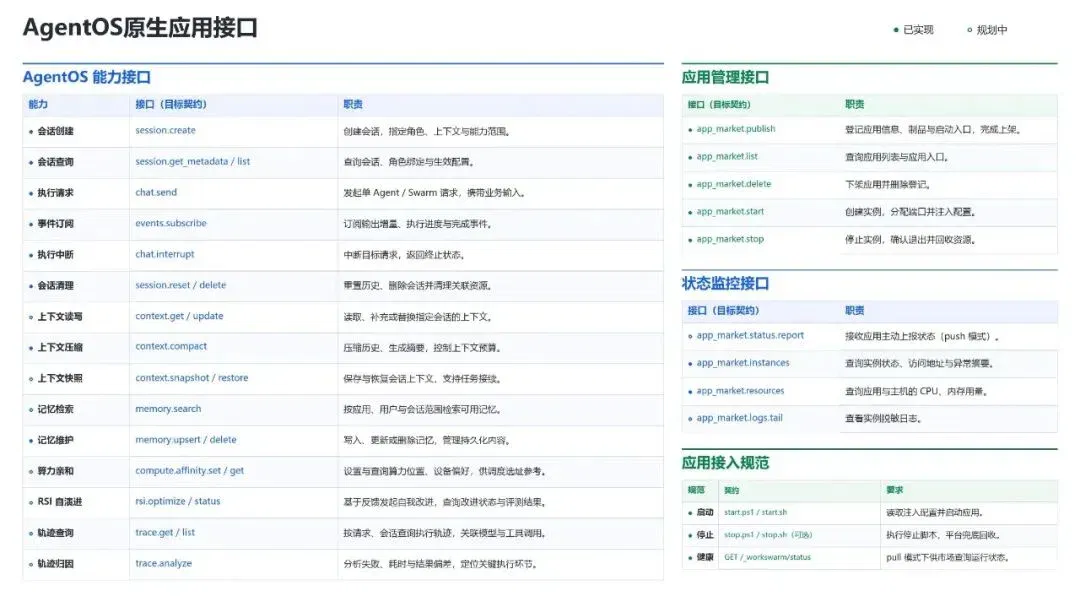
Figure 3: AgentOS native-application interfaces. Swarm capability interfaces are on the left, followed on the right by application-management interfaces, status-monitoring interfaces and application-integration specifications. Filled circles indicate implemented application interfaces; hollow circles indicate planned interfaces. The compute-affinity, RSI self-evolution, trace-query and trace-attribution application interfaces shown are all planned.
From single agents to swarm collaboration: developing the next generation of agent-native applications
We developed two applications using the same AgentOS interfaces, showing how a single agent can fit into an application interface and how multiple agents can participate in the same business workflow.
Example 1: taking apart a space station while asking questions
After opening the space-station model, users can rotate the view, take the structure apart and point to the component they are looking at to ask questions. The application passes the current component and the user's question together to an explanatory agent, then displays the answer in the same interface.
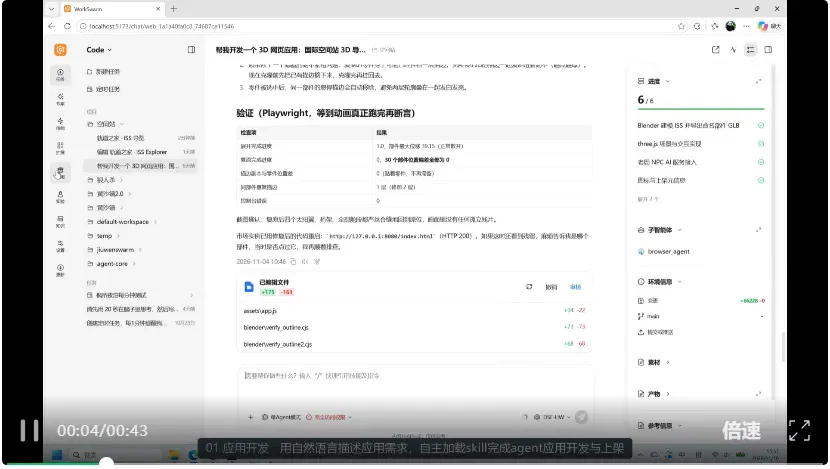
Video 2: model observation, disassembly and science explanations in an experimental teaching application.
When the user switches to another component, the explanation can follow. Developers handle model interactions and instructional design; openJiuwen AgentOS provides the single agent's session and execution capabilities.
Example 2: bringing multiple agents to the same Werewolf game
A Werewolf game needs several roles and someone to organize the entire game: whose turn it is at night, who speaks during the day, which information can be made public and when voting begins. Each role's judgments must be situated within the same continually changing game.
We used openJiuwen AgentOS swarm mode to build a game involving both humans and agents. The application maintains the game state and rules; the moderator organizes tasks according to the current phase; the swarm assigns tasks to the relevant agents and returns statements, actions and voting results to the application.
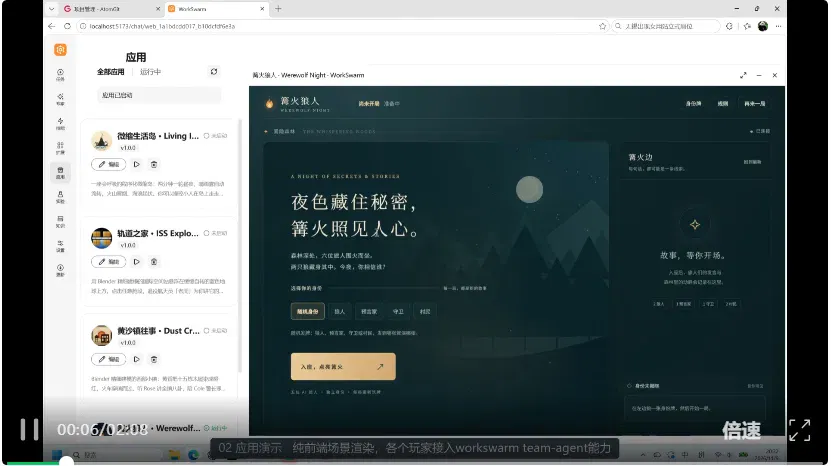
Video 3: the experimental Werewolf application. The moderator uses openJiuwen AgentOS swarm mode to organize multiple agents, while human players and agents advance the game together.
At night, the moderator organizes the relevant roles' actions under the game rules, carrying the results into subsequent stages. During the day, scheduling shifts to speaking, discussion and voting: agents make judgments based on available information and their role objectives, while human players' input enters the same game process and informs the next task.
Developers can concentrate on game rules, the information visible to each role and outcome determination, while reusing openJiuwen AgentOS swarm capabilities for task assignment, execution coordination and result collection.
Existing applications can be managed by openJiuwen AgentOS and developed further
Applications that have already been developed can also connect to openJiuwen AgentOS, with the same workbench managing start/stop operations, operating status and resource configuration. When features need to be added, developers can return from the workbench to the existing project, modify the code and run the application to validate the changes.
Managing Agent Studio: unified runtime and resource configuration
Take openJiuwen Agent Studio as an example. Once integrated, users can start the workbench from its application card, view its operating status and stop the application when finished. The upper-right corner of Figure 1 also shows an overview of server CPU and memory usage.
After Agent Studio starts, it also needs model and agent resources. openJiuwen AgentOS provides their configuration, which Agent Studio reuses directly while retaining its original interface and business workflows. Teams can continue using the familiar workbench while centrally configuring and maintaining model and agent resources in openJiuwen AgentOS.
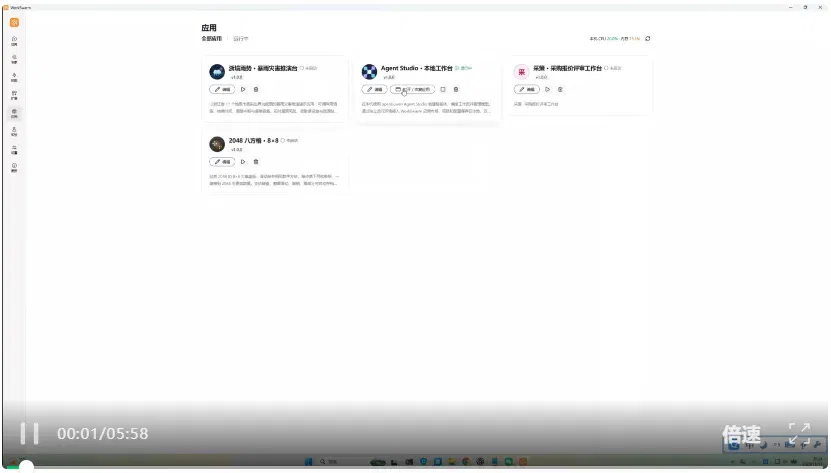
Video 4: an application-marketplace management demonstration that includes the local openJiuwen Agent Studio workbench.
An agent-native application IDE for continuing development in existing projects
For both Once Upon a Time in Huangsha Town and the integrated Agent Studio, developers can open the existing project in WorkSwarm, edit code directly or delegate feature changes to a coding agent, then launch the application to inspect the results. Keeping code changes and runtime validation in one workbench is precisely the development experience openJiuwen AgentOS aims to provide as an agent-native application IDE.
In the Once Upon a Time in Huangsha Town demonstration, the developer returns from the application-management page to the existing project and asks a coding agent to turn the daytime town into a nighttime scene. After version 2.0 is listed, the new version can be launched directly from its application card, allowing users to enter the town and inspect changes to street and building lighting.
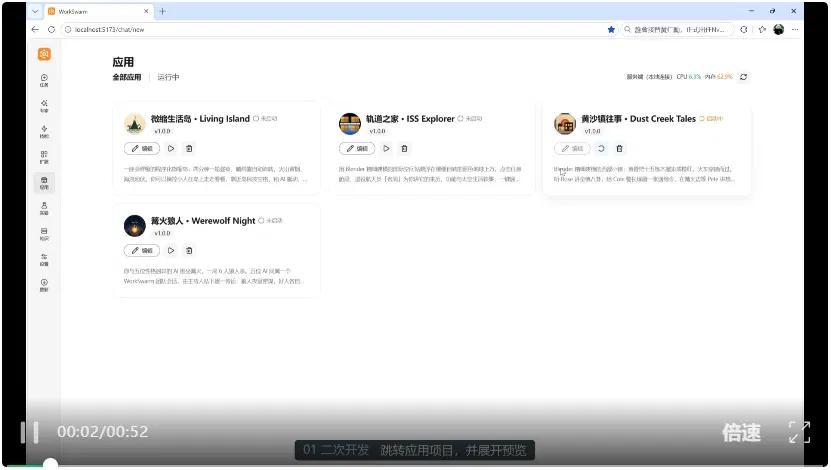
Video 5: development, listing and runtime validation of the nighttime version of Once Upon a Time in Huangsha Town.
The Agent Studio demonstration starts from the Edit entry point on its application card. The developer asks a coding agent to change the task workspace background to white, update the welcome copy and raise the application version to 2.0.0. After a refresh, the workbench displays the new interface, and the application card shows the updated version number.
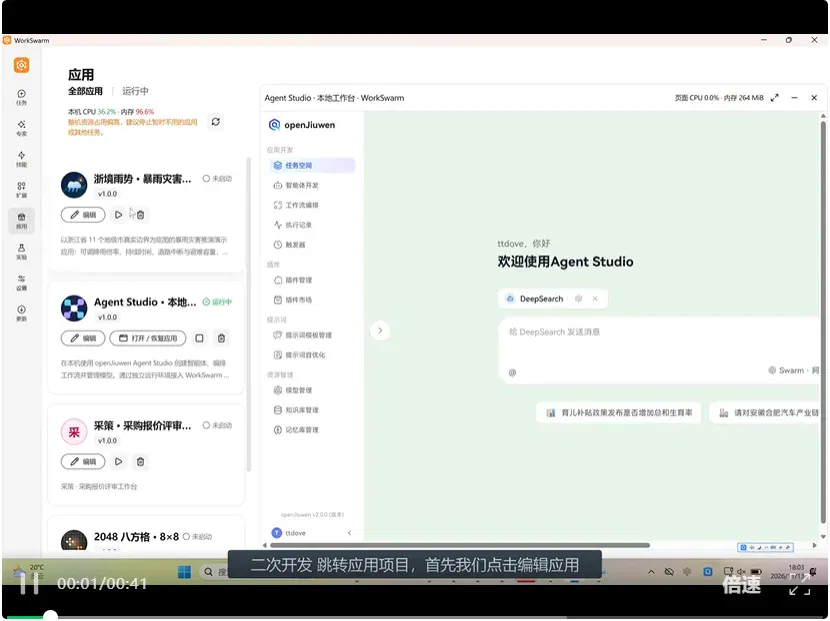
Video 6: editing the Agent Studio task workspace and updating its version.
For enterprises: making applications reusable, shareable assets
Enterprises already have a great deal of software: business systems, departmental tools, internal scripts and small applications developed for particular jobs.
Some tools are repeatedly developed from scratch; some can be run only by their original authors; and others already offer considerable value but lack an entry point for colleagues to use them.
For enterprises, openJiuwen aims to bring these scattered outputs into a unified management system. Existing applications are adapted and brought under management, while newly developed agent applications enter through the same gateway, making them discoverable, reusable and shareable under enterprise deployment and access rules.
Reuse takes place at two levels. Enterprises can reuse applications already developed, and they can reuse openJiuwen's built-in Harness and agent capabilities when building new applications. Existing business logic continues, while new agent capabilities can be integrated gradually.
We hope enterprises can gradually turn applications from projects on individual computers into software assets that teams can use continuously.
The video below moves from development and listing records in the Code workbench to the application-management page. Applications including the space-station explainer, Once Upon a Time in Huangsha Town and Miniature Life Island appear in the same list. Users can open different applications from their cards and view their respective operating states. For a team, such an entry point makes delivered tools easier to find and use again when needed.
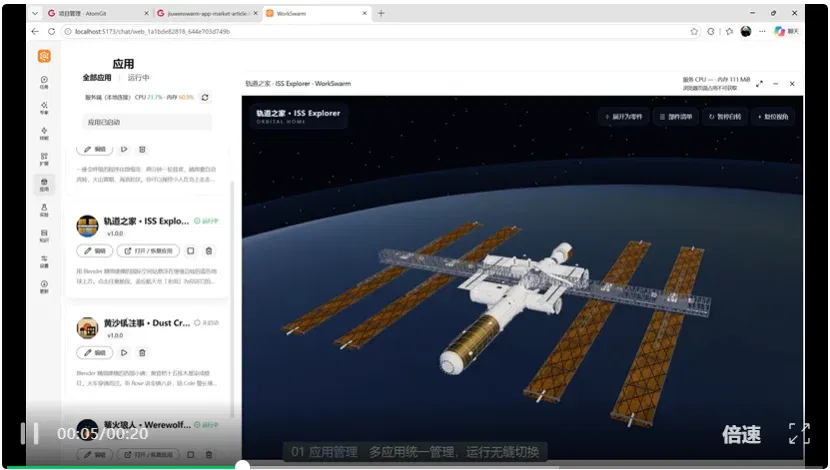
Video 7: application development, listing records and unified management.
A small bonus:
Quickly making applications agent-native through REA
If you already have an app you like using, could you connect it to openJiuwen AgentOS and make it agent-native?
openJiuwen AgentOS plans to support REA in the future, further expanding software-integration methods so users can add the software they need and explore how to combine it with agent task execution.
Figure 4 shows an environment-check result in an experimental REA interface. On one page, WorkSwarm lists local capabilities that are reusable, verified, pending or unavailable on the current platform. Users can inspect tool-validation results, start with ready-to-use capabilities and follow prompts to add components requiring manual configuration.
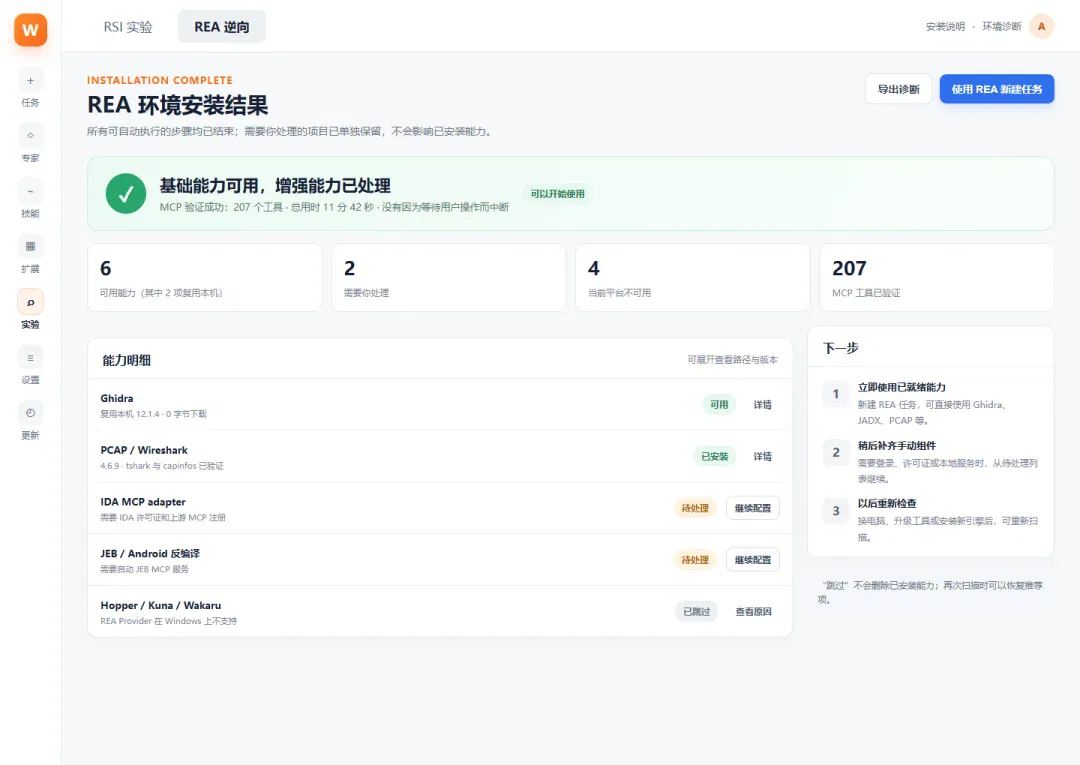
Figure 4: environment installation and tool-validation results in the experimental REA interface.
From demos to production: building agent-native application clusters with A+K compute affinity
Once agent-native applications reach production, multiple applications call models simultaneously, sharing inference compute and GPU memory. The platform must coordinate concurrent tasks and manage cache occupancy across sessions.
openJiuwen will continue developing A+K compute affinity, enabling AgentOS to coordinate with inference infrastructure based on task and session state. openJiuwen AgentOS already supports requesting KV-cache prefetching, offloading and release according to session lifecycles, helping reduce repeated computation and idle cache occupancy.
For Ascend accelerator clusters, openJiuwen will explore extending this coordination to remote distributed deployment, gradually improving resource scheduling, runtime monitoring and log tracing so agent-native applications can move from local demos to enterprise services that run continuously.
This article comes from Synced. Author: Synced.
After reading
Join the AINRK community
Read how to join the community and connect with people working in AI.
Related articles
Continue reading related topics and articles in this category.
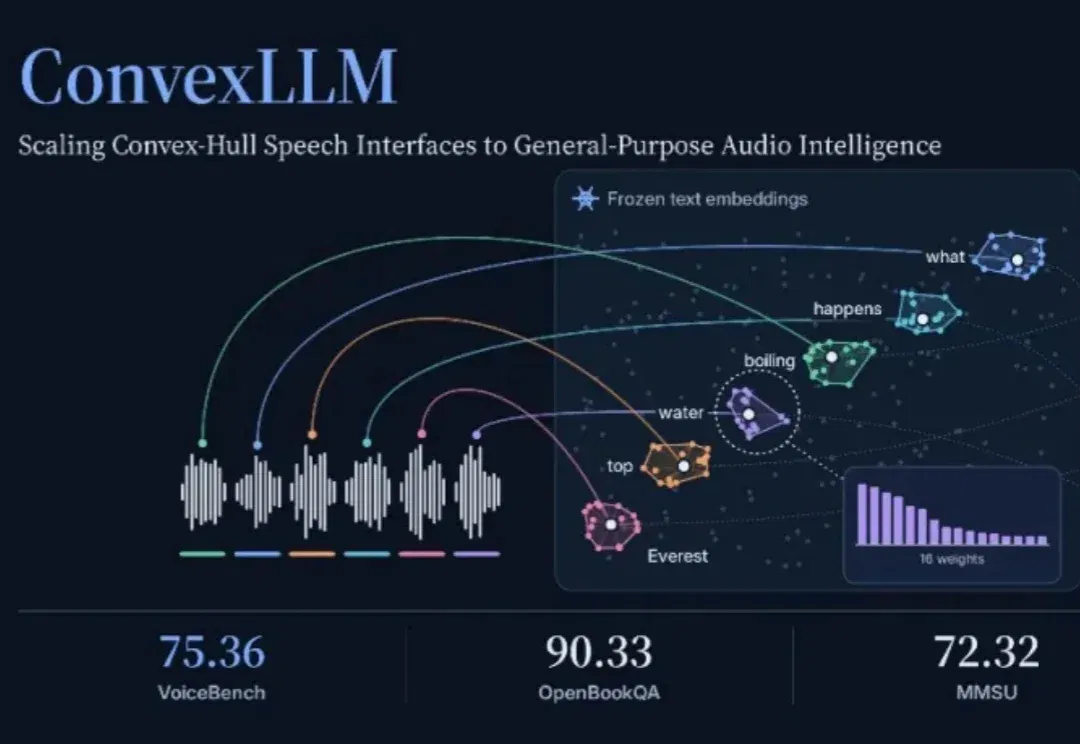
ConvexLLM connects speech to language models through frozen text embeddings (opens in a new tab)
Researchers at CUHK-Shenzhen and Microsoft propose C-Gate, mapping audio into convex combinations of frozen text embeddings. The paper reports VoiceBench gains against its listed open-model baselines, while audio understanding and transcription still involve trade-offs.
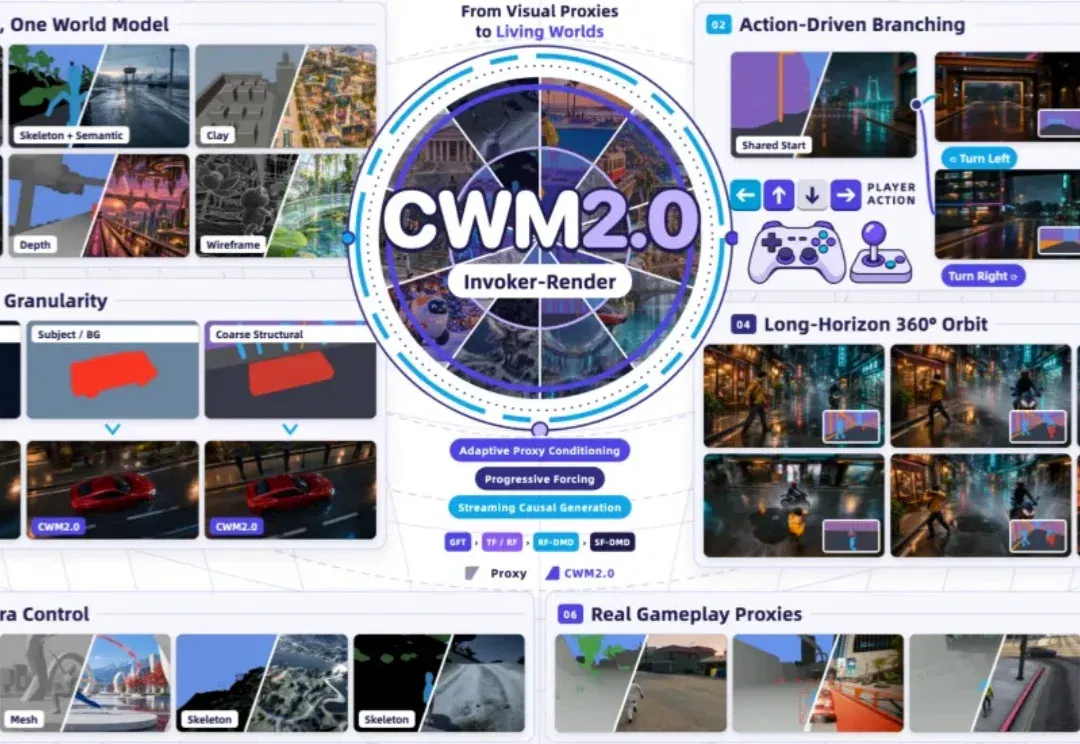
CWM2.0 open-sources generative rendering with a 30-minute racing demo (opens in a new tab)
Teams from Ant, Westlake University and Zhejiang University use a structured Proxy to control scene state and Invoker-Render to generate visuals, releasing eight-GPU streaming inference. The long demo and 140 evaluations cover specified scenes, not arbitrary stable worlds.
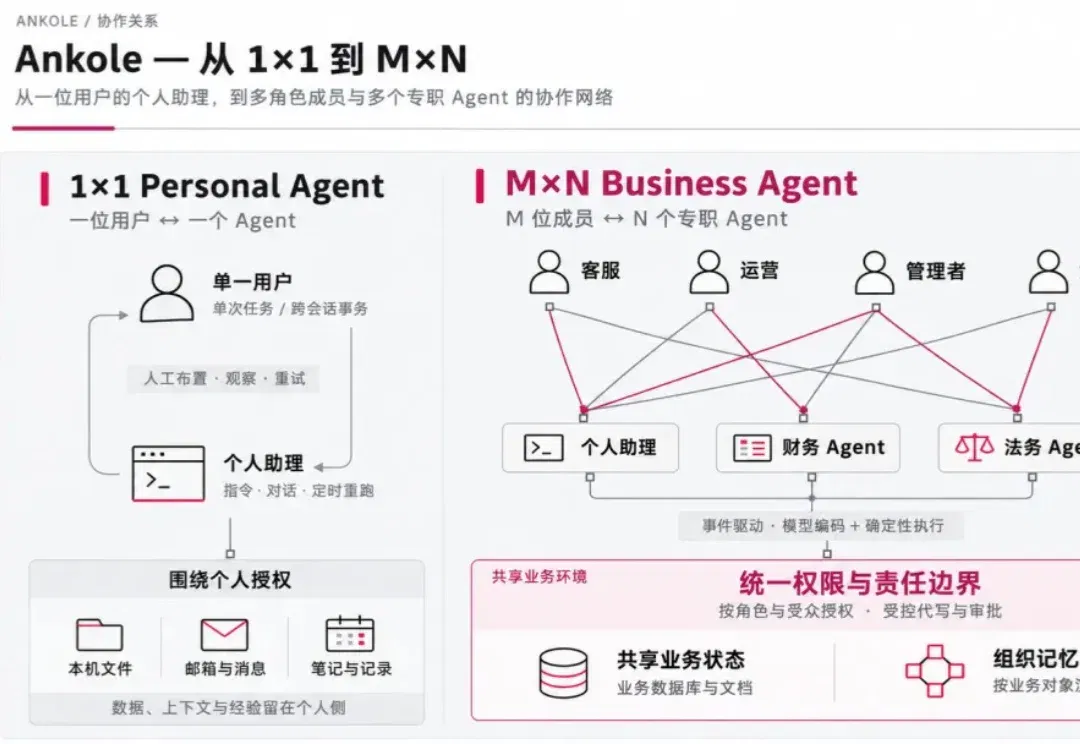
Ankole outlines multi-user agent architecture: events, permissions and organizational memory (opens in a new tab)
The team describes its Business Harness design for fast and slow paths, shared state, Actor orchestration and dynamic permissions. Formal verification covers the modeled core permission state machine; it does not replace security checks of the full deployment, external interfaces or implementation.
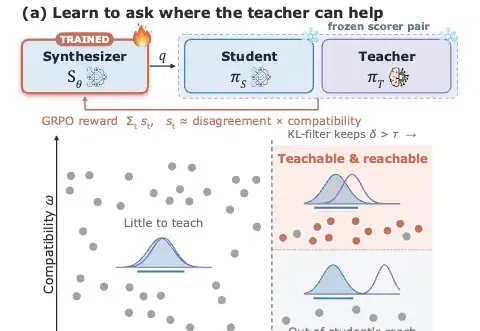
Ask-to-Distill optimizes training questions using teacher–student distribution signals (opens in a new tab)
UIUC and collaborators propose A2D, training a question generator with frozen teacher–student disagreement and compatibility signals before on-policy distillation. The paper reports gains in math, code and agent tasks; its learning-value proxy has limits.

LSA speeds up single-layer prefill 22.7-fold in a ten-million-token context test (opens in a new tab)
Prefrontal AI and ETH Zurich propose Latent Sparse Attention, using clustering and hierarchical indexing to select past tokens. The paper separates single-layer computation from whole-model time to first token; 22.7x refers to a specified GLM attention-layer test.