Fotor Agent hands-on: code-generated motion graphics, multitrack editing and 4K output
The author tries Fotor Agent on camera focusing, drink preparation, relay dispatches and a chessboard wheat story, then explores element and timeline editing. Individual examples do not guarantee error-free text, fixed efficiency gains or follower growth.
Editorial correction (November 19, 2026): Code generation, 4K output and individual hands-on examples do not guarantee error-free text, a fixed efficiency improvement or follower growth.

One-stop motion-graphics video production.
A technical science-explainer video about information theory received an astonishing sixteen million views and brought its creator 120,000 new followers!
The creator opened with a game of guessing Tang-dynasty poems. Following the changing numbers and visuals, viewers gradually understood previously obscure concepts such as information content and bits.
Animation and music flowed smoothly throughout, leaving viewers wanting more.
Animated explanations make obscure information instantly engaging and understandable
Content of this kind has become a phenomenon on Douyin. The platform’s “Vibe Knowledge Awards” campaign has accumulated 4.5 billion views across related topics. Animation has turned once-dry knowledge into popular hits.
The underlying tool supporting these hits is motion graphics, or MG animation.
In simple terms, visual elements such as text and shapes move along predefined paths, combined with camera movement and music to communicate information visually.
This is no longer limited to educational explainers. Product close-ups, brand films, new-product demonstrations, technical-architecture explanations, data-visualization broadcasts and giant exhibition screens all rely heavily on animated charts, numerical labels and text effects. Nearly every commercial or creator use case involving information delivery is represented. This is motion graphics’ core territory.
With demand this large, traditional frame-by-frame manual production in After Effects clearly cannot keep pace. Breaking the production bottleneck requires upgrading the underlying approach to making motion-graphics videos.
Especially as AI coding improves, a new “video through code” approach has recently gained popularity. Leading models such as Claude Opus and Fable 5.2 are already being used inventively by pioneering creators.
This does not mean creators must learn code. AI does that work for them. Describe your requirements in conversation, and it writes the underlying code to control graphics, text and animation before rendering the video.
Code generation helps explicitly control text, graphics and animation, reducing dependence on text rendered inside generated images. But layout, fonts, content and the program itself can still contain errors. Production efficiency and cost must be assessed for the specific task; a fixed doubling of efficiency cannot be guaranteed.
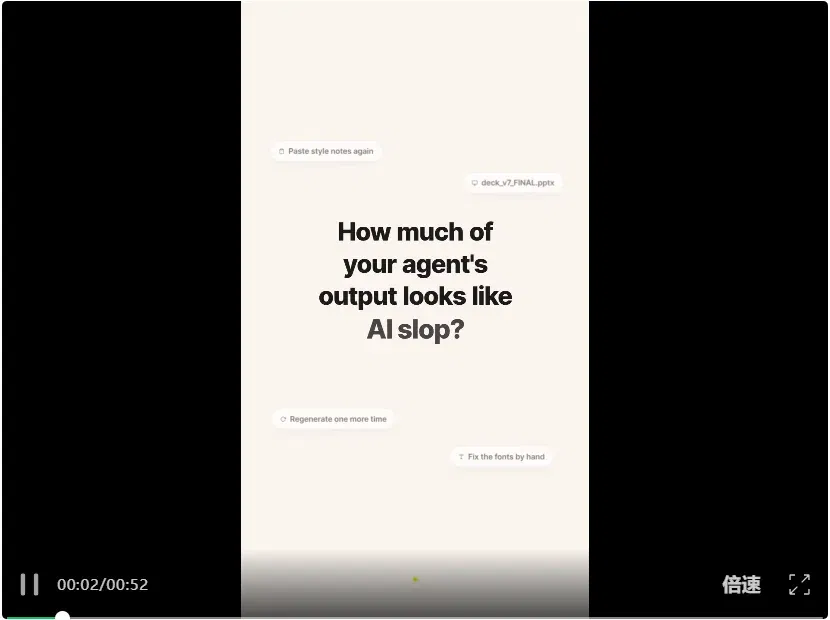
Motion graphics made with Fotor Agent
In practice, however, these overseas tools cannot be used normally within China.
Fortunately, I found a tool directly accessible in China: Fotor Agent, developed by the Fotor team, opens up this approach.
Fotor Agent focuses on planning and producing motion graphics through conversation, with editable elements, a timeline and 4K output. Claims about requiring no experience and precise text reflect product marketing and the author’s experience; they do not guarantee every input produces error-free results or requires no learning and review.
That makes it particularly relevant to commercial and creator use cases. Whether making commercial films or content for a social-media account, attractive visuals alone are insufficient. Motion graphics are essential to improving production quality and conveying information effectively.

To test its practical capabilities, I prepared several different subjects.
The first was camera focusing, a good topic for a visual explainer.
Everyone has encountered this when taking photos: focus on a face and the trees behind it may blur; tap a distant subject on a phone screen and the previously sharp foreground becomes blurry.
Explaining this purely in words is difficult, but animating the light paths and focal points lets viewers understand immediately.
To make it more interesting, I prepared an image of a camera body, a lens cross-section and materials such as torn paper, old newspaper pieces and tape, planning a collage-style motion-graphics video.
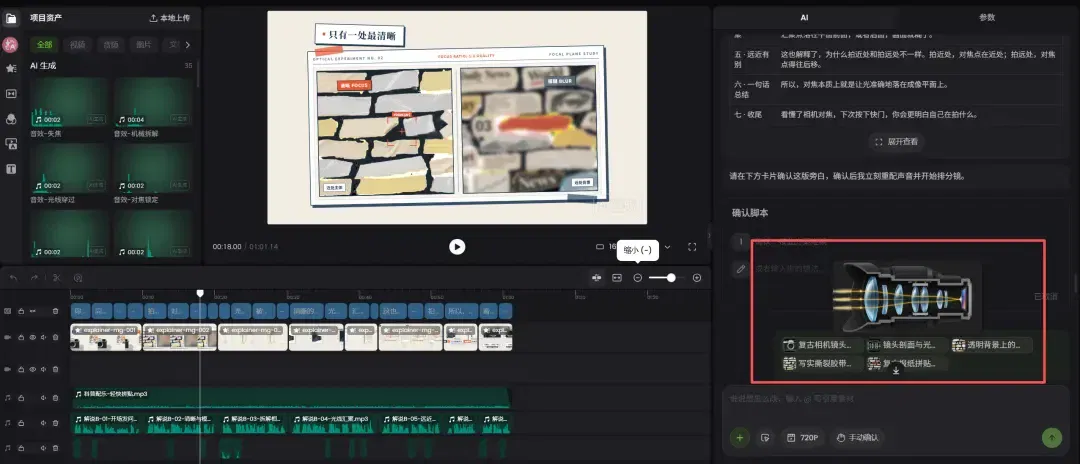
I first gave Fotor Agent the prepared images, then described the subject, collage style and desired animation in plain language.
The agent then takes over the workflow: arranging images, creating motion graphics, adding narration and music, subtitles and transitions. Once those are ready, it automatically arranges the materials precisely to the video’s rhythm on the multitrack timeline below the interface.
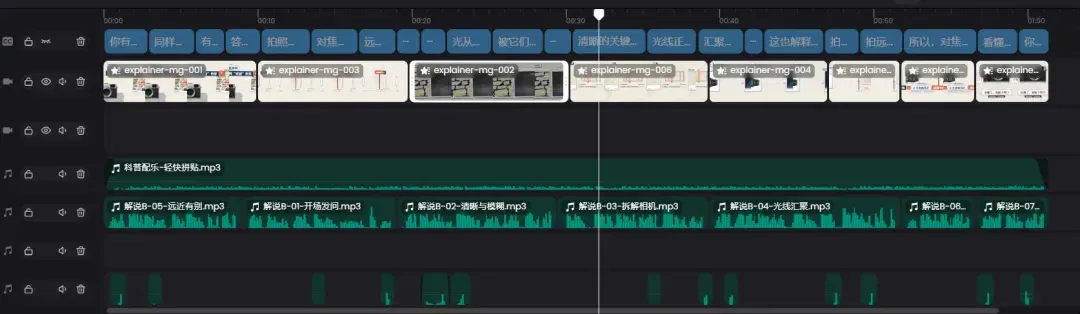
A major advantage of this collage style is that it does not require large amounts of generated video footage. Existing images, dynamic typography and programmed animation can produce educational videos with a distinctive style.
For educational creators, this approach seems tailor-made for frequent daily updates. Change the topic while reusing the paper elements, colors and animation design to produce quickly and gradually establish a recognizable visual signature and consistent account style.
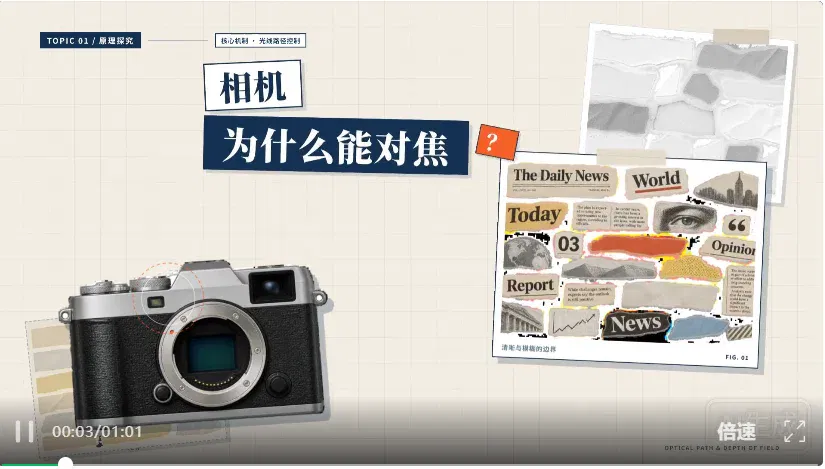
After camera focusing, I wanted to try a more everyday subject.
For the second example I chose iced lemon tea, planning a thirty-second vertical motion-graphics video showing the entire preparation process.
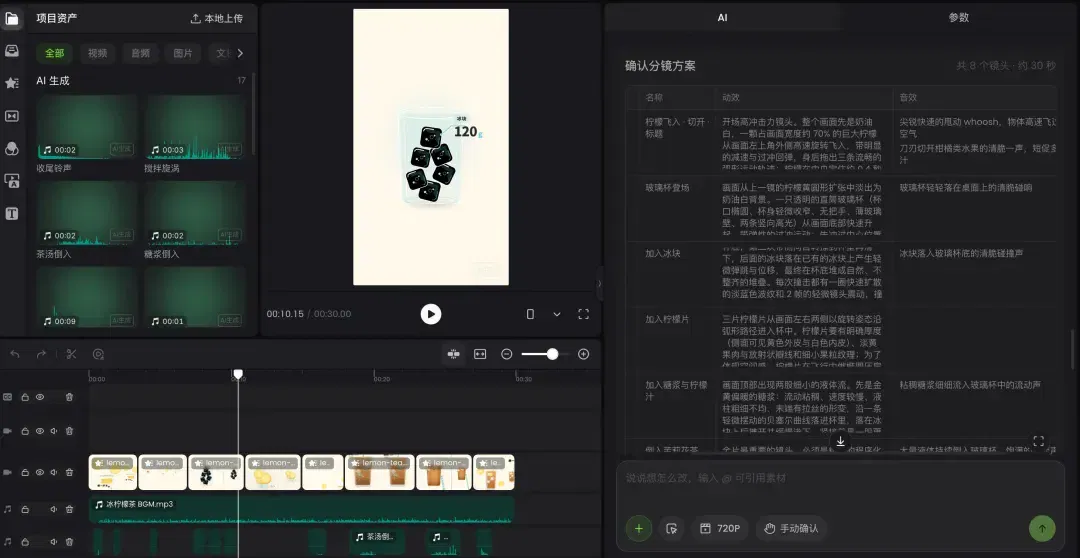
The content is simple: an empty glass appears in the center, ice cubes fall in one by one, followed by lemon slices, syrup and tea, ultimately becoming a refreshing glass of iced lemon tea.
This cannot simply be a few images sliding around. The collisions and bounces as ice enters the glass, the rotation of lemon slices and the fluid movement of pouring tea require natural, detailed motion.
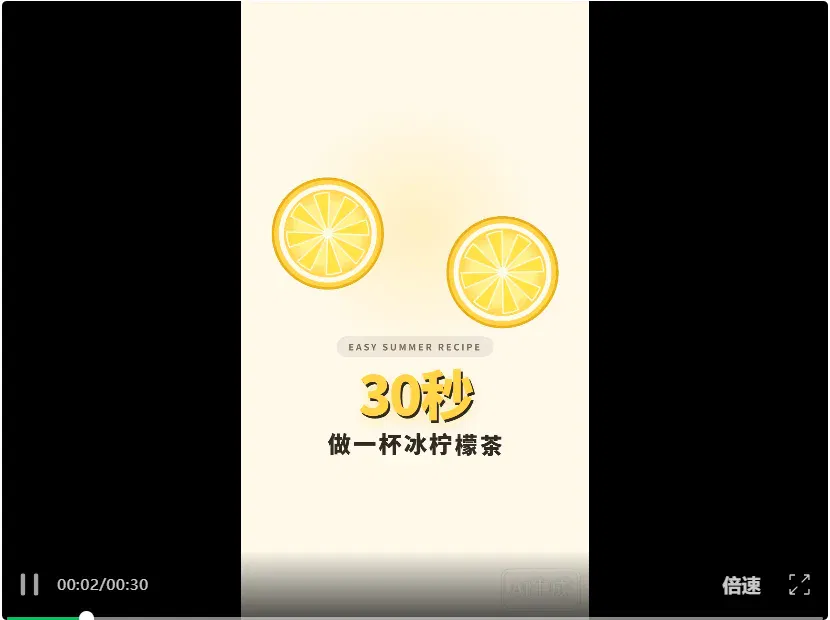
I therefore specifically emphasized “procedural animation” in the prompt for Fotor Agent. I asked it to build the visuals through graphic paths, masks, shape changes and camera movement, minimizing simple switches between static images and bringing the motion to life.
After the drink-making process, I wanted to tackle a narrative subject.
I chose the historical concept of the “eight-hundred-li express dispatch,” planning a roughly forty-second motion-graphics video explaining how urgent official documents were delivered in ancient China.
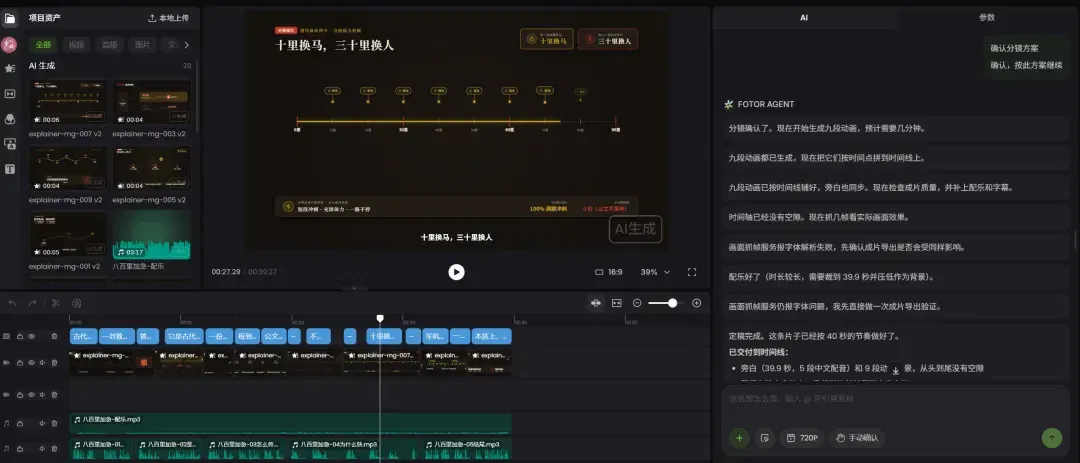
Anyone who watches Chinese historical dramas will often hear “eight-hundred-li express dispatch.” The scene usually features a rider on a fast horse rushing through a city gate and shouting an urgent military report for the court.
But a moment’s thought makes clear that sending a document over a thousand li with one horse running continuously is unrealistic. The system actually depended on a dense network of relay stations along the route.
For this video, I planned to use an animated map, following a sealed urgent document as it raced along a route from station to station.
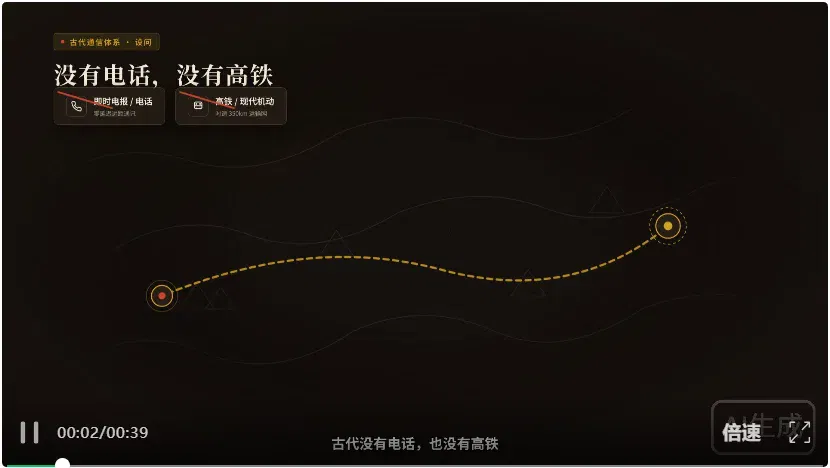
As the document moves between relay stations, the map slowly unfolds and the route extends. Character icons, changing time markers, camera pushes, pulls and pans make the delivery mechanism immediately understandable.
This differs fundamentally from the drink animation. Iced lemon tea mainly tests the depiction of individual objects’ movements; the express dispatch tests the agent’s ability to plan a complete story and organize it through space and time.
After those three subjects, I still wanted to try a story with greater change and drama. For the final example, I raised the difficulty with the classic tale of “the king and the grains of wheat on the chessboard.”
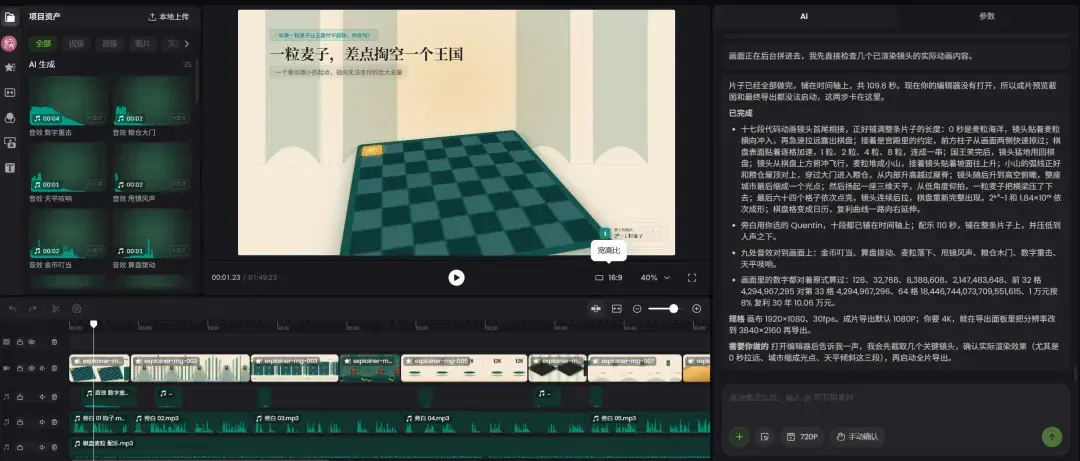
You may already know the story.
A king plans to reward a wise man generously. The man makes a seemingly trivial request: place one grain of wheat on the chessboard’s first square, two on the second, four on the third, and double the number on every subsequent square.
At first, the king thinks that such a little wheat is nothing. But as the squares fill, the numbers expand wildly and the situation gets completely out of hand.
I chose it because it seems made for visualization in motion graphics.
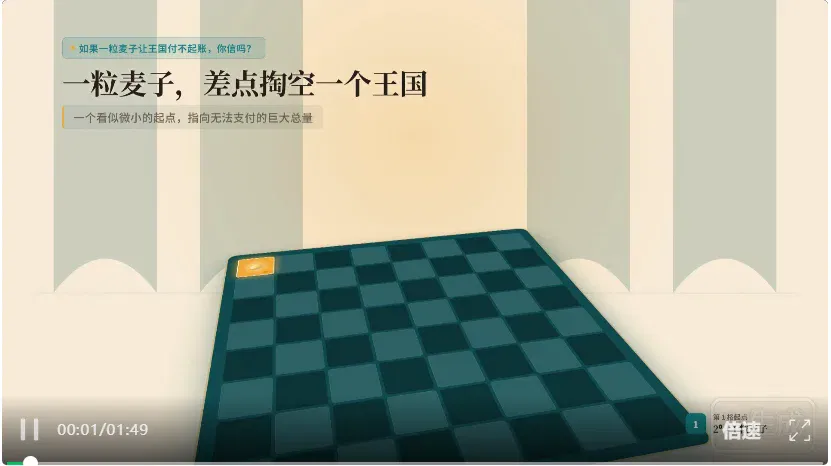
Animation powerfully conveys the impact of exponential growth
For creators explaining mathematics or finance, this is a highly representative subject.
Turning abstract concepts into images viewers understand and remember can make a video much more engaging.
These examples left a strong impression. For motion-graphics videos requiring so much graphical movement and camera variation, making everything manually in After Effects would consume substantial time designing animation, adjusting keyframes and handling transitions.
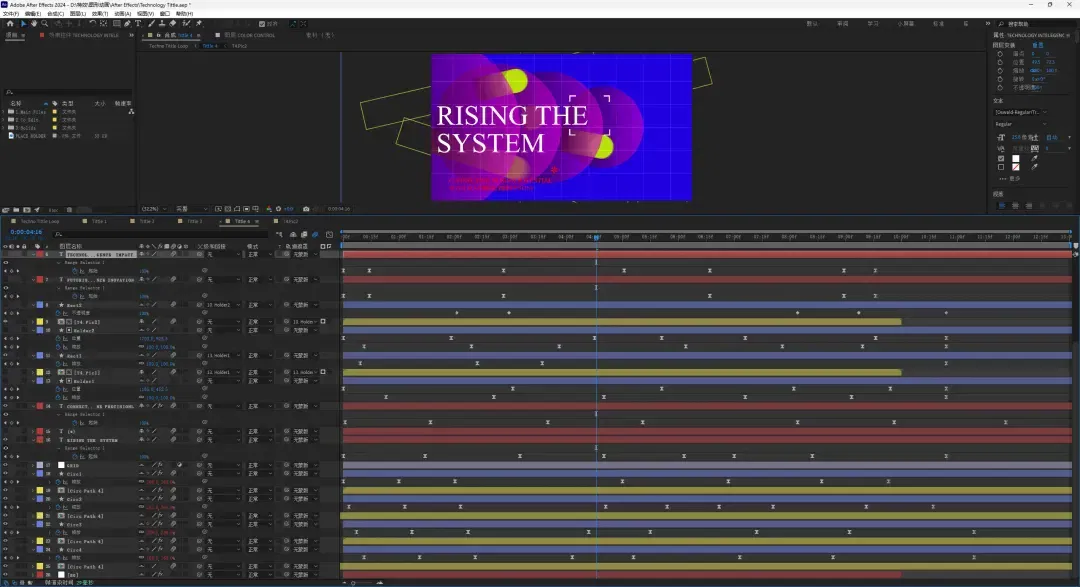
A typical After Effects workspace: dense layers and tracks
For beginners, learning After Effects presents a high barrier; outsourcing to a professional animator can be hard on the budget.
Fotor Agent’s approach is to integrate the production steps, reducing both cost and difficulty.
Creators provide the idea, and it can plan the script, arrange storyboards and make motion-graphics videos through code. Narration, subtitles and editing are all handled on the same platform. There is no need to keep switching software, significantly reducing learning and production costs.
Generating the video is only half the work. Anyone who has made social-media content knows that revisions after the first cut are often the real headache.
This is particularly true when all we have is a complete MP4 file that cannot be modified: even trying to adjust an extremely small detail can be a tremendous hassle.
Fortunately, Fotor Agent never delivers merely an MP4 that has been welded shut. It delivers a video project that can be changed at any time. It gives us two extremely useful ways to edit:
First, fine-tuning individual motion-graphics elements.
Because of the underlying code-generation technology, most motion-graphics elements, including text, values and shapes, are essentially independent modules.
When something is wrong, you can select and edit it directly on the canvas or fine-tune it in the parameter panel on the right. Text changes, new colors and updated data take effect immediately, avoiding the need to rebuild an entire video for one small detail.
Second, multitrack timeline editing for the overall structure.
As mentioned earlier, once the video is generated, the system automatically places motion graphics, video clips, narration, music and subtitles on separate tracks.
Editing then becomes straightforward. If an explanation runs too long, drag the edge of its clip on the timeline to shorten it.
If narration and subtitles are out of sync, select the subtitle clip on its separate track and move it into alignment, without affecting the other visuals.
In a continuous narrative such as the express-dispatch short, subtitles appearing half a second earlier or music entering slightly later can change the viewing experience.
The product offers 4K output. Resolution does not automatically guarantee every asset and piece of text is clear, or constitute acceptance of a professionally finished video. Source assets, fonts, rendering and compression still need checking.

Do not assume it can only make pure motion-graphics animation.
For commercial deliverables, a more advanced approach combines live-action footage with motion-graphics packaging.
Live-action footage preserves a sense of reality, while motion graphics communicate information precisely. This combination of real footage and graphics looks sophisticated and, in the author’s description, doubles communication efficiency.
Fotor Agent can also handle this more advanced approach with ease.

A promotional video with motion-graphics packaging made in Fotor Agent
It also includes versatile intelligent editing functions: shortening long videos with one click, removing filler and pauses from spoken delivery, automatically adding motion graphics and B-roll, and assembling finished edits from multiple source clips.

Fotor Agent intelligent video-editing demonstration
Whether making serious commercial videos such as product introductions and brand promotions or frequently updated social-media shorts like mine, it is a good fit.
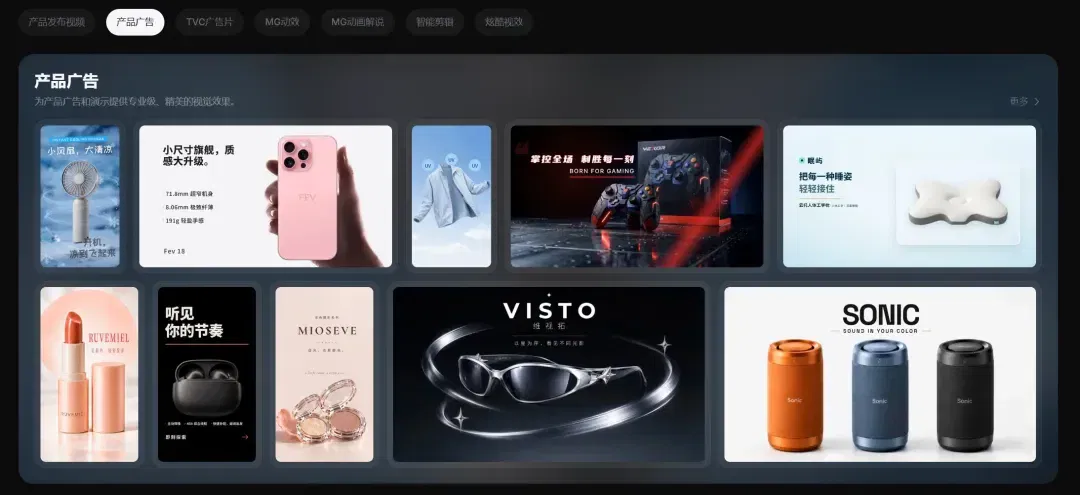
Anyone creating social-media content knows that sustained output is always the biggest headache.
You may have many promising topics in mind, but when it comes to making the video, finding assets, arranging layouts and designing animation alone can exhaust your enthusiasm.
With tools such as Fotor Agent, many striking effects that once required wrestling with professional software can now be produced quickly through a few exchanges in plain language.
This gives technical knowledge in short videos more entertaining, engaging forms of expression.
If you want to try it, there is an opportunity now.
Fotor Agent is currently running the “Knowledge Panorama Challenge,” with substantial competition prizes.
If you are interested in AI educational animation, I strongly recommend trying it with your ideas. The next breakout work might be yours.
This article was originally published by Xiagu AI. Author: Xiagu Content Team.
Related topics
After reading
Join the AINRK community
Read how to join the community and connect with people working in AI.
Related articles
Continue reading related topics and articles in this category.
再见Opus,我挖到个更香的国产商用视频Agent。 (opens in a new tab)
大家好,我是最近被Opus视频刷屏的袋鼠帝 我的X和朋友圈几乎被它刷屏了,产品宣传片、数据动画、手绘风科普……动效都很丝滑,字和图表清清楚楚,看着还挺高级的。

Fotor Agent 制作 MG 动画:从 PDF 解说到口播动效叠加 (opens in a new tab)
水哥AIGC 用数据科普和新书口播两个案例,演示 Fotor Agent 的脚本、分镜、动效修改及导出流程,并说明如何在保留原片的基础上叠加信息层。案例效果来自作者的操作记录。

姜宇辉的AI分身:知识助手与“另一个自己”之间 (opens in a new tab)
南方周末通过学者、用户与Second Me创始人的访谈及记者试用,观察AI分身的学术辅助、情感连接和商业化尝试,也呈现知识可靠性、人格边界、版权与隐私方面的疑虑。
智动未来据报完成亿元级Pre-A+融资,资金用于产线与服务机器人部署 (opens in a new tab)
机甲觉醒报道,智动未来宣布完成亿元级Pre-A+轮融资,由中美绿色基金领投、南曦创投联合领投,资金拟用于广州产线、服务场景部署和世界模型研发。“智子世界”仍属技术预览,商业化效果待更多应用数据检验。

范式智能介绍Phai-A1与Phai-M1,强调国产算力后训练优化 (opens in a new tab)
范式智能介绍面向代码与Agent场景的Phai-A1,以及面向真人影视的音画同步模型Phai-M1。公司展示了单卡运行和视频生成能力,并称模型在昇腾平台完成专项后训练优化。